
New Sales Hub Setting: Dynamics 365 AI Hub



Meet the newest part of the Sales Hub App Settings area: the Dynamics 365 AI Hub. The AI Hub can be used to create agents and review their performance in one place.
In this section, you can create and manage agents in the Agent Manager, and you can monitor and measure existing agents in the AI Optimization Hub. This is also a great spot to learn how AI and agents work, and to connect with excellent Microsoft Learn resources. Other notable inclusions are articles about responsible AI, security, privacy, and compliance.
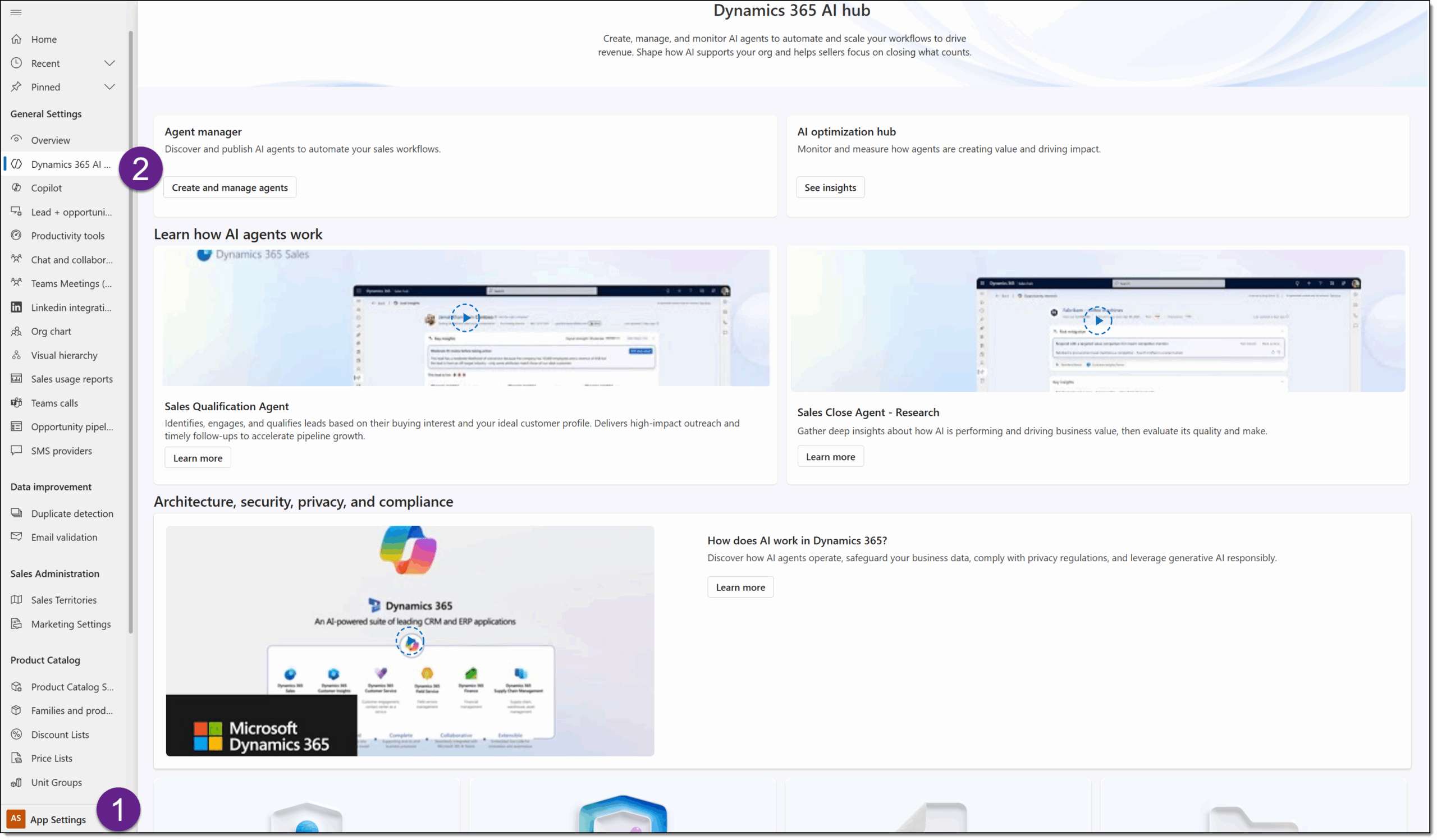
Agent Manager
When you open the Agent Manager section, you will first see a list of all prerequisites to ensure you are ready to work with agents. The prerequisites are:
- Microsoft Copilot Studio capacity: AI agents require capacity to run. You may buy credits or set up a pay-as-you-go billing plan.
- Move data across regions: Agents need data to move across regions for certain features to work properly. This prerequisite requires you to accept the terms.
- AI Prompts: AI prompts are natural-language instructions that guide agent behavior using large language models. This prerequisite asks you to turn on the prompt in the environment inside the Power Platform Admin Center:

After all three of these are ready, you can click the Create button at the bottom to create an agent. 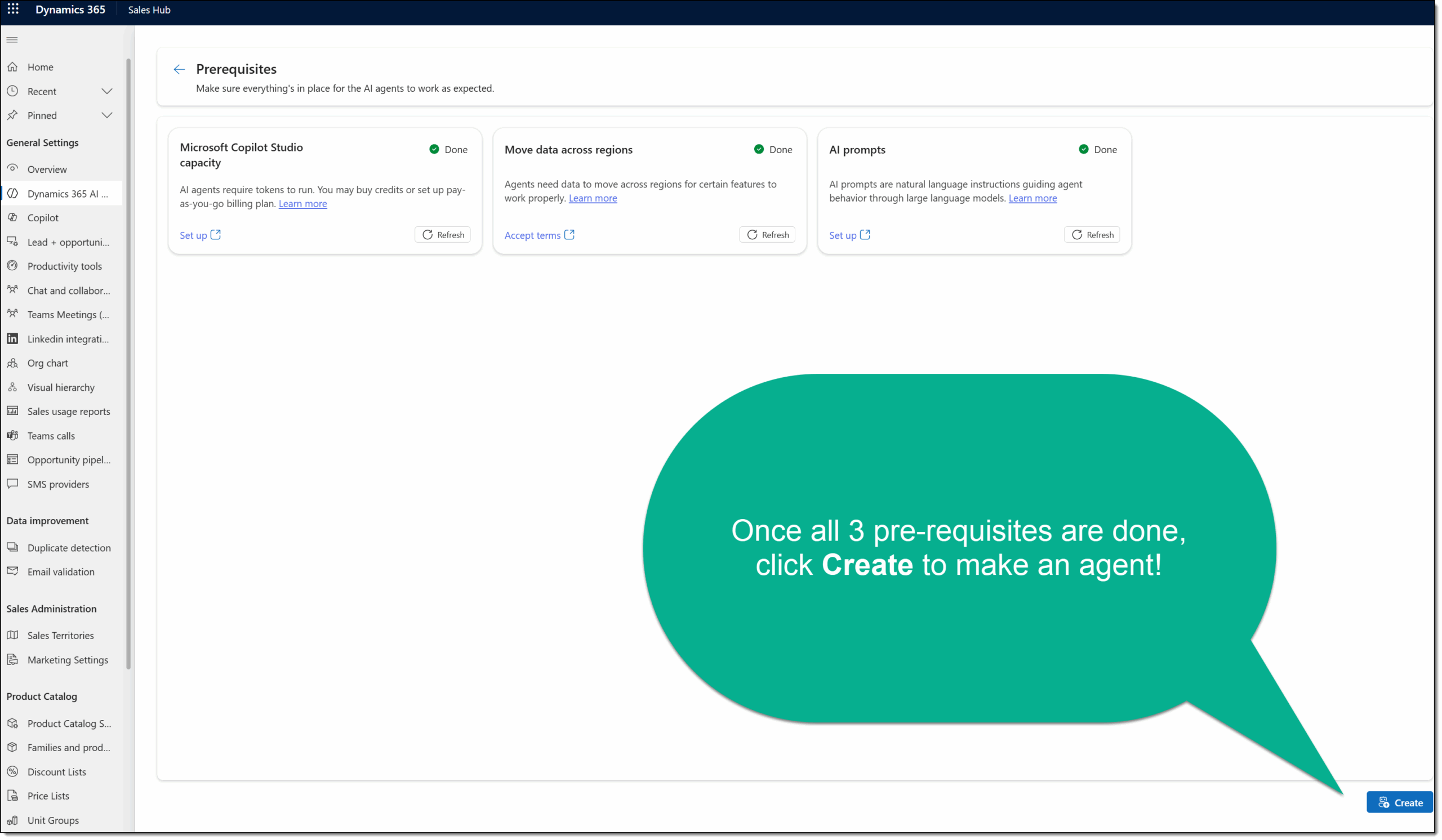
Today, there are two agents that you can create:
- Sales Qualification Agent: Qualifies and routes inbound leads.
- Sales Close Agent: Assists with follow-ups to close deals.
Select the desired agent to set up and configure by clicking Choose: 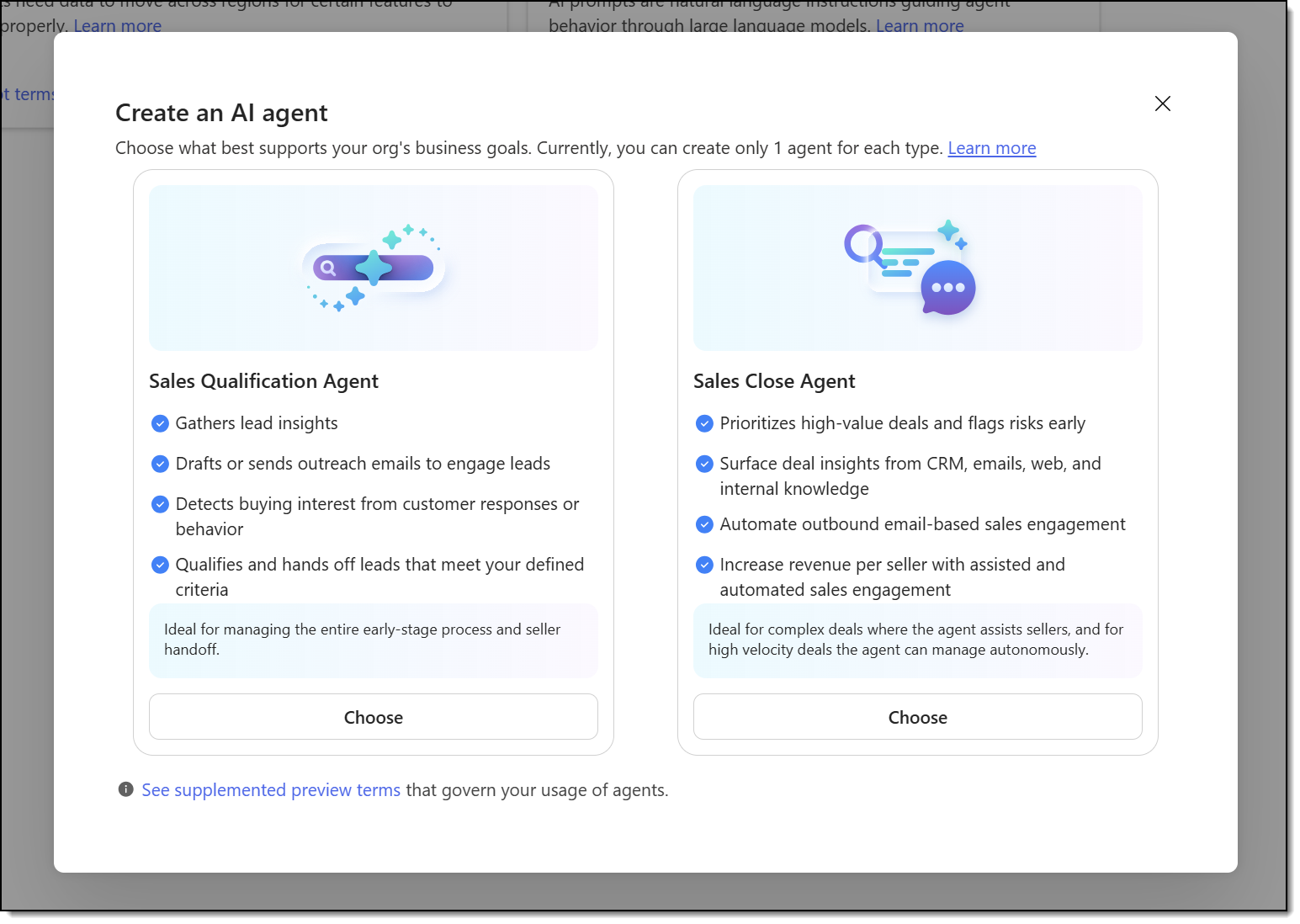 Continue through the in-product wizard to complete any additional prerequisites, name your agent, select products and criteria, configure assignment and handoff, and ground the agent in knowledge.
AI Optimization Hub
The other main area of the Dynamics 365 AI Hub inside the Sales Hub’s App Settings area is the AI Optimization Hub. After you have set up the Sales Qualification Agent and/or the Sales Close Agent, you can view performance here.
This Microsoft Learn article shows what the Sales Qualification Agent metrics display: 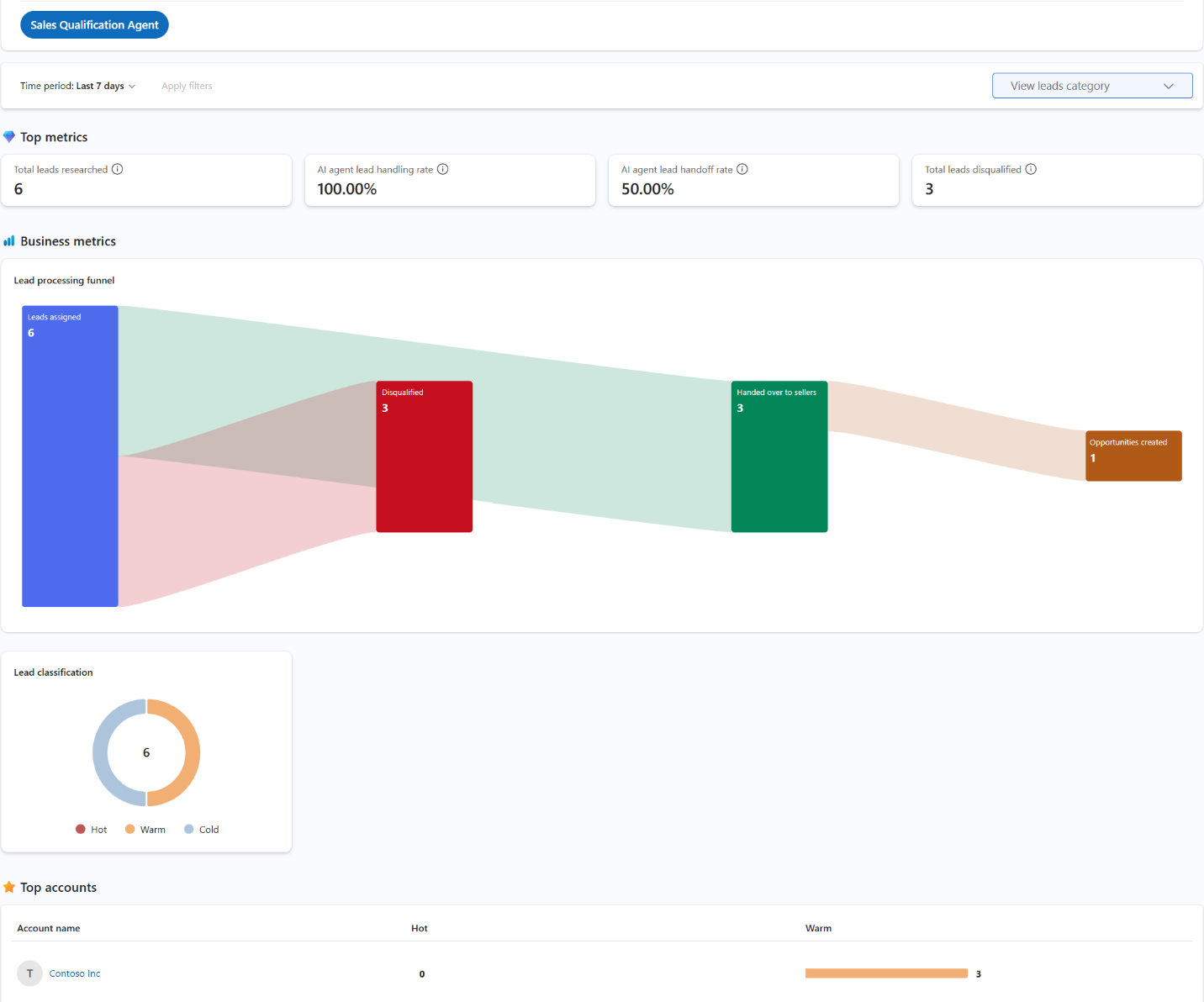
See how your Sales Close Agent is performing here:
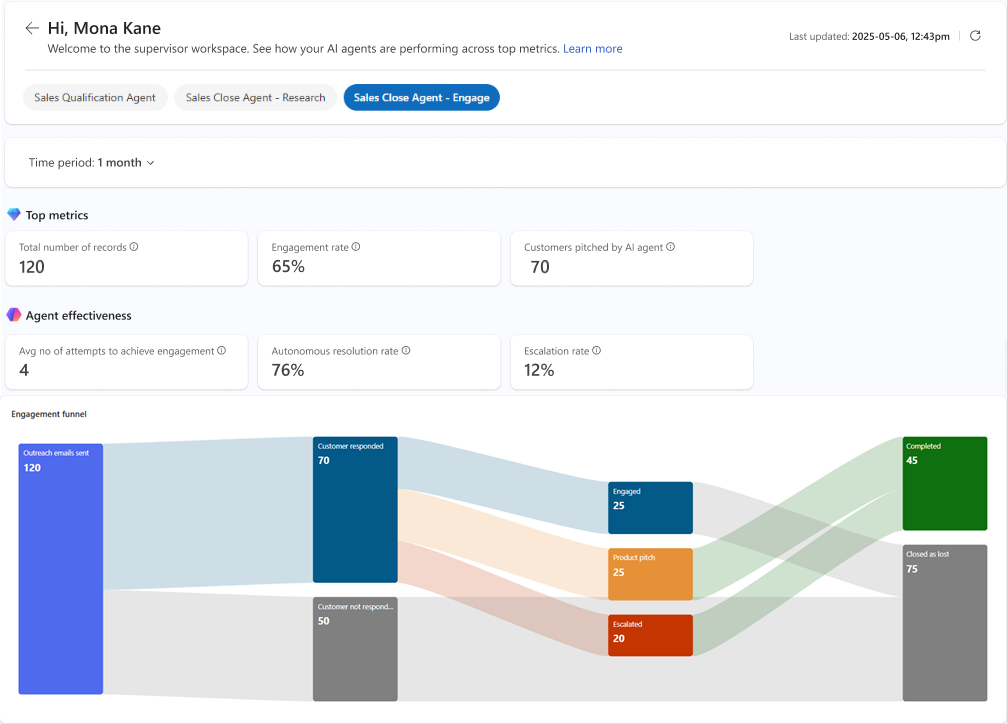
Sample insights and metrics for the Sales Close Agent from this Microsoft Learn article.
