
Working with Dataverse Customer Columns in Power Automate



In Power Automate, Dataverse lookup columns are usually straightforward: They point to one table, and your flow retrieves the related row from that table. A Customer column works differently. Since it can point to either an Account or a Contact, your flow needs to identify the record type before it tries to use the lookup value. In this example, we’ll use a Switch action to separate the Account logic from the Contact logic, so each path uses the correct Dataverse table and avoids lookup-related errors.
Trigger
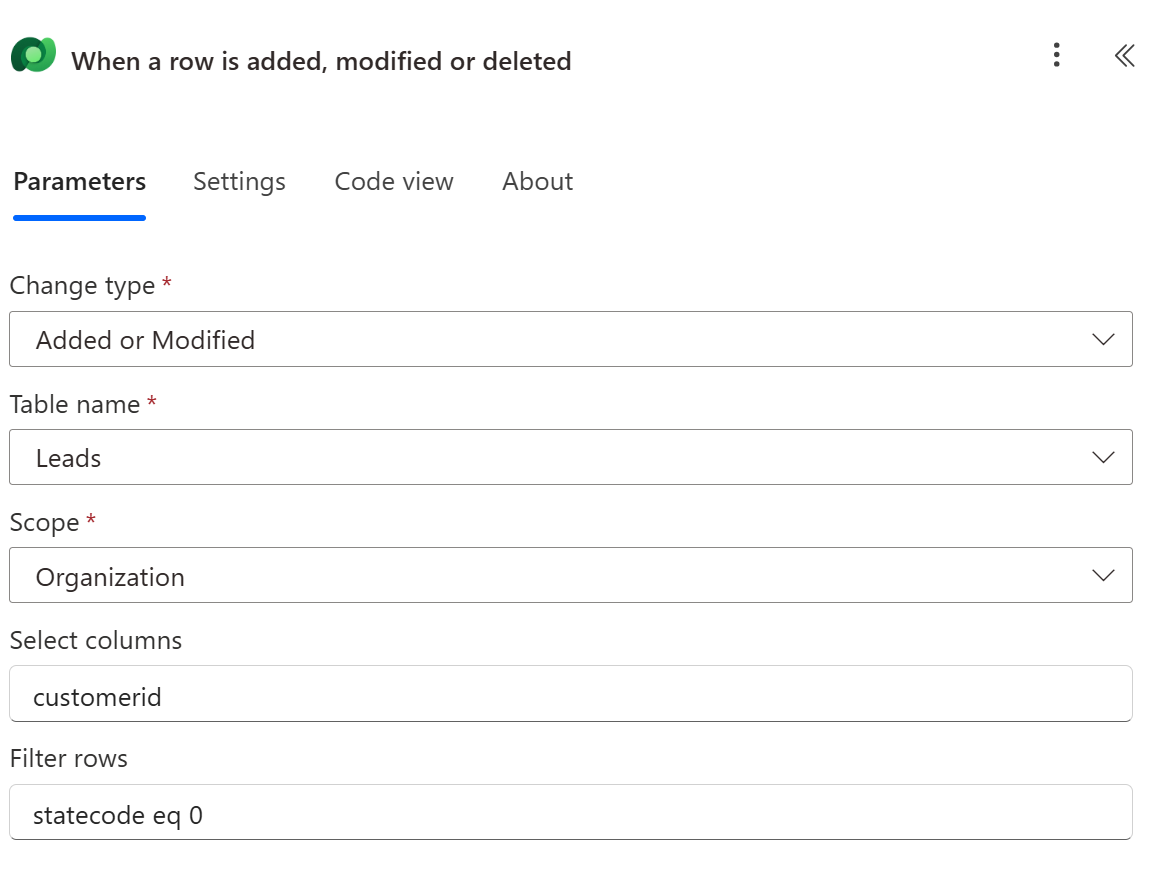
In this example, we are triggering a flow anytime an Open Lead has a change to the value of Customer. This is our trigger:
Action: Switch
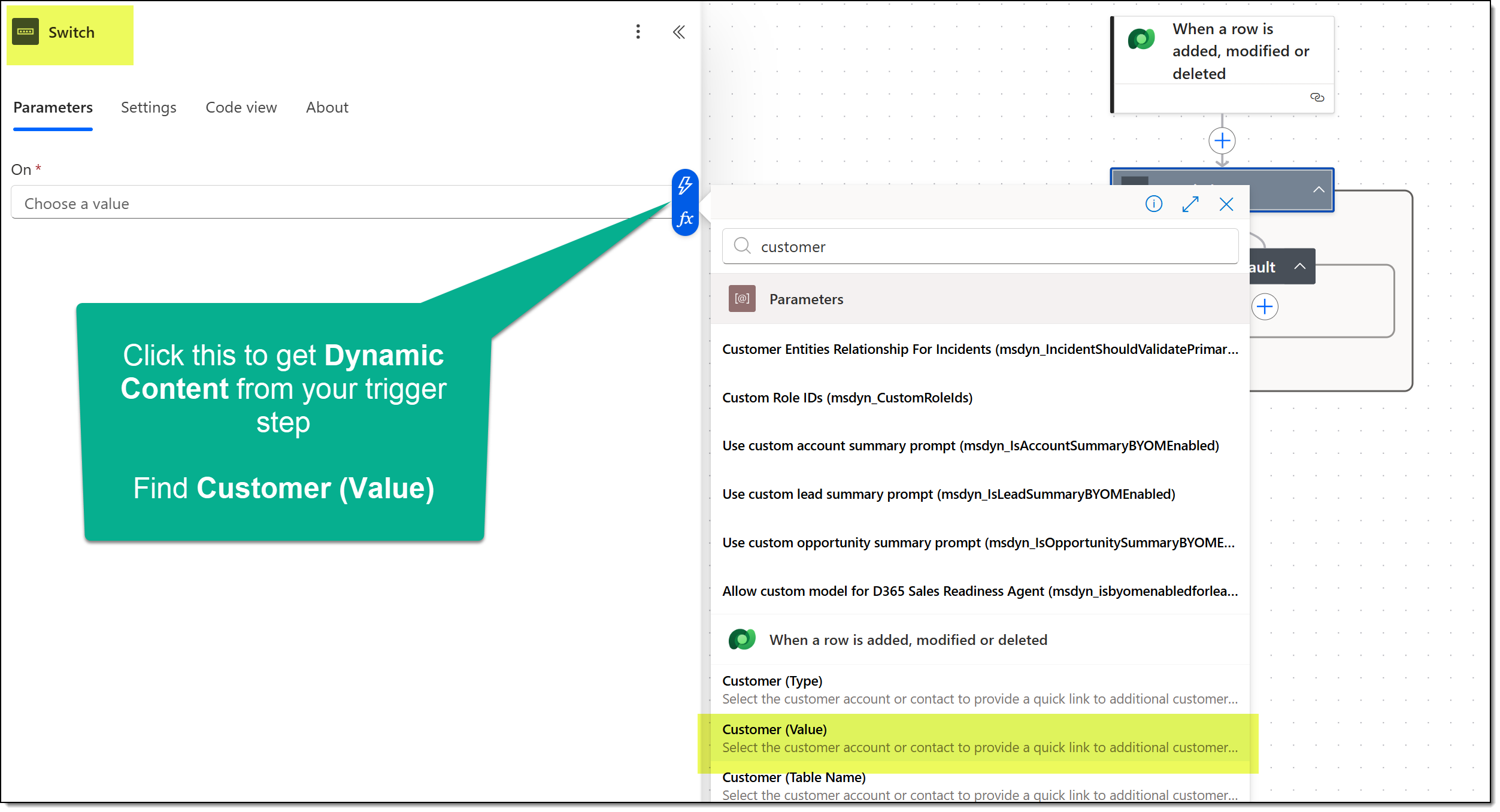
Next, add the Switch action from the Control connector to your flow canvas. You have to configure what to switch on. Do this by using dynamic content and find Customer (Type) from your trigger:
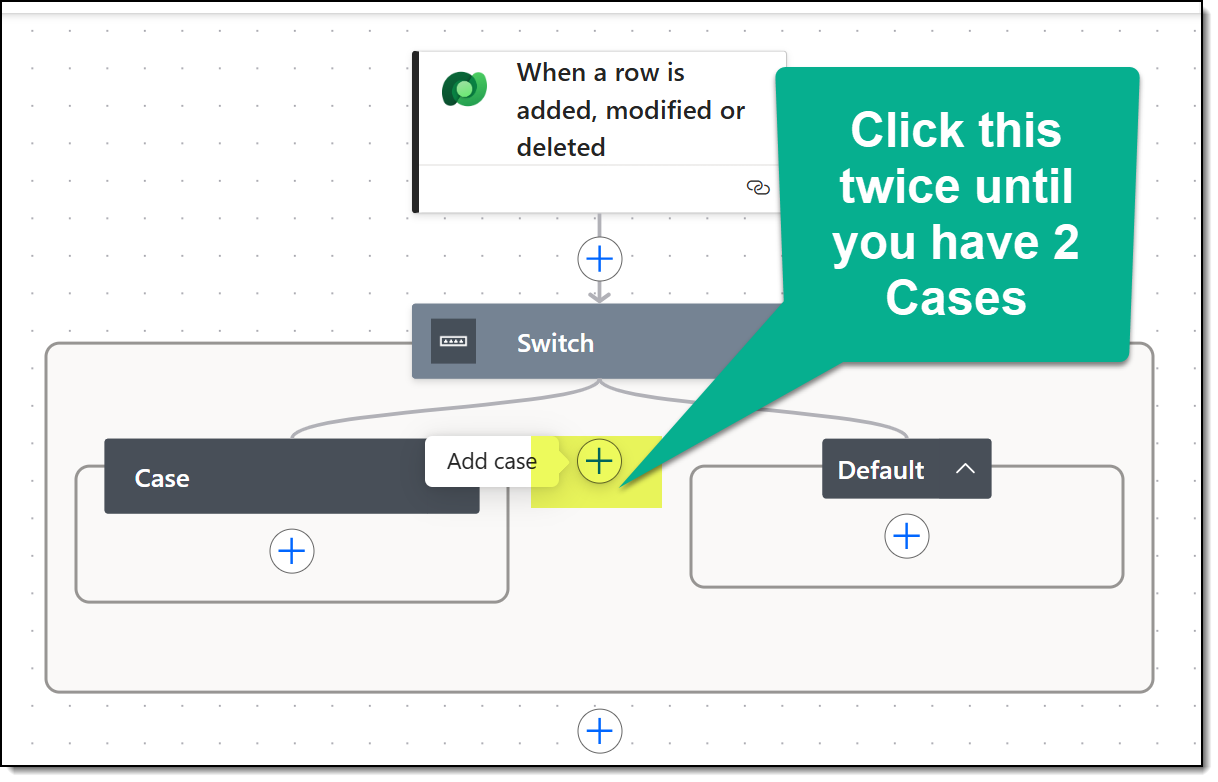
Then, we need to add two Cases to our Switch action:
Configure Case 1 Parameters
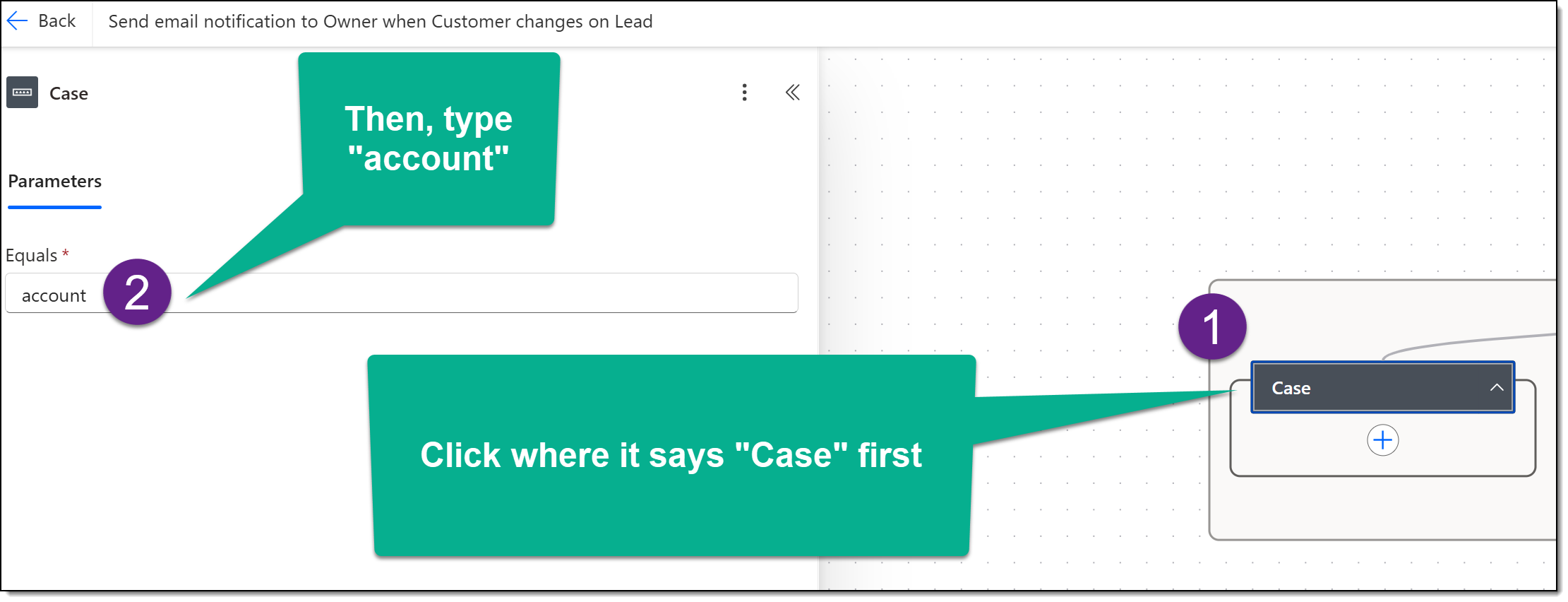
Inside the Case 1 Action, define your case (in this example, we will look for Customer Type equals Account).
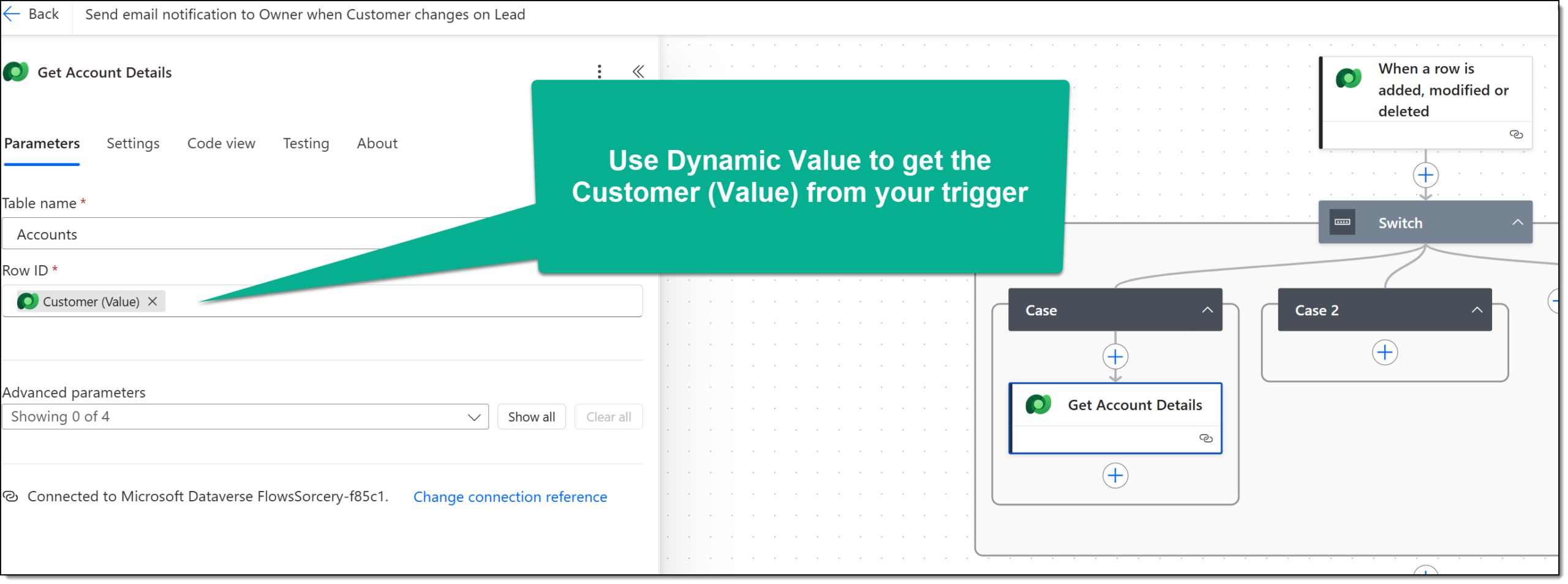
Now, we can configure additional actions inside of this case. I used the Get row by ID action in the Dataverse connector to pull details of the Account:
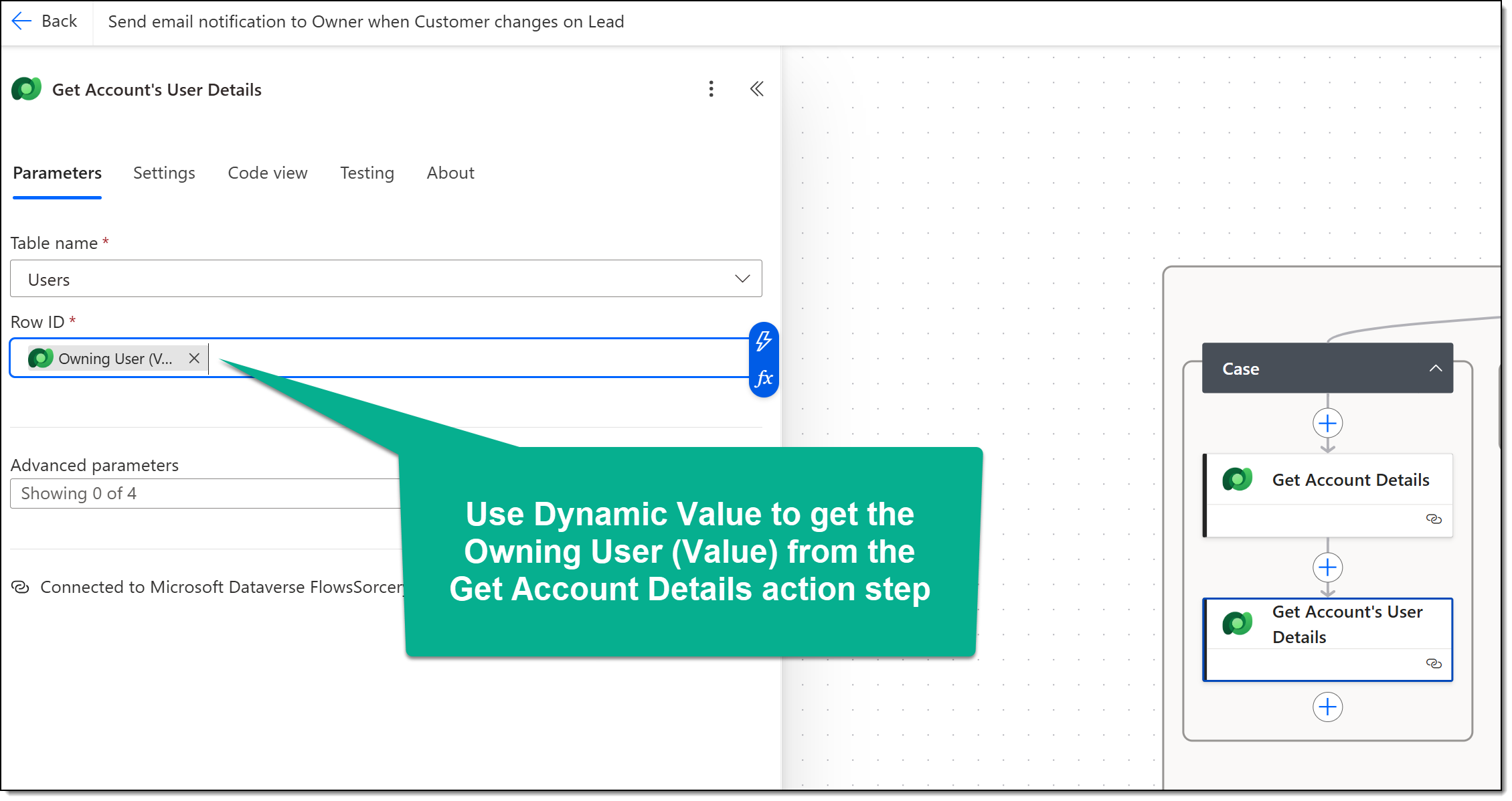
Add a second Get row by ID action, which will grab the Owning User of the Account:
Finally, configure an action step to send the email. For this example, I used Send an email (V2) in the Outlook connector. Use dynamic values from the prior two steps (User & Account actions) to personalize the email: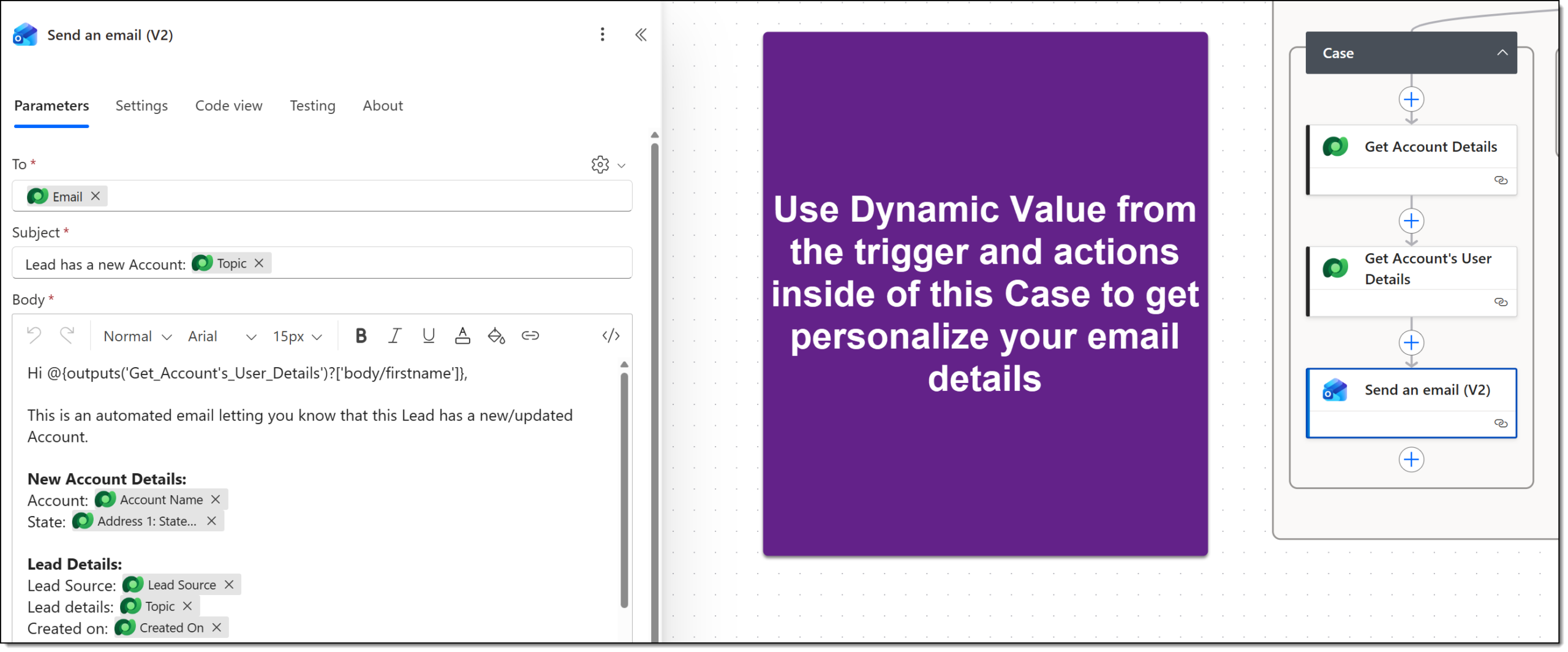
Configure Case 2 Parameters
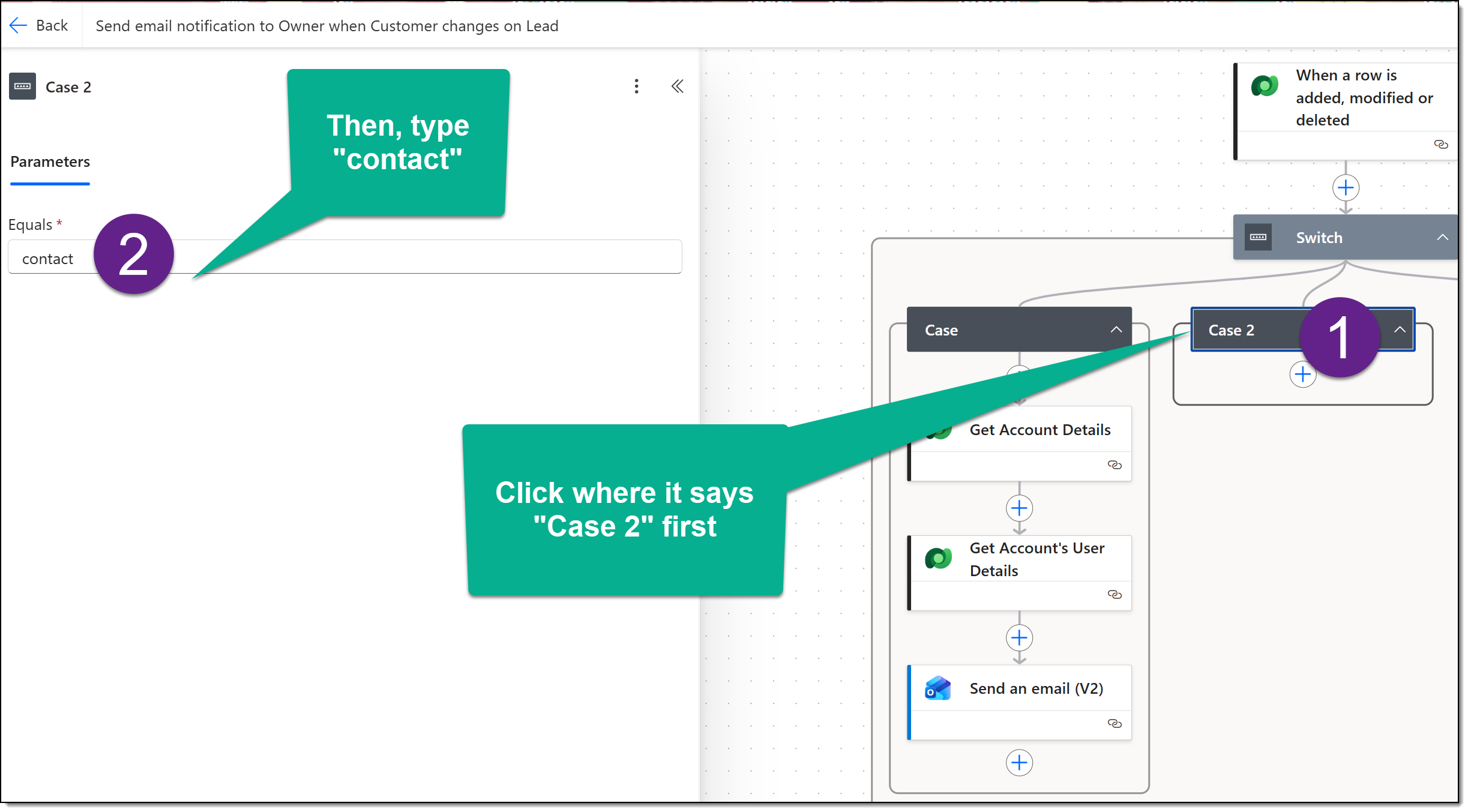
Now that Case 1 has been configured, it’s time to begin the same process with Case 2. First, we define Customer Type equals contact:
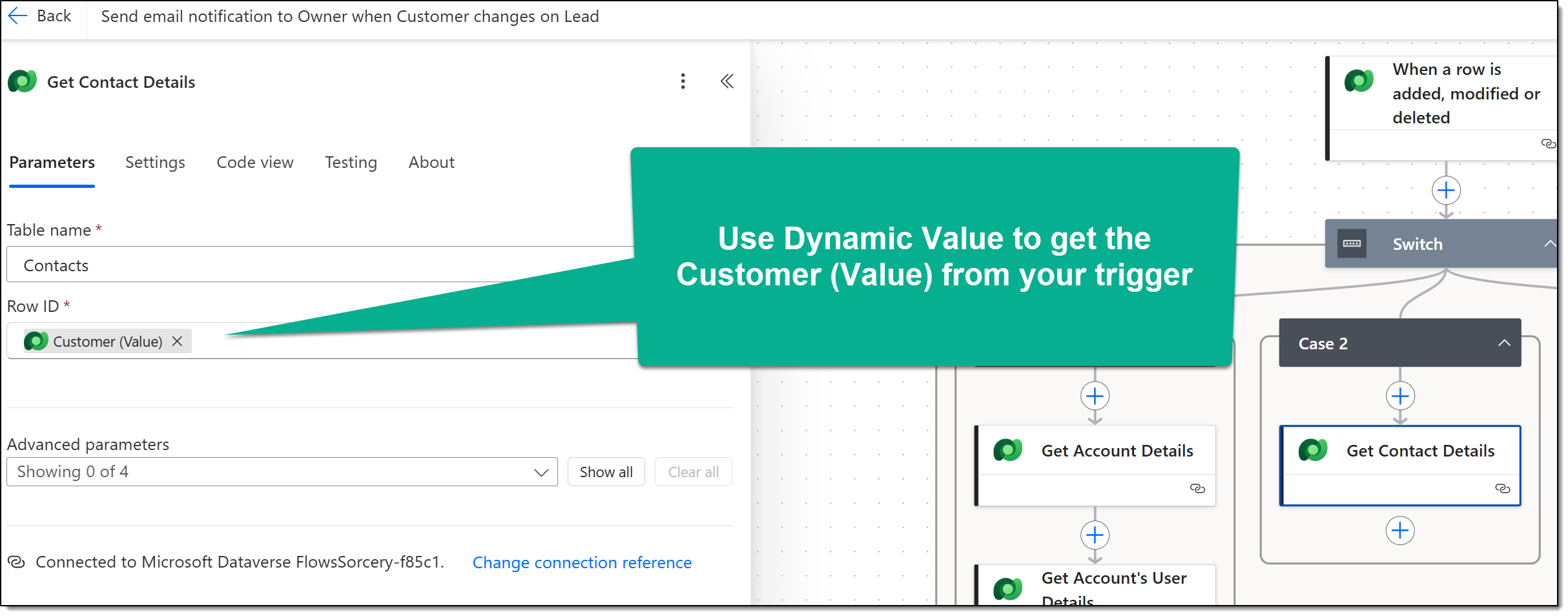
Configure your first action using the Get row by ID action in the Dataverse connector (the same step as above, but using the Contact table):
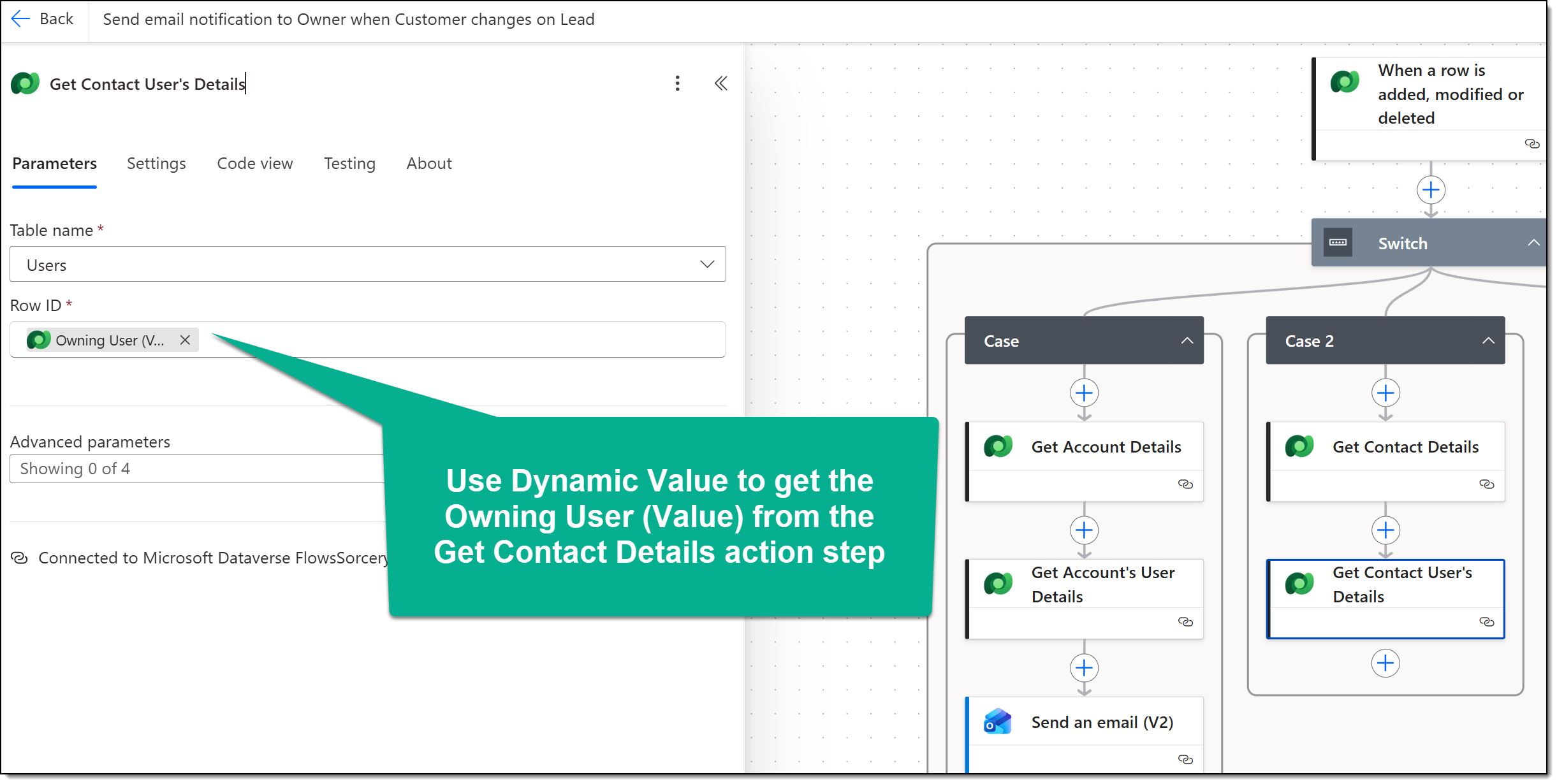
Repeat a similar second action, using Get row by ID in the Dataverse connector using the Users table:
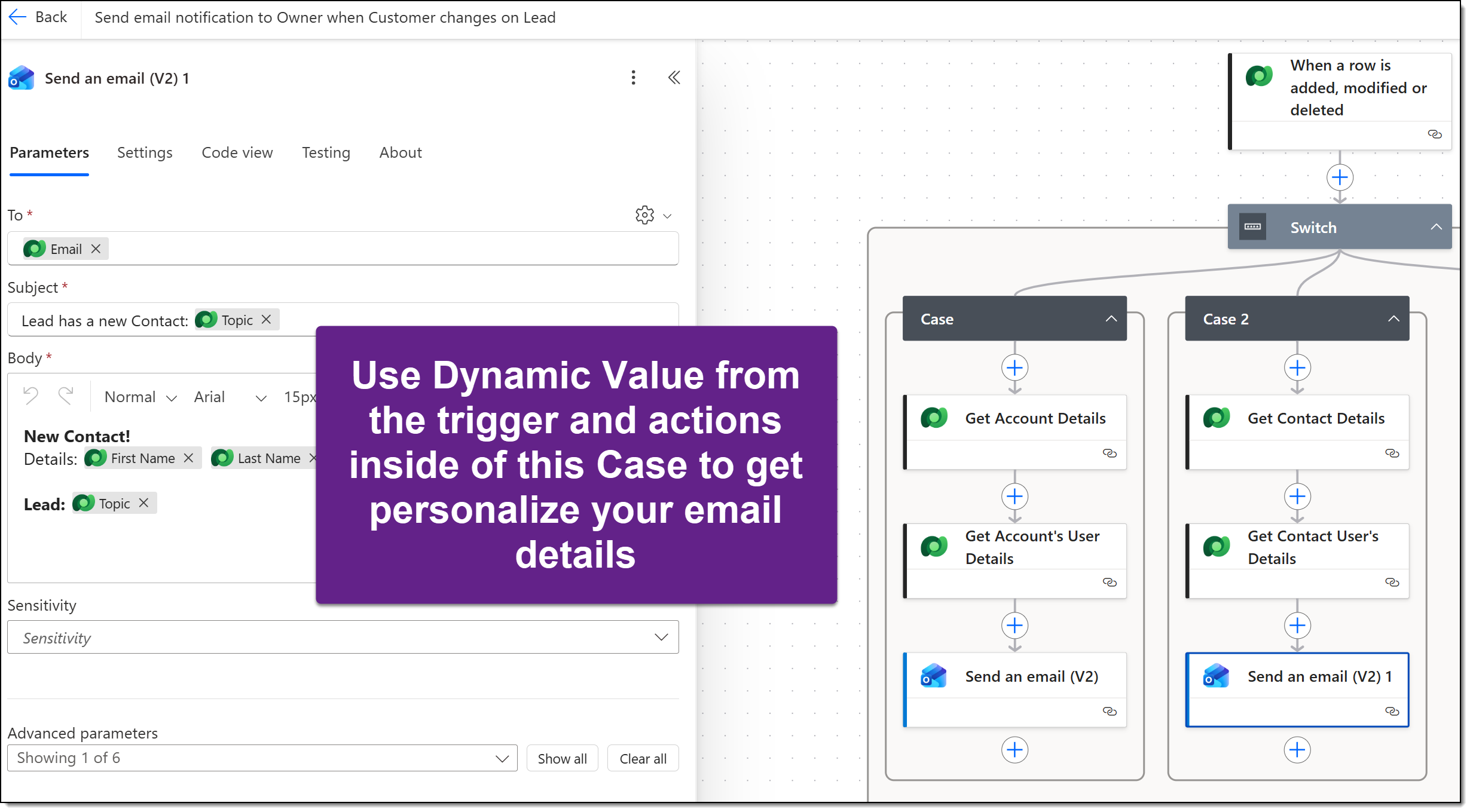
Finally, configure an email action step using dynamic values in Case 2’s actions:
Final Thoughts
Customer columns in Dataverse are powerful, but because they can point to either an Account or a Contact, your flow needs to know which table it is working with before retrieving related data.
Using a Switch action on the Customer (Type) value gives your flow a clean way to handle each possibility separately. One case manages Accounts, while the other manages Contacts. From there, each branch can retrieve the correct records, use the right dynamic content, and complete the remaining flow steps without lookup-related errors.
This keeps the flow easier to read, easier to troubleshoot, and safer to reuse later.
