
Where Copilot Falls Short — What Teams Do to Fix It

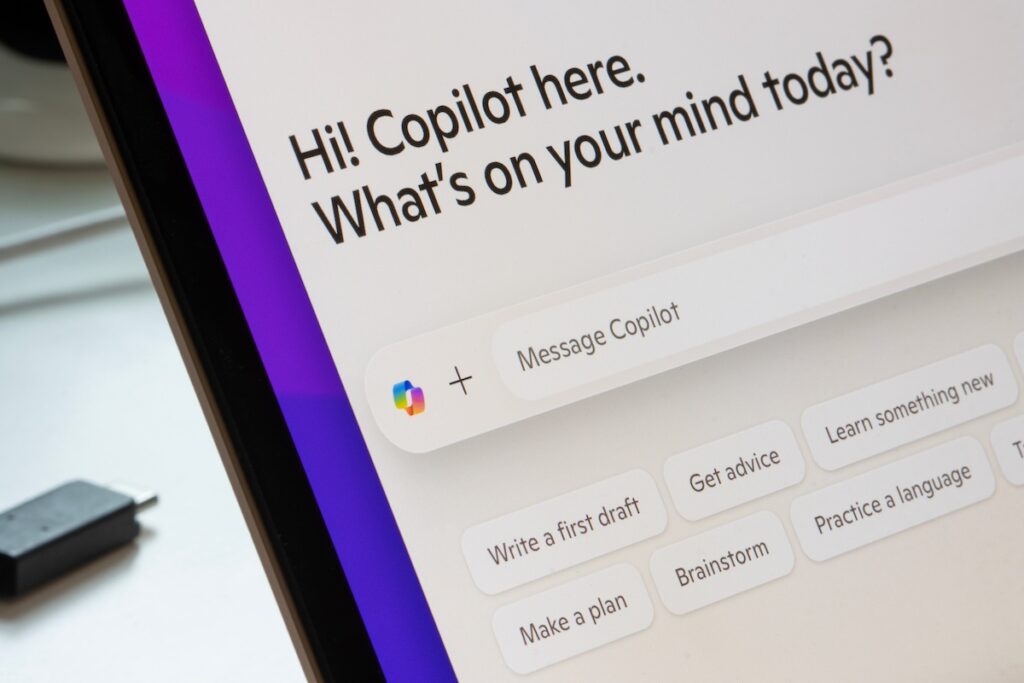

When teams tell me that Copilot “isn’t quite living up to the hype,” my first reaction usually isn’t concern. It’s curiosity.
In most cases, Copilot isn’t actually failing in any obvious way. There aren’t crashes or major errors. What’s happening is quieter and easier to miss. The tool works, but it doesn’t quite land the way people expected it to.
That gap is usually where frustration starts.
The Gap Between Capability and Day-to-Day Use
Copilot almost always works the way it was designed to. Where things tend to fall apart is in how it’s used, how it’s trusted, and what people expect it to do right away.
I rarely see one big mistake. Instead, I see a handful of small misalignments stacking up over time. Prompts stay vague. Context gets left out. Curiosity leads to experimentation, but nothing ever becomes repeatable. Trust creeps in before judgment does.
Individually, those things don’t feel like a problem, but together, they slowly chip away at confidence.
How These Issues Usually Start
Most Copilot rollouts follow a similar pattern.
Licenses get assigned. A few demos happen. People are encouraged to try it out. Curiosity kicks in, and everyone explores in their own way.
What often doesn’t happen is a reset. Teams don’t always pause to define where Copilot fits into their work, where it doesn’t, or what “good” actually looks like. Without that shared understanding, usage becomes scattered, and expectations quietly drift.
That’s usually when people start saying Copilot feels inconsistent.
Where Copilot Commonly Falls Short
Not because of the technology itself, but because of how it’s being used.
Treating Copilot Like Search
This is the most common issue I see.
People use short prompts, ask broad questions, and expect precise answers. When the output comes back generic, it’s easy to assume Copilot missed the mark.
The reality is that Copilot isn’t retrieving information the way search does. It’s trying to collaborate. When direction is unclear, it fills in gaps with assumptions.
Teams get better results when they ask for outcomes instead of information. Summaries, decisions, drafts, or content tailored to a specific audience tend to work far better than open-ended questions.
Expecting Finished Answers Too Quickly
Another pattern shows up when teams expect Copilot to deliver a final result on the first try.
The output isn’t quite right, so the conversation ends there. The tool gets blamed, and people move on.
Copilot isn’t deterministic. It’s iterative by design. It works best when it’s allowed to draft first and refine from there. Teams that treat it like a collaborator instead of a vending machine tend to get much more value out of it.
Leaving Out Context
Sometimes Copilot responses feel off. Important details are missed, or the output repeats things that were already discussed.
In almost every case, that comes down to context. Copilot can only work with what it can see. It doesn’t automatically know which meeting mattered most or which document carries the latest decisions.
When teams explicitly ground Copilot in recent meetings, files, or conversations, the quality of responses improves quickly and noticeably.
Letting Curiosity Replace Consistency
Early exploration is healthy. Endless experimentation isn’t.
I often see teams jump from feature to feature, trying new prompts every time without ever locking in what works. Copilot stays interesting, but it never becomes dependable.
The teams that get real value tend to explore early, identify a few moments where Copilot consistently helps, and then turn those moments into habits. Once that foundation is in place, curiosity becomes useful again instead of distracting.
Trusting Output Without Review
The most subtle issue shows up when Copilot output is trusted without a second look.
Copying and pasting feels efficient, but it quietly introduces risk. Copilot is probabilistic, and people are still accountable for the decisions they make.
Healthy usage looks more like this: Copilot drafts, summarizes, or surfaces options — and humans slow down just enough to apply judgment before acting.
How Teams Get Back on Track
When teams feel confidence slipping, they usually don’t need retraining or a full reset.
What helps most is re-centering. Clarifying expectations. Re-anchoring on a few reliable habits. Reinforcing the idea that Copilot supports work rather than replacing responsibility. And, importantly, leaders modeling focused, intentional usage instead of endless experimentation.
The goal isn’t to try and use Copilot everywhere, the goal is to use Copilot where it consistently helps.
What It Looks Like When Things Click
When Copilot is working well, it stops being exciting and starts being dependable.
It shows up in the same moments each week. It saves time in predictable ways. It supports decisions instead of trying to make them.
That’s usually when confidence returns.
Final Thoughts
Copilot doesn’t fall short because the technology isn’t ready. It falls short when expectations drift, habits don’t form, and curiosity never settles into something repeatable.
The teams seeing the most value aren’t doing anything dramatic. They’re clear about where Copilot fits, disciplined about how they use it, and thoughtful about when to trust it and when to slow down.
When Copilot becomes part of the workweek instead of something to explore endlessly, it starts to matter. Not because Copilot changed, but because how it’s being used did.

AI Agent & Copilot Summit NA is an AI-first event to define the opportunities, impact, and outcomes possible with Microsoft Copilot for mid-market & enterprise companies. Register now to attend AI Agent & Copilot Summit in San Diego, CA from March 17-19, 2026.
