
Mastering Dynamics 365 Field Service: The Stuff Nobody Puts in a Demo



The first five parts of this series covered the headline features that drive sales demos: scheduling, mobile, IoT, assets, agreements, entitlements, NTEs, and timekeeping.
This article focuses on the topics that rarely make a slide deck, yet consume just as many implementation hours: inventory, security, inspections, agents, self-service, finance integration, subcontractors, and crews. None of it is glamorous, but treating any of it as an afterthought will derail a go-live.
Written for admins and developers running these environments, based on real-world implementation experience.
Inventory, Purchasing, and Returns
Everyone plans the scheduling engine; almost nobody plans the parts closet with the same care.
The Setting That Determines if Any of This Works at All
Before any of this matters, a product’s Field Service Product Type field has to actually be set to Inventory. Miss that, and inventory changes just don’t show up when you add the product to work orders, purchase orders, or RMAs. I’ve walked into an environment where every product had been created with the default type, inventory tracking looked completely broken, and the actual root cause was a single field nobody had set correctly on the product catalog. An hour of investigation for a five minute fix. Classic.
Warehouses in Field Service aren’t just buildings. A warehouse can be a static location or a truck in transit, which matters because most of your actual inventory problems live in the truck, not the building. Purchase orders track incoming stock, receipts document what actually arrived, and every transaction gets logged in an inventory journal, so if your stock counts don’t match reality, the journal is where you go to find out why.
The Default Warehouse Field, Buried and Unbothered
Every bookable resource has a Warehouse field, sitting there being the least dramatic field on the entire form, right up until you skip it. Set it, and the system knows exactly which truck a technician’s parts come out of the second they touch a work order product. Skip it, and congratulations, you’ve built an app that tracks a technician’s GPS position down to the meter but somehow has no idea which vehicle they’re standing next to. That’s an impressive achievement. Just in exactly the wrong direction.
The relationship runs both ways too, and I genuinely enjoy this part. Pop open a warehouse record, check Related, and you’ll see every resource tied to it. If “Truck 12” is sitting there with zero linked resources, that’s not a warehouse anymore, that’s a ghost town with a license plate, and somebody clearly forgot a step during onboarding.
And somebody always forgets it, because this field lives buried on a resource form stuffed with work hours, characteristics, territories, and security roles, basically the terms and conditions nobody reads before clicking Agree. Skip it during a rushed go-live and the fallout isn’t a dramatic outage, it’s death by a thousand tiny annoyances: parts stop deducting from the right location, or the technician gets asked to manually pick a warehouse on every single product, every single job, forever, standing in someone’s crawlspace wondering why an app smart enough to route their entire day apparently can’t remember which truck they drive. I’ve watched that exact look cross a technician’s face. It is not the confidence-inspiring rollout moment anyone was hoping for.
Keep the two settings straight in your head, because people conflate them constantly. This per-resource default lives on the resource record, full stop. Field Service Settings is the other, much louder sibling, the place where your organization-wide defaults actually live, for work orders, bookings, the schedule board, and agreements. The big settings run the whole show. This one lonely field runs the show for exactly one human and exactly one truck, and no amount of getting the org-wide settings right will fill it in for you. Somebody still has to click into every resource, one at a time, like a very tedious digital chore chart. That somebody is you.
Returns, in Three Flavors
Returns start life as a Return Merchandise Authorization, or RMA. Field Service supports the return happening for a handful of standard reasons: a defective part, a dissatisfied customer, a repair that has to happen off-site rather than in the field, or equipment coming back at the end of a lease. Once the RMA is created, you specify what happens to the returned item through a processing action:
- Create RTV, sending it back to a vendor or manufacturer.
- Return to warehouse, putting it back into your own inventory.
- Change Asset Ownership, when the asset itself is moving to a different account rather than actually being returned.
The return isn’t finalized until someone creates an RMA receipt, confirming the correct product and quantity actually came back. Only then does the system adjust inventory and customer assets automatically. If you want to issue a credit, that gets flagged on the RMA product itself, and it generates an invoice against the account listed as the service account on the RMA.
For basic needs, the out of box inventory functionality genuinely holds up fine. For anything more complex, Field Service is designed to lean on an ERP rather than reinvent one, most commonly Dynamics 365 Supply Chain Management through a prebuilt integration template. If your inventory requirements sound like “we need multi-echelon demand forecasting,” that’s a sign you’ve outgrown what Field Service alone was built to do, and that’s fine. Know that boundary early instead of discovering it mid project.
Security Model: Roles, Scope, and Boundaries
Field Service security typically fails in one of two extremes: assigning System Administrator broadly to maintain momentum, or over-specifying granular roles early on, creating excessive IT support tickets.
The Security Model (Business Units, Territories, and Who Can See What)
I’ve seen two failure modes on Field Service security, and they’re mirror images of each other: everyone gets the System Administrator role “to keep things moving,” or the security model gets so granular so early that nobody can actually do their job without submitting a ticket. Neither is good. The right answer sits somewhere in the boring middle.
Business Units and Access Levels
Business units group users and scope data access. Layered on top of that, security roles grant access at increasing levels: User (only your own records), Business Unit, Parent Child (your business unit plus anything beneath it), and Organization (everything). Field Service ships several purpose-built roles out of the box, and I’d strongly recommend starting from these rather than building your own from scratch:
- Field Service – Administrator, full configuration access.
- Field Service – Dispatcher, for the people scheduling and managing the board.
- Field Service – Resource, scoped down to only what a frontline technician needs, which is mostly viewing and updating work orders assigned to them.
- Field Service – Inventory Purchase, for the people managing van stock, purchase orders, and returns.
- Separate IoT roles for anyone touching Connected Field Service.
On top of role-based security, column-level security profiles let you lock down specific fields, useful for things like cost data that a technician has no business seeing even on a work order they’re otherwise fully allowed to view. When you set up a frontline worker, the setup flow bundles security role, field security profile, and mobile offline profile together in one place, which is honestly a nice bit of design because it stops you from configuring one and forgetting the other two.
Territories are Not Security, and I’ve Watched People Conflate the Two
Territories organize your business into geographic regions and act as filters on the schedule board, the schedule assistant, and Resource Scheduling Optimization. They help a dispatcher schedule the right technician to the right region. They are not an access control mechanism. A resource being in the wrong territory doesn’t expose data, it just means they show up in the wrong scheduling pool. Keep that distinction straight in your head, because I’ve sat through a security review where someone genuinely believed territory assignment was doing access control, and it very much was not.
Inspections and Completion Workflows
Before digital inspections existed on the platform, I watched technicians fill out paper checklists that then had to be transcribed by someone back at the office, badly, usually late at night, usually with typos. Inspections fixed that, and they’re one of the more underrated features in the platform.
An administrator builds an inspection template with a drag and drop interface, no custom entities or fields required, then publishes it and associates it with a Service Task Type. That task type gets added to a work order, the technician fills out the inspection on the mobile app (which works offline, since that’s basically a theme running through this whole platform), and the dispatcher can view results back in the office.
Compared to plain work order incident types and service tasks, inspections offer real advantages:
- Faster to build. No new tables, no new fields, just a template.
- Faster to complete. Technicians answer everything and save once, instead of opening and closing individual service task records one at a time.
- More expressive. Multi-select questions, mandatory fields, image and file attachments, pass and fail logic, the works.
Two gotchas worth knowing before you roll this out to a field team. First, you have to save the inspection before marking the related service task complete, or you’ll hit a business process error, which is a confusing message to explain to a technician standing in a customer’s basement. Second, inspections only support a single response. If a technician clears responses to redo an inspection, the original answers are gone permanently. That’s fine for most scenarios, but if you need a full audit history of every attempt, you’ll need to build that separately, because the platform genuinely won’t keep it for you.
Copilot and Agents in Field Service
I’ll be honest about where I land on this one, because I think it’s the section most likely to age badly if I pretend to have it all figured out. 2026 has been the year Copilot in Field Service stopped being a chat assistant bolted onto the side of the app and started being actual agents doing actual work: an IoT anomaly triggering an agent that creates a work order, orders the replacement part, and assigns a technician, without a human touching any of those three steps.
Service Agent reached general availability this year, grounded in Work IQ across Dataverse and Microsoft 365 content, and it respects existing permissions rather than being some backdoor around your security model, which is at least reassuring. Copilot Studio is where you build custom agents on top of Field Service data if the out of box ones don’t cover your scenario, and Microsoft has been building out actual governance tooling around all of this, agent lifecycle management, usage telemetry, credit forecasting, because apparently even Microsoft has figured out that a fleet of autonomous agents needs the same kind of oversight as a fleet of trucks.
My honest take, the same one I gave on the Scheduling Operations Agent in Part 1: this is genuinely useful, and it’s also new enough that I’m not going to pretend I’ve watched it run in production for three years, because nobody has. Pilot it narrow. Keep a human reviewing the exceptions. Pay attention to what it’s actually costing you in agent credits, because that estimator exists for a reason, and I’d rather you check it deliberately than get surprised by it.
Customer Self-Service (Letting Customers Book Their Own Appointments)
The self-service portal connects your Field Service environment to a Power Pages website, and provisioning one genuinely only takes something like 45 minutes, which still catches people off guard the first time they do it.
Once it’s set up, customers can book appointments, reschedule or cancel existing ones, leave feedback on completed work, and track a technician’s location and arrival time. Contacts on your service accounts get invited to create a profile, and the system handles matching an available resource against the same criteria your dispatchers already care about: territory, characteristics, the incident type selected, and the customer asset involved. This isn’t a lightweight bolt-on that ignores your scheduling rules, it uses them.
A few practical notes I’ve learned from actually deploying one of these:
- The portal maps to a single Field Service environment. If you’re running multiple environments, you need multiple portals, not one portal cleverly pointed at several places.
- The invitation flow relies on a web role being correctly assigned to the contact. If a customer says they never got their invite, check that first, because it’s the single most common miss.
- The self-scheduling website works independently and doesn’t visually integrate with your main corporate site out of the box. If you want it to feel like one seamless experience rather than two separate websites duct taped together, budget time for that.
The double-edged part of self-service, and I mean this warmly: once you hand customers a scheduling interface, your scheduling data has nowhere left to hide. If your territories are wrong or your incident type durations are fantasy numbers, customers will now discover that themselves in real time instead of a dispatcher quietly working around it. Clean up your scheduling data before you expose it, not after.
Key Deployment Considerations
- Environment Mapping: A single Power Pages portal maps strictly to one Field Service environment. Multi-environment architectures require separate dedicated portals.
- Authentication Provisioning: User access depends on web roles assigned to Contact records. Verify web role assignments first if customers experience access issues.
- Data Dependencies: Self-scheduling relies entirely on underlying configuration (territories, resource characteristics, incident durations, and assets). Inaccurate backend data will be directly exposed to the customer.
Finance and ERP Integrations
This is the section where “the parts are gone from the van and the invoice showed up three days later” stops being a joke and starts being an actual line item on someone’s month-end close.
Field Service has native integration paths into both Business Central and the Finance and Operations apps, and here’s the detail that actually matters and that most people gloss over: these two paths are not the same technology wearing different skins. They’re genuinely different mechanisms under the hood, and knowing which one you’re dealing with saves you from googling the wrong troubleshooting steps at 4 PM on a deadline.
Business Central: table mappings, and a service item is not a customer asset until you tell it so. The Business Central path runs on Dataverse integration table mappings, not on dual-write. Since Field Service itself is built on top of Dynamics 365 Sales, the prerequisite before any of this even starts is having Dataverse connected to Sales in the first place. Once that’s done, a handful of specific table mappings are what actually move data back and forth:
- RESOURCE-BOOKABLERSC, mapping Business Central resources to Field Service bookable resources.
- SVCITEM-CUSTASSET, mapping Business Central service items to Field Service customer assets.
- PROJECTTASK, mapping Business Central projects and project tasks into the External Project field on a Field Service work order.
- PJLINE-WORDERPRODUCT and PJLINE-WORDERSERVICE, mapping work order products and services to project journal lines in Business Central.
Worth knowing if you’re inheriting an older environment: resources used to couple to the Product table in Business Central, and that got replaced with a direct coupling to Bookable Resource starting in the 2024 wave 1 release. If you’re troubleshooting a Business Central integration that’s clearly been around a while and the resource sync looks bizarre, check which era of mapping it’s actually running on before you assume the current documentation applies cleanly to it.
There’s a setting called Automatically post project journal lines, and it genuinely deserves a deliberate decision rather than whatever the default happens to be. Your options are manual posting, posting the moment a work order hits complete, or posting the moment a product or service gets marked Used. Each of those has real timing consequences for when revenue actually lands in your books, so this isn’t a “leave it, we’ll fix it later” setting, it’s a “pick this on purpose in a room with finance” setting.
And here’s a genuinely odd little wrinkle that catches people off guard: for a work order service tied to a bookable resource that’s coupled to a Business Central resource, the sync doesn’t create one project journal line, it creates two. One Budget type line for the resource itself, and one Billable type line for the item actually being serviced. If that seems like doubled up data at first glance, it isn’t, it’s the system separately tracking labor cost and billable service. But the product on that work order service has to be coupled to an item of type Service on the Business Central side, or this whole handshake just quietly fails to line up.
Finance and Operations: Dual-Write, Workers, and a Category Field nobody Remembers to Set
The Finance and Operations path is built on dual-write, Microsoft’s near real-time bidirectional sync engine between Dataverse and F&O, layered with additional virtual tables and logic specifically to keep work order transactions consistent between the two systems. Setup runs through Feature Management in F&O (enabling Field Service Integration), then the Field Service integration parameters tab under Project management and accounting parameters, configured per legal entity, followed by applying the required dual-write solutions and running an initial sync on the specified table mappings. You’ll also want a Field Service Integration User security role for anyone whose work orders need to sync, since that role grants integration access without granting a full F&O license, which matters both for your security model and for your Microsoft invoice.
A few details that will absolutely come up during implementation and rarely get flagged ahead of time:
- Workers exist as their own concept now. The integration extends the existing Human Resources to bookable resource link by introducing a worker value on work order products and services, auto-populated from the bookable resource’s worker on the associated booking, though it can be manually overridden. Whether it’s actually required depends on how your F&O side has hours and expense journal lines configured, so this isn’t a fixed rule, it’s a setting that follows your F&O configuration.
- Project Category is the field everyone forgets exists until a transaction won’t post. F&O needs every Field Service transaction to resolve to a Project Category, which is a lookup into F&O’s own category table. Dual-write does not populate this for you. You either tag the relevant products with the right category directly, or build dedicated proxy products specifically so noninventory and service transactions have somewhere to land. Skip this and you won’t get a dramatic error message pointing you at the fix, you’ll get a transaction that just won’t post, and a mildly cryptic afternoon figuring out why.
- The two systems don’t even agree on what a “company” is. Field Service and F&O don’t share a native concept of company, so dual-write literally bolts company-related data onto tables like account, product, and warehouse to paper over the gap. Two enterprise systems, both from the same vendor, quietly disagreeing on a concept that basic. Somehow that tracks.
- Inventory products need a warehouse, or the item journal just won’t get created. Best practice is setting default order settings that automatically apply a site to items used in Field Service. Skip that, and every single inventory type work order product needs a warehouse manually assigned before its item journal can be created, which is a tedious way to find out your defaults weren’t actually configured.
- Fee journals still don’t align to Field Service transactions at all. If finance goes looking for one that should theoretically exist based on a work order, it genuinely isn’t there. That’s expected behavior, not a bug, and I’d rather you hear that from me now than discover it during an audit.
One more thing worth knowing about the architecture itself: each transaction on a work order commits in Field Service first, and only then triggers the update into F&O. Field Service stays the system of record for the operational side of the story, F&O picks up the financial consequence after the fact. Useful to know when someone asks “which system is actually right” during a data discrepancy, because the honest answer is Field Service, by design.
Either integration path removes the manual re-keying that turns field technicians and finance teams into two departments quietly distrusting each other’s numbers. Get it configured correctly and it’s invisible. Get the Project Category field or the Finance and Operations project field wrong and you’ll have work orders stuck at Posted with nowhere to go, which is its own special kind of Friday afternoon problem, and now you know two entirely different ways to end up there depending on which ERP you’re integrating with
Subcontractor and Vendor Management
Licensing Structure
The Field Service Contractor license provides scoped access for third-party technicians to view and update assigned work orders at reduced cost. This license tier requires at least one full Field Service license active within the tenant.
Provisioning Automation
To avoid manual administration of external workers, implement the vendor self-service reference architecture. This model allows external vendor administrators to onboard their own personnel, automatically generating the necessary Entra ID credentials, security roles, and Bookable Resource records within controlled guardrails.
Crews, Facilities, Pools, and Multi-Day Jobs
Resource Types
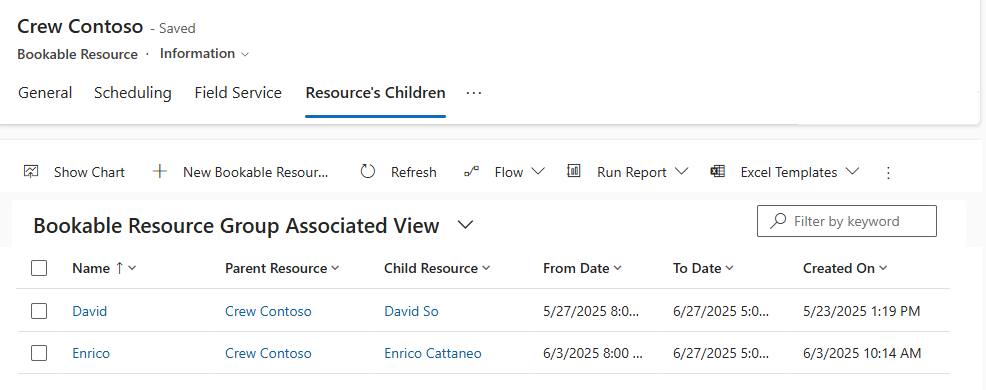
- Crews: A parent Bookable Resource record acting as a container for child resources (e.g., a shared vehicle team). Scheduling the crew books all members simultaneously. Individual start and end locations are defined on each member’s profile rather than the parent crew record.
- Facilities: A physical location (service bay, room) booked for scenarios where the customer brings the asset to the facility.
- Pools: Groups of interchangeable resources where specific assignments are deferred until closer to execution.
- Requirement Groups: Used when a job requires multiple distinct resource types that vary per job. Requirement groups cannot be scheduled across multiple days.
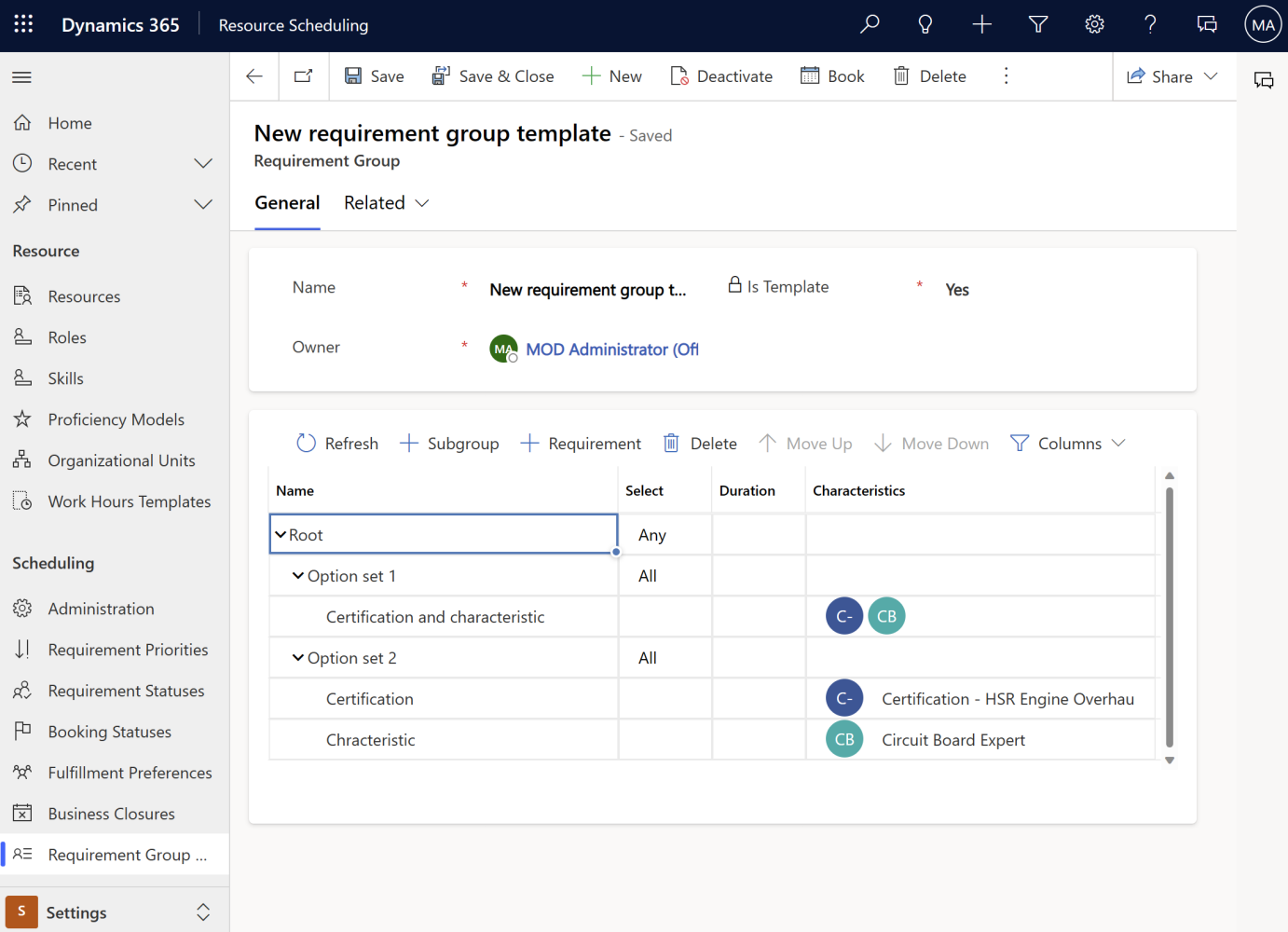
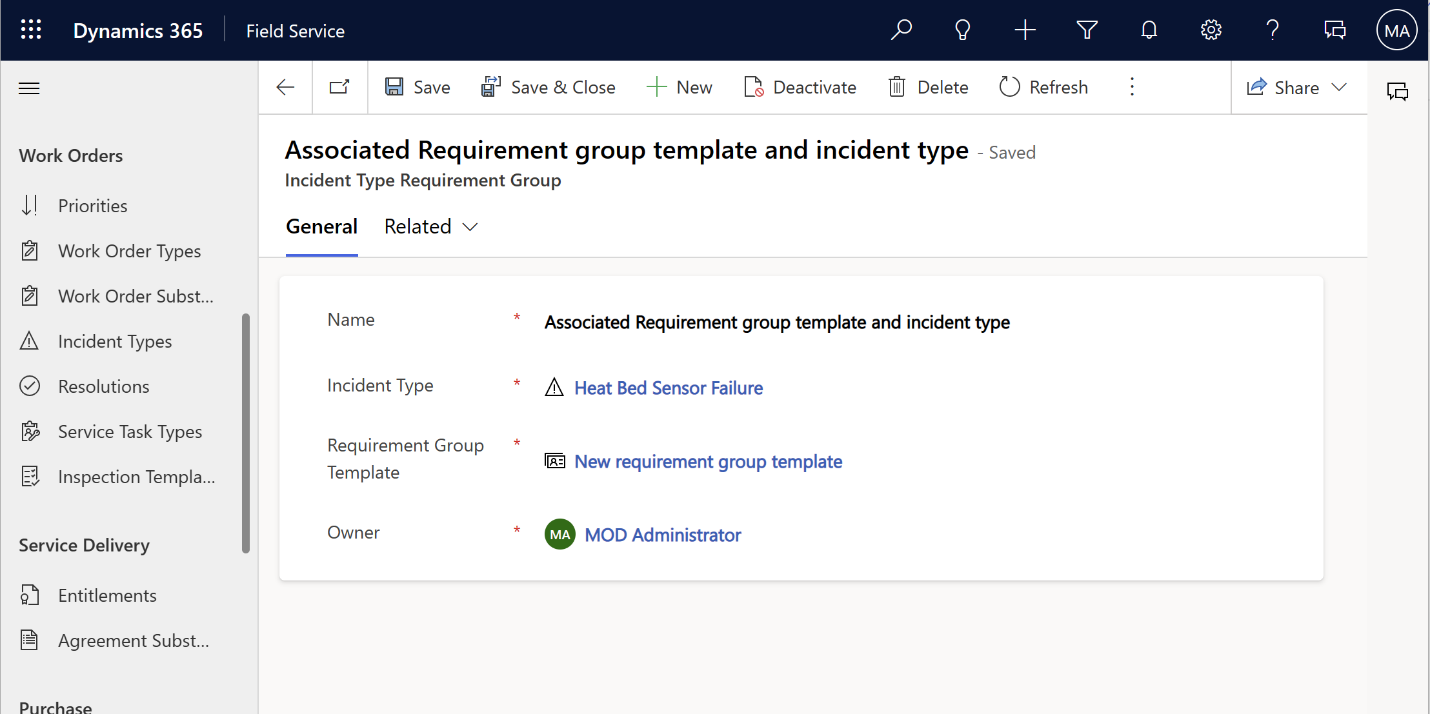
If your resources are genuinely interchangeable, use a pool. If the same specific people always work together, use a crew. If you need multiple different resources for one job that varies from job to job, that’s a requirement group instead, and requirement groups explicitly cannot be scheduled across multiple days, only single requirements can. Mixing these concepts up is an easy mistake to make early on, and I’ve made it.
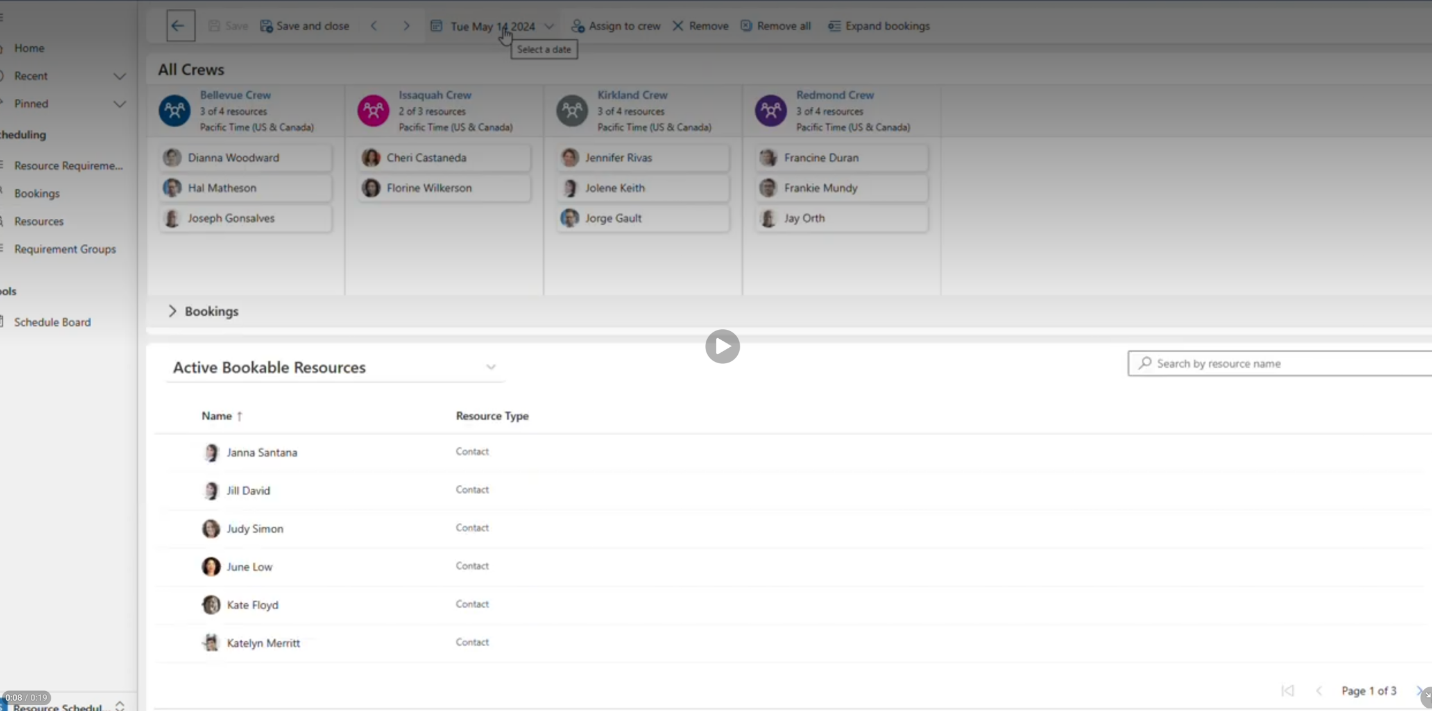
The Crew Allocation Tool is a real quality of life improvement here too, giving dispatchers a dedicated view combining crew membership, each crew’s current bookings, and unassigned resources with their skills, plus Copilot-generated summaries of a crew’s workload and job complexity right in that view instead of hunting across multiple screens.
Multi-Day Scheduling Rules
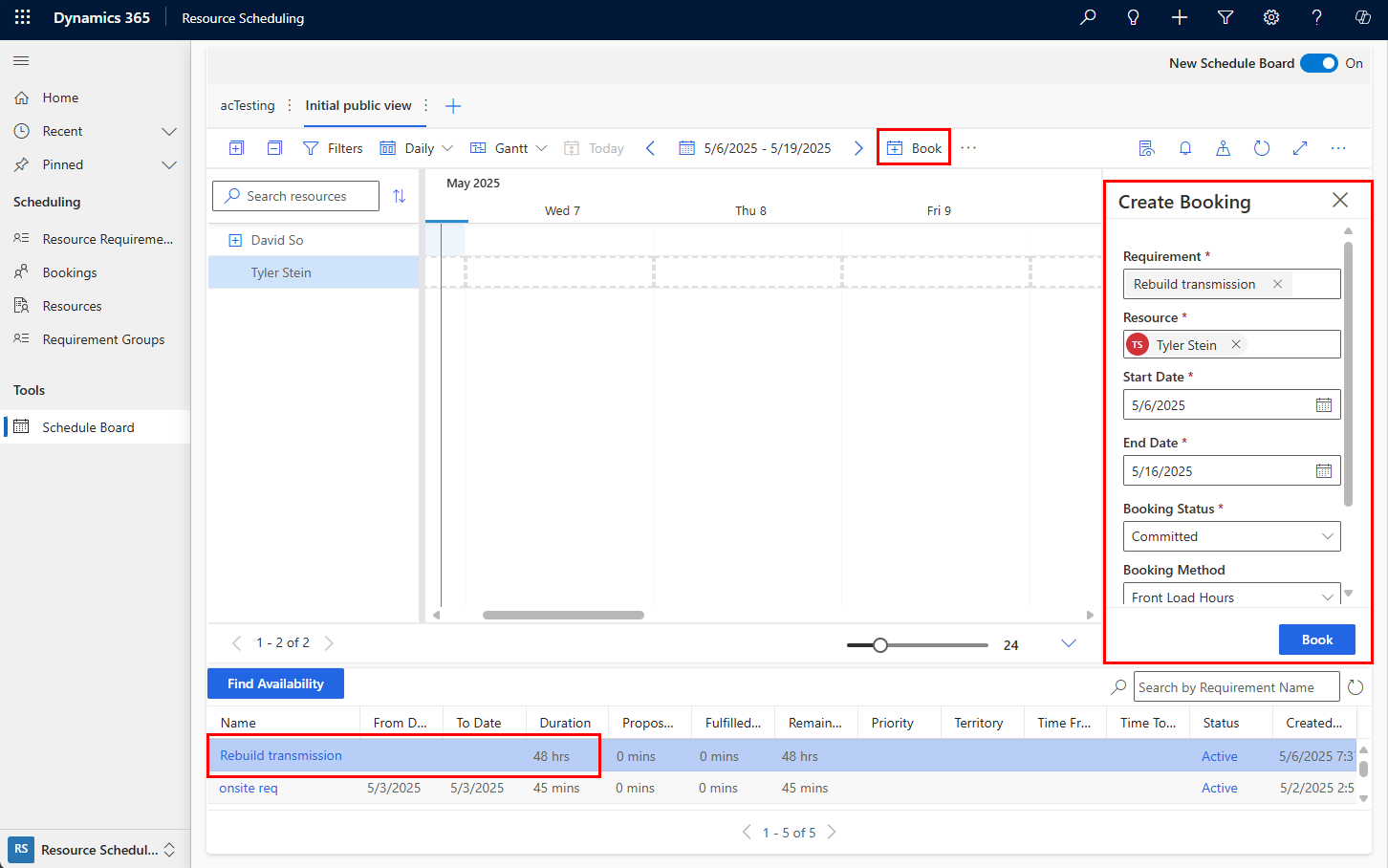
Multi-day scheduling divides a single requirement into multiple bookings using allocation methods like Full Capacity, Percentage Capacity, or Evenly Distribute Hours.
- Multi-day scheduling functions only with single requirements, not requirement groups.
- Review capacity settings carefully, as specific allocation logic can inadvertently cause resource overbooking.
- Do not drag multi-day requirements directly onto the hourly schedule board view; doing so creates a continuous booking block that spans non-working hours and overnight shifts.
Closing Thoughts
None of these eight areas are individually complicated; inventory tracking, security roles, inspections, autonomous agents, self-service portals, finance integration, subcontractor onboarding, or crew scheduling. They are all reasonably well-built and reasonably well-documented.
They are also reasonably boring, right up until the moment they aren’t. That moment always arrives during go-live week, never during the calm phase of a project.
The first five parts were about the features that make the demo. This article is about the architectural decisions that determine whether an implementation actually survives contact with operational reality. Both matter, but implementations rarely fail because of the demo features—they fail because nobody planned for the operational back-end.
