
Using Environment Variables in Power Automate



If you are moving Power Automate flows between development, test, and production environments, environment variables are your friend. Environment variables let you store values that may be different in each environment instead of hard-coding those values directly inside your flows.
For example, maybe your development flow should send emails to a testing mailbox, while your production flow needs to send those emails to the actual support team. Rather than editing the flow every time you deploy it, create an environment variable for the email address.
You can give the variable a default value for development/testing and then set the current value to the appropriate value for production.
What Can You Store in an Environment Variable?
Environment variables support several data types, including:
- Text
- Decimal
- Yes/No
- JSON
- Data sources
- Secrets
That makes them useful for much more than email addresses. Some of my favorite use cases include email recipients, URLs to CRM records or other websites, and environment-specific IDs or references such as SharePoint sites, Teams channels or other resources that change between environments.
The important part is that your flow no longer needs to know the actual value.
How to Create an Environment Variable
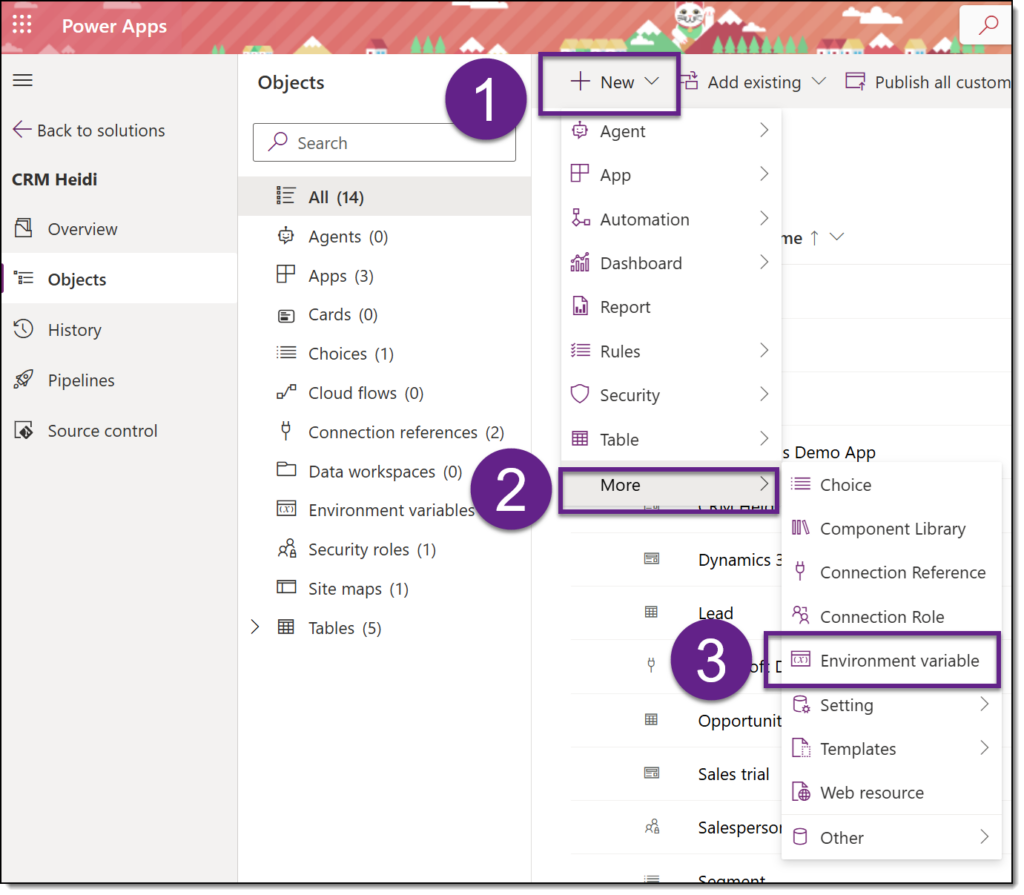
Inside your solution file, simply navigate to New, then More, finally selecting Environment variable.
Next, define your variable. Select the Display name and a data type, then define Default Value and Current Value. In this example, we will use Support Email. Default value will be the email address you will use in Production. Current Value is the email address you will use in your development/testing environment.
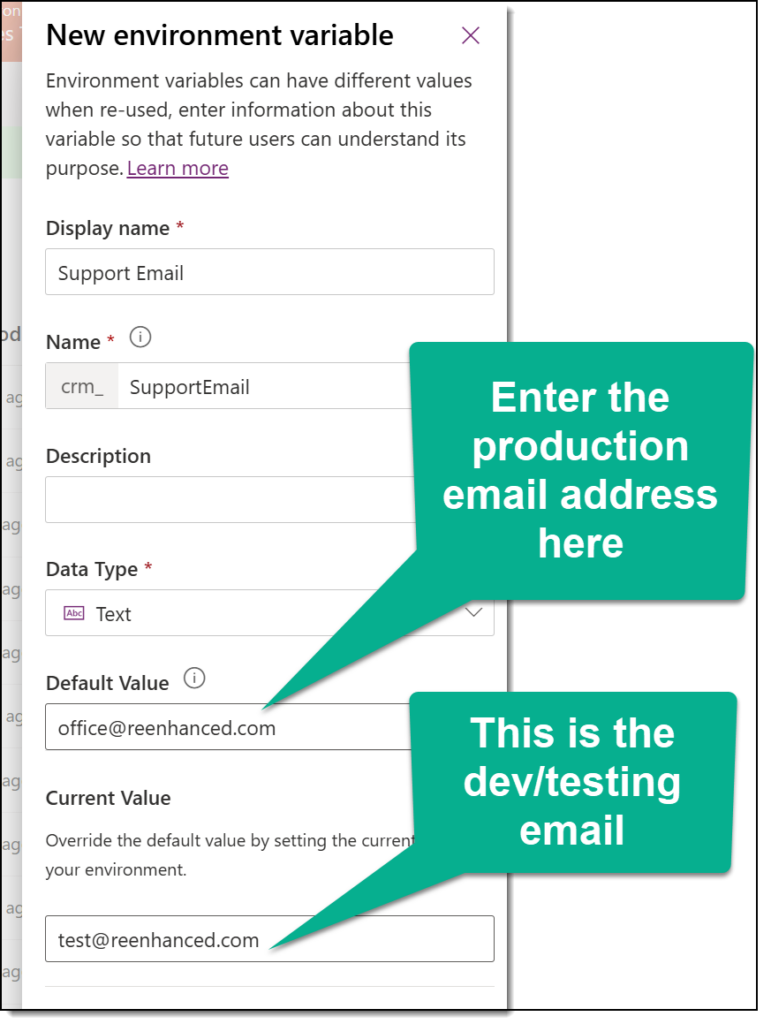
Once you’ve entered the details, simply click Save, and you can start using your environment variable inside your flows.
Using it in Your Flows
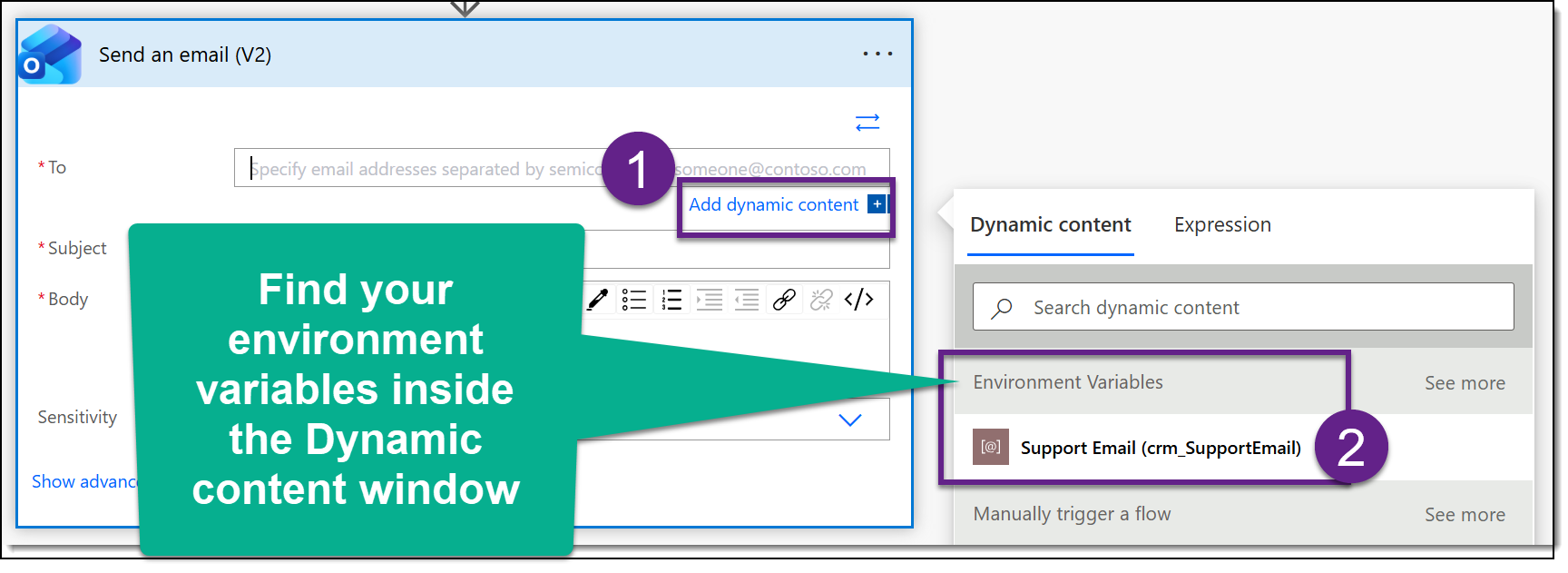
When you build the flow, simply look for your environment variable in the Dynamic Content pane and use it wherever the value is needed.
Final Thoughts
The result? Your flows become much easier to move between environments, and you have fewer production values hiding inside development flows waiting to cause trouble.
