
Power Automate Control Connector: Condition vs Switch



I was recently asked by an end-user learning Power Automate about when they should use the Condition action versus the Switch action inside of the Control connector.
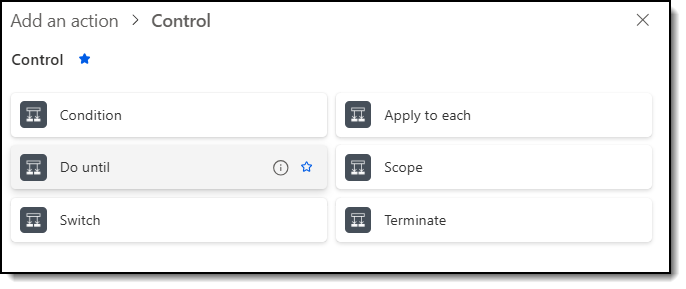
The Control connector is one of Power Automate’s built-in connectors available to any flow builder. There are 6 actions:
- Condition
- Do until
- Switch
- Apply to each
- Scope
- Terminate
This post will focus only on Condition and Switch.
Condition
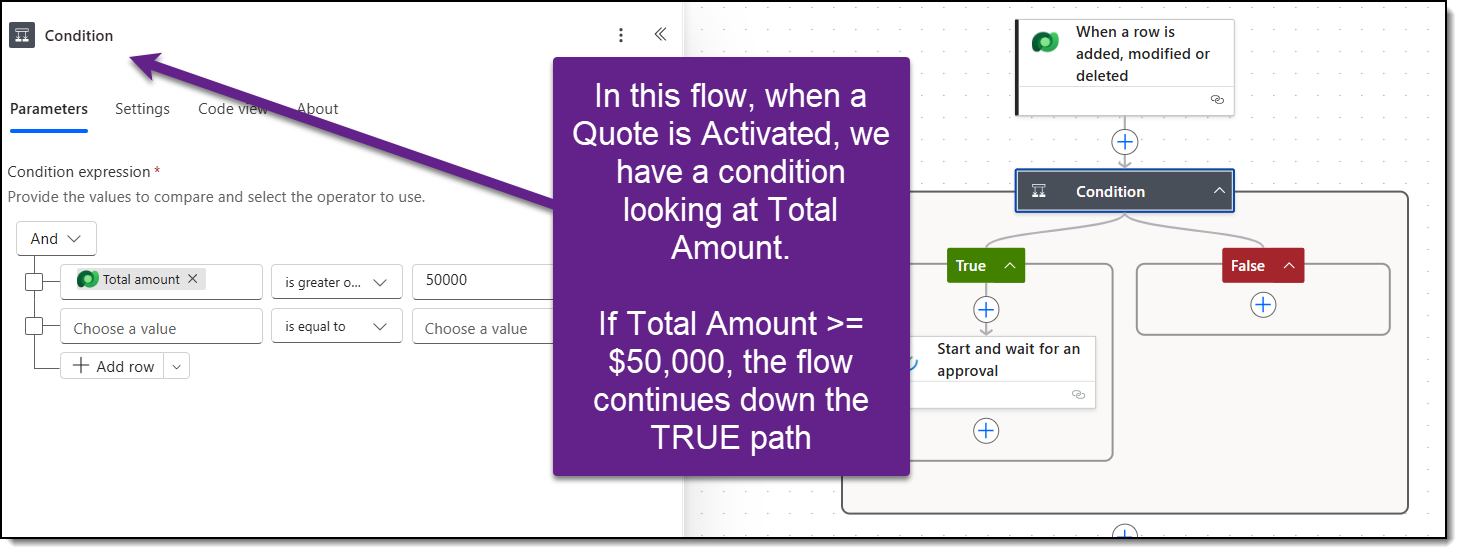
The condition action is best used when there is Yes/No logic. In my flows, I use it when I have an if/then/else scenario, such as “if the amount is less than $50,000, do (x), otherwise, do (y).”
You can have nested conditions within a flow, allowing for more complex logic and scenarios. However, this quickly becomes hard to read with many nested levels. If I need to use several nested conditional levels, it’s time to change the flow’s architecture and consider using the Switch action.
You can have comparison operators around your conditions, using qualifiers like “is equal to or greater than.” “contains,” “does not contain,” “starts with,” and more.
Switch
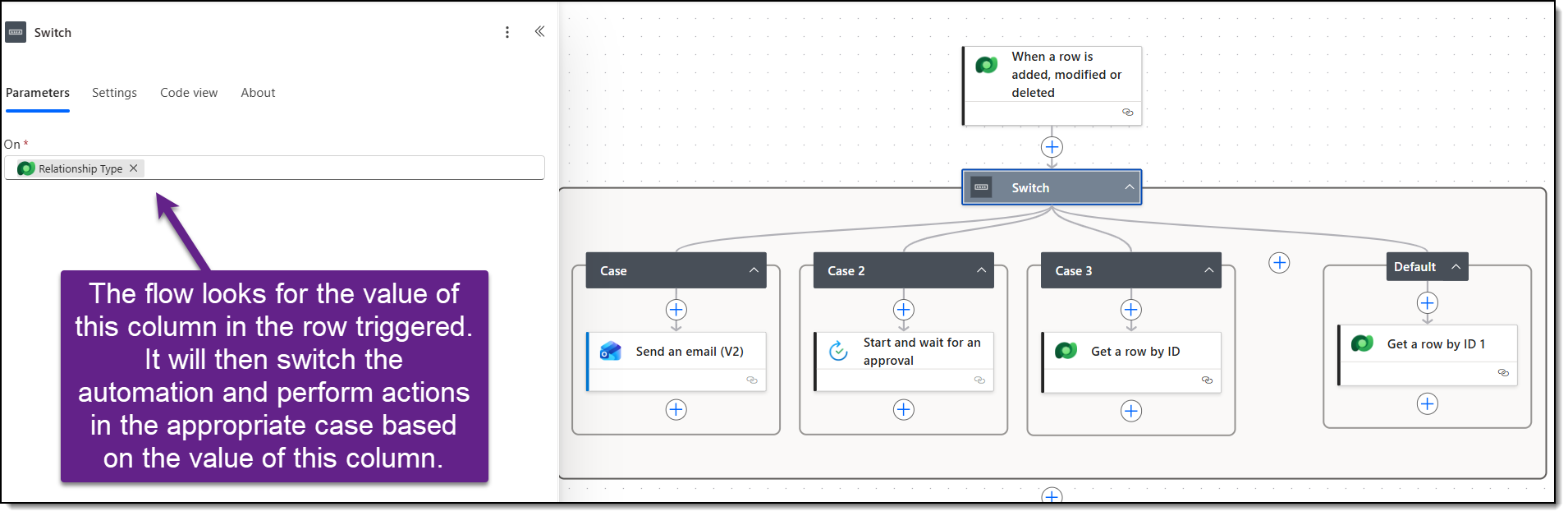
The switch action is best used when you have one variable that may equal 3+ scenarios. In my flows, I use this when I need different actions to happen based on the values of an option set. For example, if an Account is a Customer, do (x), if an Account is a Prospect, do (y), and if an Account is a Vendor, do (z). Additionally, there is a Default case that will occur if none of the cases match.
It has multiple branches and distinct actions that occur underneath each one.
When using the Switch action, the only operator available to you is “equals.”
Final Thoughts
Both of the actions are very powerful. And both options can yield similar results.
As a general rule of thumb, if you are looking for only two clear use cases, you can use the Condition action. If you have 3 or more scenarios, it’s time to use the Switch action.
Switch is best used when branding on one field or value; Condition is best when you need operators or compound logic.
