
What I Learned Moving from Business Central On-Premises to Business Central SaaS



For the past several months, I have been working with my Microsoft BC/NAV partners on two BC/NAV upgrades. One upgrade has three companies moving from BC14 on-premises to BC SaaS. The other is really a reimplementation moving two companies from NAV2017 to BC SaaS. All of the business units involved in the upgrades exist in the same tenant.
As the BC/NAV administrator, on-site project manager and first line of support, I have been learning a lot about the SaaS/cloud environment. The following is some of what I have learned.
Tenants and Environments
As I mentioned, our organization has one tenant and multiple environments and each environment has multiple companies.
A tenant is the top-level instance assigned to an organization and it is linked to the organization’s Entra (formerly Active Directory) ID. The tenant is a secure boundary for a company’s data, users, and subscriptions.
Environments are contained within a tenant, and they contain separate instances of Business Central. Each environment can contain multiple companies.
Each BC Subscription includes one production environment and three sandboxes by default.
Our organization has three BC Premium subscriptions, so we can have three production environments and up to nine sandbox environments. Once we complete our upgrade, we will have one production environment with three US companies, another production environment with two US companies and a third in the UK with one company.
What I learned early is that user licenses apply tenant-wide! This can be a little problematic because each of the three BC subscriptions was purchased by a different business unit with its own budget. Therefore, I need to manually track user licenses purchased and used by each business unit in the organization.
I also realized that in our environment, the user list included every BC-licensed user on tenant! To avoid seeing everyone in each user list and potentially having everyone have access to a specific environment I learned that I could create Entra Groups for each environment and add only the users that should have access to that environment. Using the BC Admin center, you can assign the Entra Group to the BC Environment.
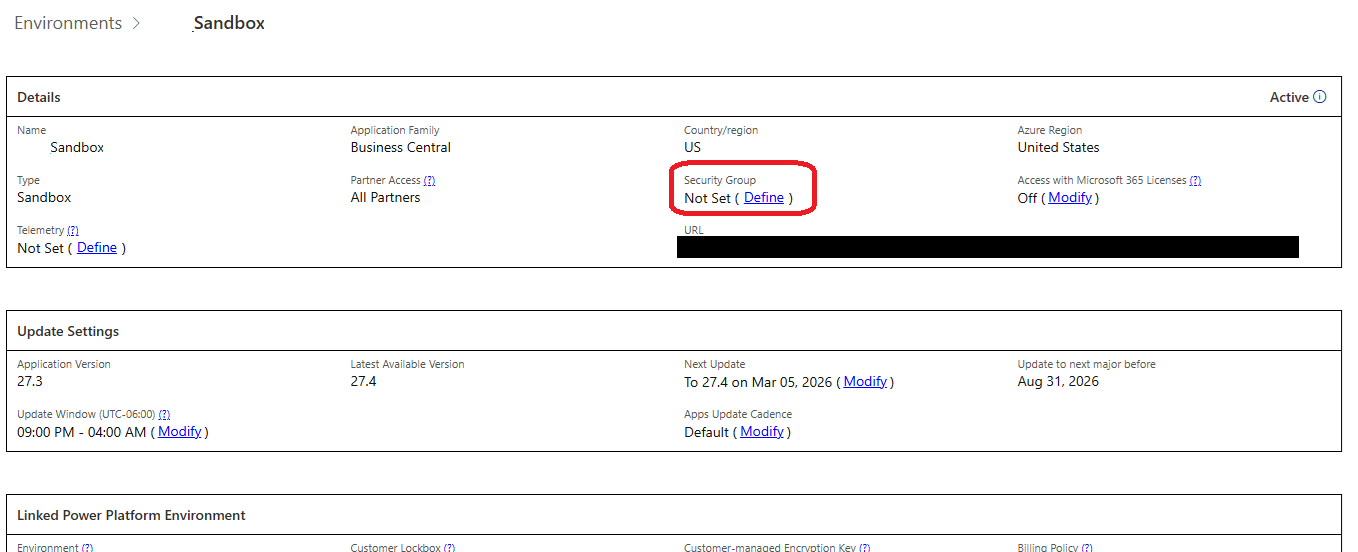
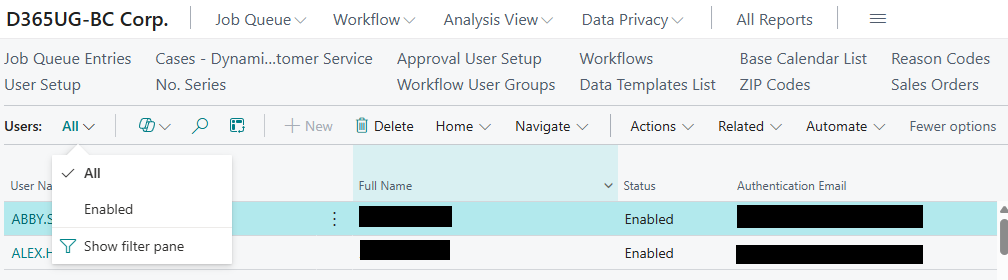
Once you do this, you can delete users or make users inactive inside an environment. BC allows you to see a list of only enabled users:
Permissions
Permissions are always a challenge and since I have two separate environments that I am working with, I have two permission challenges. My NAV2017 environment is one that I inherited when someone left the company. It is the classic case where everyone is a Superuser. This is my chance to fix that and luckily there are not many users.
My other environment presents many challenges with three distinctive companies and about 130 users combined. We were using EasySecurity in BC14 on-premises. EasySecurity is an ISV add-on that is no longer available and is not supported in the cloud. I have about 66 EasySecurity permission groups. If you’re not familiar with EasySecurity, here’s how it works. When using EasySecurity, you have an additional BC/NAV company where you can assign user permissions, create permission set groups and assign users to those groups. You then publish those setups to your real BC/ NAV companies. The groups themselves aren’t published to your BC/NAV companies; instead, the permission sets within those groups are assigned to the users. The end result is that user cards just contain several permission sets.
Since BC SaaS no longer supports BC/NAV User Groups, and our older on‑prem versions only used permission sets inherited from EasySecurity groups, recreating cloud permissions has been challenging.
I had hoped to manage all my permissions in BC by creating nested permission sets in BC SaaS that matched my EasySecurity Groups. However, with over 66 groups and over 2000 lines of permission sets over those 66 groups, the manual task of creating nested permission sets seemed overwhelming. There is no ability to import the nested permission sets and no way to copy/paste. When you want to nest (Include) a permission set inside of another, you cannot copy/paste. You must select or search and select from the list of defined permission sets.
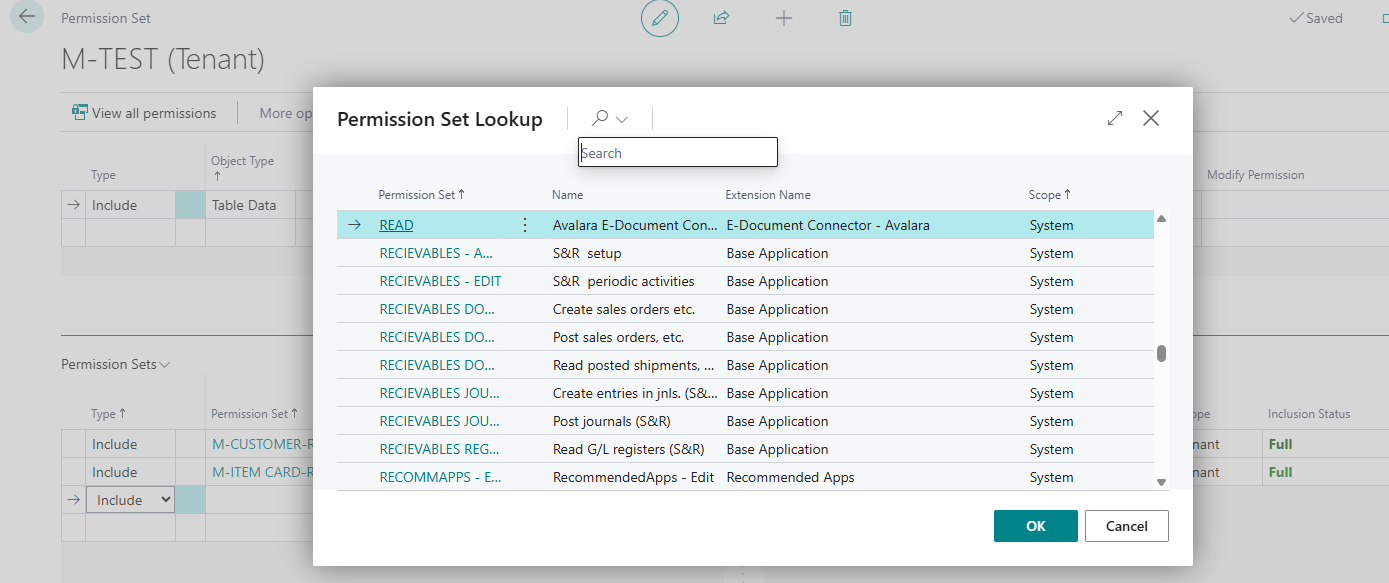
My final decision has been to do what Microsoft seems to prefer. I am creating Entra Security Groups and then creating linked BC Security Groups. Permission sets get assigned to those BC Security Groups. Unfortunately, I will no longer be able to manage and review permissions for users in one place. I’ll have to review user assignments to Entra Groups, BC permissions assigned to BC Security Groups, plus any permissions that may be assigned on user cards because users often perform functions across more than one role.
In the old BC/NAV environment, you would assign a permission set to a user and specify the company or leave the company blank for all companies.
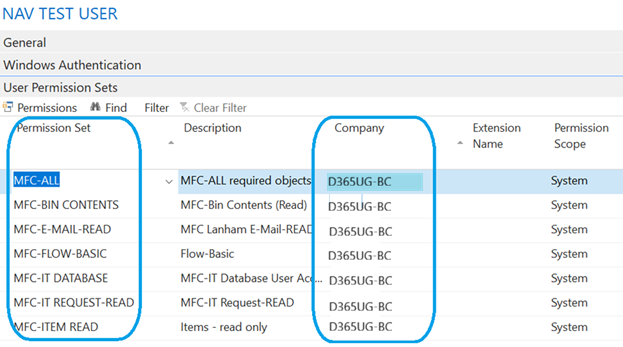
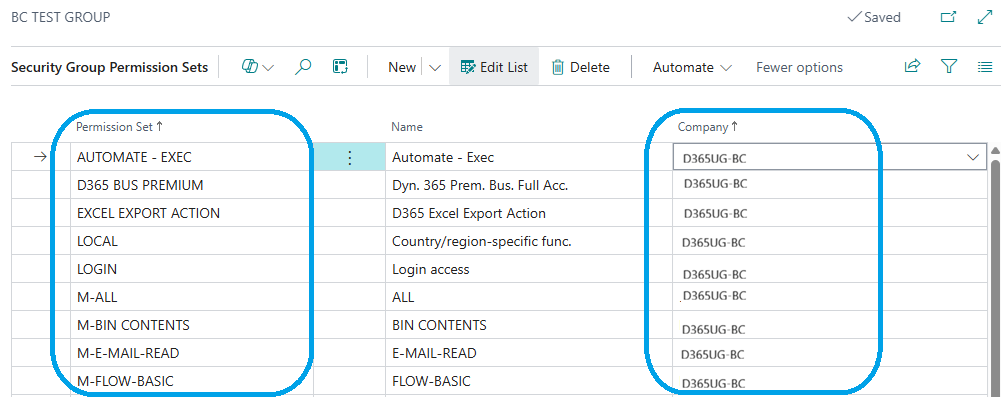
In BC SaaS, permission sets assigned through a Security Group can be scoped to a specific company. I have users that work only in one company and some that work in multiple companies but with different permissions. I concluded that I need to define groups for each company and assign the users to those groups as necessary. This is still a lot of manual effort, but the good news is that I can copy/paste permission sets into a BC Security Group.
Summary
Moving from BC on‑premises to BC SaaS has been a learning experience and has required rethinking permissions, environments, and user management. The cloud gives us powerful new tools—but it also means reevaluating approaches that worked for years on‑prem. I hope that sharing what I’ve learned helps others avoid pitfalls and approach their own upgrade or reimplementation with clearer expectations. If you’ve been through this journey or are about to start it, I welcome your questions, ideas, and feedback.
To learn more or have any questions answered, please reach out to me (LinkedIn or Dynamics Communities) or post your questions and comments on the Dynamics Communities discussion board.
