
5 Things I Learned Playing with the New Power Apps Vibe Experience


I wasn’t at Ignite, but I read all about the new Vibe experience in Power Apps and how low code is dead. Here’s what the Microsoft Learn article says about the new experience in Power Apps:
“The new Power Apps experience is an AI-native platform that builds solutions to business problems, including requirements, data, and full apps with generated code. You can automate workflows, integrate data sources seamlessly, and accelerate app development without extensive coding knowledge.”
Microsoft is pitching Vibe as an AI-native experience that takes natural language and creates requirements, data and a React app. I wanted to see what that actually feels like in practice and see if I also buy into this “low code is dead” mindset, so I opened vibe.powerapps.com in a demo environment. Here are five things I learned after making my first app in the new experience.
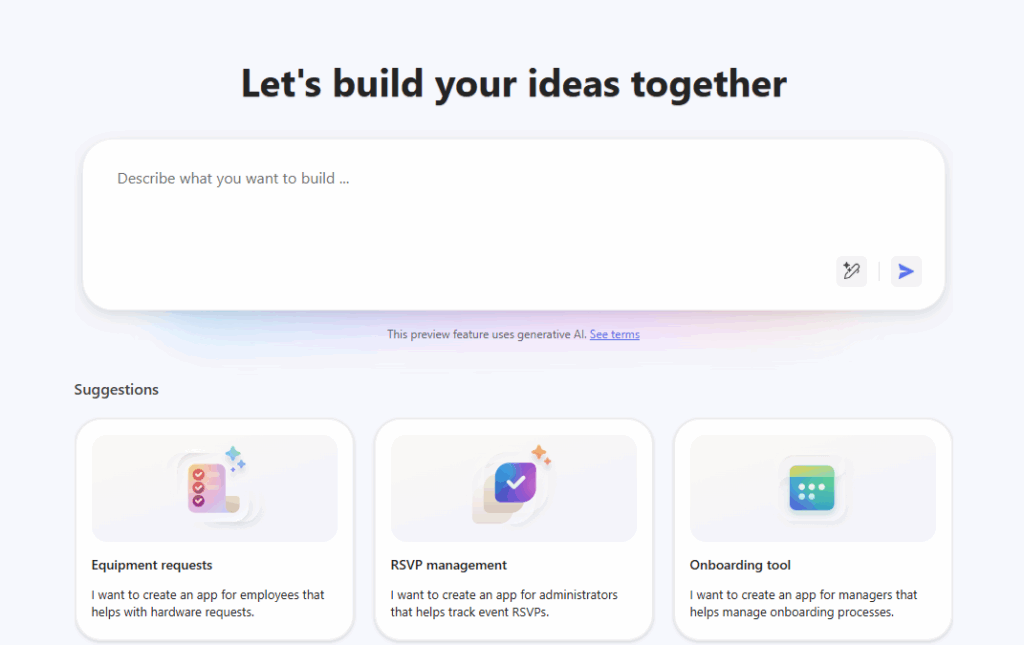
This is VERY different from natural language Copilot features.
This one may not be shocking to all of you, but when I arrived at vibe.powerapps.com, I immediately noticed how similar this interface is to the describe it to design it Copilot interface we have today at Power Apps. Oh, how wrong I was!
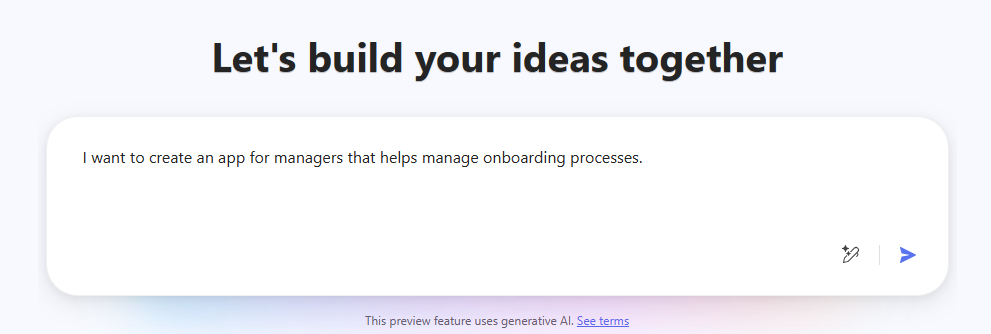
How are they different? At a very high level:
- Copilot helps with pieces of an app: a basic canvas app or model-driven starter, formula and control suggestions, etc. Vibe helps with everything in one spot: requirements/plan, data model and React-based code app front-end.
- Copilot output is a canvas or model-driven app. Vibe output is a plan, Dataverse tables and React web app.
Components Created in the Vibe Experience are Not Solution-Aware
When I made something using vibe.powerapps.com, it ended up in the preferred solution. This is very important because it means that you must set a preferred solution first. Once you publish a Vibe app, the plan, code app, and data model components are all dropped into that preferred solution. Once it lands in your preferred solution, you’ll be able to manage everything as normal solution components at make.powerapps.com after the fact.
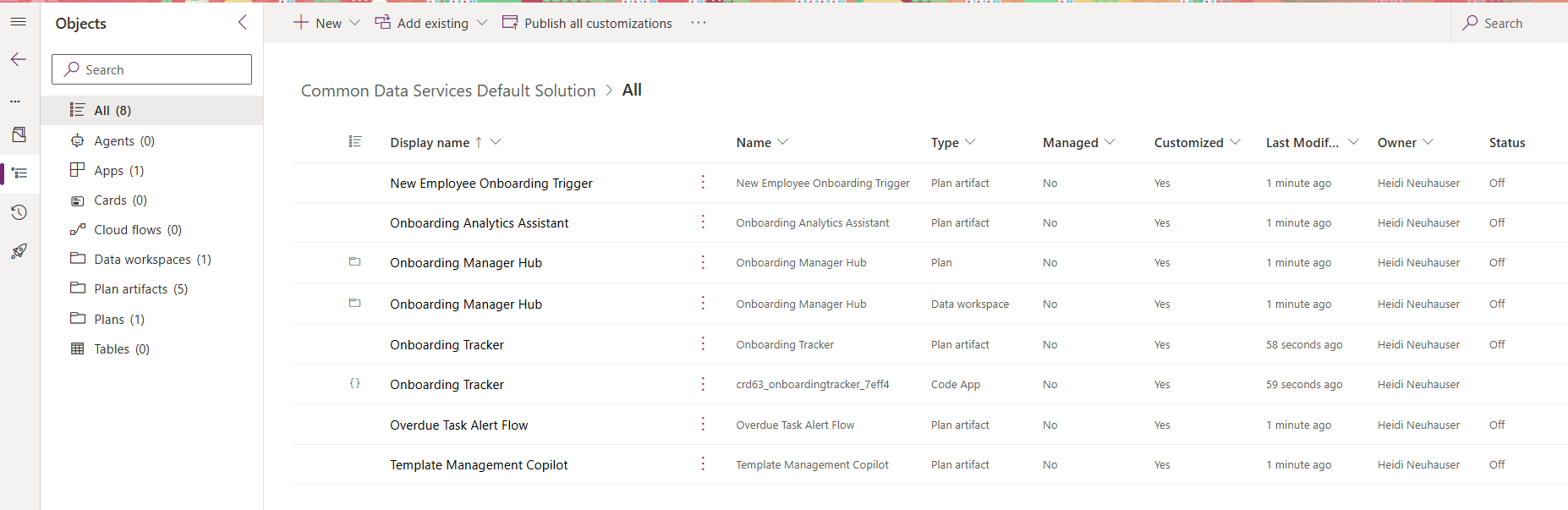
Lesson learned: All components from my first Vibe-created app ended up in my default solution, which was not set from an ALM perspective in this environment.
If you haven’t set a preferred solution yet, go to make.powerapps.com, navigate to solutions and click this button in the top ribbon: 
On the topic of solution files, let’s review the different component types that are added to our solution file.
There are 3 components that we noticed earlier this year when Microsoft released Plan Designer:
- Plan artifact
- Plan
- Data workspace
But then we have a new component type:
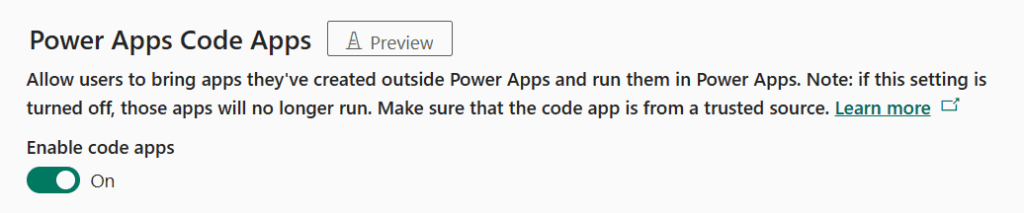
- Code app: These are the apps created in the Vibe experience. They’re code-first, and if you’re having trouble using them, your admin must enable Power Apps code apps in the environment.
Pro Tip: Turn on Power Apps code apps in your environment settings. In an environment’s settings, go to Features, then turn this on:
Plan, Data, and App in One Workspace
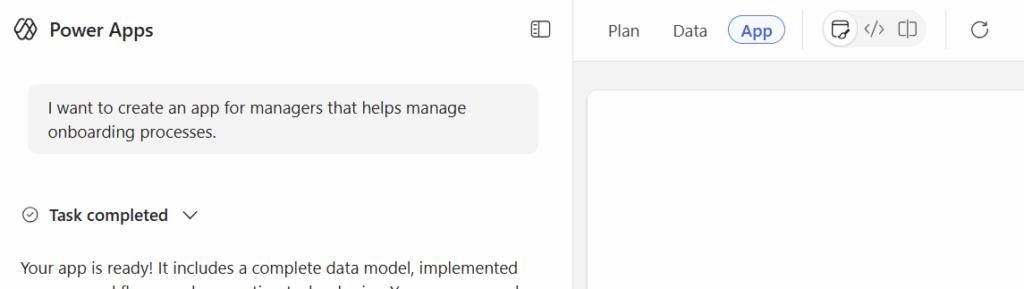
Vibe builds on the existing Plan Designer experience, but consolidates plans, data, and the app into a single workspace.
As you go through the Vibe experience, you can toggle between Plan, Data and App across the top to see each of the different components.
While it’s building the artifacts, you might spot the Code Agent working and writing code from your simple natural language prompt:
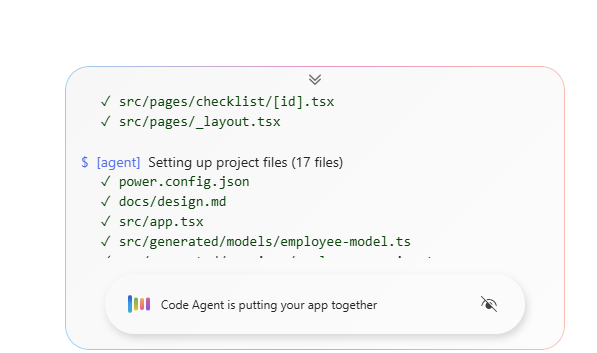
Which leads us to the fourth thing that I learned during my first Vibe-creation experience: there are several agents under the covers doing the hard work.
Agent-First
In the top right-hand corner, you’ll see both people and agents working on the app:
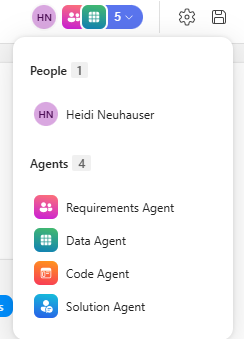
There are four agents working behind the scenes. Let’s briefly summarize each here:
- Requirements Agent: From the Plan Designer and introduced earlier this year, this agent creates business problem statement, roles, user stories and scenarios from your prompt and any follow-up chats.
- Data Agent: Also from the Plan Designer, this agent turns those approved requirements into a data model. It will propose Dataverse tables, columns, relationships and more that match the user stories generated from the Requirements Agent.
- Code Agent: This agent creates and updates the actual app code, then the front-end of the app. It takes care of adding API calls, logic and hooking everything up to Dataverse. This agent is likely why you’re hearing people say “low code (as we know it) is dead.”
- Solution Agent: This acts as the solution architect, deciding what components to create and pulls everything else together.
They’ve Moved the Cheese; Time to Move With It
Microsoft just moved the cheese. Time to adapt or be left behind.
It would be all so easy if you had a map to the Maze.
If the same old routines worked.
If they’d just stop moving “The Cheese.”
But things keep changing…
(from Who Moved My Cheese?, an excellent book!)
Do these agents completely replace developers and solution architects? Probably not. Will this technology speed up that process? Definitely.
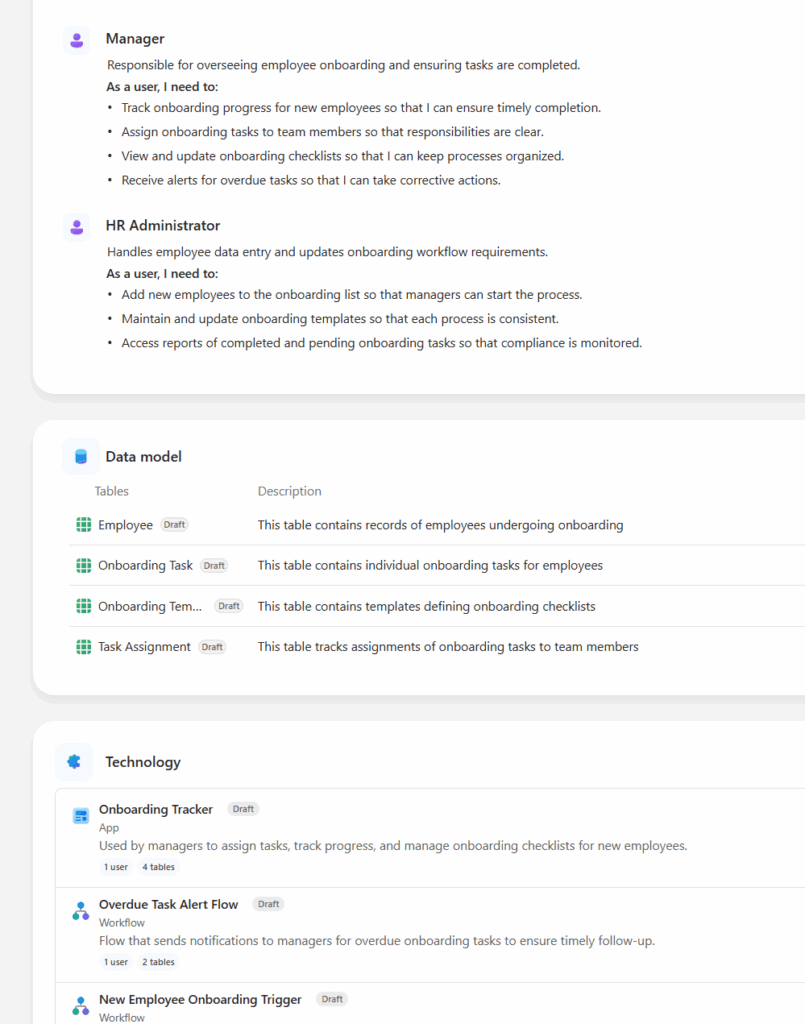
It took me less than 5 minutes to develop a custom Onboarding Tracker.
The Plan included a business problem, user roles, data model, and technology:
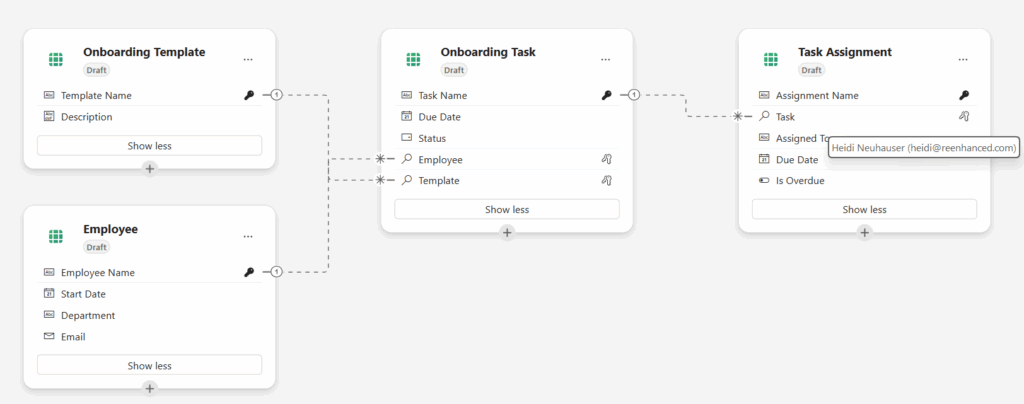
It generated Dataverse tables, creating columns and establishing relationships between them:
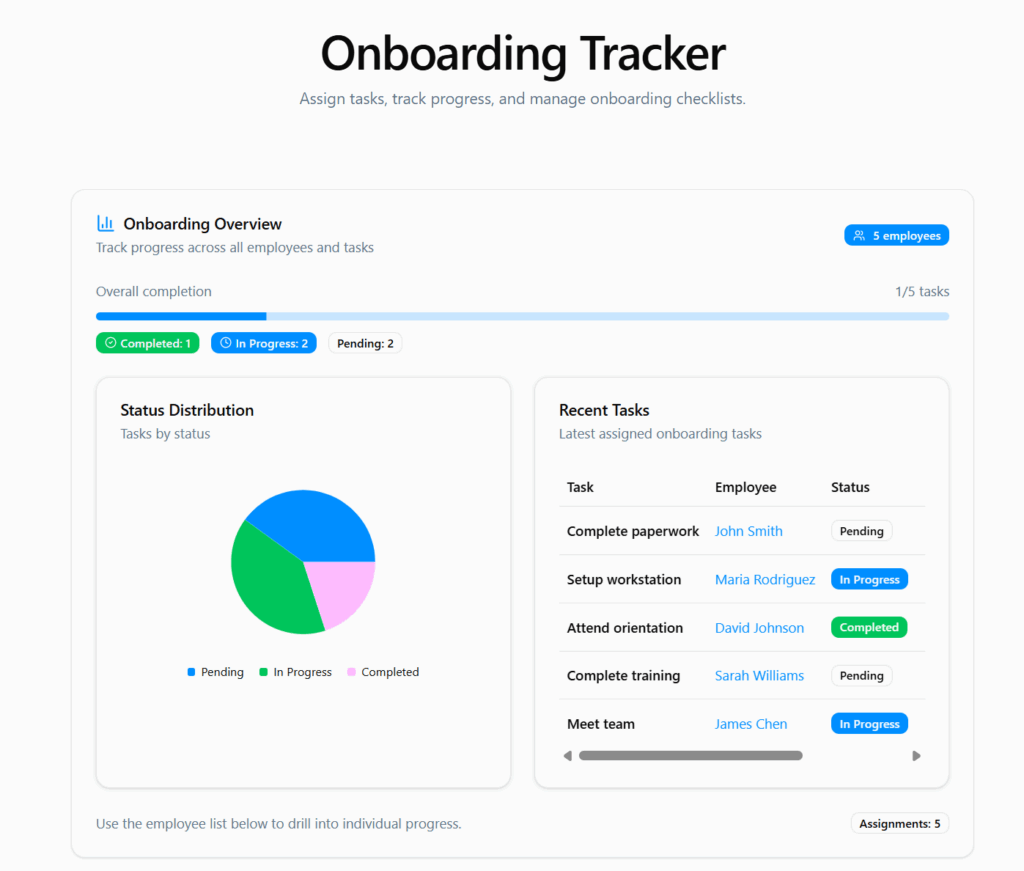
Using these Dataverse tables, it created a React app with an impressive front-end:
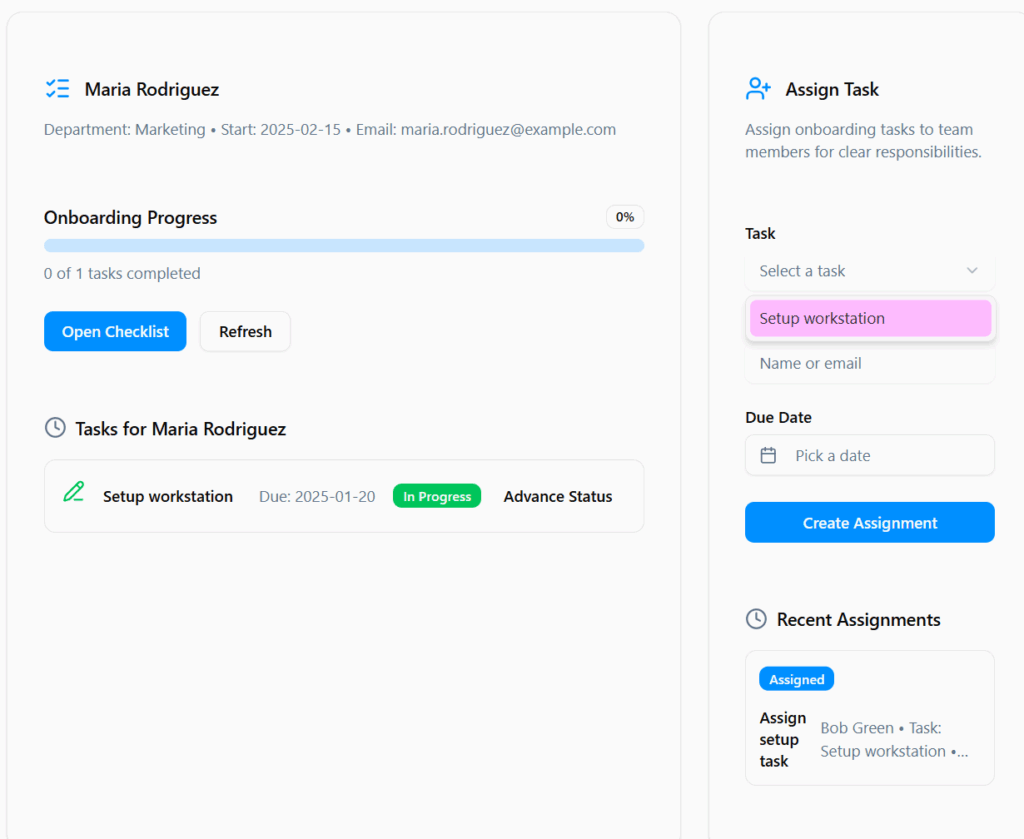
The App even handles basic filtering out of the box without any additional edits:
Final Thoughts
Are you ready to try using this new Vibe experience? Here are your next steps:
- Try Vibe in a non-production experience.
- Set a preferred solution before creating anything.
- Turn on Power Apps code apps for your environment.
