
Explore Dynamics GP at Community Summit NA 2026

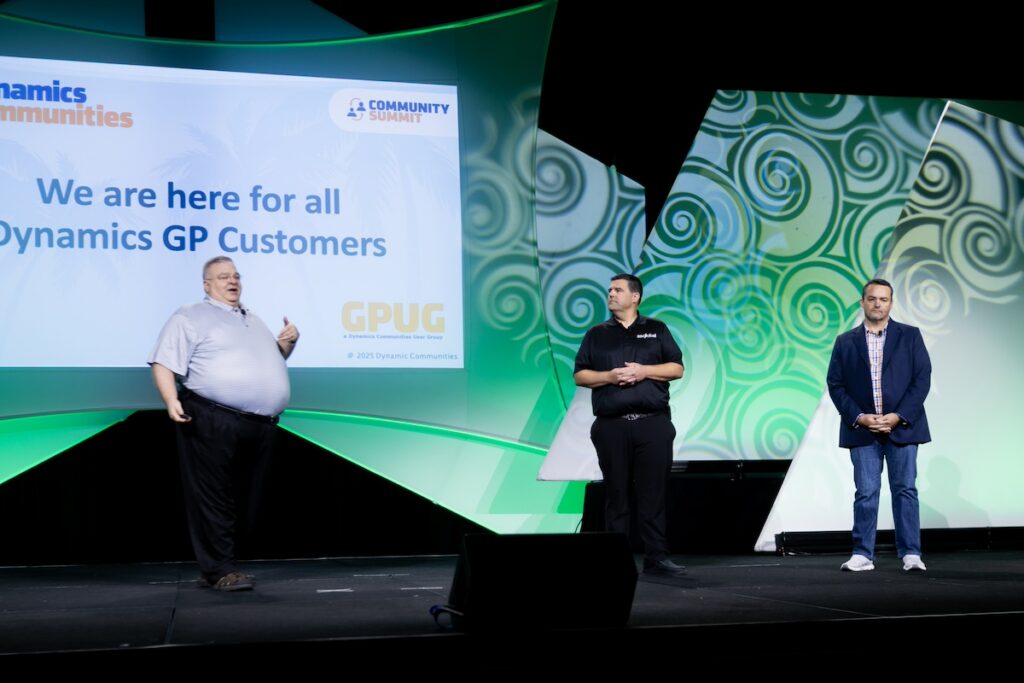

Every Dynamics GP customer is somewhere on the same map — and wherever you are, Community Summit meets you there. Staying on GP and want to get more out of it? There are 40 sessions built for you. Weighing a move to the cloud? Fifteen migration sessions walk you through it honestly, led by people who’ve actually done it. Either way, it’s four days in one building with the people who know GP best. Here’s why it’s worth the trip.
Why You Need To Be There
Whatever your path, you’ll decide from knowledge, not pressure. Sessions on getting more from GP sit right beside honest, real-world guidance for those weighing a change — from “should I stay or should I go now?” to unfiltered customer stories of life after go-live. Nobody’s pushing you in a direction. You leave understanding your real options.
You’ll take home fixes you can use Monday morning. Real problems, real solutions — ‘How to Build a SmartList that Shows Applied Documents,’ ‘Macros? What are they good for in GP? Absolutely everything!,’ and ‘Top 10 Support Issues — Troubleshoot them like the Pros!’
You can solve your toughest GP problem on-site for free. The Tech-Medic desk pairs you one-on-one with GP experts to work through your specific issue at no extra cost (details below). For many attendees, that alone pays for the ticket.
Your reporting can get dramatically better. Eight dedicated reporting sessions — Management Reporter deep dives, Excel refreshable reports, and live design clinics — mean whatever pain you have pulling numbers out of GP, someone here has already solved it.
You’ll see exactly where GP and AI meet. Sessions like ‘Your GP Data Is AI-Ready. Are You?’ and ‘Surviving in the ERP Multiverse (AI Cleanup Tips)’ show what AI-readiness looks like on GP data today.
Planning a move? Get the hard parts right. The migration track tackles the messy realities of choosing between Business Central, F&O, NetSuite, Sage Intacct, and Acumatica; years of ISVs and customizations; AP and GL patterns; even eCommerce and MRP — from customers and consultants who’ve navigated them and lived to tell it.
The expertise is unmatched anywhere else. Fifty-plus of the most experienced voices in the GP world, in one place, for four days. If you’ve been the only GP person at your company, this is your community.
What’s New in GP for 2026
Monday, Oct 12 · 1:45 PM · General Session
New for 2026, this session replaces the traditional Dynamics GP keynote — a community-led state of the union for Dynamics GP that speaks to everyone in the room. Kerry Hataley leads a panel of GP experts through what’s new, what’s changed, and where GP is headed. If you attend one thing all week, make it this, as it sets the context for every session that follows.
By the Numbers
Total sessions (Mon–Thu) | 55 |
— Getting more out of GP | 40 |
— Planning your next move | 15 |
Distinct speakers | 53 |
Days of programming | 4 (Oct 12–15) |
Session formats | 43 breakouts, 5 deep dives, 4 panels, 2 customer case studies, 1 general session (the keynote) |
Ability levels | 26 “New To”, 27 Intermediate, 2 Advanced |
Most of the program is hands-on breakouts and deep dives, and nearly half the sessions are newcomer-friendly, so there’s an entry point whether you’re a first-year AP clerk or a 20-year GP admin.
How the Days Stack Up
Day | Date | Sessions |
|---|---|---|
Monday | Oct 12 | 18 |
Tuesday | Oct 13 | 16 |
Wednesday | Oct 14 | 16 |
Thursday | Oct 15 | 5 (half day) |
Monday is the biggest day of the week at 18 sessions, with the keynote in the early afternoon. Midweek stays dense, then Thursday winds down to a focused five before the conference closes, so plan your must-sees for Monday through Wednesday.
Two Paths, One Event
Getting More Out of GP (40 sessions)
Every GP session is tagged to a track. The distribution shows where the community’s attention is in 2026:
Track | Sessions |
|---|---|
Tips and Tricks | 18 |
Reporting / Data Analysis | 8 |
Finance | 3 |
Administration / Security | 2 |
Supply Chain | 2 |
Development / Architecture | 2 |
Copilot & Agents (AI) | 2 |
AP / AR / HR / Payroll | 2 |
Keynote (What’s NEW) | 1 |
With 18 “Tips and Tricks” sessions, the center of gravity is getting more out of the GP you already own — navigation, homepages, macros, workflow, SmartLists, and greatest-hits collections like ‘Top 30 Tips and Tricks for Dynamics GP’ and ‘GP User to GP Superhero 2026.’
Eight sessions cover Management Reporter, Excel refreshable reports, SmartList building, and SQL-and-Excel reporting, including the affectionately titled ‘Oh, FRx and MR, I hope you never die!’
AI has arrived in the GP room. ‘Your GP Data Is AI-Ready. Are You?’ and ‘Surviving in the ERP Multiverse’ put GP data squarely in the AI conversation.
Confidence for the long haul. ‘GP at Risk: Where Problems Start and How to Prepare,’ ‘When It’s Time to Purge Data,’ and ‘Data Quality Matters’ help you run GP well for years to come.
Planning Your Next Move (15 sessions)
For customers evaluating the cloud, the migration track is refreshingly honest — it starts with whether you should move, then gets into the real roadmaps and unfiltered customer stories:
- Should I stay or should I go now? — Mark Munson (Mon 9:45 AM)
- Dynamics GP to Cloud: Choose the Right ERP—or Pay for It Later — Cecile Dinh (Mon 9:45 AM)
- Choosing your next ERP: Business Central vs NetSuite vs Sage Intacct vs Acumatica — Mike Loumeau (Mon 9:45 AM)
- GP to Business Central: A Process Manufacturer’s Roadmap for Getting It Right — Steve Kalina, Randy Smith (Mon 9:45 AM)
- GP to BC: No fluff. No filter. Just the real customer story (panel) — Tasha Anspach, Michelle Kocher, Chris Fitzsimmons (Mon 1:45 PM)
- GP to F&O — including MRP — in 8 months on a skeleton crew! (case study) — Michelle Wilson (Mon 1:45 PM)
- Microsoft Dynamics GP to BC… or F&SCM? — John Baker (Mon 4:45 PM)
- BC vs. F&O: Which Microsoft ERP Is Right for Your Business? — Mark Johnson (Tue 8:00 AM)
- Evaluation Strategies for GP End Users (panel) — Chris Giesbrecht, Bob McAdam (Tue 8:00 AM)
- From Dynamics GP to Business Central: Advanced Migration Patterns for AP & GL — Ginger Myers (Tue 8:00 AM)
- We Have 10+ ISVs and Years of Customizations… Now What? — Jon Rivers, David Gersten (Tue 9:45 AM)
- From GP to Business Central: End User Unfiltered — What Worked, What We Learned, and Life After Go-Live (case study) — Tasha Anspach, Michelle Kocher (Tue 3:30 PM)
- Know When to Hold ‘Em, Know When to Switch ‘Em: Which GP Add-Ons to Keep, Replace, or Retire — Carol Livingston (Wed 8:00 AM)
- From GP to BC: AP&G’s Real-World Migration Story — Beth Souchuns, Brenda Emond (Wed 2:00 PM)
- From Dynamics GP to Business Central: What It Means for Your eCommerce Experience — Joe Alt (Thu 10:45 AM)
Half of these are rated “New To,” and several are real customer case studies — so whether you’re just starting to ask the question or already scoping a project, there’s a session that meets you where you are.
The Speakers
Fifty-three distinct speakers lead the program — a genuine “for user, by user” bench of MVPs, Summit Legends, GPUG All-Stars, consultants, and working users. The most-featured voices anchor the week:
- Amber Bell (Microsoft MVP, Summit Legend) — 3 sessions
- David Musgrave (Microsoft MVP, Summit Legend) — 3 sessions
- Windi Epperson (Summit Legend) — 3 sessions
- Kerry Hataley (Summit Legend) — 2 sessions, plus leading the keynote
Leading two sessions each: Chris Dobkins, Natalie Avery, Bryan Wilton, Noah Moseley, Bryan Hack, Cheryl Simmons, Gina Bothun, Devon Southall, Elaine Ward, and Paige Horne. On the migration side, GP customers Tasha Anspach and Michelle Kocher each anchor two of the real-world move stories.
Beyond the keynote, the marquee moment is the Microsoft Dynamics GP Excellence Super Session (Mon 3:00 PM), a panel pairing David Musgrave, Kerry Hataley, and Amber Bell on one stage. The through-line is clear: direct access to the people keeping GP moving forward.
More Than Sessions: The Extras
The agenda is only half of it. Your All-Access Pass also gets you:
- Tech-Medic desk — free one-on-one support. Bring your toughest GP problem and work through it directly with expert users and consultants, on-site, at no additional charge. It’s hands-on help you’d normally pay for.
- The Expo hall — included, and worth working. Hundreds of solution providers, ISVs, and support partners fill the show floor — the vendors who build the add-ons that extend GP and the partners who can guide a migration. A rare chance to see the tools in action and talk to the people behind them, all in one room.
- GP Welcome Meeting — Sunday, Oct 11, 5:00 PM. The GP committee kicks things off with tips and recommendations for getting the most out of your Summit experience. The best possible on-ramp before the week gets busy.
- The people. Thousands of peers who run the same system you do — the hallway conversations are worth the trip on their own.
Plan Your Week
- Register for the All-Access Pass — it covers all four days plus the extras above.
- Start Sunday at the GP Welcome Meeting.
- Make the What’s NEW in GP for 2026 keynote your anchor on Monday.
- Build your My Show Planner to lock in must-see sessions and spot conflicts on busy days.
- Go deeper — come early. The main program is only part of the week. Summit’s pre-conference events and Academy workshops run in the days beforehand, offering in-depth, expert-led training for GP customers who want more than a 60-minute breakout — hands-on workshops and bootcamps, many carrying CPE credits, that turn a conference trip into serious professional development. Add them when you register.
