
Decide or Drift: The Choice Behind Every GP Deadline



Microsoft has put two dates on Dynamics GP: December 31, 2029, and April 30, 2031. Neither one turns the software off. That single fact is the source of most of the confusion in the GP world right now, because it makes both dates sound optional — and for a real share of the installed base, one of them effectively is. For everyone else, it isn’t close to optional, and the reason has nothing to do with either date. It’s a licensing question almost nobody asks until it’s too late to answer cheaply.
That confusion is exactly why this guide exists, and it’s worth being plain about what it is and isn’t before going further. This is part one of a short, practical series for the people actually responsible for a GP environment — not a technical deep-dive and not a sales pitch in either direction. It doesn’t argue that you should stay on GP, and it doesn’t argue that you should leave. Plenty of customers will do well moving to a newer platform, on their own timeline, for their own reasons — that’s a legitimate outcome too. What this series proposes is narrower: if you’re staying, whether that’s a firm decision or simply where you are today, do it deliberately rather than by default.
What Actually Happens on Each Date
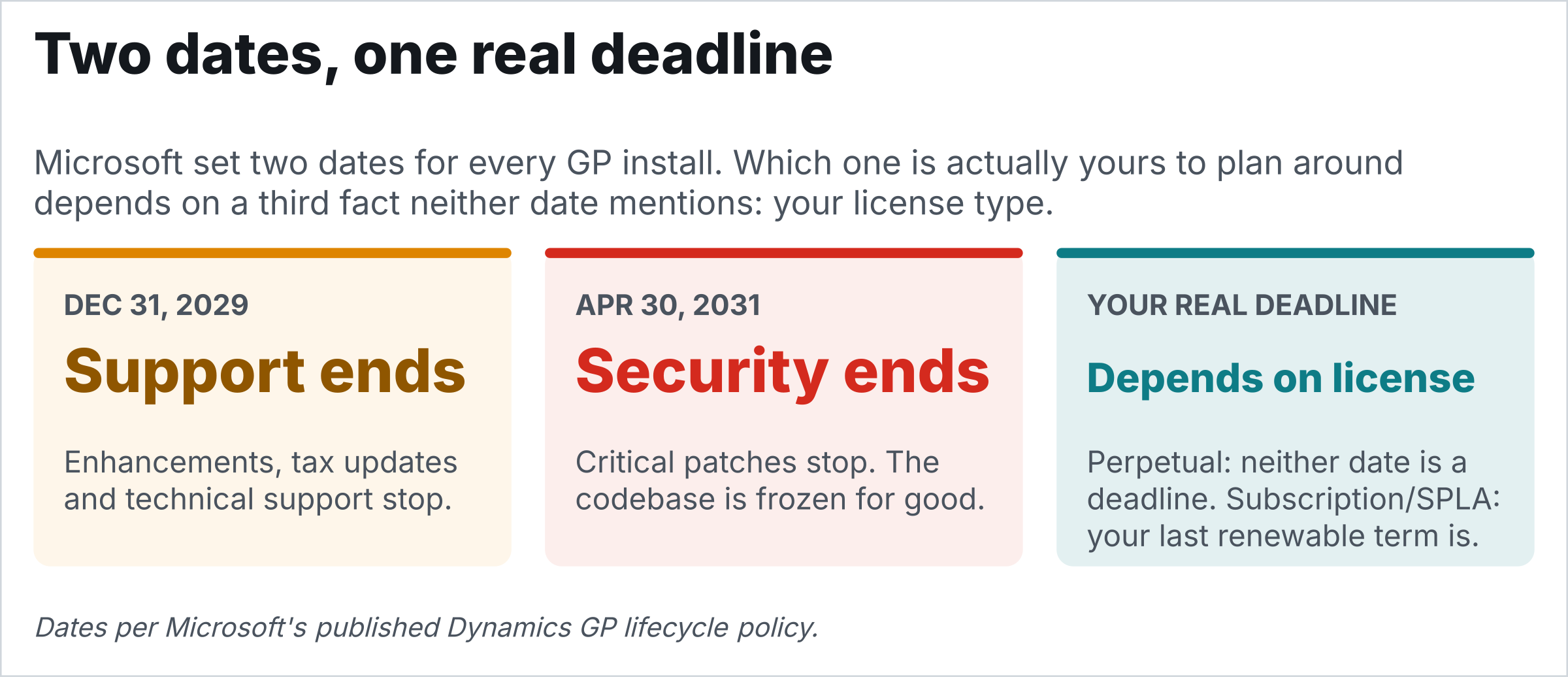
December 31, 2029 ends product enhancements, regulatory and tax updates, and Microsoft technical support. April 30, 2031 ends security patches. Between the two, GP runs in a sixteen-month window where it’s still patched but no longer improved — everything after April 2031 is frozen for good.
What doesn’t happen on either date: GP doesn’t stop working. Your database keeps running, your integrations keep firing, your reports keep printing. What changes is that the responsibility for the platform GP sits on moves to you. That’s a real shift, not a shutdown notice. Confusing the two is the single most common misreading of these dates, and it cuts both ways: some shops panic into a migration they don’t need, others coast on the assumption that “GP still runs” means nothing has actually changed.
The Fact That Decides Whether Either Date Is Yours to Plan Around
Here’s the question that actually separates the two groups, and it has nothing to do with the dates set: if you stopped paying tomorrow, would you still be legally entitled to run GP?
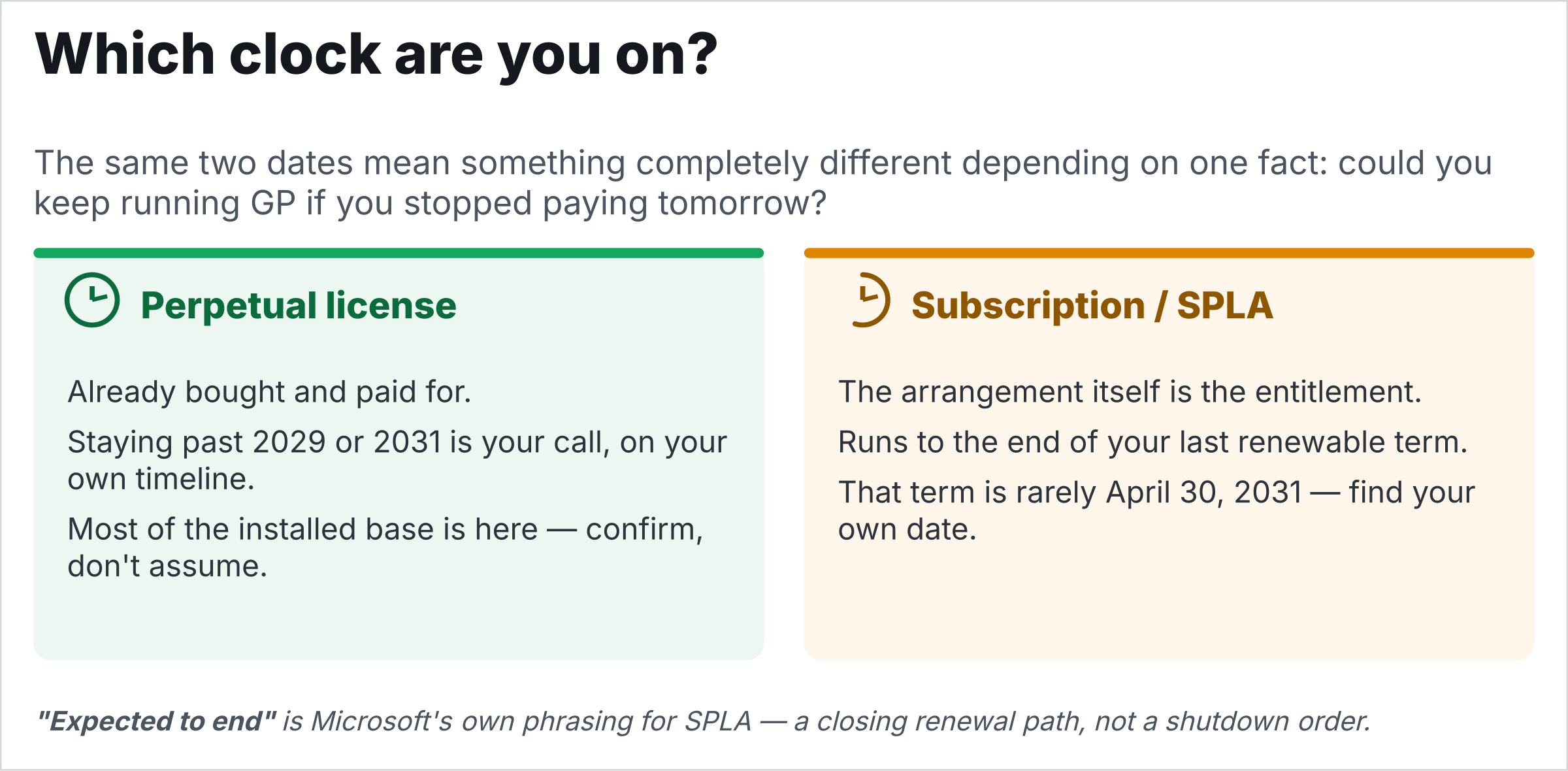
If yes, you hold a perpetual license — it’s already bought and paid for, and the annual fee buys updates and support, not permission. For a perpetual shop, both 2029 and 2031 are dates about support quality, not about whether you’re allowed to keep operating. Staying on GP past either one is a genuine strategic choice, on your own timeline, and most of the installed base is in this position — confirm it rather than assume it, because the confirmation is the whole ballgame.
If no, you’re on subscription or SPLA, and the arrangement itself is the entitlement — no separately owned license sits underneath it. That changes the shape of the decision entirely. Microsoft’s own language matters here: Service Plan coverage ends on a fixed date, but subscription licenses become no longer renewable — a closing door, not a shutdown date. Your real operative date is whenever your last renewable term runs out, which depends on your own renewal month and term length, not on anything in Microsoft’s announcement. The Operator’s Manual devotes a full chapter, The Subscription and SPLA Runway: When Staying Isn’t Your Call, to working out that specific date — it is almost never April 30, 2031, and it’s rarely a date your peers can hand you.
One more wrinkle worth knowing before it becomes a surprise: Microsoft closed new perpetual sales to new customers in April 2025, and new subscription sales a year later. You can’t buy your way into perpetual now — you either already hold it, or you don’t. If you’re currently on subscription, it’s still worth asking your partner directly whether a move to perpetual is available to you specifically — “new customer” language in Microsoft’s own announcement doesn’t automatically mean an existing subscription customer is barred from it, and that’s a distinction worth getting confirmed in writing rather than assumed either way. Finding out, in writing, from your reseller or hosting provider, is the first move for every shop in this series, regardless of which answer comes back.
Where the Rest of This Guide Goes
Each article that follows stands on its own — read them in any order, skip what doesn’t apply to your shop — but there’s a logic to the sequence. Once you’ve confirmed your license type, the rest of this guide works through the operational decisions that make staying deliberate rather than accidental: keeping the platform underneath GP current, proving you can actually recover from a bad day, making change something you survive on purpose, and closing the one compliance gap with a real government deadline attached to it.
The back half turns from defense to opportunity: finding the value already sitting inside your install and your ISV relationships, choosing the outside help that actually has your interests aligned with theirs, and once you’ve read the rest — the synthesis that puts every piece back together into one reckoning.
The Bottom Line
The real choice here was never “stay on GP or migrate off it.” Both are legitimate, and both can be done well. The choice that actually matters is between operating deliberately on either path and drifting, which is neither path and the only genuinely dangerous one of the three.
A shop that stays deliberately knows its license type, keeps the platform underneath GP current, and has a plan that runs past its actual dates. A shop that moves deliberately picks a destination, scopes it, resources it, and puts a real date on the project instead of a vague intention. A shop that drifts does neither: it keeps running GP by default, on a SQL Server nobody’s patched, with a restore nobody’s tested, and discovers its actual license terms only when a renewal fails, or an audit asks. The two support dates aren’t what makes drifting dangerous — an unpatched, unverified platform underneath GP is dangerous on any date, and drift is just how a shop arrives there without ever deciding to.
Confirm your license type this month if you haven’t. It’s the one fact that tells you which clock you’re actually on, and everything else in this series only works once you know the answer.
Note: For an extended version of this series — the T-SQL, the registry paths, the restore drills, all thirty chapters of it — Nanook Software publishes a companion Operator’s Manual, built for the people who are actually going to do the work rather than the people deciding whether it’s worth doing. Reach out to Nanook Software if you want the details on either book.
