
Bridging the Gap Between D365 Field Service and Project Operations



For years, organizations running Dynamics 365 Field Service alongside Project Operations lived with a painful truth: the field and finance operated in parallel universes. Technicians used materials. Projects got billed. But connecting those two worlds meant spreadsheets, manual journal entries, or expensive custom integrations that nobody wanted to maintain.
That gap is closing, and it matters more than most people realize.
What’s New: Linking Work Orders to Projects for Material Usage
Microsoft has introduced native integration that allows you to link Field Service work orders directly to Project Operations projects. On the surface, this sounds like a configuration checkbox. In practice, it fundamentally changes how organizations manage project-based field service financially.
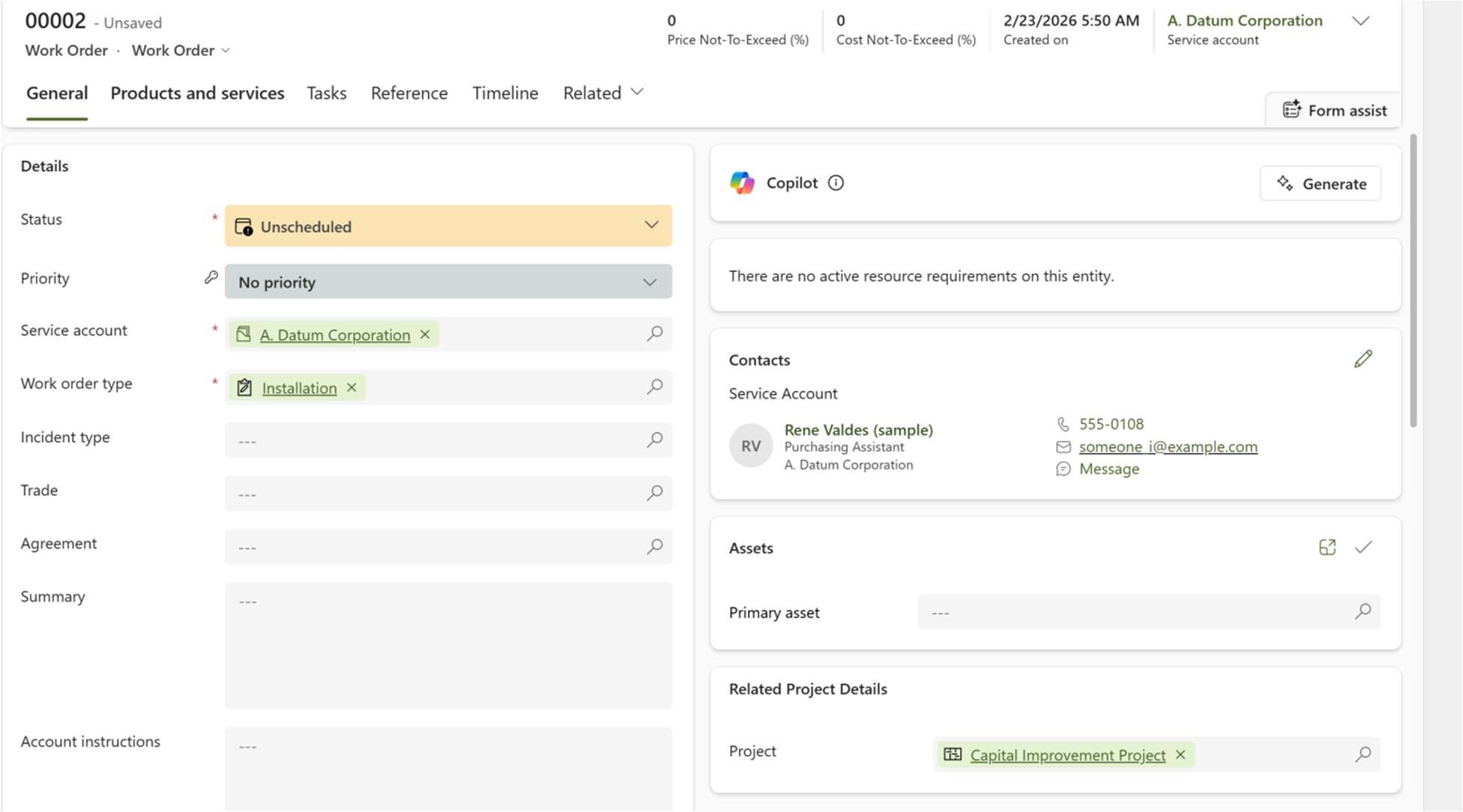
Here’s what actually happens when you link a work order to a project:
- Material usage flows automatically: Products consumed on a work order generate actuals that post directly to the correct project contract line. No rekeying. No reconciliation spreadsheets.
- Labor entries follow the same path: Time logged by technicians against a work order rolls up into project actuals, supporting accurate cost tracking and eventual billing.
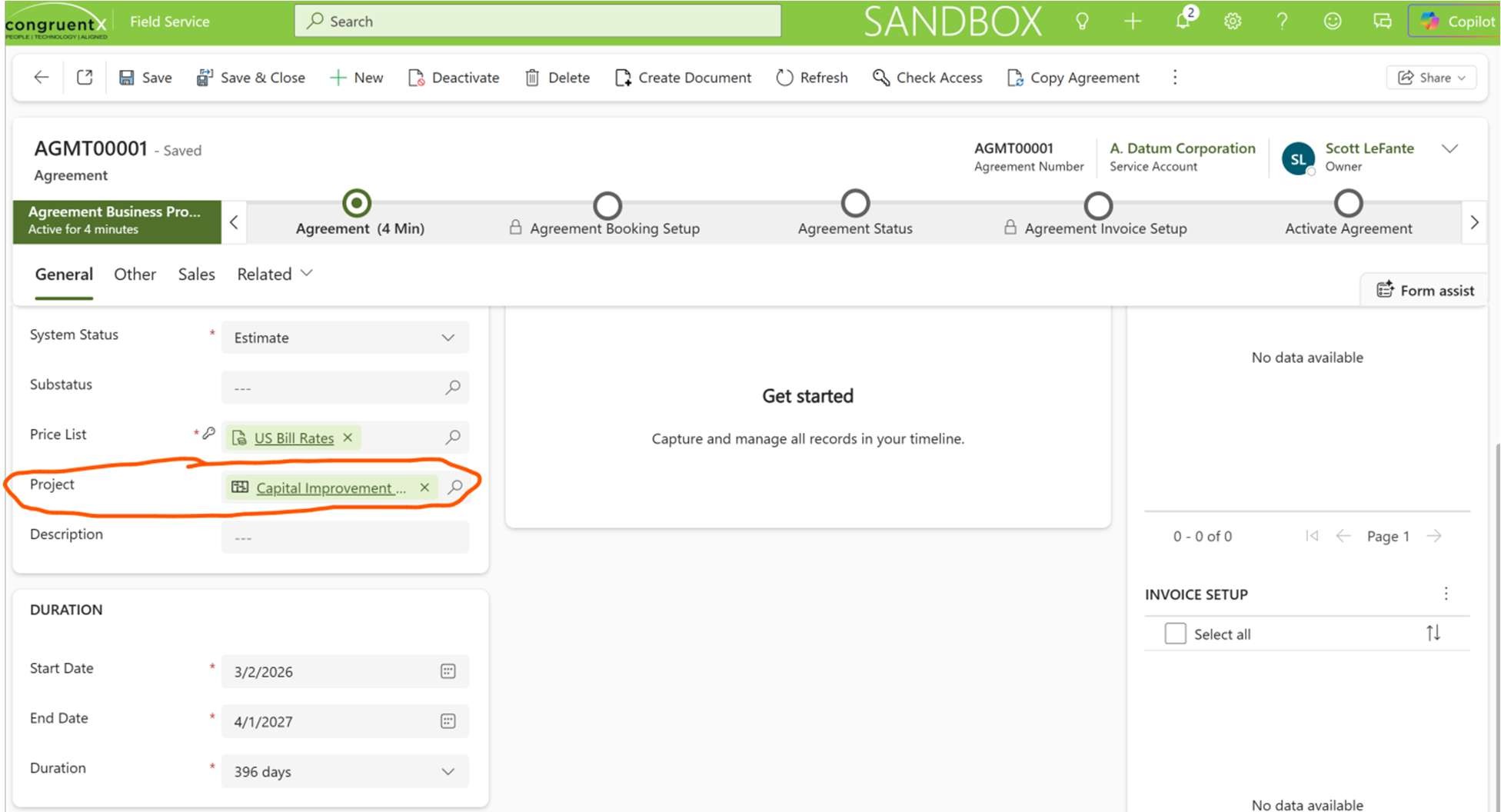
- Agreements get smarter: If you’re running recurring work orders through Field Service agreements, you can link the agreement to a project once, and every work order generated from that agreement inherits the project linkage automatically. This is a massive win for organizations with maintenance contracts or managed service models.
Why This Changes the Conversation
Most of my clients in transportation, utilities, and facilities have asked some version of the same question: “How do we know if we’re actually making money on project-based service work?” Today, that answer required hopping between systems, pulling reports from multiple sources, and doing math in Excel.
With this integration, the answer lives in Project Operations, where it belongs. Costs hit the right contract line. Revenue recognition reflects actual work performed. Finance teams can see what’s happening in the field without chasing down dispatchers.
This is especially relevant for organizations that sell outcomes, managed maintenance agreements, outcome-based service contracts, or project-based installations where materials are a significant cost driver.
A Few Things Worth Knowing Before You Enable This
Implementation nuance matters here. A few things to keep front of mind:
First, linkage must happen before the work order is posted. Once a work order hits the Posted status, the project assignment is locked. Build your process around that constraint.
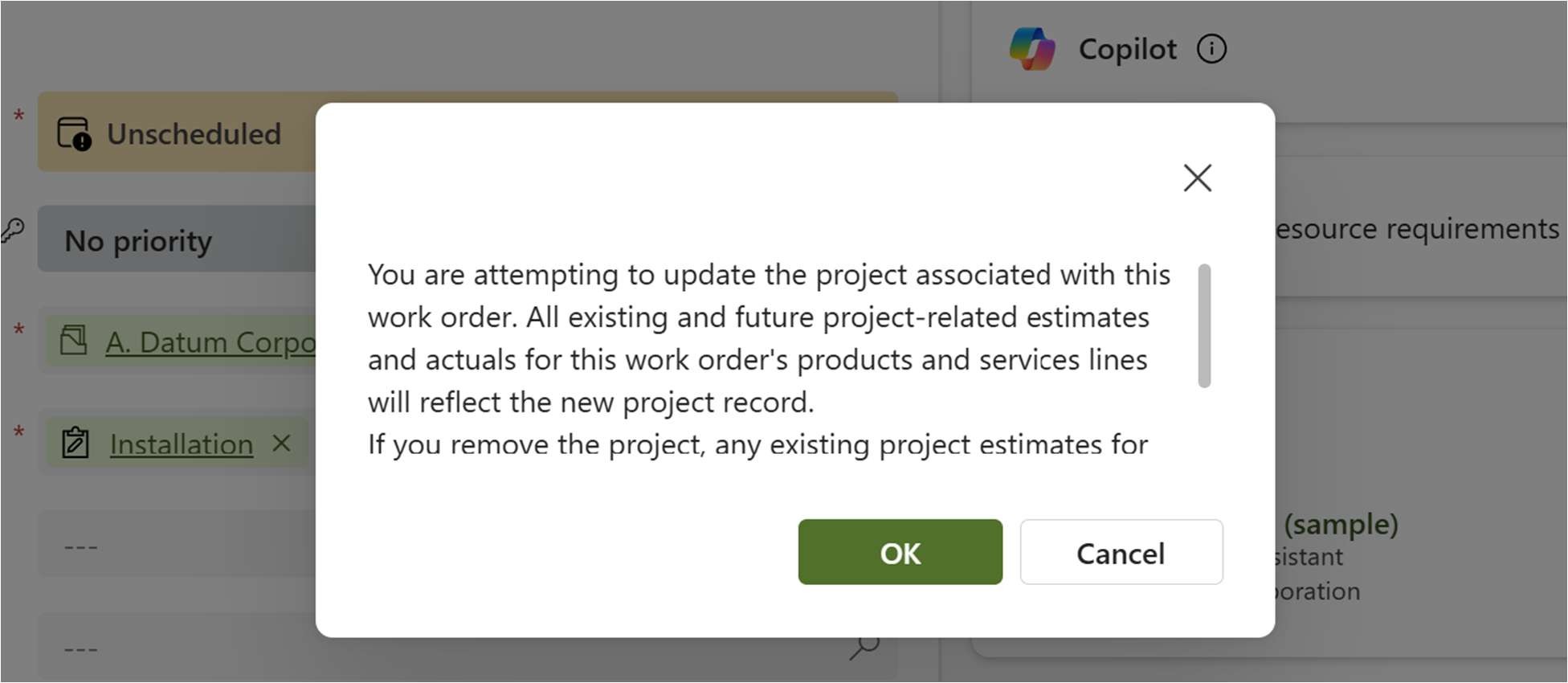
Second, if you change the project on a work order, existing actuals get reversed, and new ones are created under the new project. This is the correct behavior, but it can surprise teams who aren’t expecting it during reconciliation.
Third, agreements need the project assigned before you set them to Active. Don’t activate the agreement and then try to add the project; it won’t cascade to existing work orders. New work orders only.
Fourth, there’s a useful view built right into Field Service: “Work Orders Linked to Project” and “Work Orders Without Project,” which make it easy to audit your linkage health across the operation. Use these during go-live and hypercare.
Who Should Be Paying Attention
If your organization runs project-based field service, think installation projects, capital improvement work, government contracts, or complex maintenance agreements, this integration is worth a serious look in your next planning cycle.
If you’re still using workarounds to connect Field Service to your project financials, the workaround just became optional.
This is the kind of platform maturity that makes me optimistic about where Microsoft is taking the connected service story. Field Service, Project Operations, Supply Chain, and Finance are increasingly speaking the same language, and that means less integration tax and more time focused on actually delivering service.
Curious how this maps to your current Field Service implementation? Drop a comment or reach out directly; happy to talk through what it takes to make this work in the real world.
