
The Mysterious World of Dates: Purchase Quotes, Orders, and Invoices in Business Central



Following my previous post on the Sales Module, this post examines the Purchase Module in Dynamics 365 Business Central.
Business Central’s Purchase Module features multiple date types that may affect how users operate within the system. This post explains these dates and their meanings as they appear in:
- Purchase Quote
- Purchase Order
- Purchase Invoice
Purchase Quotes
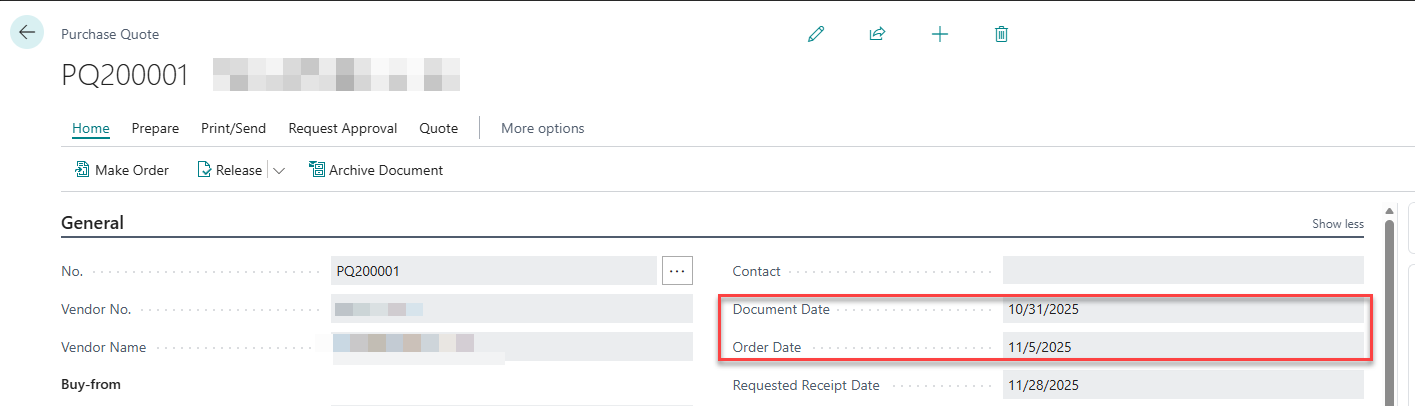
The Order Date and the Document Date will default to the creation date, but can be manually updated. These dates can be different. For Example, if you are getting quotes for an Item on October 31, but you need to convert the quote to an order by November 5, then you can set the Document date to October 31, but update the Order date to November 5. This way, you can track when you need to convert it to an order.
Business Central Definitions
- Order Date: Specifies the date the related Order was created.
- Document Date: Specifies the date the related document was created.
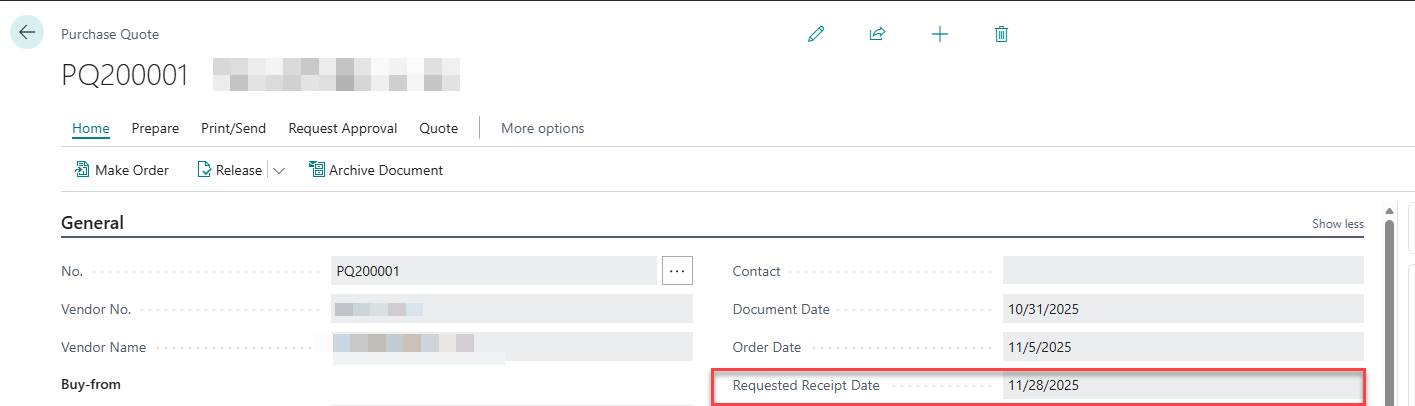
The Requested Receipt Date is the date you are asking the Vendor to have your shipment delivered. During the quoting process, this is to help your vendor understand your needs.
Business Central Definition
- Requested Receipt Date: Specifies the date that you want the vendor to deliver to the ship-to address. The value in the field is used to calculate the latest date you can order the items to have them delivered on the requested receipt date. If you do not need delivery on a specific date, you can leave the field blank.
Purchase Orders
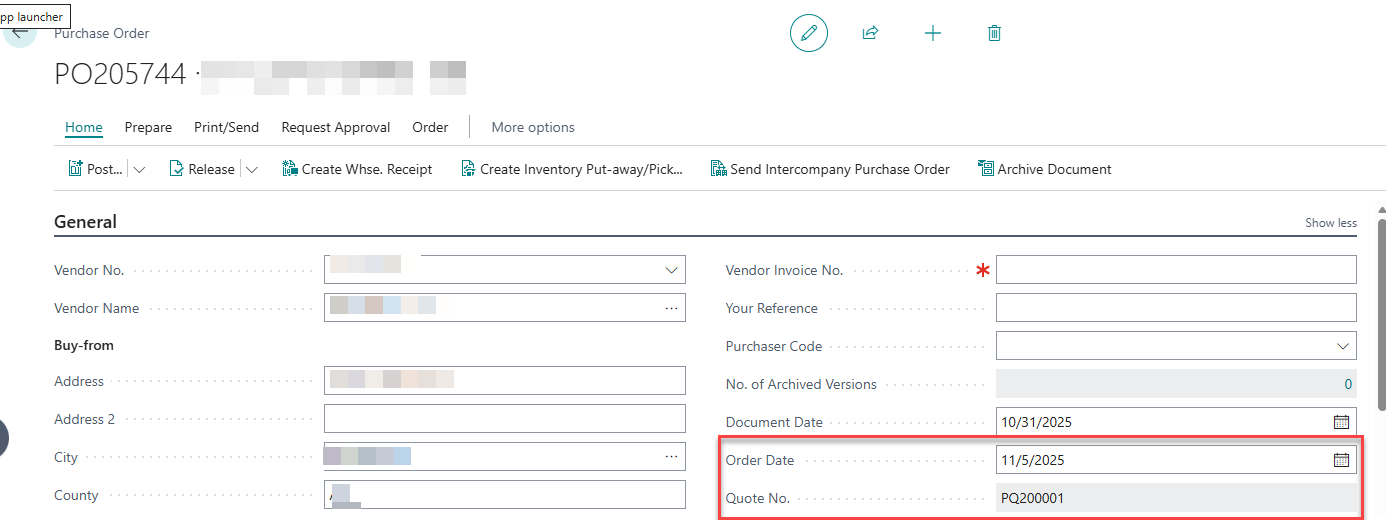
The Document Date and the Order Date will default to the creation date, unless converted from a Quote, then those fields will flow through to the order. Same as the purchase quote, these dates can be different. In my example, I converted from the quote, so my Document Date = 10/31/2025 and my Order Date = 11/5/2025. You can manually update these dates as needed.
Business Central Definitions
- Document Date: Specifies the date the related document was created.
- Order Date: Specifies the date the related Order was created.
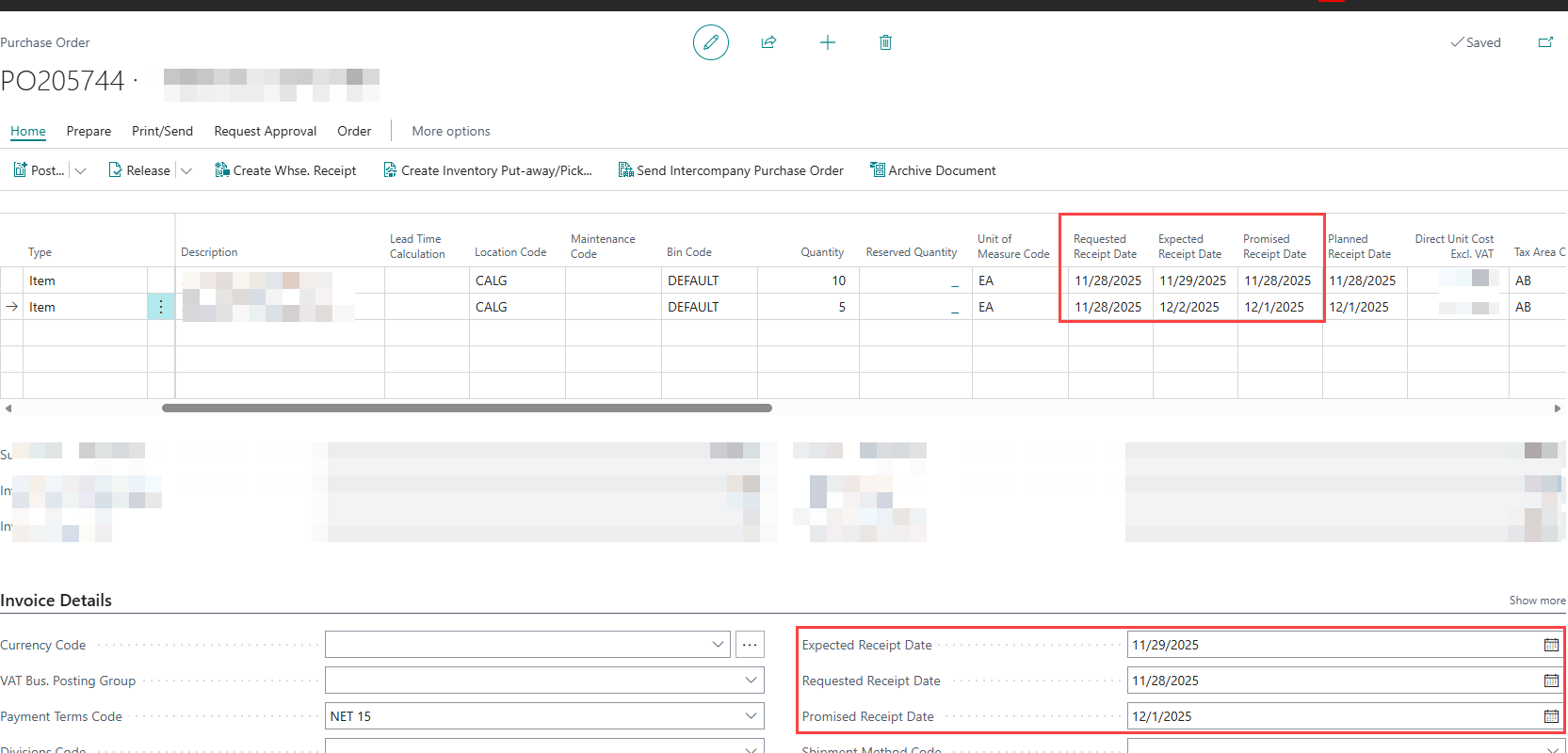
The Requested Receipt Date is the date you are asking the Vendor to have your shipment delivered. During the quoting process, this is to help your vendor understand your needs. The supplier should then provide you with a Promised Receipt Date, which is their guarantee of when you will get your goods. The Expected Receipt Date is when you expect the items to be received in your warehouse. It is important to note that these fields can be updated in the invoice details for the whole order, or they can be updated per line.
Business Central Definitions
- Requested Receipt Date: Specifies the date that you want the vendor to deliver to the ship-to address. The value in the field is used to calculate the latest date you can order the items to have them delivered on the requested receipt date. If you do not need delivery on a specific date, you can leave the field blank.
- Promised Receipt Date: Specifies the date that the vendor has promised to deliver the order.
- Expected Receipt Date: Specifies the date you expect the items to be available in your warehouse. If you leave the field blank, it will be calculated as follows: Planned Receipt Date + Safety Lead Time + Inbound Warehouse Handling Time = Expected Receipt Date.
Purchase Invoices
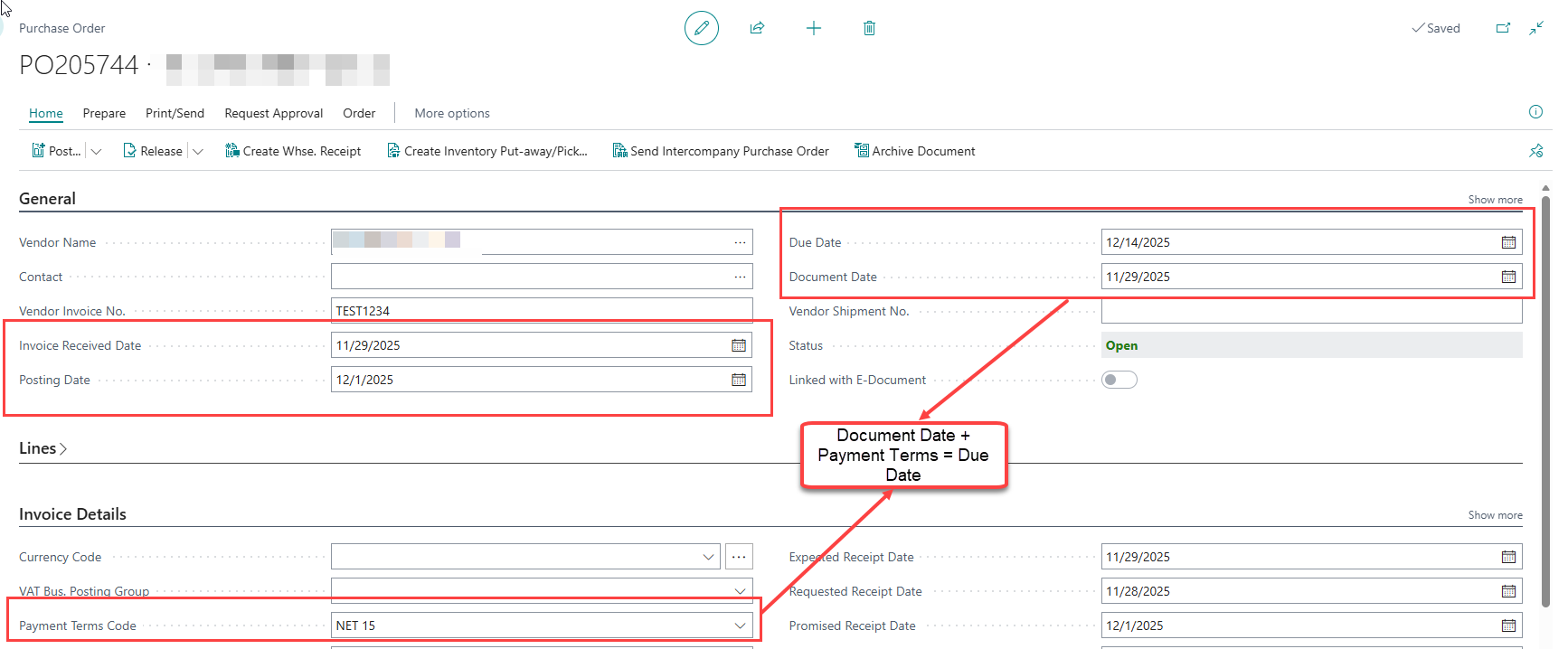
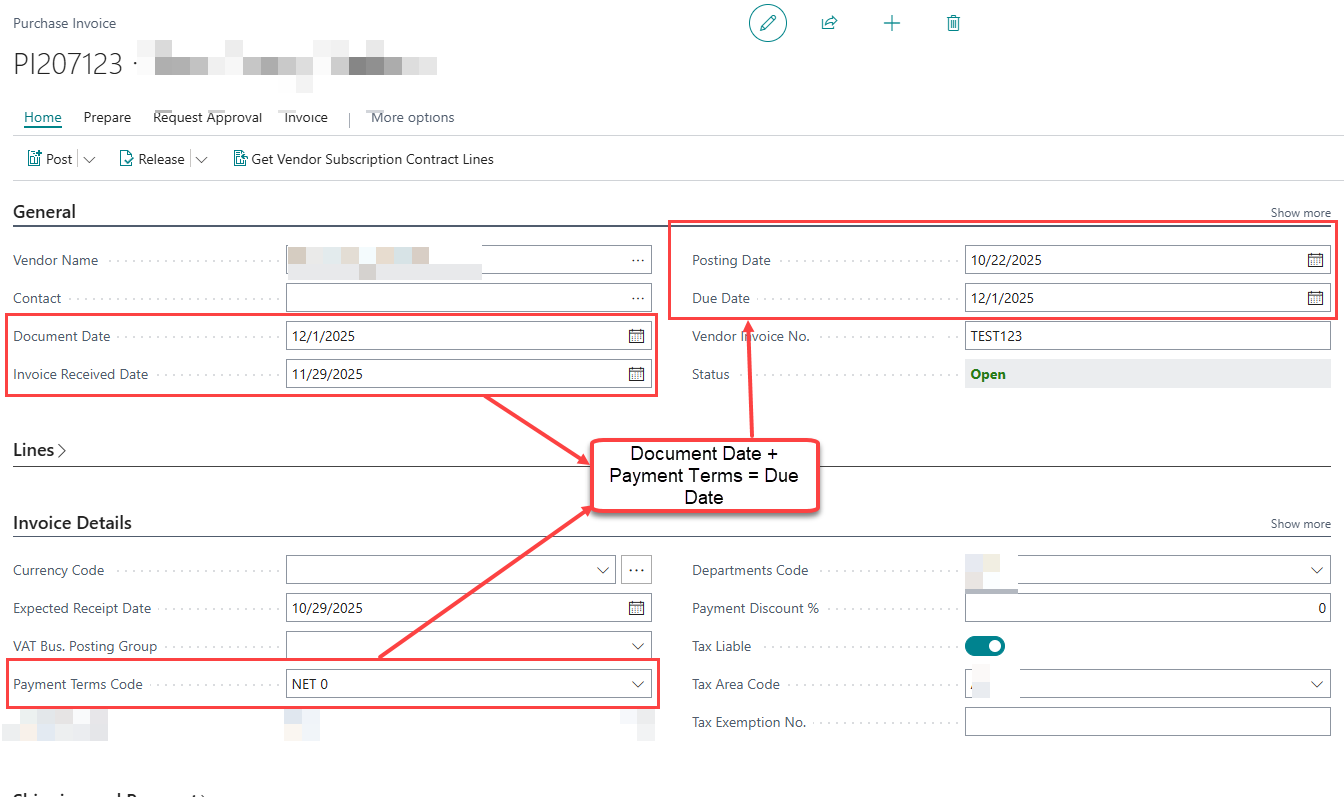
Whether you invoice from the Purchase Order or the Purchase Invoice, note these additional dates: Invoice Received Date is when the invoice arrives; Posting Date is the date you post the invoice, which then sets the Document Date and calculates the Due Date based on payment terms. You can change the Document Date manually after updating the Posting Date.
Business Central Definitions
- Invoice Received Date: Specifies the date when the related document was received.
- Posting Date: Specifies the posting date of the record.
- Document Date: Specifies the date when the related document was created.
- Due Date: Specifies when the related purchase invoice must be paid.
Purchase Order
Purchase Invoice
Final Thoughts
Effective date management within Business Central’s Purchase Module helps organise purchase records efficiently and strengthens relationships with vendors. By properly tracking dates for quotes, orders, and invoices, businesses can ensure processes move quickly and that delivery expectations are met.
