
The First 30 Days as a New Business Central Administrator

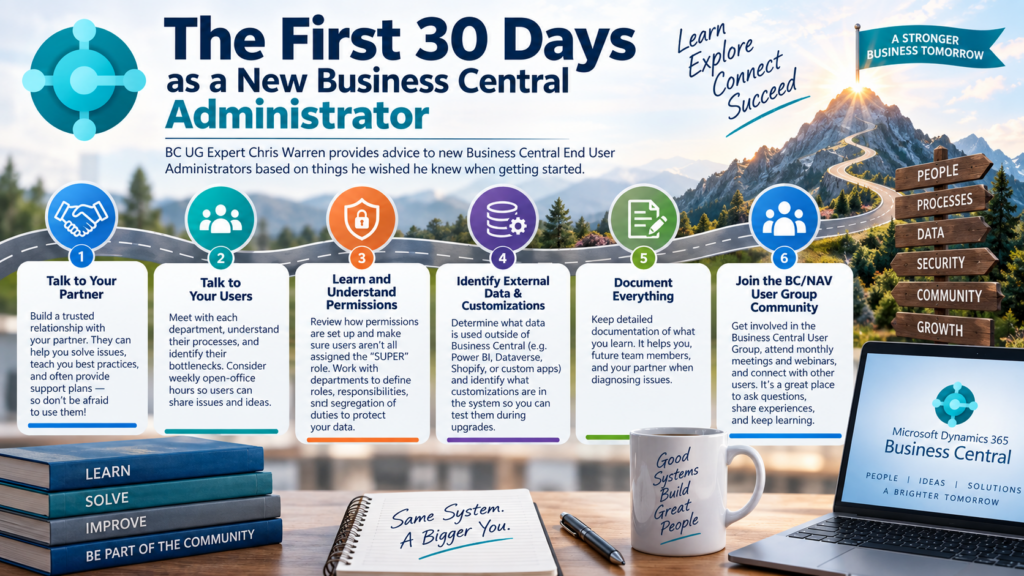

After managing NAV/Business Central (BC) as an end-user for almost 10 years, I thought about what advice I would offer someone just starting out as a brand-new Business Central Administrator. BC offers a lot of functionality, and it can be overwhelming at first, especially if the system wasn’t documented. When I took over our system, I had nothing – no experience, no documentation, and a lot of misconfigurations. So, these are the top 6 things that I would recommend to do when getting started.
1. Talk to Your Partner
Having a good relationship with your partner is key to ensuring that you can successfully manage Business Central. When things go wrong, you will want to have someone you trust that you can call to help solve the issue, if you can’t. Often times Partners offer support plans that allow you to have a certain amount of tickets per month – and don’t be afraid to use them! A good partner will help you learn as you figure out the way that Business Central is supposed to work. Eventually, you might not need a support plan since they have taught you so much.
2. Talk to the Users
Frequently, users don’t let their Business Central Administrator know what issues they are having with the system. Or they may have operational problems that could be solved with core system functionality. Taking the time to sit down with each department, understanding their processes, and identify their bottlenecks will help you streamline the system as you get started. One of the best things I did was start weekly open-office hours, so that way users could come let me know about their problems or ideas, which helped me understand what I needed to learn.
3. Learn and Understand Permissions
If you have inherited the system, you’ll need to learn how permissions are set up. Business Central Permissions can be fairly complex because of how many tables there are. Ensure that your users aren’t all assigned the “SUPER” role which is very common – this would allow them to make any changes to the system, including configuration settings. It would be a good idea to talk to each department and understand what roles and responsibilities they have, so you can have segregation of duties and protect your data.
4. Identify What Data in BC Is Used Outside the System and What Customizations Are in the System
Often, companies build additional applications that rely on data within the system. These could range from reporting software, Dataverse connections, PowerBI, Shopify, or other custom applications. Every change in Business Central could impact how the external applications act, so it’s critical to determine what is accessing the system data externally. This is crucial for any customizations that are in the system vs. Base Business Central, so you can test them to verify they still work during an upgrade.
5. Document Everything You’ve Learned
Documentation is key for your environment. Not only is documentation for yourself, or someone else who joins the team in the future, but it also helps when Partners are trying to diagnose an issue that you are having.
6. Join the BC/NAV User Group Community
The Business Central User Group is a “for user, by user” group where people are able to come and ask questions and get support from other users. Additionally, there are monthly National User Group Meetings and Webinars. This is where I started to learn from others and master Business Central.
I hope these tips help any new Business Central Administrators!
