
Target Marketing with Campaigns and Segments in Business Central



A Campaign involves a group of Contacts and a group of activities that will direct your Sales Staff to Contacts that meet specific requirements. With a focused approach on who they should be contacting, their efforts should be more productive.
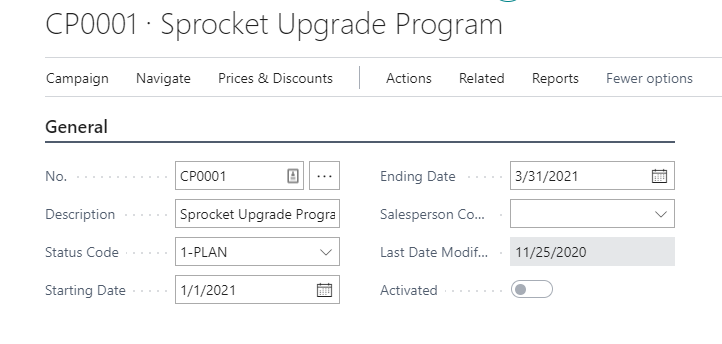
Campaigns allow you to establish Sales Prices or Sales Line Discounts for promotional Items included in the Campaign with Effective Start and End Dates. The Campaign Prices and Discounts can be activated after the Campaign is set up so you don’t have to worry that someone will start offering the promotion before you’re ready to activate the Campaign and, should circumstances arise during the Campaign, like out of stock conditions on a one time buy, you can deactivate the Campaign Prices and Discounts before the planned End Date.
Segments
I have often discussed all the different ways we could filter the Contacts we select for our Segment. In conjunction with a Campaign, the Segment allows you to pinpoint the Contacts on which you want your Sales Staff to focus. You can create multiple Segments for the Campaign, segregating the Contacts in each Segment by Sales Territory, Sales Rep, or Product Line. If there are Segments that will be used again in a future Campaign, you can save the filtered criteria making it easy to replicate successful Campaigns.
In a prior life, we were offered promotional buys from our vendor based on projected sales. Knowing that we could get an additional discount on specific products, we would create a Campaign offering our customers price incentives for those products. The promotional buys guaranteed we wouldn’t erode our margins, and we could focus our sales efforts on those products.
Below you see a sample of Segments tied to a Campaign.
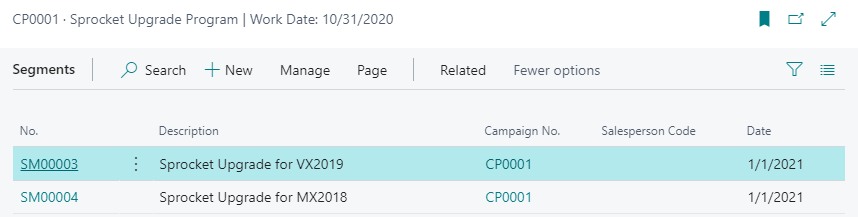
Sales Reps could be assigned to each Segment, but we were focusing on Product Lines. We let each Sales Rep work from the same Segments. Sales Reps were evaluated on actual sales, and we evaluated the Campaign in total.
With Campaign evaluation in mind, Dimensions can be assigned to the Campaign. This means Sales Documents created from the Campaign and posted to the G/L will be posted with that Dimension Value. This will allow you to review sales generated from the Campaign and dive into the margin analysis to evaluate the financial results of the Campaign. Using a different Campaign Dimension for each Campaign, you can see which Campaigns throughout the year are the most profitable.
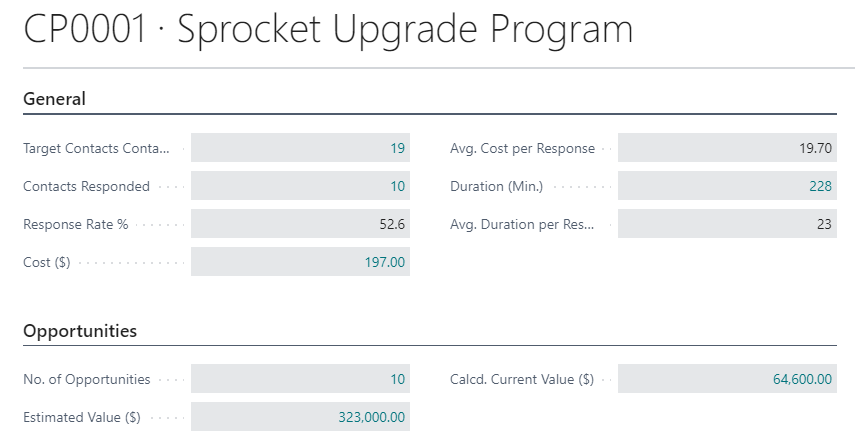
While Dimensions give you a financial measurement of the Campaign, you also get statistics from the Campaign about the activity generated.
You can see how many of your targeted Contacts you reached and their response rate. But more importantly, you can see how many Opportunities were created from the Campaign. Since this is all tracked by Sales Rep, you can also evaluate who worked for the Campaign.
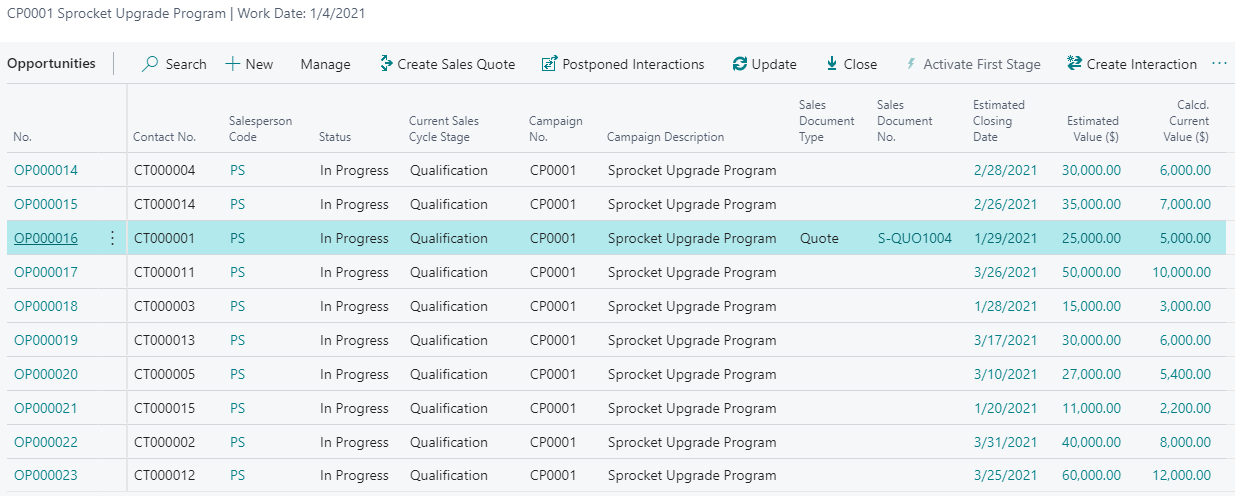
From the Campaign you can also see the individual Opportunities created from the Campaign and view critical information such as the Current Sales Cycle Stage, the Estimated Closing Date and the Estimated Value of the Sale. As you are getting closer to the end of a Month, a Quarter, a Year or the Campaign you can view this information quickly and make decisions that may assist the Sales Rep in closing the deal.
At a high level, you can create Campaign setting prices or discounts for products that you want to push in your promotion. Then, you define the criteria for those companies and people you want your Sales Staff to focus on. Once you’ve activated the Campaign, you let your Sales Staff create and manage their Interactions and Opportunities. As the Campaign progresses, you can view and direct as needed to ensure everyone succeeds.
