
2 Key Features for Accountants to Optimize Processes in Business Central



Over the past few years, when I have had opportunities to speak at conferences, I’ve focused on what is new in Business Central for accountants. In the last year, there have been so many improvements for accountants, I thought I would share insights on a couple of my favorites.
Dynamic Column Headers in Reporting
The first one has been in the product since 2025 Wave 2, but I’m guessing not everyone has noticed or updated their reports yet. One of my favorite ways to analyze my income statements is to review net changes on a rolling 12-month view. Until now, my column headers were generic, using the CP, CP-1, CP-2 method, and I just had to know what my current period was when reviewing it.
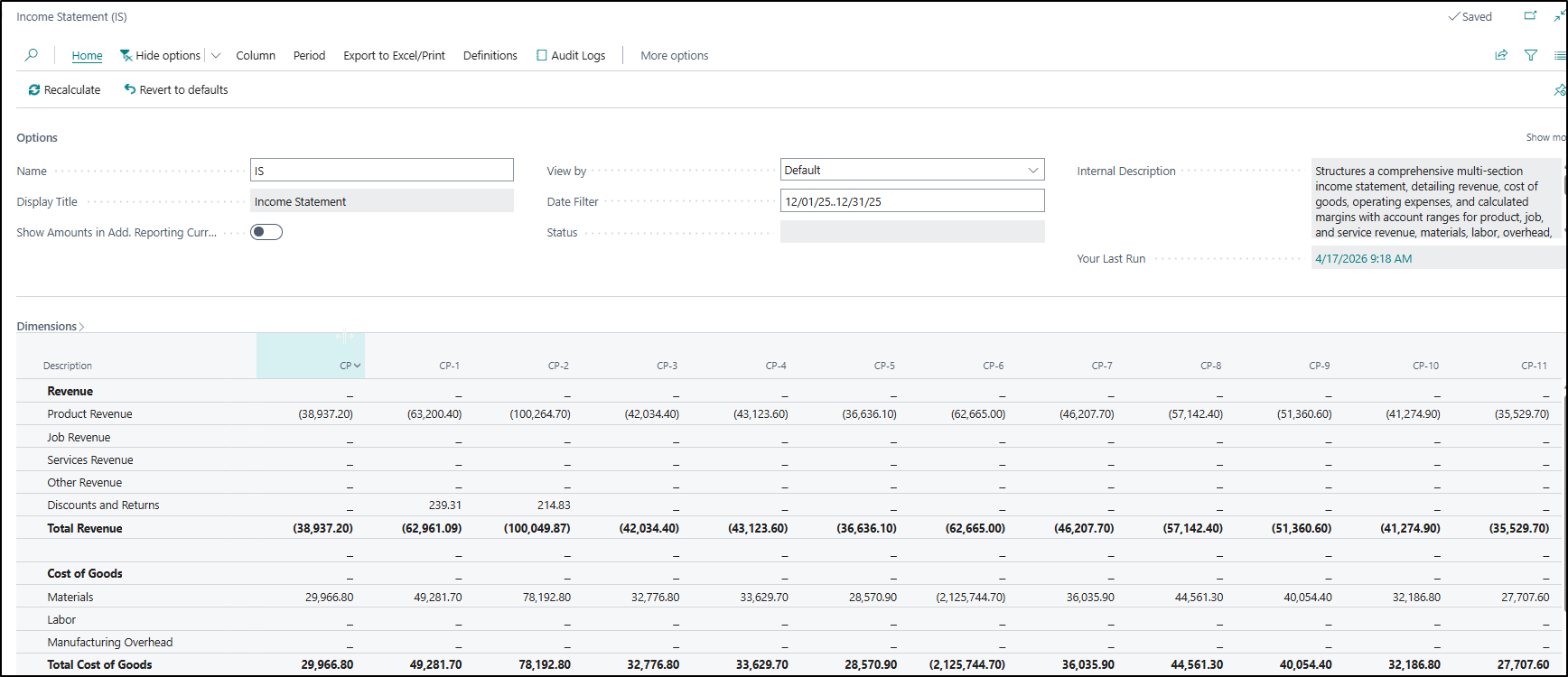
But gone are those days, with this newest improvement. In our column layout definitions, we can now see this new field: Include Date in Column Header. This new field will add more information to your Column Header when running the report. You can also choose to use this without any Column Header information.
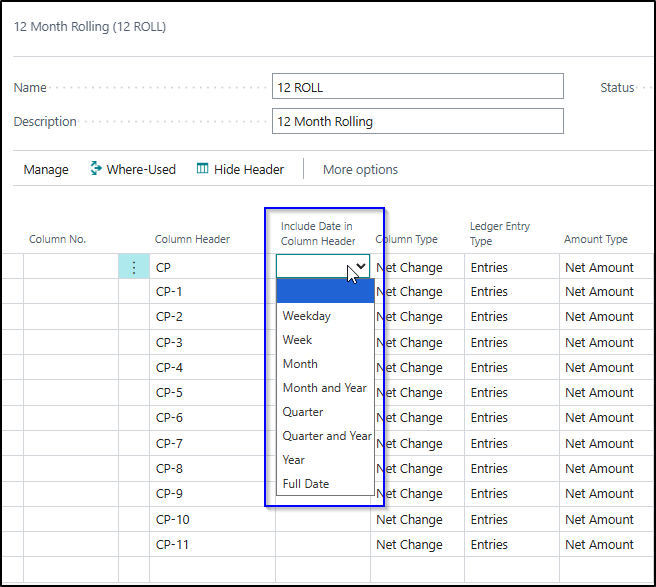
Let’s see how this looks when I update my layout. As you can see, I’ve decided to leave my manual header information in the first 3 columns and have removed them entirely from the remaining ones.
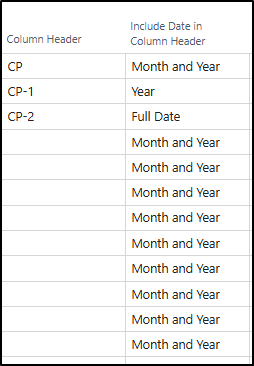
Here we can see in my first 3 columns, my manual header stays. For each of the selections I made, a slightly different date combination is added. For this layout specifically, I personally prefer the Month and Year on its own, which we can see starting in September 2025.
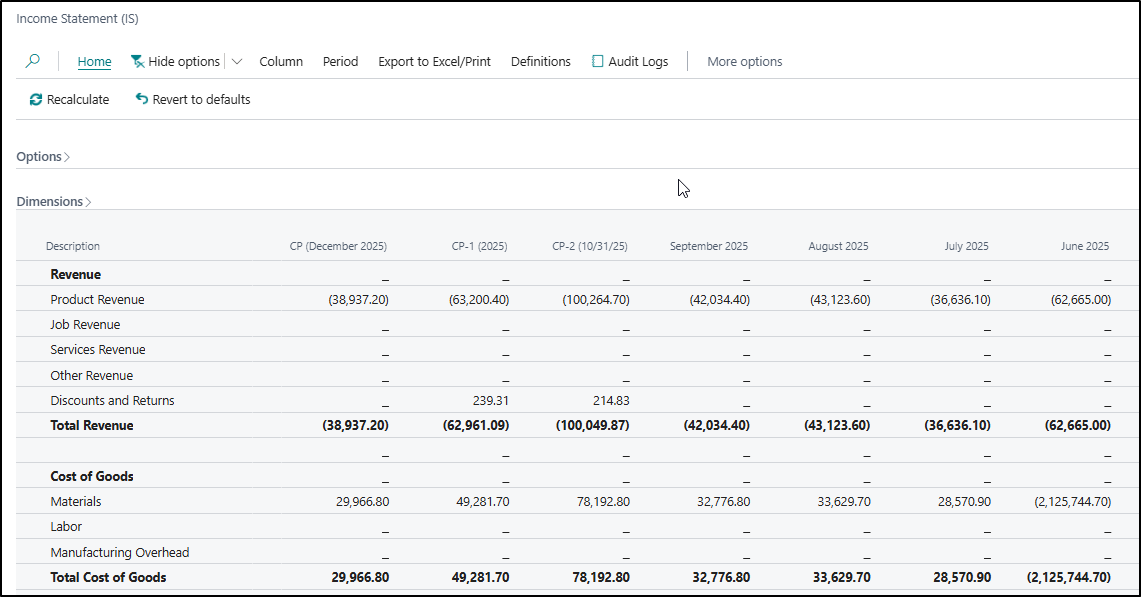
This new functionality takes the guesswork out of the details we used to have to manage by making manual changes to reports or fancy formatting when building published reports in Excel. I’m excited to implement this internally and with our customers.
Dynamic Dates for Posting
The General Ledger Posting Setup has had some changes in the most recent wave. The dynamic dates for posting are a long-awaited feature. At the end of every month, your Controller, most likely, has had to go into the General Ledger Setup to define the default posting range. This critical setting is the most important one to ensure control is maintained related to the financial impact of transactions. With a soft fiscal year-end close, which we love, ensuring these fields are up to date is the first line of defense to your accounting team’s sanity.
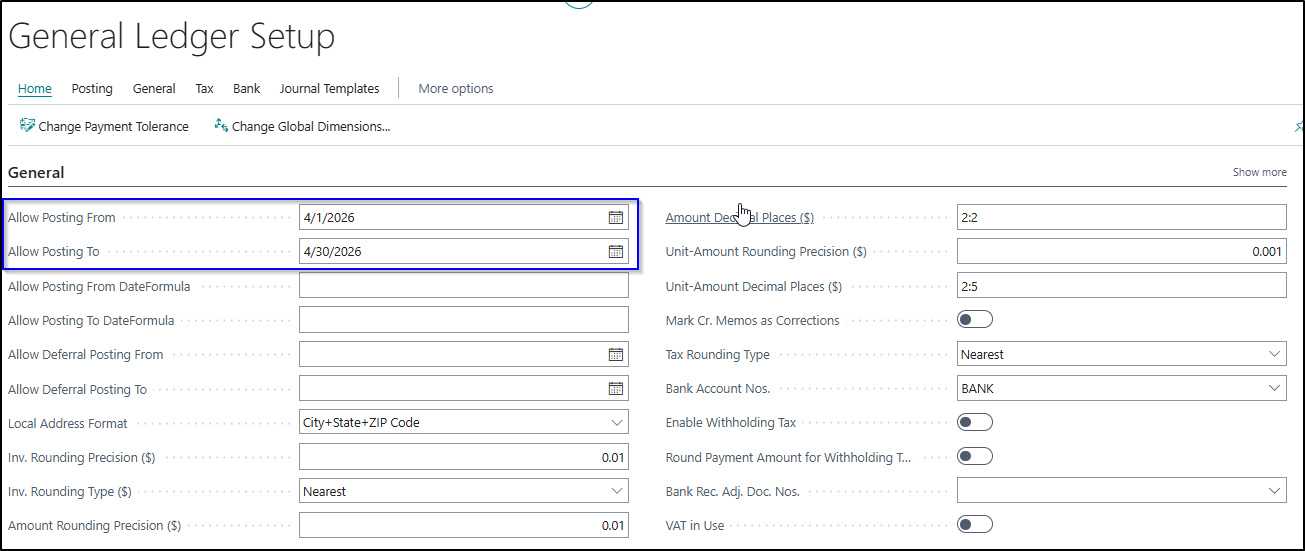
Two new fields have been added to our General Ledger Setup now: Allow Posting From DateFormula and Allow Posting From DateFormula. With the right setting, we can ignore this field and focus on our exceptions in User Setup.
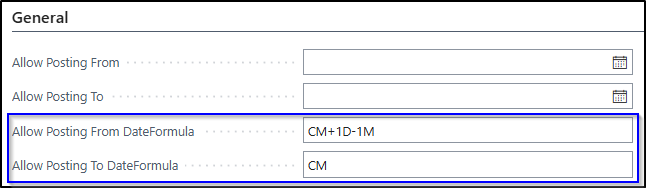
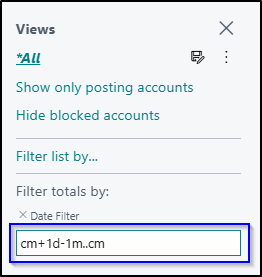
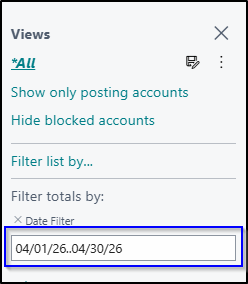
Since the result of the formula is not immediately visible, and if you are uncertain your formula will be correct, try it out in a date formula filter first. Here I’ve tested this out in my settings in the Chart of Accounts:
Final Thoughts
With these two updates, the efficiency of my month-end process has just increased, even if it is a small amount. Over time, these small improvements will have a positive impact on the accounting team and remove one more small annoyance with our processes. I’m looking forward to seeing these in practice.
