
John Wainwright
Forum Replies Created
-

-
John Wainwright
MemberApril 25, 2024 at 8:46 am in reply to: Customer/Vendor documents info based on business unit::Hi Mark,
Yes, this is certainly doable, and with standard functionality.
In the Print Management settings for a given module, you can create a new “conditional” document. Then, you can set criteria on when this print management setting should be used instead of the default.
Then – you can supply a different report to be used – which can show a different address, different overall content and formatting, different language, etc.
You might use this option if you only have two ways you want to go – default, or not default.
- Default – use this document for everyone…except…
- If this circumstance is true (dept, whatever) use this other doc.
You can also just do this right on the individual Customer or Vendor record. Under the General tab – you’ll find a Print Management option. Here, you can do the same thing – but specifically tie a print management document profile to a given vendor or customer.
You might use this option if you have:
- Default – use this document for everyone…except…
- For this customer or vendor, use alternate doc 1
- For this customer, use alternate doc 2
- For these three customers, use alternate doc 3
- And so on.
This per Vendor/Customer is frequently used, when the “default” PO confirmation (for example) gets emailed to the primary email address on the Vendor – but for this special Vendor, they want it to also get cc’d to these two other people.
Which way would be best for you, would depend on how many report variations you’d have, and how many customers/vendors we’re talking about. Only a couple? Just put a custom Print Mgmt definition right on the customer or vendor. Dozens/hundreds, and it’s either this report – or that report – depending on some consistent criteria? Might be better to do Conditional at the module level.
Here’s some documentation on that.
https://learn.microsoft.com/en-us/dynamicsax-2012/appuser-itpro/about-print-management-processing

-
::
Deanne,
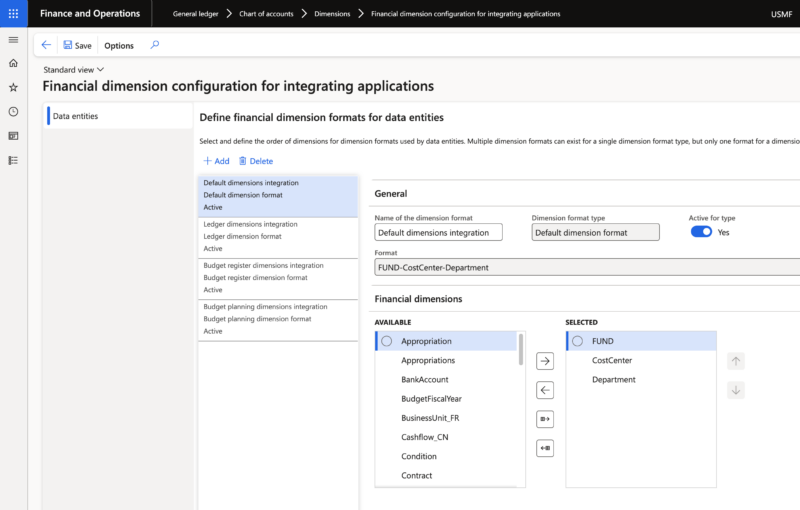
This is referring to the financial dimension formats specific to importing/exporting via data entities. There can-be different formats depending on the type of entity as well.
For example, you can have one format for budget register entries, a different one for budget planning entries, and yet another for ledger entries – with the “default” covering everything else. You can have multiple of each type configured, but only one (of each type) may be active at any time.
You can often run afoul of this when importing via the Excel add-in – as importing budget entries (for example) may have a different allowed format than importing journal entries.
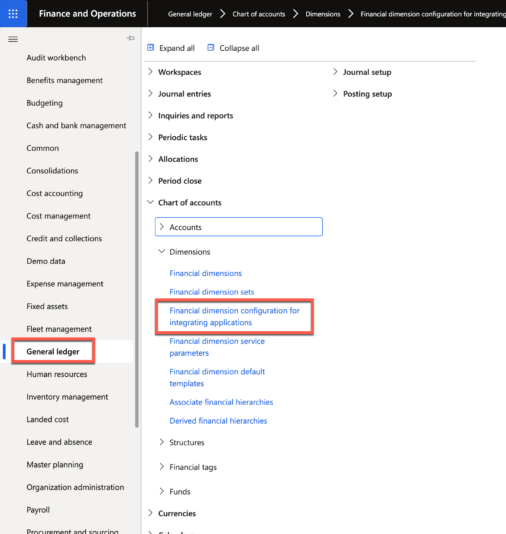
This configuration is found in General ledger/Chart of accounts/Dimensions/Financial dimension configuration for integrating applications.

-
John Wainwright
MemberNovember 28, 2023 at 6:47 pm in reply to: Vendor country printing on AP checks::Deanne,
I recently had a customer request the same thing – don’t display Country from the Vendor’s address record on the check.
Unfortunately, the check report doesn’t print the individual address elements (street, city, state, etc.) – it prints the conglomerated “address” as one element. As such, there is no Standard accommodation to remove individual address elements.
If you’re using the standard Cheque_US_Report check report in D365, it’s not possible without a (minor) customization to the report itself.
-