
Standard Cost by Stockkeeping Unit (SKU) for Manufacturers



I started my BC/NAV journey as an end user at an adhesives manufacturer and distribution company that used standard cost. To be entirely truthful, I never really understood manufacturing costing until working with the individual businesses to ensure that costing was accurate across the divisions. Now the world of costing is exciting to me!
One thing that many manufacturers using standard cost have asked for over the years is the ability to manage standard cost by SKU. Common reasons that standard cost might be different by SKU include (but aren’t limited to):
- Virtual or toll manufacturing the cost of a produced item might be different depending on who made it
- SKU represents a different variant or required components
- Packaging requirements may differ by location
And finally… we have it! In the April 2025 Release Wave, we finally saw several improvements in manufacturing in Business Central. Today, we’ll focus on the standard cost by SKU.
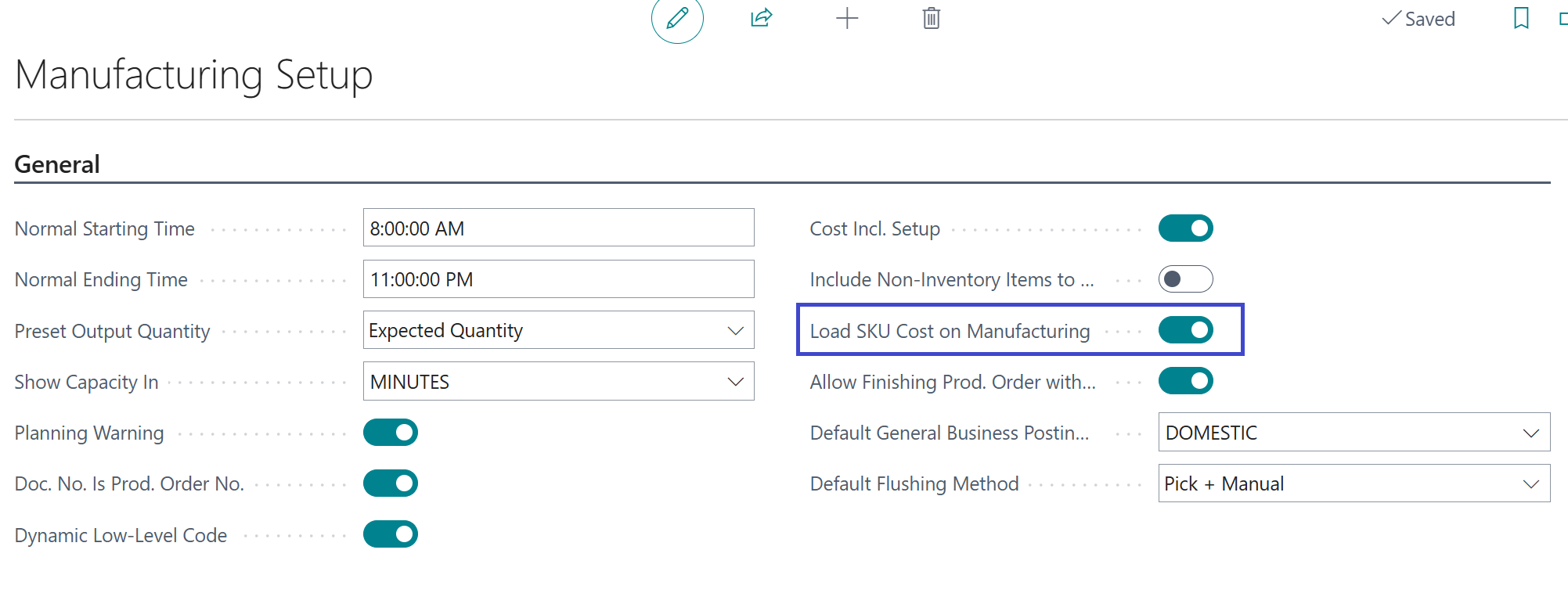
To start, you must update your Manufacturing Setup to allow for the SKU cost to be updated.
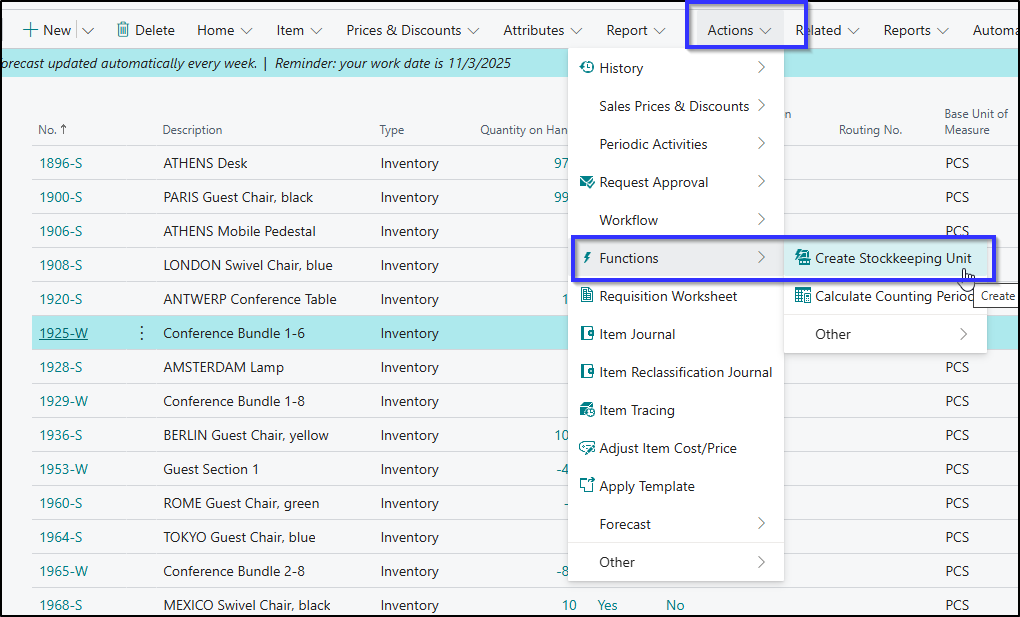
Next step is to ensure SKUs are created. On the item list, we’ll use Actions > Functions > Create Stockkeeping Units.
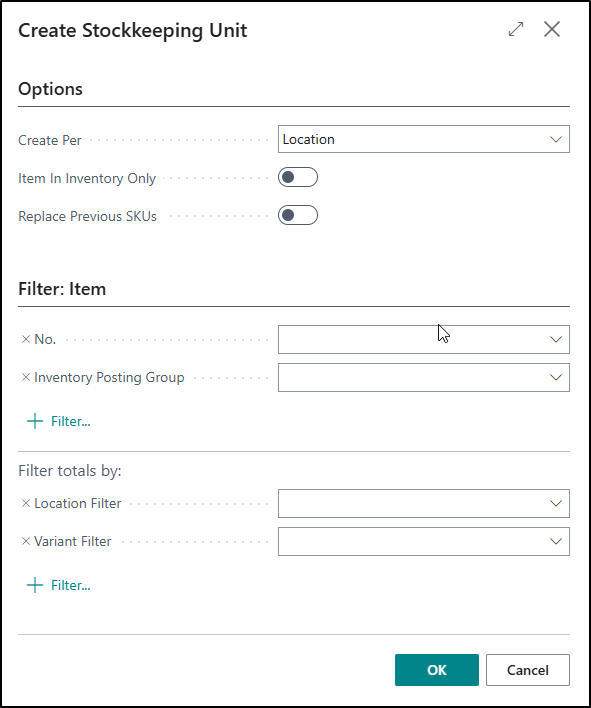
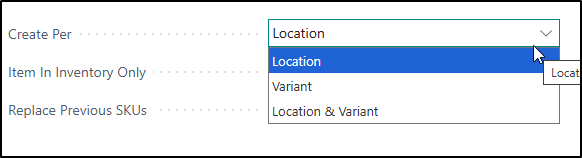
Here, we can choose to filter on many different combinations, including down to the Location & Variant. If you’ve just created one new item, update the filter to just that single item.
 |
 |
The SKU will take all similar information from the item card. This includes the Production BOM and Routing, if assigned. To ensure the standard cost by SKU is correct, you’ll need to update it. In the screenshots below, you can see the SKU for the EAST location has both a different BOM and Routing, indicating that both the ingredients and the execution are different for this location.
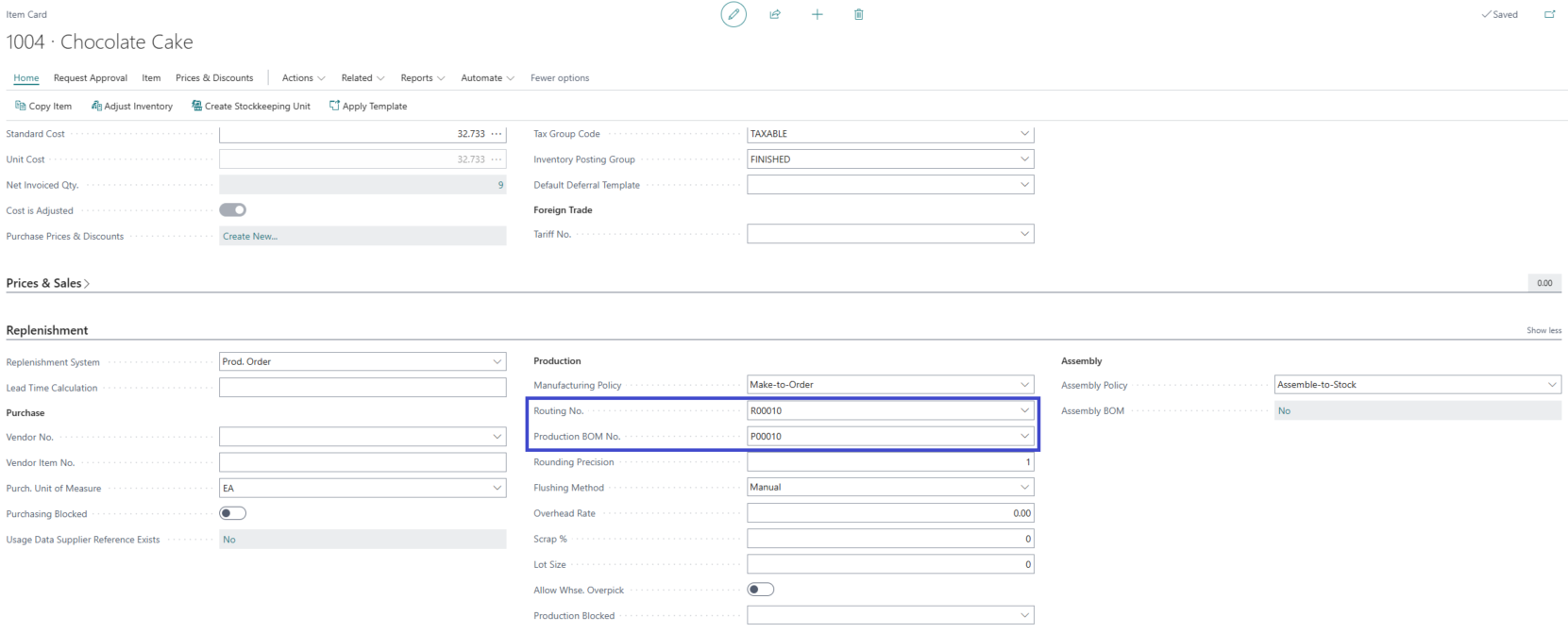
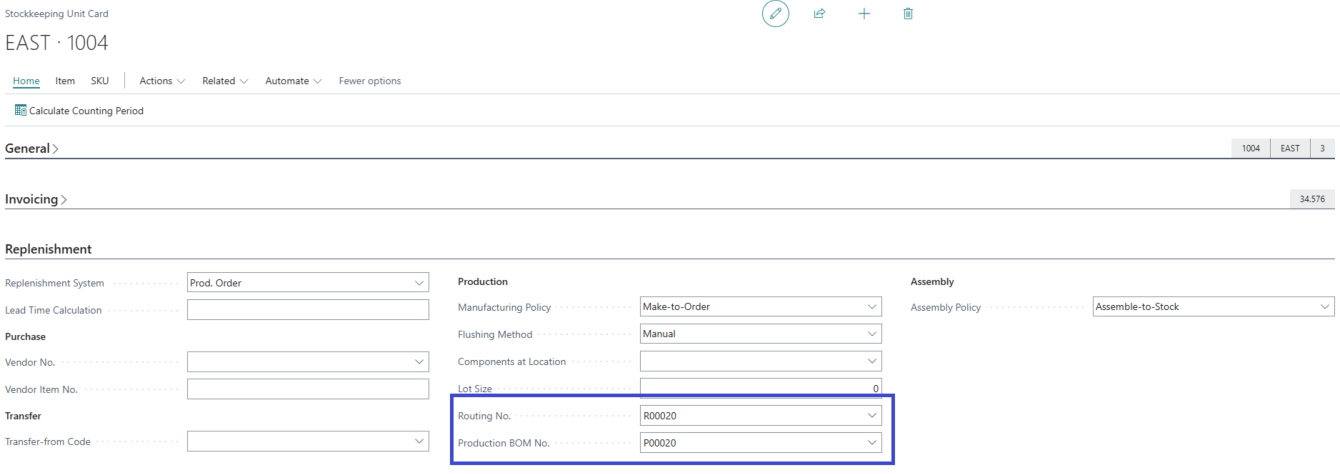
Managing the standard cost roll gets a bit more complicated for this process. The Standard Cost Worksheet, when run and implemented, will update all Items and SKUs, overriding the SKU standard with the default standard for that item.
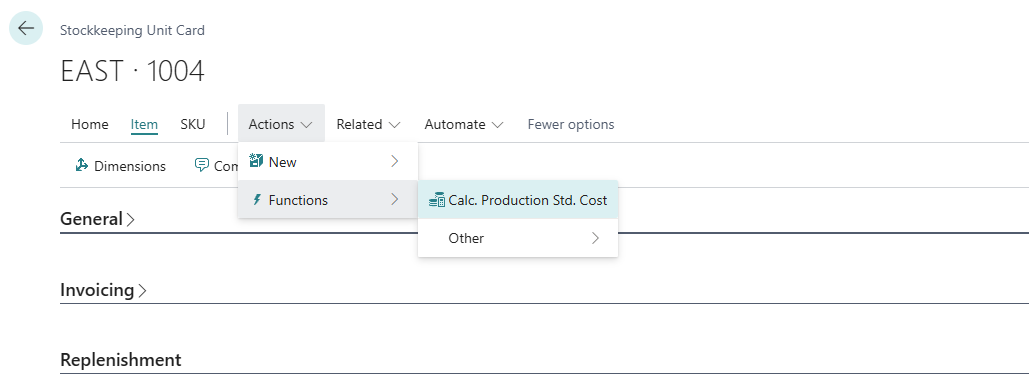
To ensure the SKU specific cost is updated, on the SKU go to Actions > Functions > Calc Production Std. Cost.
Now we can see these two production orders have slightly different expected cost.
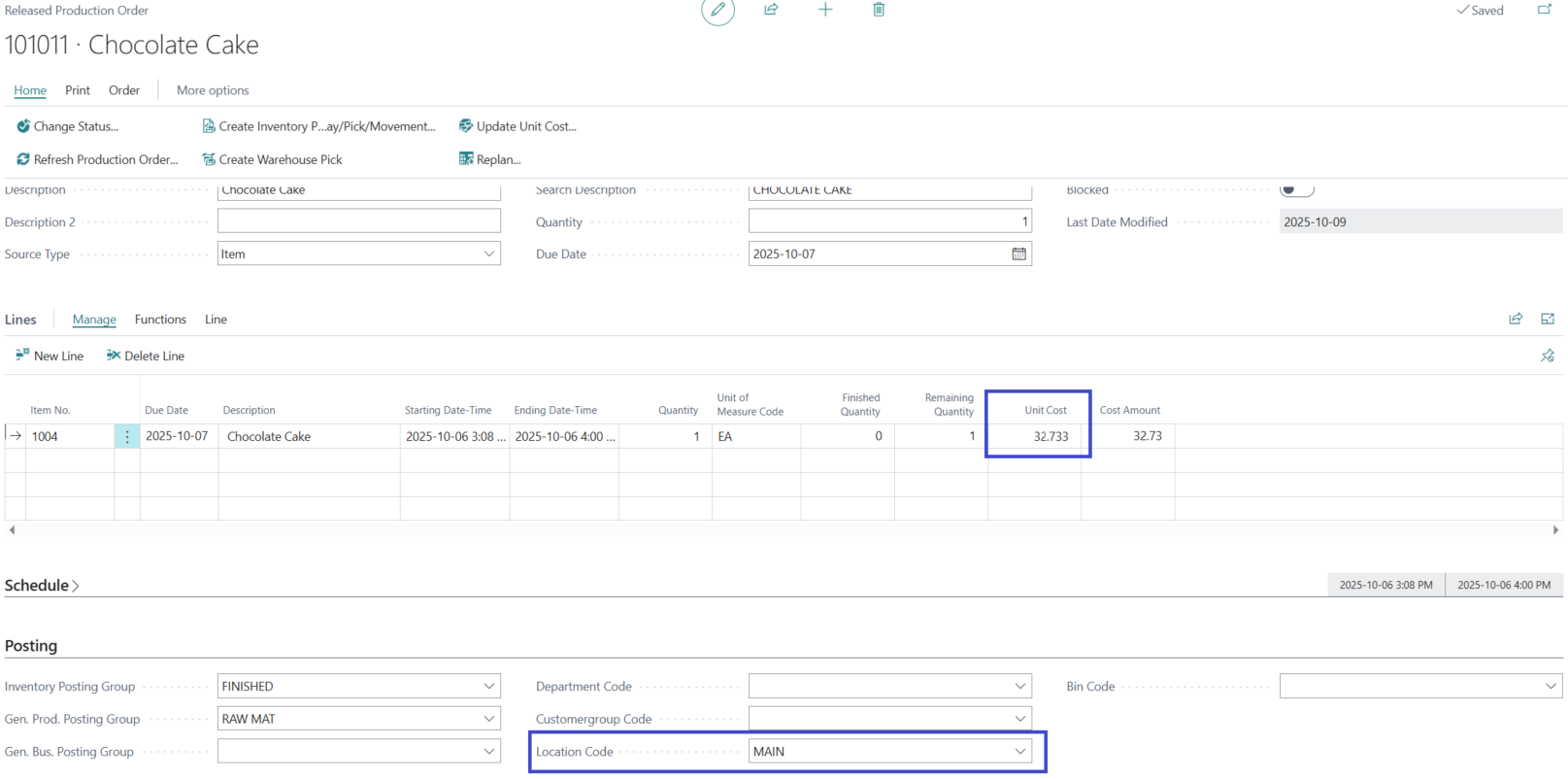
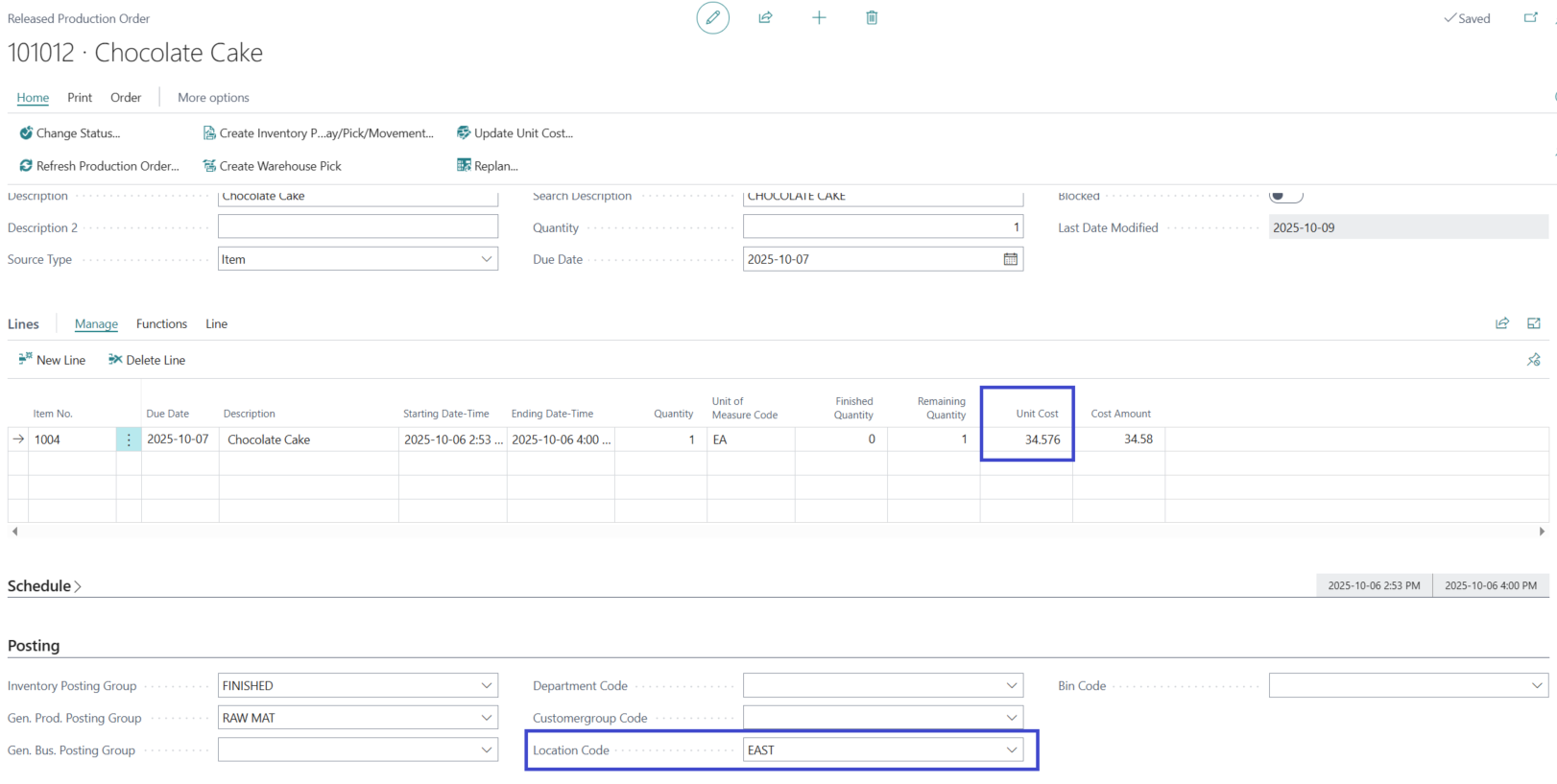
When we look at the details of the entries, we can see that we are getting slightly different values based on the actuals entered for consumption for each standard. In the MAIN location, our inventory value is $32.74, and EAST location is $34.57 (account 14200).
Overall, I’m excited to see this new functionality make it into the product. As of now, I don’t see a way to calculate and update the SKU standard cost globally, so it is important to consider the impact to your business to maintain those differences.
