
Power Automate 101: Types of Flows



Are you new to Power Automate? This guide will help you get started with the basic concepts you need to understand how automations work.
Core Terminology
Before building flows, it helps to understand a few key terms. An automation built in Power Automate is known as a flow. Every flow starts with a trigger, which is the event that begins the automation. Once the trigger occurs, the flow performs one or more actions. A flow can only have one trigger, but it can include many actions.
Each action is created using a connector. A connector is a wrapper around an API that allows you to do something in another software service.
Types of Flows
There are three types of flows you can create in Power Automate:
- Scheduled Cloud Flow
- Instant Cloud Flow
- Automated Cloud Flow
Scheduled Cloud Flow
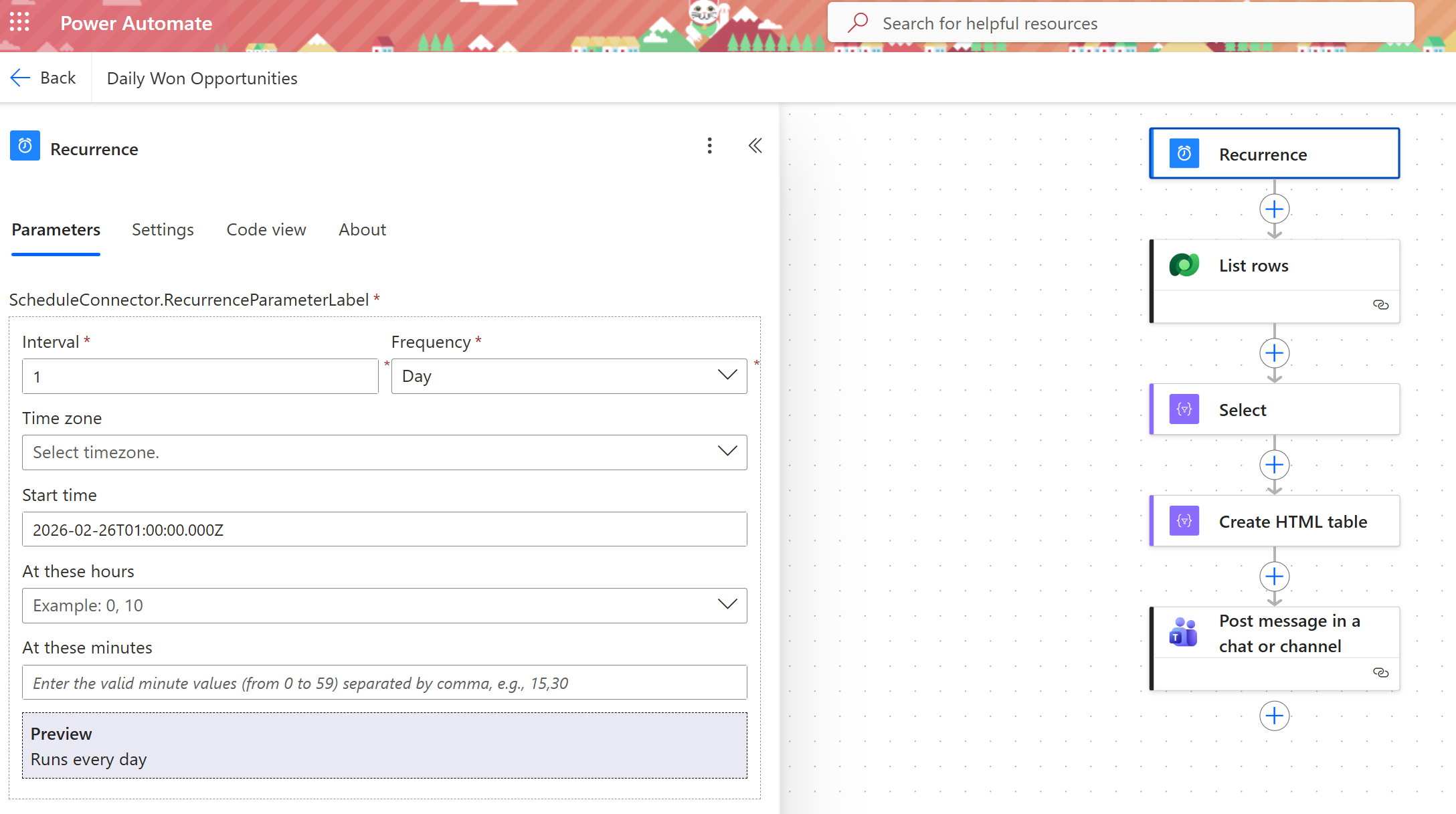
A scheduled cloud flow runs on a defined schedule. These flows are useful when you want a process to happen automatically at regular intervals or at a specific time.
Scheduled cloud flows can run:
- Every month, week, day, hour, minute, or second
- On a specific date
- After a set number of minutes, hours, or days
Here’s an example of a scheduled cloud flow: “every evening, post a list of Won Opportunities in our Sales channel in Microsoft Teams”
Instant Cloud Flow
An instant cloud flow is triggered manually, typically with the click of a button. Users can kick off an instant cloud flow on their mobile device or via their desktop.
These flows are useful for repetitive tasks that still require a user to decide when the process should begin. Good use cases include requesting approval, creating tasks or actions in Teams or SharePoint, automating document creation and more.
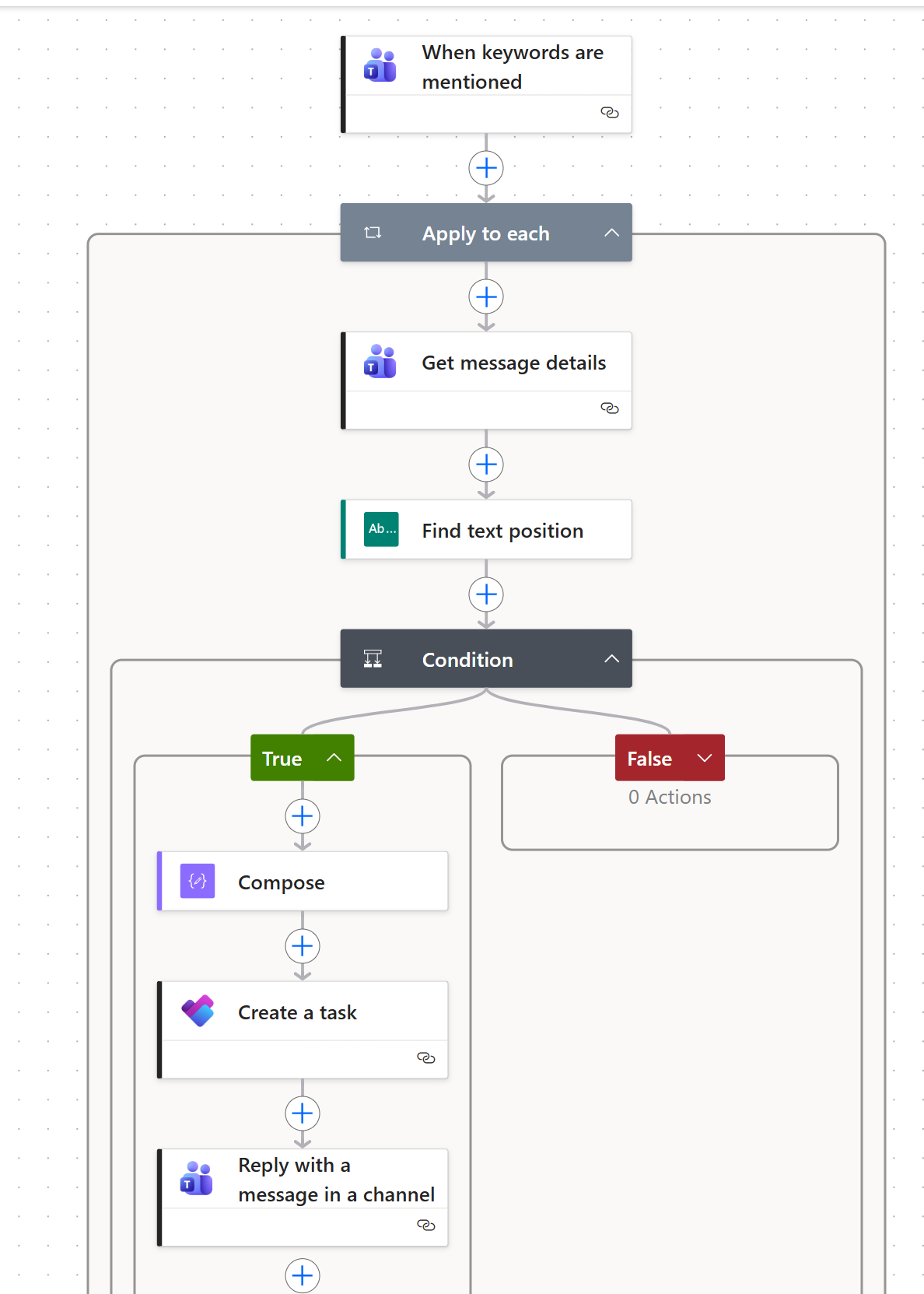
An example is this instant cloud flow (available in this template): Create a Planner task when a Teams channel post starts with TODO:
Automated Cloud Flow
An automated cloud flow will run automatically when the defined condition is met. These flows are typically triggered by an event, such as when an email arrives, a file is created, or an item is added to a SharePoint list.
They are useful when you want a process to begin immediately without requiring a user to start it manually.
An example of a commonly implemented automated cloud flow is creating a Lead from a website form submission: 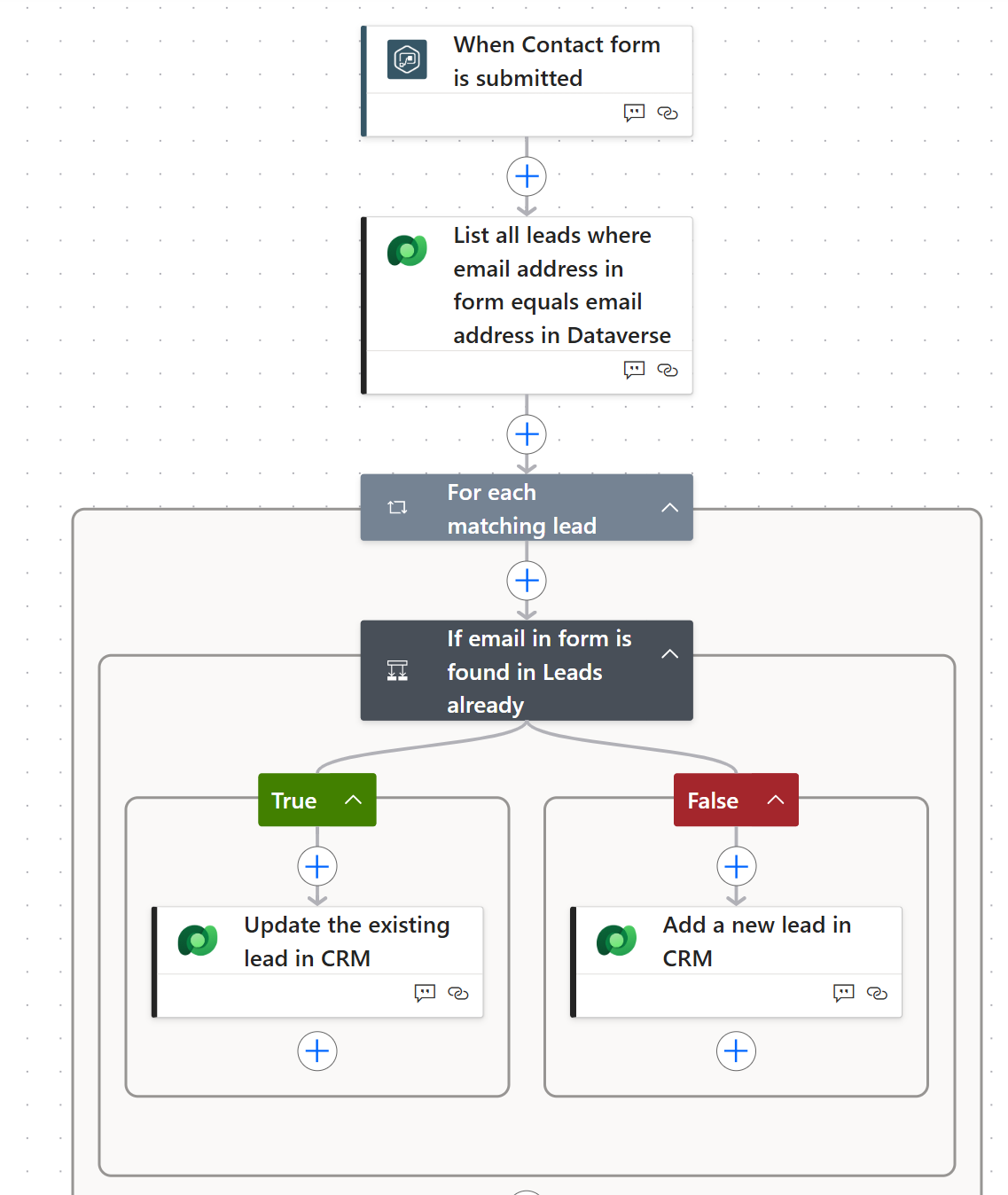
Choosing the Right Flow
The type of flow you choose depends on how the process should begin. Use a scheduled cloud flow when something needs to happen at a specific time, an instant cloud flow when a user should decide when to run it, and an automated cloud flow when the process should start automatically based on an event. Understanding these three flow types is the first step toward building useful automations in Power Automate.
