
Latest How Tos Content

2 Key Features for Accountants to Optimize Processes in Business Central
UG Expert Amanda Mayer highlights some favorite Business Central updates and improvements for accountants to put into practice.
 May 6, 2026

Dynamics 365 Business Central 2026 Wave 1: Use Date Formulas to Control Allowed Posting Periods
As part of 2026 Release Wave 1, Business Central users can now enter a date formula that can be set for the system to handle the rest.
 April 30, 2026

Dynamics 365 Customer Insights-Journeys: Add Marketing Interactions in Contact or Lead Timeline
This step-by-step guide breaks down how CE/CRM users can add marketing interactions and ensure they show in a record's timeline.
 April 27, 2026
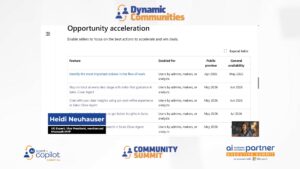
Summer Updates Coming to the Sales Close Agent
UG Expert Heidi Neuhauser provides an update on what's coming to the Sales Close Agent this summer.
April 13, 2026

Back to Basics: How to Create a Sales Quote in Business Central
UG Expert Jessie Sanger-Picard provides a step-by-step walkthrough of converting a Sales Quote into a Sales Order in Business Central.
 April 7, 2026
Managing Updates in Dynamics 365 Business Central
Andrew Good reviews the types of updates to Dynamics 365 Business Central and how users can manage these updates.
 April 2, 2026

Microsoft Azure Foundry Local Labs: Building Real AI Apps, Right on Your Machine
Azure Foundry Local Labs helps developers build production-ready AI apps that run entirely on-device using local model serving, RAG, and agent workflows. It delivers stronger privacy, lower latency, offline capability, and predictable costs, with an easy path to Azure when you need scale.
 April 1, 2026
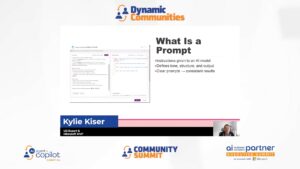
Practical AI: Prompt Build
UG Expert Kylie Kiser defines prompts and demonstrates how to craft and apply them across Microsoft applications.
 March 31, 2026
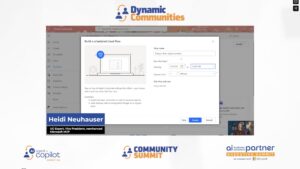
Scheduled Cloud Flow: How the Data Operation Connector Improved My Automation
Discover how to build a scheduled Power Automate cloud flow that queries Dataverse for won opportunities and delivers a clean, formatted HTML table directly to a Microsoft Teams sales channel — no OData expertise required.
March 16, 2026
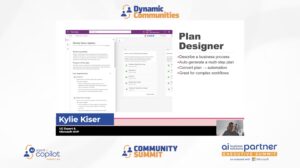
Practical AI: Plan Designer and Vibe
Kylie Kiser walks through two powerful maker tools, Plan Designer and Vibe, showing how each can generate apps, data models, and workflows from a simple business problem description.
March 13, 2026

Postings Setups in Dynamics 365 Business Central
This post provides an explanation of Posting Setups in Microsoft Dynamics 365 Business Central (BC), emphasizing their role as the core logic that connects day‑to‑day business transactions with the General Ledger.
 March 12, 2026
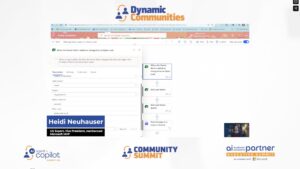
How to Fix Power Automate’s Teams ‘Post a Message’ Action
When using Power Automate's "Post a Message in a Chat or Channel" action, switching between the new and old designer breaks either your page breaks or your clickable URLs. Here's a quick fix for both.
March 11, 2026
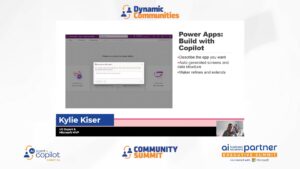
Practical AI: Maker Tools in Power Platform, Power Apps
Kylie Kiser reviews the practical applications of AI tools in Power Apps, Power Platform, and Power Automate that are available to makers, in part 3 of her series on practical AI.
March 10, 2026
Agent Model in Excel Copilot: A New Way to Work with Business Central Data
Microsoft MVP AJ Ansari walks through five practical scenarios showing how Agent Mode in Excel Copilot can automate complex Business Central data tasks.
 March 5, 2026
Purchase Order Matching with the Business Central Payables Agent
The Payables Agent in Business Central has received a major update in version 27.3, adding support for three-way matching and PO matching.
 February 27, 2026
Using the Data Operation Connector in Power Automate with Model-Driven Apps
Learn how to use the Data Operations connector's Compose action in Power Automate to generate a dynamic deep link directly to a specific record inside a Model Driven App or Dynamics 365 Customer Engagement.
February 26, 2026

Integrating Copilot with D365 Finance & Supply Chain Management for Beginners
Connecting Microsoft Copilot to D365FO lets you execute trusted business logic, not just read data, while honoring existing security roles. Learn the core architecture—X++ tool, Dataverse registration, and Copilot Studio wiring—plus when to use it and key governance risks.
 February 24, 2026

Power Apps Code Apps: Empowering Developers with Code-First Solutions
Power Apps Code Apps lets pro developers build Power Platform apps with full-code control using frameworks like React and TypeScript. This article covers setup options, licensing, security, and Git/GitHub workflows for collaboration.
February 23, 2026
Creating a Knowledge Article With Copilot in Customer Service
In this video, Kylie Kiser shows how Copilot in Customer Service helps agents automatically create and suggest knowledge base articles while resolving cases, capturing insights in real time.
February 18, 2026
How to Show Customer Insights – Journeys Marketing Emails on Lead & Contact Timeline
Ensure marketing emails appear in Dynamics 365 contact and lead timelines by enabling feature switches and configuring custom connectors for seamless sales and marketing visibility.
February 12, 2026
