
Posts Tagged: Microsoft — Page 2

Microsoft Fabric IQ Unveiled at FabCon Atlanta: Revolutionizing Enterprise Data, Governance, and Financial Planning
Microsoft unveiled Fabric IQ at FabCon Atlanta to unify enterprise data and accelerate insights for better financial planning. With Purview governance, Python and Databricks analytics, automation tools, and Copilot, teams can plan faster with trusted data.
 March 30, 2026

Word Templates in Dynamics 365 CRM: Navigating Known Issues
There are known issues when creating Word templates in Dynamics 365 CRM. Heidi Neuhauser identifies the problems and the fixes.
 March 27, 2026

AI Agent & Copilot Podcast: From AI Resistance to AI Readiness
AI resistance rarely looks like rebellion — it looks like silence. In episode five of the AI Agent & Copilot Podcast mini-series, Shawn Dorward explains why resistance is a leadership signal, not a people problem.
 March 18, 2026
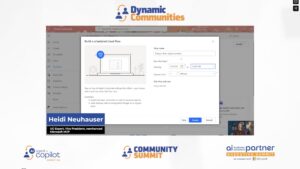
Scheduled Cloud Flow: How the Data Operation Connector Improved My Automation
Discover how to build a scheduled Power Automate cloud flow that queries Dataverse for won opportunities and delivers a clean, formatted HTML table directly to a Microsoft Teams sales channel — no OData expertise required.
March 16, 2026
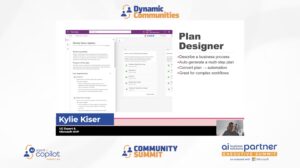
Practical AI: Plan Designer and Vibe
Kylie Kiser walks through two powerful maker tools, Plan Designer and Vibe, showing how each can generate apps, data models, and workflows from a simple business problem description.
 March 13, 2026

AI Agent & Copilot Podcast: Inverted Org Chart
In this episode of the AI Agent & Copilot Podcast, host Shawn Dorward explores the "inverted org chart" — where AI innovation flows from the front lines up, while accountability still sits at the top.
March 11, 2026
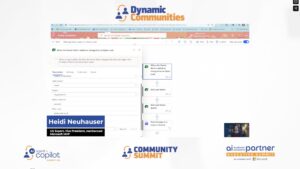
How to Fix Power Automate’s Teams ‘Post a Message’ Action
When using Power Automate's "Post a Message in a Chat or Channel" action, switching between the new and old designer breaks either your page breaks or your clickable URLs. Here's a quick fix for both.
March 11, 2026
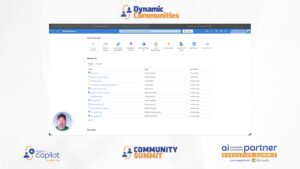
Setting Up Azure Application Insights for Business Central
Setting up telemetry in Business Central gives administrators real-time visibility into system health, user activity, and performance, all without touching sensitive business data. This video walks through the full Azure setup from resource group to transformation rules.
 March 10, 2026
Chart of Accounts Super Hero: Saved Views in Action
Discover how one accounting team used Business Central's saved views and Chart of Accounts controls to simplify month-end review, enforce data quality, and manage a multi-company consolidation with ease.
 March 6, 2026
Practical AI: User Tools in CE/CRM Copilot
Discover the difference between Copilot in and Copilot for Dynamics 365 CRM, and explore the AI tools already available to your users, from smart paste to sales research agents.
March 6, 2026

Why Leaders Need a New Data Strategy
AI readiness starts with operational discipline, not prompt writing. In a Copilot-driven ERP environment, consistent data becomes a leadership-level competitive advantage.
March 5, 2026
Agent Model in Excel Copilot: A New Way to Work with Business Central Data
Microsoft MVP AJ Ansari walks through five practical scenarios showing how Agent Mode in Excel Copilot can automate complex Business Central data tasks.
 March 5, 2026

Power Automate Control Connector: Condition vs Switch
Use Condition for yes/no or operator-based logic, and Switch for 3+ equals-based cases in Power Automate Control actions.
March 4, 2026

Bridging the Gap Between D365 Field Service and Project Operations
Microsoft’s new native integration links Dynamics 365 Field Service work orders directly to Project Operations projects, pushing material and labor actuals to the right contract line automatically.
 March 3, 2026
Practical AI: Introduction to Artificial Intelligence
Kylie Kiser begins the "Practical AI" series with a foundational overview of artificial intelligence, the key types of AI used in Dynamics, and Microsoft's responsible AI principles every user and maker should know.
March 2, 2026
Purchase Order Matching with the Business Central Payables Agent
The Payables Agent in Business Central has received a major update in version 27.3, adding support for three-way matching and PO matching.
 February 27, 2026
Using the Data Operation Connector in Power Automate with Model-Driven Apps
Learn how to use the Data Operations connector's Compose action in Power Automate to generate a dynamic deep link directly to a specific record inside a Model Driven App or Dynamics 365 Customer Engagement.
February 26, 2026

Integrating Copilot with D365 Finance & Supply Chain Management for Beginners
Connecting Microsoft Copilot to D365FO lets you execute trusted business logic, not just read data, while honoring existing security roles. Learn the core architecture—X++ tool, Dataverse registration, and Copilot Studio wiring—plus when to use it and key governance risks.
 February 24, 2026

Power Apps Code Apps: Empowering Developers with Code-First Solutions
Power Apps Code Apps lets pro developers build Power Platform apps with full-code control using frameworks like React and TypeScript. This article covers setup options, licensing, security, and Git/GitHub workflows for collaboration.
February 23, 2026

The Value of Connecting Business Central to Microsoft Ecosystem
Business Central is most powerful when it’s the hub of an intentionally connected Microsoft ecosystem—Teams, Outlook, Excel, Power BI, and Power Platform. With empowered power users and strong community support, each release becomes an opportunity for continuous improvement.
 February 17, 2026
