
Keep your Customer Engagement in Dynamics 365 Secure with these Best Practices and Maintenance Considerations

When discussing the topic of “security” within the Dynamics 365 Customer Engagement platform, we wanted to share a few straightforward best practices and maintenance tips that have proven beneficial to some of our customers over the years. This list is by no means exhaustive, but it should provide some ideas and strategies to consider, whether you’re embarking on a new implementation or looking to tidy up your current instance.
Best Practices for Dynamics Customer Engagement Security
Here are a few best practices we strive to follow:
Avoid Altering OOB Security Roles! The first thing you should do before modifying a security role is to avoid doing it! If you need a role for “salespeople,” find the out-of-the-box (OOB) role that most closely matches your needs (such as the “Salesperson” role) and use the “save as” function. For instance, if your company is named “ABC Company,” save the “Salesperson” role as something like “ABC Salesperson.”
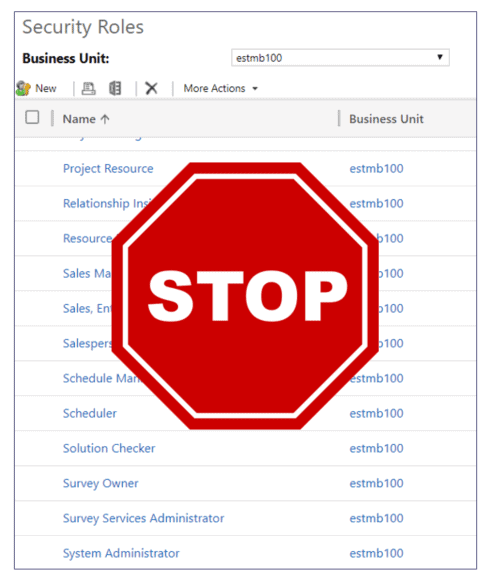
This approach will make it easy to locate your specific security roles. More importantly, it will keep the original out-of-the-box (OOB) security role intact as a reference point, should you need to revisit Microsoft’s initial configuration.
Do NOT add access to a common role for exceptions
Avoid Adding Access to a Common Role for Exceptions What does this mean? It can be tempting to grant an unrelated privilege to a role for just one or two users, but doing so undermines the control established by that security role. In other words, only add privileges that are necessary for that specific role.
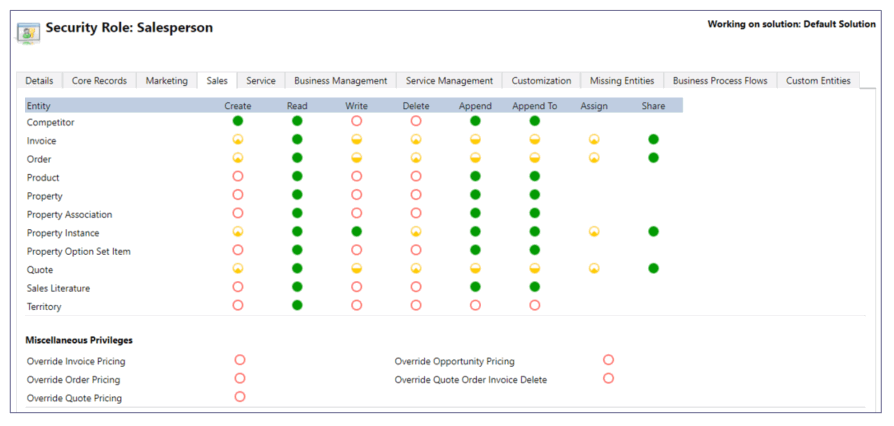
If you need to grant additional access as an exception for a few users, consider creating a special, separate security role for that specific function.
Be Very Stingy with the System Administrator Role!
One common mistake we’ve observed over the years is organizations assigning the “System Administrator” security role to too many users. Sometimes this happens because the company has a small number of users and doesn’t see the need to restrict access, or they feel uncomfortable limiting access for executives. Other times, they don’t establish a dedicated administrator for the instance, so they end up giving the role to too many project team members.

I recommend starting with two system administrators (one primary and one backup), while everyone else should be assigned appropriate security roles for their work stream. The number of administrators will depend on the size and structure of your organization. It’s not a pleasant conversation when a user accidentally deletes hundreds of accounts or contacts!
Err on the Side of Being Less Restrictive
We know, we know! We just told you to be restrictive, but that’s for the “System Administrator” role. When it comes to end users, the approach is quite different. Outside of any obvious confidential information requirements, we suggest keeping system access as open as possible. Why, you ask?

We’ll answer with a question: What is one of the biggest challenges to customer engagement (CRM) systems? The answer is user adoption! While providing visibility to upper management is great, these systems truly shine when they offer bottom-up value to the end user’s daily routine and increase productivity. So, be careful not to hinder that value by being too restrictive, especially early on.
Maintenance Considerations
Below is a short list of security maintenance ideas to consider with your D365 CE instance.
Consider Using “Teams” to Manage Large Numbers of Users
By assigning Security Roles to a Team instead of directly to a User, ongoing administration of end users can be more manageable. However, you must commit to managing Team members as part of your admin processes.
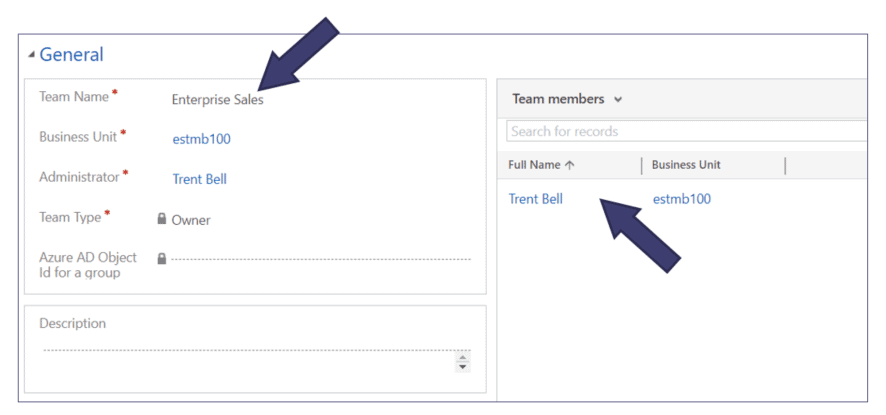
In my experience, this maintenance approach is not as common, but is definitely a strategy to consider if you have large user counts and tend to assign multiple security roles per user.
Consider a combination of Security Roles based on both Roles/Position and Function
This strategy is effective when someone with a common role requires additional or special access but shouldn’t have the next level up security role. This ties back to what we mentioned earlier in “Best Practices.”
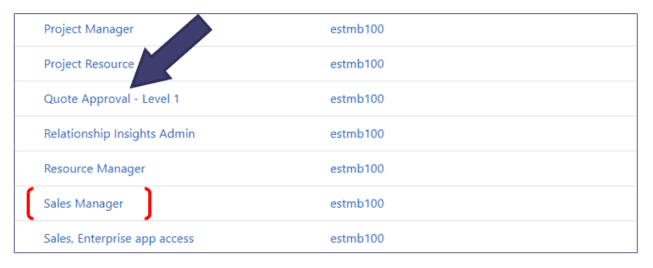
Having this combination of security roles offers the necessary flexibility while ensuring sufficient clarity for management.
Consider creating all Security Roles on the Root BU
We understand this suggestion might be a bit controversial, but hear us out. With Dynamics 365, you have the option to create Security Roles specific to a Business Unit. If your instance only includes the root/default BU, this point becomes irrelevant. However, if your organization/instance has multiple BUs, this is worth considering.
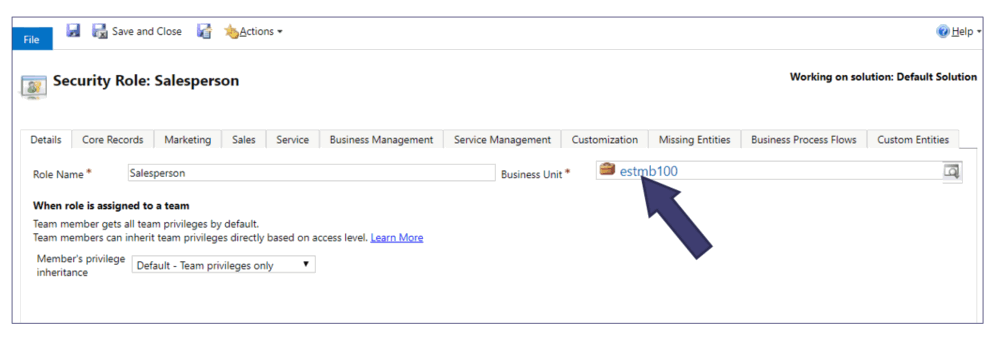
Creating a security role at the highest level Business Unit enables you to assign that role to users within any lower-level BU. The only scenario where creating a security role at a lower-level BU might be justified is if specific individuals manage different BUs separately. Even in such cases, we recommend creating all security roles at the top BU level and using a naming convention to designate them for specific BUs.
Consider using Teams with Field Security Profiles
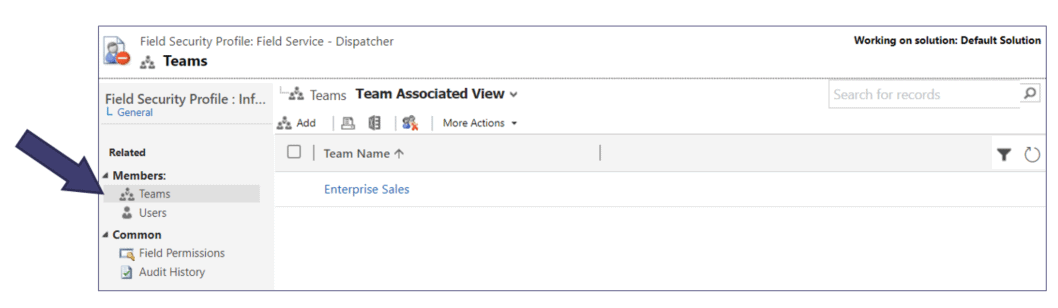
When using “Field-level Security”, maintaining the members of the “Field Security Profile” can be made easier if you simply map a Team to the profile.
Managing security within Microsoft Dynamics 365 Sales, Customer Service, Marketing, Field Service, Project Service Automation, or any Customer Engagement application can be overwhelming. We hope applying some of these best practices and maintenance tips as part of your overall security strategy brings benefits to your administrators and end users!
If you need help with core security concepts in Dynamics 365 for Customer Engagement or additional guidance, feel free to reach out. We’d be glad to help!
