


Slicer Default Selections on Application Load

  • Slicer Default Selections on Application Load
    Posted by DSC Communities on May 17, 2022 at 9:35 am
    • Waqas Shah

      Member

      May 17, 2022 at 9:35 AM

      Hi Guys,

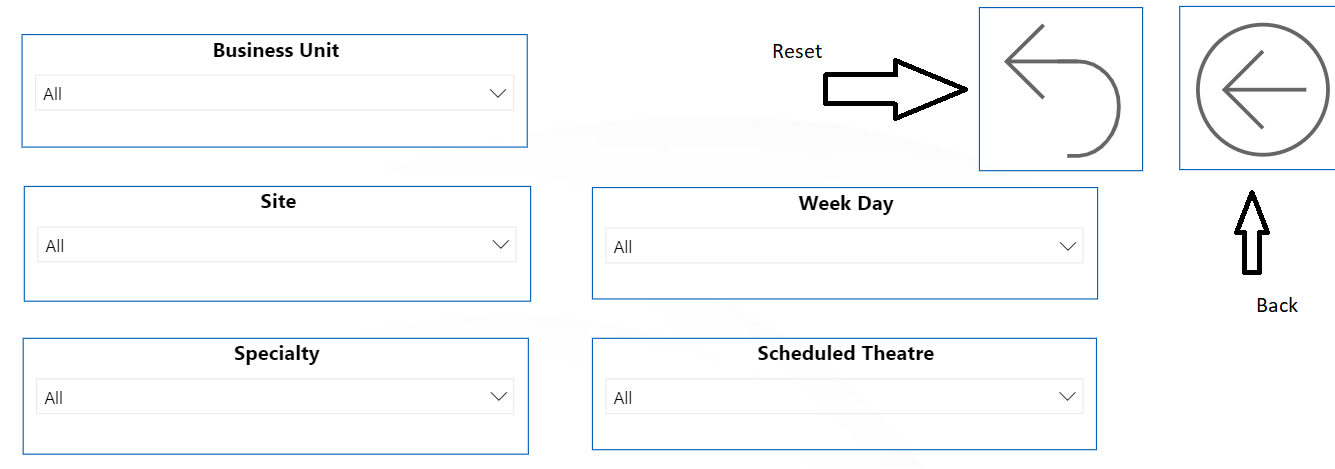
      I would like your input. The scenario is when my application go live few values in slicers are by default selected. Please review the screenshot below. Like Site and Specialty are selected. one of the option is I saved the file by selecting these options it works but problem if a user selects a reset button and close the application.

      when user try to open the application again slicer values are not selected. Any suggestion please?

      ——————————
      Waqas Shah
      Business Intelligence Lead
      ——————————

    • James Watts

      Member

      May 20, 2022 at 9:32 AM

      In the dashboard options you can disable users saving personalised settings.

      ——————————
      James Watts
      Business Intelligence Analyst
      ——————————
      ——————————————-

    DSC Communities replied 3 years, 10 months ago 1 Member · 0 Replies
  • 0 Replies

Sorry, there were no replies found.

The discussion ‘Slicer Default Selections on Application Load’ is closed to new replies.

Start of Discussion
0 of 0 replies June 2018
Now

Welcome to our new site!

Here you will find a wealth of information created for peopleĀ  that are on a mission to redefine business models with cloud techinologies, AI, automation, low code / no code applications, data, security & more to compete in the Acceleration Economy!
