


Patch function error:The type of this argument does not match the expected type “Text”. Found Type “Record”

  • Patch function error:The type of this argument does not match the expected type “Text”. Found Type “Record”

    Posted by DSC Communities on May 13, 2020 at 10:22 am
    • Nikola Lazic

      Member

      May 13, 2020 at 10:22 AM

      Hi all,
      I am developing app which is using the SharePoint list as a sources for dropdowns in the form.

      First DropDown has name Productio_Line and code is:
      Sort(Distinct(‘Equipment names and Line names’,Line_name),Result)

      2nd DropDown has ?name Equipment and depends on choice in 1st Dropdown we should have different options. Code is:
      Filter(‘Equipment names and Line names’, Vib_Insp_aplicable = “yes”, Line_name = ‘Production Line’.SelectedText.Value)

      Everything is working fine but when I want to Patch all data in another SharePoint list I receive message:
      The type of this argument ‘Equipment” does not match the expected type “Text”. Found Type “Record”

      Patch code is :
      Patch(‘Vibration inspection list’,Defaults(‘Vibration inspection list’),{Line:’Production Line’.Selected.Result,Technicians:Technician.SelectedText,Work_Order_Number:’Work Order’.Text,Inspection_point:’Inspection point’.Text,Enveloped_acceleration_gE:Value(‘Enveloped acceleration gE’.Text),Velocity:Value(‘Velocity mm/s’.Text),Date:DatePicker3.SelectedDate,Temperature_C:Value(Temperature.Text),Comments:Comments.Text, Equipment:Equipment.SelectedText});

      Do you have some idea how to solve this issue? I am struggling with this issue last two days, tried many things but all failed.Ā Ā 

      ——————————
      Nikola Lazic

      ——————————

    • Brian Scott

      Member

      May 13, 2020 at 1:01 PM

      One of the entries in the Patch needs to be further delineated – it is at the record level and needs to drill down further to the field level. I can’t tell from the list, but if you select various entries in your Patch statement it should tell you what the values are. You should then be able to tell which field has the incorrect type of data.

      ——————————
      Brian Scott
      Chief Creative Officer
      Concord NC
      ——————————
      ——————————————-

    • Nikola Lazic

      Member

      May 13, 2020 at 1:59 PM

      Hi Brian,
      Thank you for your replay. I checked, definitely is a problem inĀ  ‘Equipment’ entry. It isĀ at the record level but I don’t know how to change the type of that field to text.Ā 
      I tried to change it, Equipment:Equipment.SelectedText To …. Selected.Result… tried with Value but all failed.

      In SharePoint, that column is defined as a single-line text field.

      ——————————
      Nikola Lazic
      Maintenance Program Manager
      ——————————
      ——————————————-

    • Brian Scott

      Member

      May 13, 2020 at 2:04 PM

      Will it let you do Selected.Text? Once you type the “.” as long as there is a space after it should show you a list of available options

      ——————————
      Brian Scott
      Chief Creative Officer
      Concord NC
      ——————————
      ——————————————-

    • Nikola Lazic

      Member

      May 13, 2020 at 4:47 PM

      It allows me to type justĀ Equipment:Equipment.SelectedText orĀ Equipment:Equipment.SelectedĀ 
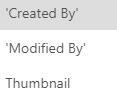
      When I type Selected andĀ “.” I have few unuseful options:

      ——————————
      Nikola Lazic
      Maintenance Program Manager
      ——————————
      ——————————————-

    • Brian Scott

      Member

      May 14, 2020 at 9:52 AM

      That does seem like an odd list. Could you include a few screen grabs? What are the field types in the SharePoint list?

      ——————————
      Brian Scott
      Chief Creative Officer
      Concord NC
      ——————————
      ——————————————-

    • Daniel Middleditch

      Member

      May 15, 2020 at 4:07 AM

      In the Sharepoint list that you are writing out to, what sort of Field Type is the equipment column as this error to me would indicate that it’s possibly some sort of Lookup or Choice column rather than a standard text column, which is why it’s expecting a whole record rather than the text you are patching to it.

      ——————————
      Daniel Middleditch
      Technical Support Manager
      Woodbridge
      01394387337
      ——————————
      ——————————————-

    DSC Communities replied 5 years, 10 months ago 1 Member · 0 Replies
  • 0 Replies

Sorry, there were no replies found.

The discussion ‘Patch function error:The type of this argument does not match the expected type “Text”. Found Type “Record”’ is closed to new replies.

Start of Discussion
0 of 0 replies June 2018
Now

Welcome to our new site!

Here you will find a wealth of information created for peopleĀ  that are on a mission to redefine business models with cloud techinologies, AI, automation, low code / no code applications, data, security & more to compete in the Acceleration Economy!
