


Combobox Default Selected Items will only work for 1 Item

  • Combobox Default Selected Items will only work for 1 Item
    Posted by DSC Communities on April 14, 2020 at 6:29 pm
    • Justin Hosch

      Member

      April 14, 2020 at 6:29 PM

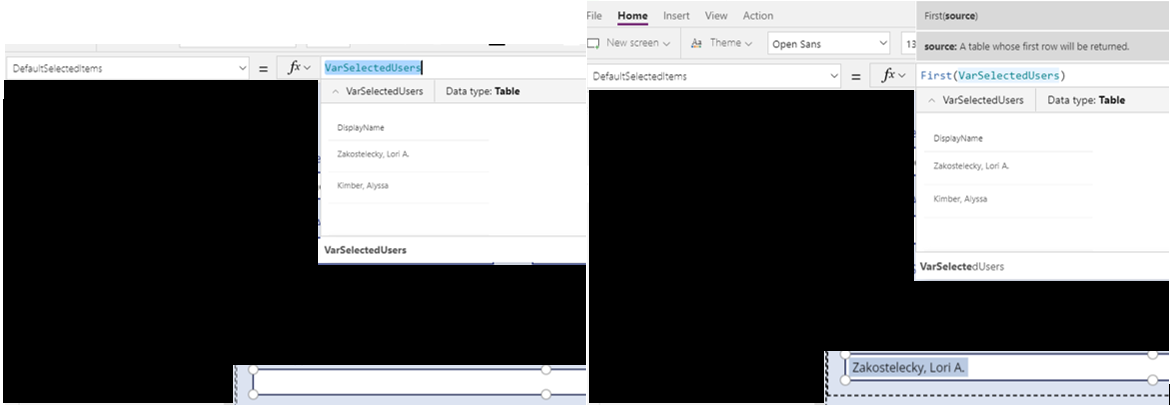
      ?I have a ComboBox filled with multiple users filtered from Office365Users.SearchUser.Ā  I also have a collection of users I’ve stored in a variable that I want to use as my DefaultSelectedItems.Ā  For some reason the default only works if I select the first record from the collection using the First function or I don’t select the multi-select option in the ComboBox.Ā  Can anybody help me figure out what is going on with this?

      It looks like RenameColumns is causing my issue.Ā  If I just create a table with a couple of rows it works fine.

      This is how I’m setting the VarSelectedUsers.

      ClearCollect(VarSelectedUsers,RenameColumns(Split(Gallery1.Selected.Owner,”;”),”Result”,”DisplayName”));

      ——————————
      Justin Hosch
      ——————————
      ?

    • Justin Hosch

      Member

      April 16, 2020 at 11:36 AM

      The Split function was creating an empty row because the string ends in a semi-colon which ended up causing my issues.Ā  If I filter out the blank row it works.?

      ——————————
      Justin Hosch
      ——————————
      ——————————————-

    DSC Communities replied 5 years, 11 months ago 1 Member · 0 Replies
  • 0 Replies

Sorry, there were no replies found.

The discussion ‘Combobox Default Selected Items will only work for 1 Item’ is closed to new replies.

Start of Discussion
0 of 0 replies June 2018
Now

Welcome to our new site!

Here you will find a wealth of information created for peopleĀ  that are on a mission to redefine business models with cloud techinologies, AI, automation, low code / no code applications, data, security & more to compete in the Acceleration Economy!
