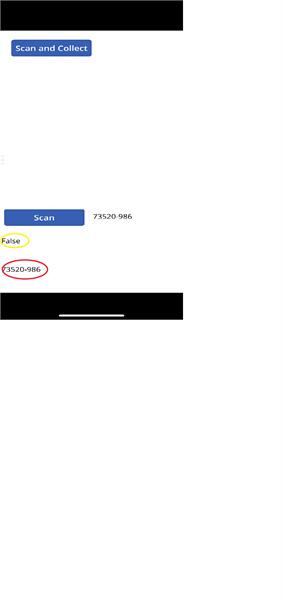
I am developing an app using the barcode scanner control.Ā I have a local collection, called ListAll, where the title column are part numbers and another column with the part description.Ā I have the app setup where the user scans a barcode that returns a part number.Ā I then have a label that looks up the part number in the collection and returns the description (LookUp(ListAll, Title = Label11.Text).Description).Ā The issue is, when I use the barcode scanner, the part number appears but the description does not.Ā If I change the label to show the text and not the barcode result (“73520-986”), the description appears.Ā
My question is, why is the barcode scanner result not the same as a manual text.Ā
Please see the screen shot below.Ā The number next to the “Scan” button is a result from the barcode scanner.Ā The number circled in red is just a label (“73520-986”).Ā The yellow circle is a function where it returns true of the label in red matches the barcode scan result, and false if they are not equal. The numbers appear to be the same.Ā Ā
Thanks for you help.Ā Ā
—————————— Tim ——————————
Andy Tippin
Member
April 16, 2020 at 6:57 PM
I played with Barcode scanner previously but my lookup was done on an integer from SQL. I remember that I had to use .Value to keep it as a number. Otherwise it treated it like text by default.
Please note:
This action will also remove this member from your connections and send a report to the site admin.
Please allow a few minutes for this process to complete.

Report
You have already reported this .
Welcome to our new site!
Here you will find a wealth of information created for peopleĀ that are on a mission to redefine business models with cloud techinologies, AI, automation, low code / no code applications, data, security & more to compete in the Acceleration Economy!