


Power Platform
Public Group
Active 11 hours ago
Power Platform
Organizer:
- JOSE Organized by
-
-

Barcode Functionality from the New Components release
-
Barcode Functionality from the New Components release
Posted by DSC Communities on May 31, 2019 at 6:36 am-

Chris Clark
MemberMay 31, 2019 at 6:36 AM
Hi,As anyone used the Components function Barcode?
How was it ?
How do you use it?
——————————
Chris Clark
Test Analyst
—————————— -
Warren Belz
MemberJune 3, 2019 at 2:11 AM
Hi Chris,One of the easiest and simple controls PowerApps has done. Note does not work on PC (but can be developed there) so needs to be tested on Android / IOS.
Button opens up the camera (also option for light) – when it finds a barcode, the control closes and returns a value. I use the OnScan property and set a variable, then can then be used for whatever you need.
This article may help.
——————————
Warren Belz
Database Developer
Ventia Utility Services Pty Ltd
Rockhampton Qld Australia
+61 409 315 509
——————————
——————————————- -
Chris Clark
MemberJune 3, 2019 at 4:10 AM
Hi Warren,Sorry for any confusion but I was asking, about the creation of Barcodes.
Can you create a Barcode within the application and If so how is the archived?
I’ve created a Barcode scanner app and I agree; is one of the easiest apps to create.
——————————
Chris Clark
Test Analyst
——————————
——————————————- -
Warren Belz
MemberJune 3, 2019 at 5:03 AM
Hi Chris,I am not sure what you mean by “create barcodes”.
My understanding is that barcodes are an item that are supplied in paper labels in a batch, which you then attach to the required items and enter the codes into to database. Please elaborate on what you need.
——————————
Warren Belz
Database Developer
Ventia Utility Services Pty Ltd
Rockhampton Qld Australia
+61 409 315 509
——————————
——————————————- -
Chris Clark
MemberJune 3, 2019 at 5:54 AM
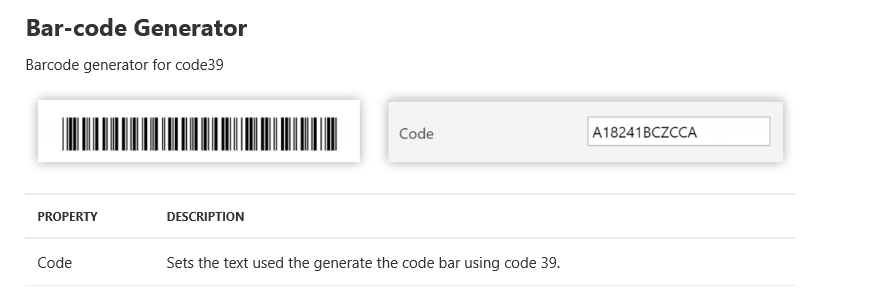
Hi Warren,It relates to this blog about reusable components. Within this is a bit about Barcode Generator
‘https://powerapps.microsoft.com/en-us/blog/powerapps-ten-reusable-components/’
I believe that there is also an element via SharePoint which can also do the same.‘https://medium.com/dtlpub/my-failed-attempt-of-adding-barcode-feature-to-the-powerapps-visitor-registration-app-54c3cd19d727’
——————————
Chris Clark
Test Analyst
——————————
——————————————- -
I came across this blog on the collabl365.community site that uses a Sharepoint list.
I did run through and created a SP List and Powerapps. It worked.
This may help you understand more using bar codes.The overall process in the tutorial is,
1. Create inventory item/entry which will generate random barcode.
2. Take print and stick it on material.
3. Scan this barcode into list to find detail about specific material.[Part 1] – Create a Barcode enabled Inventory Management System using SharePoint and PowerApps
https://collab365.community/barcode-enabled-inventory-management-system-using-sharepoint-powerapps/
https://collab365.community/part-2-barcode-enabled-inventory-management-system-using-sharepoint-powerapps/——————————
Tom Pepe
Internet Solutions Manager
Norristown PA
610-278-5200
——————————
——————————————- -
Chris Clark
MemberJune 4, 2019 at 10:43 AM
Hi Tom,That’s what I was looking for, thank-you.
Just need to locate the Information policy link. It doesn’t seem to appear on my SharePoint site settings.
I’ll speak to our SharePoint Administrator to see if he can activate this function.
——————————
Chris Clark
Test Analyst
——————————
——————————————-
DSC Communities replied 6 years, 6 months ago 1 Member · 0 Replies -
-
0 Replies
Sorry, there were no replies found.
The discussion ‘Barcode Functionality from the New Components release’ is closed to new replies.
