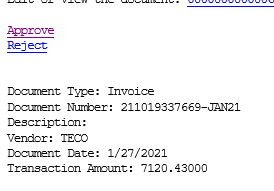
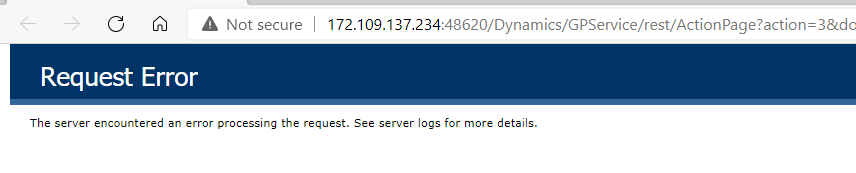
We use workflows for payables transactions and purchase orders.Ā The system is sending out emails to the approvers with the hyperlinksĀ As of Wednesday, when an approver clicks the approve button they are getting an error message Can anyone tell me what is causing this? Our IT department can’t figure it out.Ā We cant use any of the workflows.Ā
Is there anything in the Event Viewer on the GP Web Service server?
—————————— Matthew Arp Business Systems Developer Hunton Group Houston TX —————————— ——————————————-
Derek Albaugh
Member
February 1, 2021 at 9:05 AM
As the approval links in the workflow notifications are making a call to a Web Services endpoint URL, i.e. /Dynamics/GPService, I would recommend verifying first that Web Services for Dynamics GP is installed and working correctly, i.e. per the following KB article:
If Web Services is correct, verify that the company(s) for which you’re using the Workflow approval via email and Web Services, has Web Services installed on it. The WSInstallStatus table in the GP system database is a good way to verify that.
***NOTE: As well, we’ve seen many customers upgrading to the year-end updates for Dynamics GP, specifically GP 18.3. If you’ve upgraded to 18.3, you MUST use the MDGPFALL2020_DVD_ENUS media to re-install/upgrade Web Services with, otherwise you’ll run into issues with the Configuration Wizard.
Let us know if you have any questions.
Thank you,
—————————— Derek Albaugh Sr. Support Engineer Microsoft Moorhead MN —————————— ——————————————-
Please note:
This action will also remove this member from your connections and send a report to the site admin.
Please allow a few minutes for this process to complete.

Report
You have already reported this .
Welcome to our new site!
Here you will find a wealth of information created for peopleĀ that are on a mission to redefine business models with cloud techinologies, AI, automation, low code / no code applications, data, security & more to compete in the Acceleration Economy!