


Dynamics GP
Public Group
Active 2 days ago
Dynamics GP
Organizer:
- JOSE Organized by
-
-

Unapply Documents
-
Unapply Documents
Posted by DSC Communities on February 15, 2018 at 9:12 am-

Ashley Haka
MemberFebruary 15, 2018 at 9:12 AM
?Good morning,
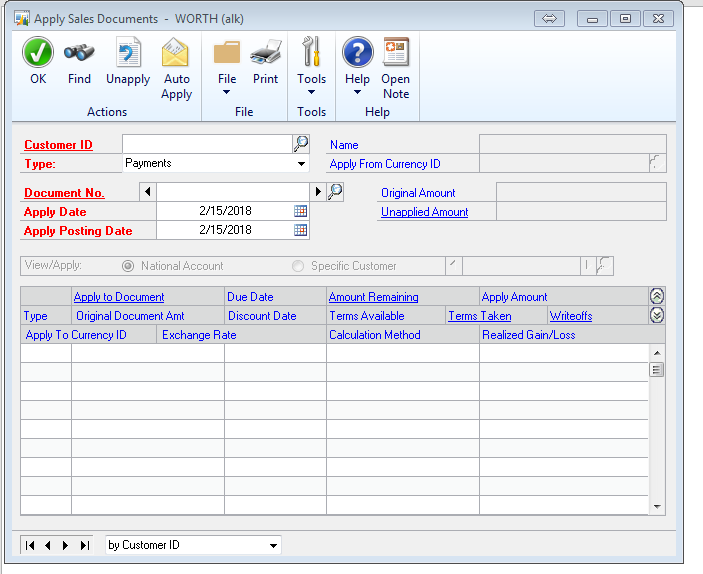
AR received payment back in December from a customer and applied it to the last farthest owing invoice. We found out the invoices they paid for was just recent. Can we Unapply the payment for February? Will that do anything to reports or General Ledger since the payment was applied in December? We are currently in GP2013.
——————————
Ashley Haka
Office Manager
The Worth Company
Stevens Point WI
—————————— -
Bruce Strom
MemberFebruary 15, 2018 at 9:22 AM
?There is an option in Professional Tools to unapply previously applied payments and credit memos in A/R. My advice is to print all reports to screen first and scan the report before you post and print.——————————
Bruce Strom
Programmer Analyst
Associated Grocers of Florida
sunrise FL
——————————
——————————————- -
Tanya Henderson
MemberFebruary 15, 2018 at 9:43 AM
?It is also a great idea to make a backup before performing this routine! I have had issues and customers as well where it did not unapply all documents and left some in history and others were in open and it was a mess to clean up because we had quite a few documents and also didn’t print them first so that is also a great idea.
Good luck,
Tanya——————————
Tanya Henderson
Senior Consultant
S2 Technology
Park City UT
——————————
——————————————- -
Hi
If you haven’t moved things to history and the payment is still in the open tables then you can just find it in the Apply Sales Document window and unapply it. As the others suggested if the payment is already in history then you will need to use the PSTL tool to unapply it.
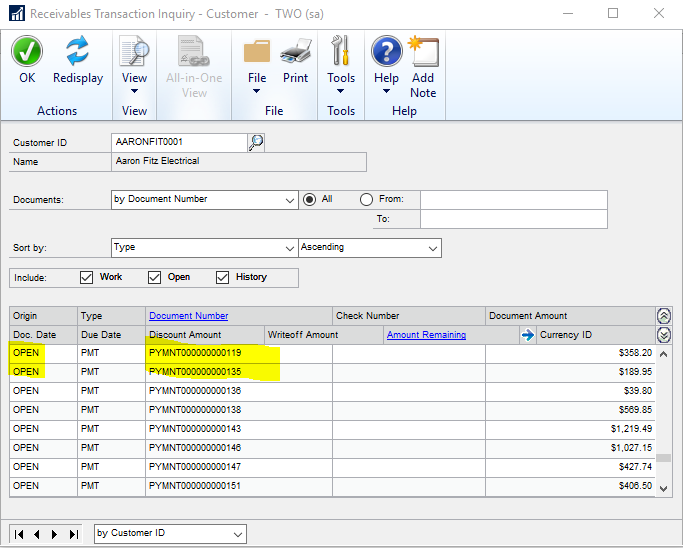
To know if the payment is still in the Open tables check the Transaction by Customer window. You can then search for the PYMNT# in the Apply Sales Document window to pull up the payment and document it was applied to. Just uncheck what it was applied to and check the correct document.
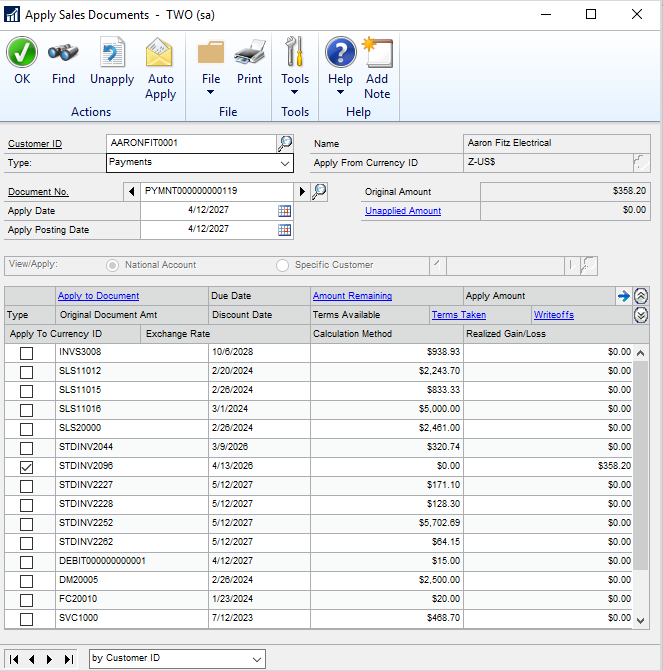
If you end up having to use PSTL you will need the PYMNT number as well and you will only be able to unapply using the PSTL tool. You will then need to go into the Apply Sales Document window to apply to the correct document.
Either way it shouldn’t affect the GL at all since you’re going to move the payment from one document to another. Your AR aging TB will be affected in the sense the open documents will change.
After doing this I would run the AR Aging again if you do that regularly. This will make sure to age the older document correctly once it’s open again.
Let me know if you have any other questions.
?
——————————
Kristen Hosman
Dynamics ERP Consultant
Briware Solutions Inc.
Pine CO
——————————
——————————————- -
Ashley Haka
MemberFebruary 15, 2018 at 10:23 AM
Thank you all.
?, Our documents are still open. I figured it would be an easy move, I was more concerned about the dates. Can we use today’s date to unapplied and reapply to the correct invoice? ?
Best,
——————————
Ashley Haka
Office Manager
The Worth Company
Stevens Point WI
——————————
——————————————- -
using todays date won’t be an issue. Just run AR Aging if you use that. ?
——————————
Kristen Hosman
Dynamics ERP Consultant
Briware Solutions Inc.
Pine CO
——————————
——————————————- -
Hi
I agree with both & for how to resolve this. One thing I would add is: normally after I run RM Transaction Unapply, using PSTL, I run Reconcile on the specific Customer ID. I run it for both Current Customer Info & Outstanding Document Amounts.
You have the option to just print a report of what needs to be reconciled, if anything, by unchecking the Reconcile check box.
Just be certain that you only run it on one customer, otherwise, it will probably take a long time to complete, and you could interfere with currently running processes that cause even more issues!
Let us know.???
——————————
Frank Heslin
Financial Systems Administrator
ExamWorks, Inc.
Atlanta GAGPUG Advisory Committee Member
Summit Track Leader
GPUG All Star 2016GP2015 R2
MR CU14
——————————
——————————————- -
Mahmood M. AlSaadi
MemberFebruary 16, 2018 at 2:59 PM
It’s worth to mention that fully applied AR transactions are not moved to history automatically after the apply process. In order to move fully applied documents to history, there is a routine called “Paid Transaction Removal” which you need to run in order to move transactions to history.
In this case, you may easily unapply the documents from the same apply screen as they are in the “open” status.
Please never hesitate to share any further inquiries or concerns
Best Regards,——————————
Mahmood M. AlSaadi – MVP
Principal Dynamics ERP Consultant
SIROCo LLC – (844) 708-0008
McKinney TX
m.saadi@sirocollc.com
http://www.sirocotech.com
——————————
——————————————- -
Tanya Henderson
MemberFebruary 16, 2018 at 3:16 PM
meant they do “NOT” move to history automatically you have to do the process of Paid Transaction Removal to move them to history.
Tanya?——————————
Tanya Henderson
Senior Consultant
S2 Technology
Park City UT
——————————
——————————————- -
Mahmood M. AlSaadi
MemberFebruary 16, 2018 at 3:20 PM
?Thanks for the sharp attention , typo corrected 🙂 ?——————————
Mahmood M. AlSaadi – MVP
Principal Dynamics ERP Consultant
SIROCo LLC – (844) 708-0008
McKinney TX
m.saadi@sirocollc.com
http://www.sirocotech.com
——————————
——————————————- -
Bruce Strom
MemberFebruary 19, 2018 at 10:00 AM
I would like to gently push back on the backup suggestion, not that doing a backup is harmful, but that in this case it might not be the most desirable practice.It is more important to have a complete understanding of what a process accomplishes than to backup and blindly try something. Sometimes you have no other choice, but in this instance you can generate a report that will tell you what the procedure will do. Restoring from a backup can be problematic, sometimes the backup is not valid, and it can be time consuming to do in the middle of the day.
In this case you can print a report to screen so you can preview what it will do without affecting your data. This is also true for many other reconciliation processes. If the results are what you expect, then you can simply run this procedure. IMHO, and in my experience, you can depend on these prospective transaction reports to the extent that a backup is not necessary.
——————————
Bruce Strom
Programmer Analyst
Associated Grocers of Florida
sunrise FL
——————————
——————————————-
DSC Communities replied 8 years, 1 month ago 1 Member · 0 Replies -
-
0 Replies
Sorry, there were no replies found.
The discussion ‘Unapply Documents’ is closed to new replies.
