


Dynamics GP
Public Group
Active a week ago
Dynamics GP
Organizer:
- JOSE Organized by
-
-

“No Matches Were Found. Add New?” – Sales Inventory Item Number Prompt
-
“No Matches Were Found. Add New?” – Sales Inventory Item Number Prompt
Posted by Kyle Malone on December 2, 2019 at 5:45 pm-
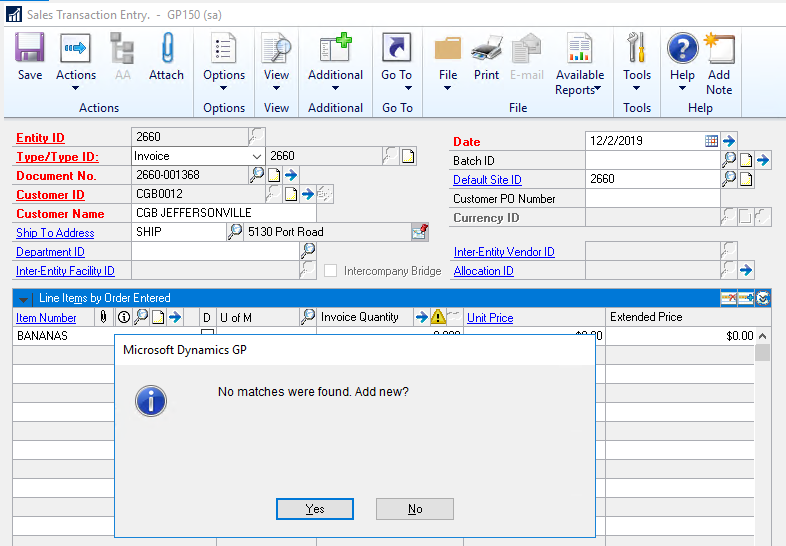
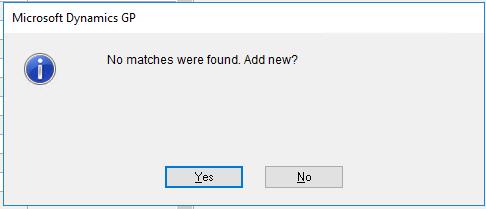
We’re all of a sudden getting this message when trying to add sales invoice line items for NON-INVENTORY items. Has anyone ever seen this and know what’s controlling the prompt?
The setting to allow Sales of Non-Inventory items is enabled in the SOP setup.
When this window does appear & we click ‘Yes’… It doesn’t appear to “Add” anything (no new items) so outside of telling us that we’re invoicing non-inventory items in a convoluted way, it doesn’t do us much good.
——————————
Kyle Malone, CPA
GP Admin – CGB Enterprises, Inc.
Lead Consultant/Blogger – https://alacarteGP.com
Chapter Leader – Louisiana (New Orleans)
Solugence | Find the software that FITS your business + integrates with GP. Find Software Smarter. https://solugence.com
—————————— -
Hi Kyle,
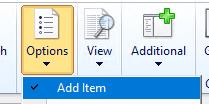
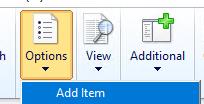
If you expand the ‘Option‘ drop down menu, is there a check beside ‘Add Item‘?
If yes, see if unmarking it helps…——————————
Gerald Buenafe
Owner/Consultant
BTP Technologies LLC
CHANTILLY VA
——————————
——————————————- -
Hi ,
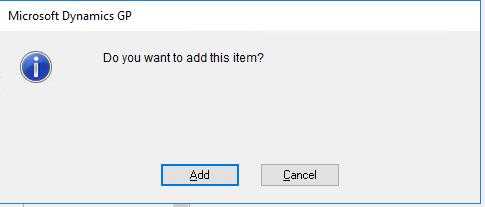
It was not selected but when I did select it (just to see what happened), I still receive the same message but then it prompts me to actually create the item in the item master. Very nifty feature but unfortunately no dice here…With
Without
?
——————————
Kyle Malone, CPA
GP Admin – CGB Enterprises, Inc.
Lead Consultant/Blogger – https://alacarteGP.com
Chapter Leader – Louisiana (New Orleans)
Solugence | Find the software that FITS your business + integrates with GP. Find Software Smarter. https://solugence.com
——————————
——————————————- -
Hi Kyle,
I see… I was hoping that was ‘it’…
Well, until better ideas comes up… here are some additional insights:
1. I was thinking it was a permissions issue, but from the screenshot, the ‘sa’ login is the one being used already…
2. Looks like that that’s a modified window (there’s a dot after Sales Transaction Entry)… does using the standard window allow you to proceed (just to see if it is related to the modification)?
3. Or… if still no difference… and since that doesn’t seem to be a standard GP functionality – there might be a third party tool involved (doing a search as it’s trying to find a ‘match’)… identifying which one it is (by disabling them one at a time) may help determine the next action to take (which includes contacting the product support team)…——————————
Gerald Buenafe
Owner/Consultant
BTP Technologies LLC
CHANTILLY VA
——————————
——————————————- -

Andrew Kennedy
MemberDecember 4, 2019 at 7:29 AM
Kyle,
Do you have any 3rd parties like Rockton Software SmartFill?——————————
Andrew Kennedy
Principal Consultant
Velosio
Seven Hills OH
——————————
——————————————- -
Russ Worth
MemberDecember 4, 2019 at 10:55 AM
Kyle, it’s a Smartfill issue.——————————
Russ Worth
GP/AX Business Analyst
Grand Isle Shipyard
Galliano LA
——————————
——————————————- -
Hi Kyle,
If it’s indeed SmartFill, you might want to try this:
- How to Temporarily Disable SmartFill
- https://www.rocktonsoftware.com/knowledge-base/temporarily-disabling-smartfill/
——————————
Gerald Buenafe
Owner/Consultant
BTP Technologies LLC
CHANTILLY VA
——————————
——————————————- -
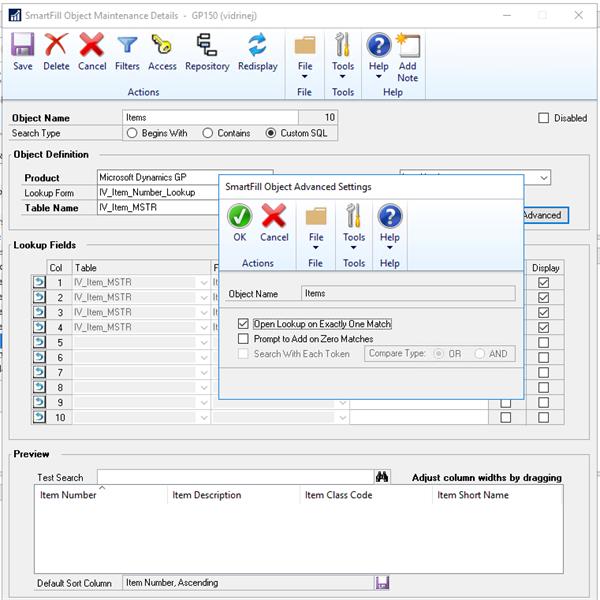
Yep… SmartFill! Ah, this is actually where we first looked & actually disabled the ‘Items’ object initially. However, even with the Smartifll object disabled, the message was still appearing.
We found the option under Objects>>Advanced to disable the actual prompt which addressed our issue! Thanks everyone!
——————————
Kyle Malone, CPA
GP Admin – CGB Enterprises, Inc.
Lead Consultant/Blogger – https://alacarteGP.com
Chapter Leader – Louisiana (New Orleans)
Solugence | Find the software that FITS your business + integrates with GP. Find Software Smarter. https://solugence.com
——————————
——————————————-
Kyle Malone replied 6 years ago 1 Member · 0 Replies -
-
0 Replies
Sorry, there were no replies found.
The discussion ‘“No Matches Were Found. Add New?” – Sales Inventory Item Number Prompt’ is closed to new replies.
