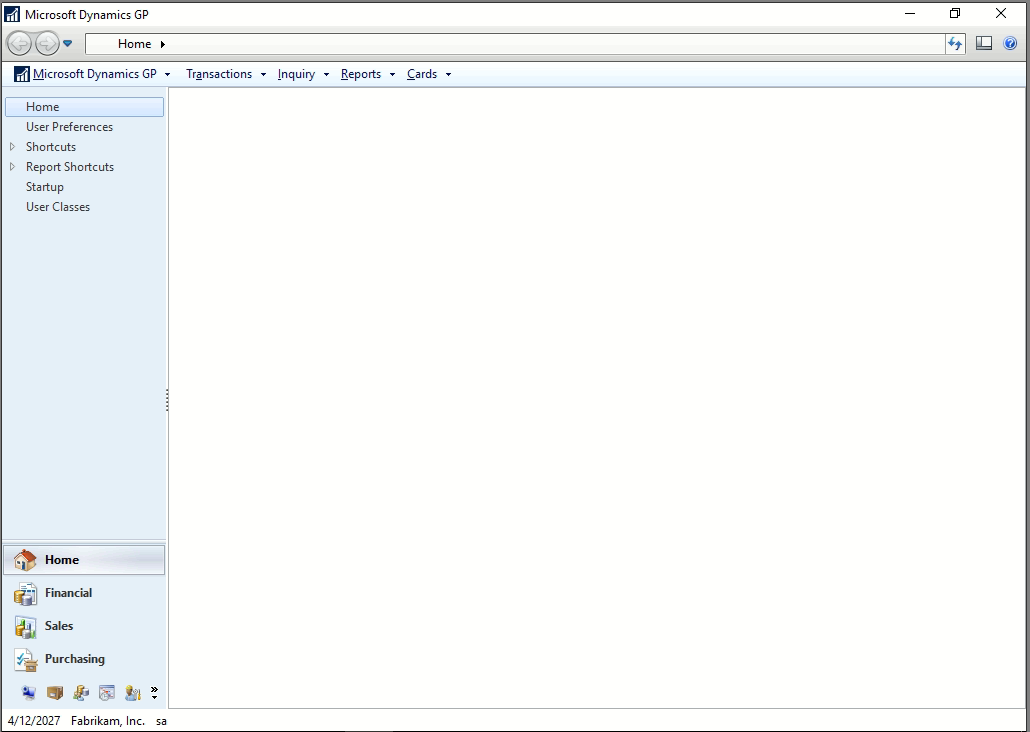
I recently installed GP 2018 on a new server, and whenever I login the main display window appears blank, no matter which module I select.Ā As far as I can tell all of the content is there, i.e. if I go to the Sales Module, and move my mouse over the place where the Sales Transaction Entry link is by default, I can click my mouse and the Sales Transaction Entry window will open.Ā I have installed GP on a local workstation connected to this server, and GP looks normal.Ā I have tried logging in with different users and different companies on this server, but the result is the same.Ā If anyone has any suggestions I would greatly appreciate it. #GP 2018 and 2018 R2?
—————————— Michael Astrack Customer Service Manager Centerprism St. Louis MO ——————————
Ryan Galang
Member
June 26, 2019 at 10:25 PM
Hi Michael,
I was wondering if access to the Home Page was revoked…
Please refer to: Q8: Can the Administrator lock down the home page so that users cannot customize it?
—————————— Ryan Galang BTP Technologies LLC Chantilly VA —————————— ——————————————-
Kevin Droz
Member
June 27, 2019 at 10:32 AM
Use this script on the DYNAMICS database :Ā select * from SY08100 where USERID = ‘XXXX” ; You can remove those records and then copy from another user.
Please note:
This action will also remove this member from your connections and send a report to the site admin.
Please allow a few minutes for this process to complete.

Report
You have already reported this .
Welcome to our new site!
Here you will find a wealth of information created for peopleĀ that are on a mission to redefine business models with cloud techinologies, AI, automation, low code / no code applications, data, security & more to compete in the Acceleration Economy!