Multi SKU Location Directives-Easier Way?

  • Multi SKU Location Directives-Easier Way?
    Posted by DSC Communities on September 7, 2022 at 8:42 am
    • Randy Sanders

      Member

      September 7, 2022 at 8:42 AM

      I am trying to see if there is an easier way in F&O to do the following.

      We have multiple distribution centers shipping out to smaller warehouses for fulfilling orders at a local level. Just to put some numbers to it, let’s say about 10 DCs shipping to 50 warehouses. We ship these out using transfer orders. Each transfer order is going to a single location. 90% of the transfer orders have multiple SKUs.

      We are updating some setups and we are wanting to do directed staging and loading. Which means every transfer order will be put to different staging and loading locations based on the “Ship to Warehouse”.

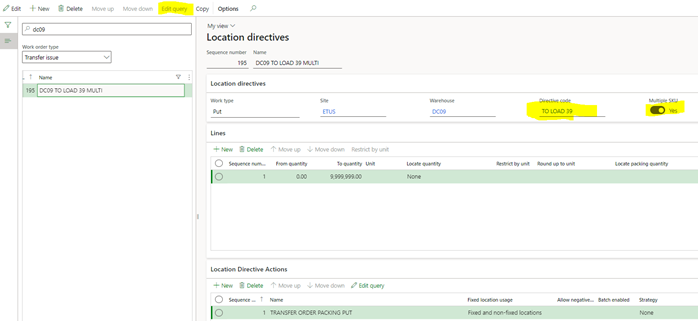
      Single SKU transfer orders are not an issue since the Edit Query button is available on the Location Directives screen. I can designate the To Warehouse on that query do the put to the location we want.

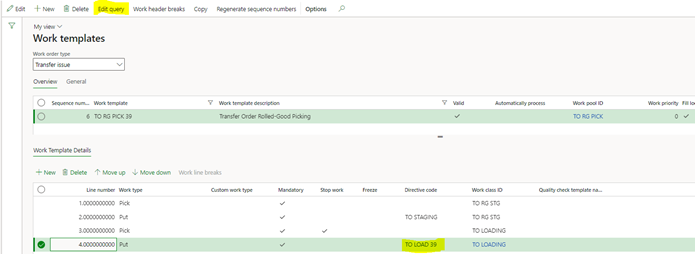
      But for Multi-SKU location directives, the Edit Query is grayed out. You cannot designate any parameters on the location directive. It appears you must link a Directive Code to the Location Directive, which is then linked to a Work Template where you can then designate in the Edit Query which Ship to Warehouse it is for. Start multiplying all of the combinations of Location directives, times the number of Directive codes and the Work templates, and the number of setups begins to add up to hundreds.
      Is there a better way to do this that is less time consuming or other functionality that I can leverage?

      ——————————
      Randy Sanders
      Business Analyst
      Empire Today
      https://www.empiretoday.com/
      ——————————

    • Colby Gallagher

      Member

      September 9, 2022 at 8:43 PM

      Two options I use in this scenario:Ā 

      1.) Create all WORK so that WORK only ever has 1 item on it using the sorting on Item ID in the Work template query and work header breaks.Ā  Use system directed grouping to get the user into all the WORK’s based on the Load / Shipment / Transfer order instead of printing a ton of WORK pick tickets. Then you can use queries on the Location directives.Ā  Also, use anchoring on the mobile device menu item so if someone overrides either of the PUT locations, all the other WORK gets updated to PUT to the same locate.Ā 

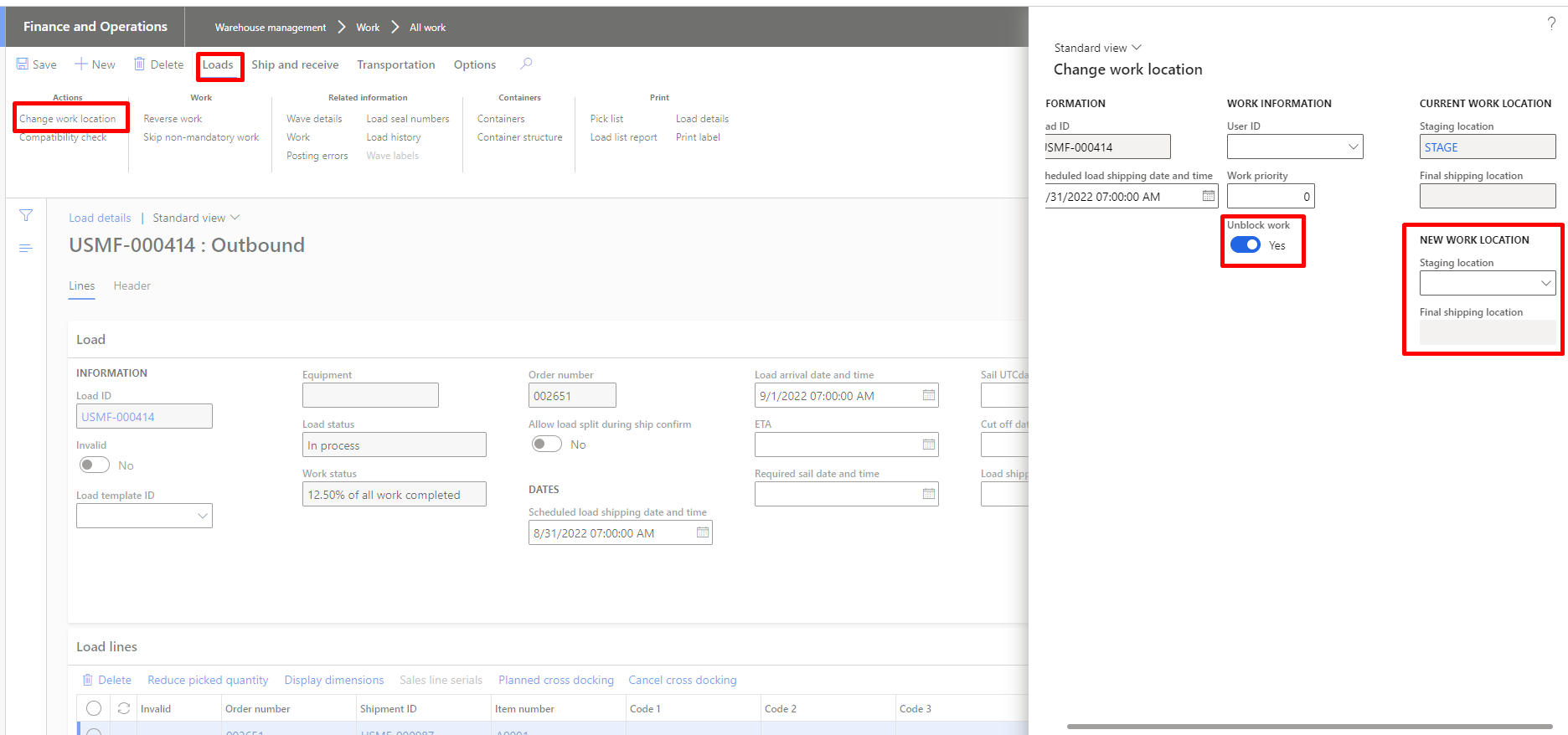
      2.) Let the PUT to STAGE and PUT to Door create with a blank locate or dummy locate, have the Wave template “Automate wave release” = No, this will cause the wave to process to a “Held” state.Ā  Have a supervisor / transportation coordinator type person review the loads associated with the Wave, on the Loads tab in the action pane -> Change Work Location and assign a Stage bay and final shipping location, with “unblock work” ticked.Ā  This will move the wave / load from a held to released status and have the locates that are available based on where you lined trucks up that day.Ā Ā 

      ——————————
      Colby Gallagher
      Managed Application Services Manager
      RSM
      Cleveland OH
      ——————————
      ——————————————-

    DSC Communities replied 3 years, 6 months ago 1 Member · 0 Replies
  • 0 Replies

Sorry, there were no replies found.

The discussion ‘Multi SKU Location Directives-Easier Way?’ is closed to new replies.

Start of Discussion
0 of 0 replies June 2018
Now

Welcome to our new site!

Here you will find a wealth of information created for peopleĀ  that are on a mission to redefine business models with cloud techinologies, AI, automation, low code / no code applications, data, security & more to compete in the Acceleration Economy!