AX Local Client Install – Font Scaling

  • AX Local Client Install – Font Scaling

    Posted by DSC Communities on February 14, 2018 at 10:51 am
    • Jim Czerniak

      Member

      February 14, 2018 at 10:51 AM

      Hi Everyone,

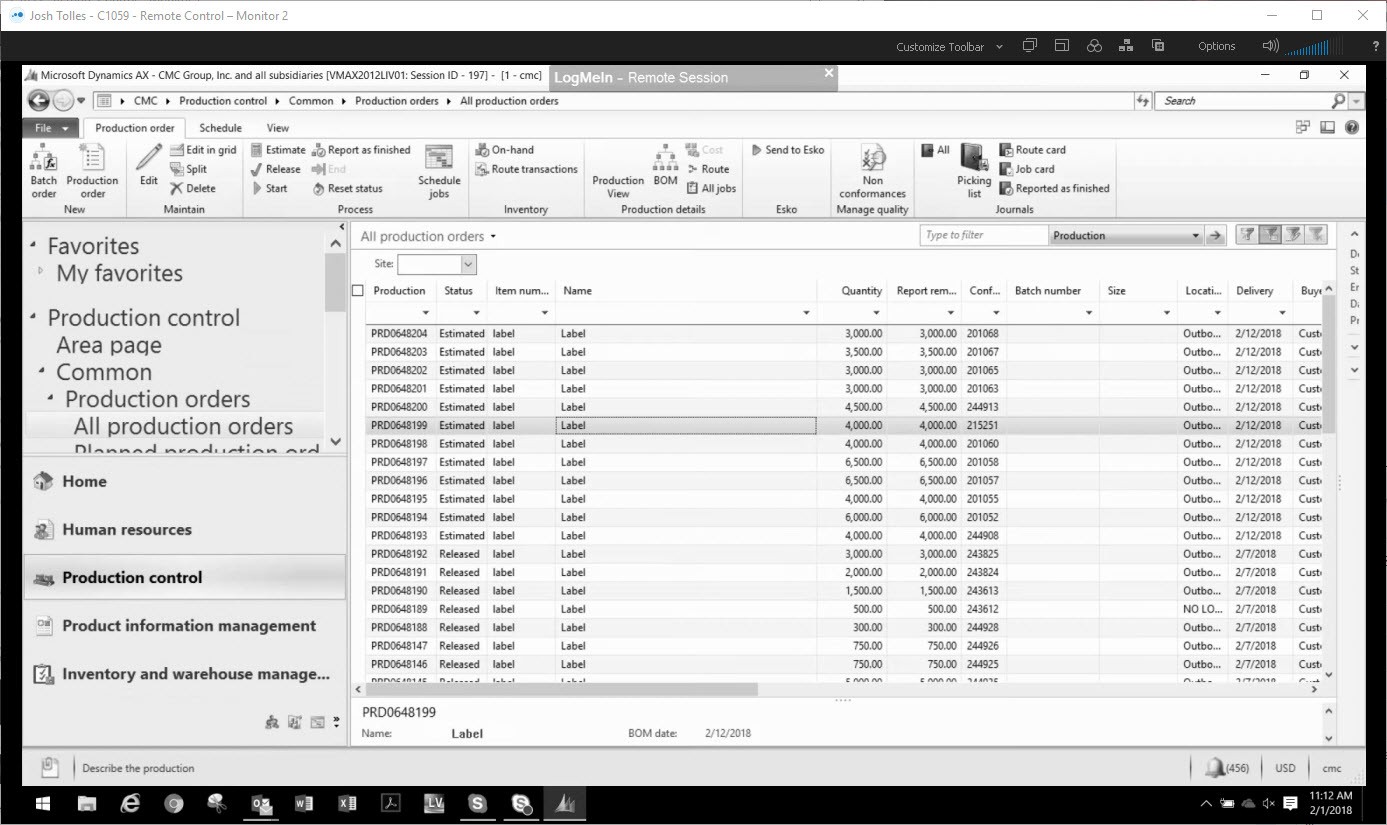
      We installed the AX client for one of our users on their laptop and we are seeing the following issue with font size.Ā  This is AX 2012 Feature Pack.Ā  Does anyone know what would cause the font to be so large in the left pane?

      ——————————
      Jim Czerniak
      Director of Information Technology
      CMC Group
      Bowling Green OH
      ——————————

    • Lew Eichorn

      Member

      February 15, 2018 at 7:52 AM

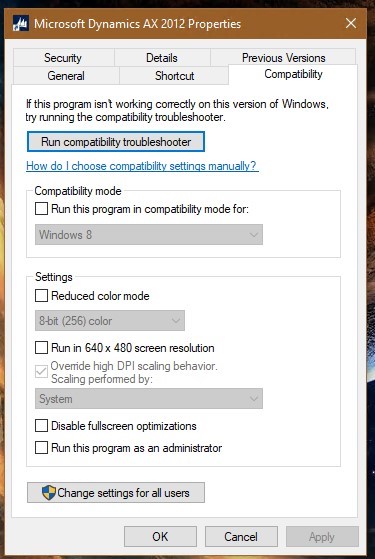
      If you are running the current version of Windows 10 you can override high DPI font scaling per application. This fixed the issue for us.

      ——————————
      Lew Eichorn
      ERP System Administrator
      Burr Oak Tool, Inc.
      Sturgis MI
      ——————————
      ——————————————-

    • Paul Challinor

      Member

      February 16, 2018 at 10:40 AM

      Klaas Deforche recently posted a Blog entry that may be useful —Ā 

      How to fix problem with Large and strange font sizes in menus for Dynamics AX 2012 on remote sessions

      http://www.artofcreation.be/2018/02/14/large-and-strange-font-sizes-in-menus-for-dynamics-ax-2012-on-remote-sessions/

      ——————————
      Paul Challinor
      Consultant
      Merit Solutions
      Naperville IL
      ——————————
      ——————————————-

    DSC Communities replied 8 years, 1 month ago 1 Member · 0 Replies
  • 0 Replies

Sorry, there were no replies found.

The discussion ‘AX Local Client Install – Font Scaling’ is closed to new replies.

Start of Discussion
0 of 0 replies June 2018
Now

Welcome to our new site!

Here you will find a wealth of information created for peopleĀ  that are on a mission to redefine business models with cloud techinologies, AI, automation, low code / no code applications, data, security & more to compete in the Acceleration Economy!