


AX 2012 SSRS Report – Missing Visual Studio Project

  • AX 2012 SSRS Report – Missing Visual Studio Project
    Posted by DSC Communities on October 18, 2017 at 4:55 pm
    • Jim Czerniak

      Member

      October 18, 2017 at 4:55 PM

      We created a custom SSRS report in AX 2012 some time ago.Ā  I am looking to add a couple of new fields to the report.Ā  No big deal, right?Ā  I’ve done it 100 times on other reports.Ā  šŸ™‚

      I added the 3 new fields to the Tmp table in the AOT that the report uses.Ā  Next I went in to the DataProvider class and set the logic to populate those fields with the correct values.

      My next step would usually be to open the Visual Studio Project for the report, refresh the data set, and then drop the fields on the report where I want them.

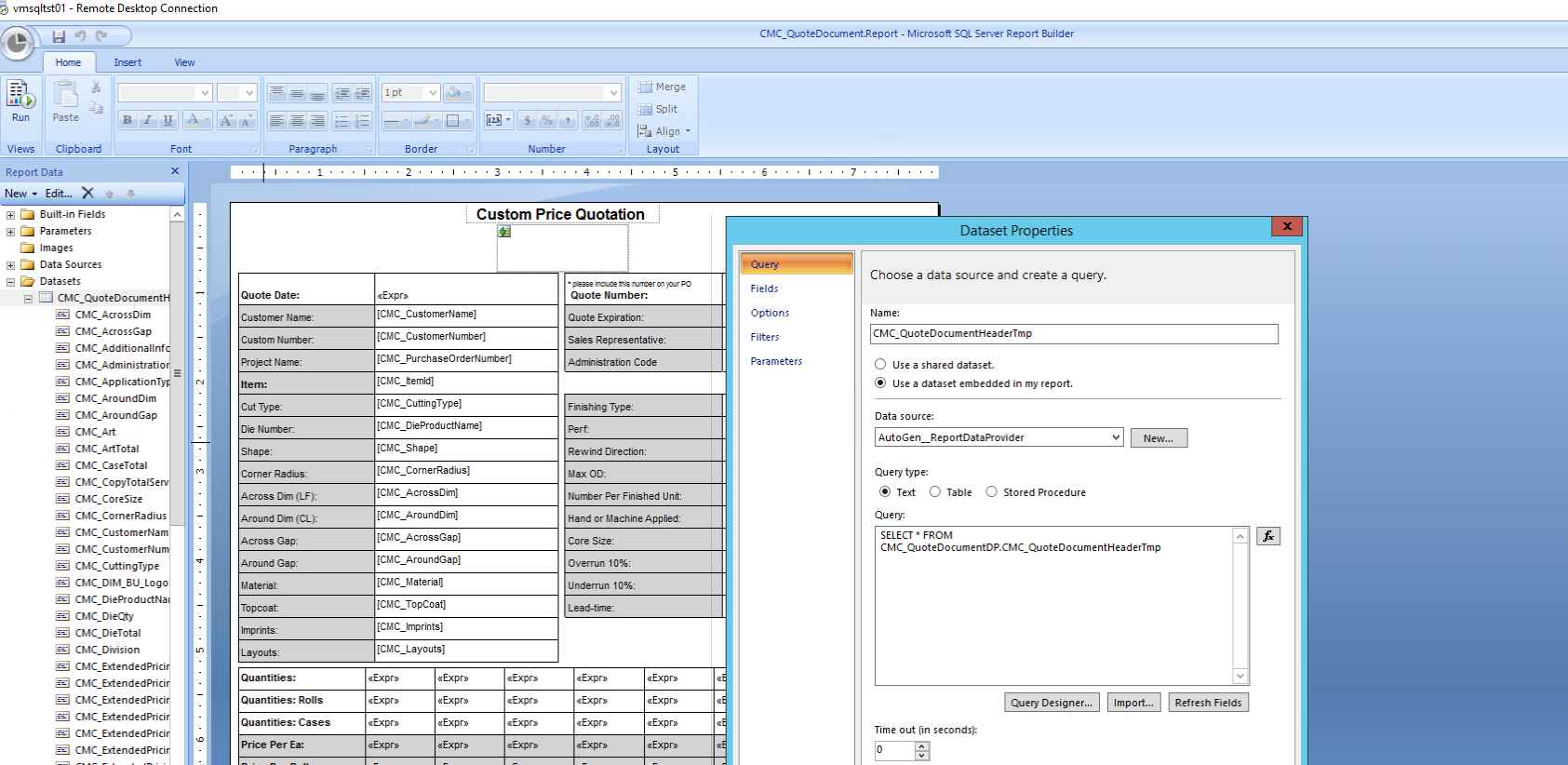
      Here is my problem.Ā  This report is missing the Visual Studio project and I can’t seem to locate it anywhere.Ā  I decided I might be able to do what I needed anyway by navigating to the report through the SSRS Report Manager URL and opening the report up in Microsoft SQL Server Report Builder.

      It looks promising but I cannot seem to figure out how to refresh the data set to pull in the new fields that I added.Ā  The data source is AutoGen_ReportDataProvider and when I click refresh I just get an error with the following details.

      “The selected data extension AXREPORTDATAPROVIDER is not installed or cannot be loaded. Verify that the selected data extension is installed on the client for local reports and on the report server for published reports.”

      ——————————
      Jim Czerniak
      IT Manager – Applications
      CMC Group
      Bowling Green OH
      ——————————

    • Eduardo Sicouret

      Member

      October 19, 2017 at 11:33 AM

      If you have a database backup you can restore and a TEST company where to restore it to, then I would restore it and try to find the Visual Studio project in the AOT.

      If that is not an option, I would download the RDL from SSRS and safe the file somewhere safe.Ā  Then delete the SSRS report in the AOT.

      Then I would create a new report model project and select the same data source, as you normally do with new reports.

      Then I would open the RDL file you saved previously and have both projects side by side.Ā  Then just set the report page size the same as the RDL file design and then select all the objects from the RDL report design and paste them in your new report.

      Then publish the report as usual.

      Hope this helps.
      Cheers,
      Eduardo Sicouret

      ——————————
      Eduardo Sicouret
      Ballast Point Brewing
      San Diego CA
      ——————————
      ——————————————-

    • Jim Czerniak

      Member

      October 19, 2017 at 1:10 PM

      Thanks!Ā  Since i had the RDL file, I ended up just making a new Visual Studio project and adding it back to the AOT.Ā  All is good.

      ——————————
      Jim Czerniak
      IT Manager – Applications
      CMC Group
      Bowling Green OH
      ——————————
      ——————————————-

    DSC Communities replied 8 years, 5 months ago 1 Member · 0 Replies
  • 0 Replies

Sorry, there were no replies found.

The discussion ‘AX 2012 SSRS Report – Missing Visual Studio Project’ is closed to new replies.

Start of Discussion
0 of 0 replies June 2018
Now

Welcome to our new site!

Here you will find a wealth of information created for peopleĀ  that are on a mission to redefine business models with cloud techinologies, AI, automation, low code / no code applications, data, security & more to compete in the Acceleration Economy!
