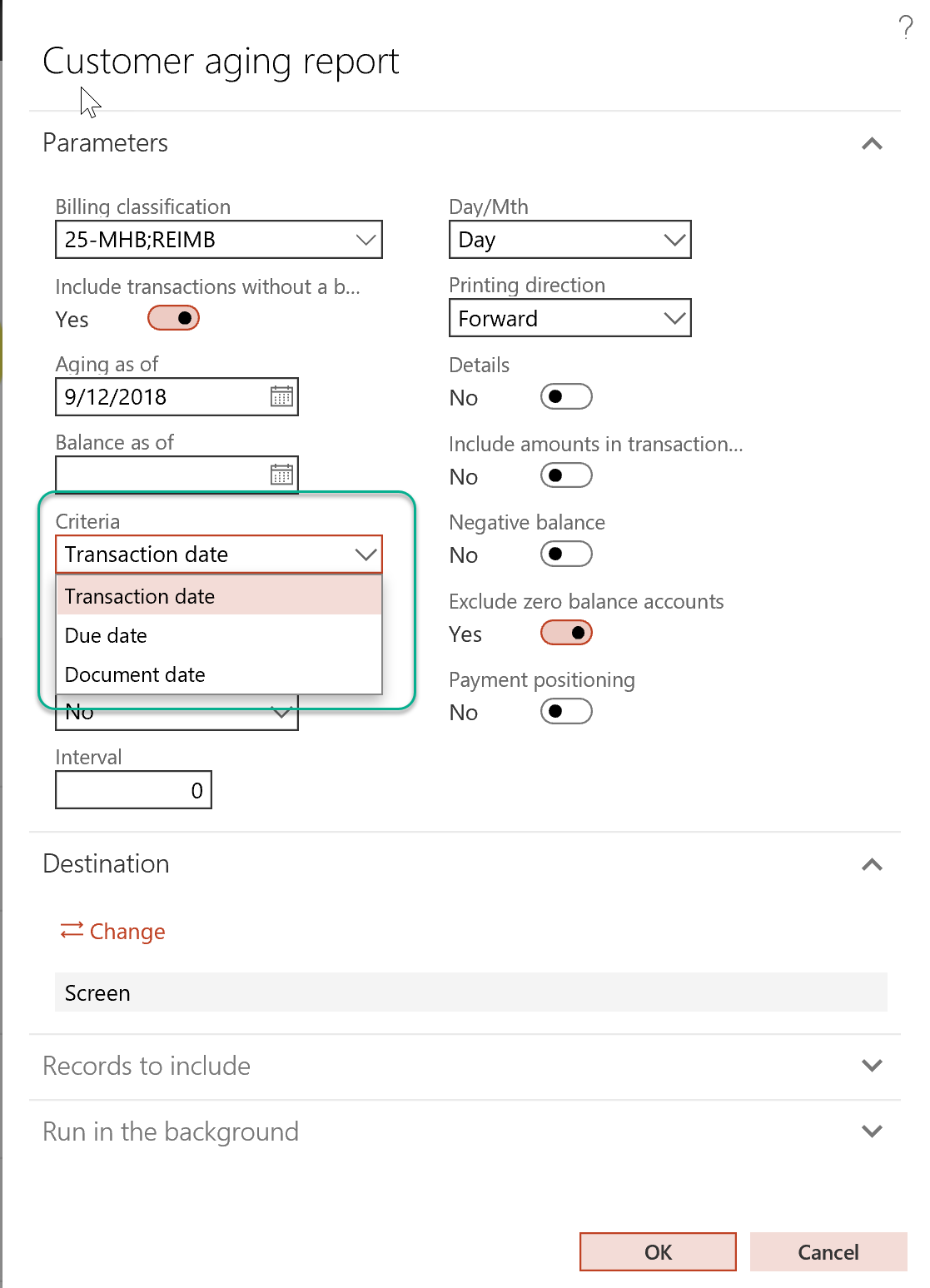
I am D365 user. Everything I see about Customer Aging report based on Due Date is using the Sales Order date to age from. We need to report aging by Due date based on the Invoice date. How can this be accomplished?
—————————— Brad Gaylor Enterprise Applications Support Specialist Magpul Louisville CO ——————————
Steve Latta
Member
September 11, 2018 at 4:56 PM
I’m on AX 2012 R3, but D365FO should be similar. ?When you run your customer aging report, there should be a Criteria field where you can choose from Due Date, Transaction Date or Document Date. I believe the invoice date would be the Document Date.
For the Collections list view, you need to change the Criteria used when you generate your Customer Aging snapshot. Just like the customer aging report, you can choose from Due Date, Transaction Date or Document Date.
—————————— Steve Latta Accountant Ortec, Inc. Easley SC —————————— ——————————————-
Steve is correct, when you run your aging report (in credit and collections >> inquiries and reports >> customer >> customer aging report), you can use the transaction date, due date or document date – document date is normally the invoice date.
—————————— Shirley Adams Solution Architect AKA Enterprise Solutions New York NY —————————— ——————————————-
Please note:
This action will also remove this member from your connections and send a report to the site admin.
Please allow a few minutes for this process to complete.
Report
You have already reported this .
Welcome to our new site!
Here you will find a wealth of information created for peopleĀ that are on a mission to redefine business models with cloud techinologies, AI, automation, low code / no code applications, data, security & more to compete in the Acceleration Economy!