
D365 Field + Finance G Operations: This Is Not a Simple Implementation



I’m going to say something that most Microsoft partners won’t: Implementing Dynamics 365 Field Service integrated with Finance C Operations is one of the most complex things you can do in the Microsoft ecosystem.
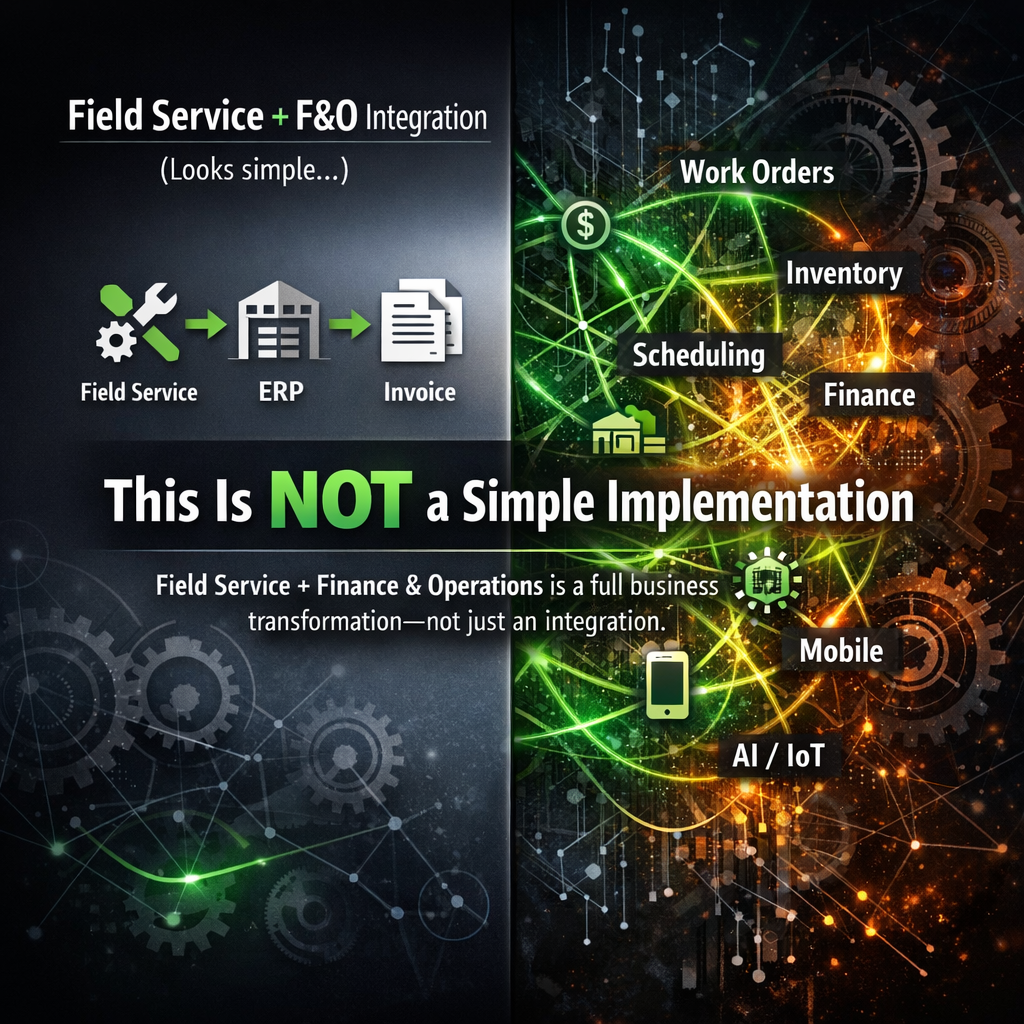
Not because the technology is bad — it’s not. It’s actually incredible when it works, but the breadth of what you’re connecting is enormous. You’re touching work orders, inventory, procurement, purchasing, accounts receivable, invoicing, scheduling, mobile, customer portals, and, in many cases, IoT and AI layers on top. Every single one of those has nuance. Every single one has gotchas. And when they’re all connected, a decision made in one area can break something three processes downstream that you won’t discover until two weeks before go-live.
If you’re going into one of these projects thinking it’s just “Field Service plus an ERP connector,” stop. Reset. And read this first.
Know What You’re Actually Building
The first thing to get clear on is the scope of what a fully integrated Field Service + FCO implementation actually covers. This isn’t a CRM project with some finance bolted on. This is an end-to-end operational platform that spans:
The Field Service side:
- Work order creation, management, and lifecycle
- Scheduling and dispatch (including Scheduling Optimization if you’re going there)
- Resource management, skills, territories, certifications, availability
- Customer assets and service history
- Mobile experience for technicians
- Inspections, IoT, and Connected Field Service
The Finance G Operations side:
- Product and service catalog
- Inventory management and warehouse operations
- Parts procurement and replenishment
- Time and expense capture
- Project accounting (if you’re running project-based work)
- Customer invoicing and accounts receivable
- Cost tracking and margin analysis
And then there’s everything in between — the integration layer, the data model decisions, the dual-write configuration, the entity mappings — that must work seamlessly across both systems so that a work order created in Field Service becomes a billable transaction in FCO without anyone having to rekey a single thing.
That’s the vision. Getting there is the work.
Build the Right Team First
I’ve seen these projects fail because of scope. I’ve seen them fail because of budget. But honestly? The most common reason they struggle is the wrong team.
Here’s the core team structure I recommend for a project of this type:
Executive Sponsor (Client Side)
This person needs to have real authority and real skin in the game. Not someone who shows up for the kickoff and the go-live. Someone who is actively engaged, can make decisions, and can break ties when the business is arguing about process. Without this, you will stall on every major configuration decision.
Functional Lead, Field Service (Client Side)
The person who owns the service delivery process. They need to understand how work gets created, assigned, executed, and closed. They need to be able to answer questions like: Who can see what? What triggers a work order? What does “done” mean? What gets billed? This is usually a Service Operations Manager or VP of Field Operations.
Functional Lead, Finance (Client Side)
Your Controller or Finance Director needs to be engaged from day one, not brought in at invoicing setup. Pricing models, cost centers, revenue recognition, and billing terms — all of these decisions affect Field Service configuration. If Finance isn’t at the table during the design phase, you’ll be redesigning half of it later.
Technical Lead (Client Side)
This one gets skipped more than any other role on the client side, and it’s a mistake every time. You need someone internal who owns the technical relationship with the implementation, someone who can review integration designs, participate in architecture decisions, understand the environment strategy, and serve as the bridge between the partner team and your internal IT organization. This doesn’t have to be a Microsoft developer, but it needs to be someone technical enough to ask the right questions, flag concerns before they become problems, and own the ongoing support of the platform after the partner rolls off. On a project touching both Dataverse and FCO, with Dual-Write running between them and Power Automate flows on top, your business stakeholders cannot play this role. You need a dedicated technical voice on the client side. Full stop.
Solution Architect (Partner Side)
This role is the person who holds the whole thing together. They need to understand both Field Service and FCO deeply, not one or the other. This is the rarest skill set in the Microsoft partner ecosystem and the most important hire you’ll make. Verify their experience. Ask for reference checks on integrated implementations specifically.
Field Service Functional Consultant (Partner Side)
Deep expertise in work orders, scheduling, resources, and the mobile app. This person needs to understand how Field Service connects downstream, not just the Field Service module in isolation.
FGO Functional Consultant (Partner Side)
This individual must be strong in inventory, procurement, and finance as well as needs to understand the Dual-Write integration layer and how data flows between the two systems. FCO-only consultants who have never done a Field Service integration will struggle here.
Integration/Technical Lead (Partner Side)
This is someone who owns Dual-Write configuration, custom connectors, and any Power Automate flows running between the systems. This is not a part-time role. On a project of this complexity, integration issues will consume more time than any other workstream.
Change Management/Training Lead
On these projects, the change management/training lead is often undervalued. You’re asking field technicians to work differently, dispatch teams to work differently, and finance teams to work differently all at the same time. If you don’t have a plan for change management and training, adoption will crater and the project will be labeled a failure regardless of how good the solution is.
Power Platform/AI Lead (Optional but Recommended)
If you’re planning to layer in Copilot Studio agents, AI Builder, or any advanced automation, then you should be thinking about this. You need someone who can own that workstream. Don’t try to bolt this on later.
One more thing worth acknowledging: This team structure is the core. There’s a whole other conversation to have about Subject Matter Experts (SMEs): the people from warehouse, procurement, dispatch, and the field who need to be available to validate decisions, participate in working sessions, and test what’s been built. SMEs aren’t full-time project resources, but they’re not optional either. We’ll save that topic for another article. For now, know that your core team needs a seat at the table for each of the roles above, and that skimping on any of them has a cost.
What to Know Before You Start
These are the things I wish every client knew before the kickoff meeting. Save yourself months of pain. Your data is not clean, and you don’t know how unclean it is yet.
Every client I’ve ever worked with has discovered, during data migration, that their customer records, asset data, pricing tables, or inventory information is messier than they thought. Plan for it. Build time for data cleansing into your project plan. Budget for it. Don’t assume you can migrate and transform in the same sprint.
Dual-Write is powerful and unforgiving.
The integration between Field Service (CE/Dataverse) and FCO runs on Dual-Write, Microsoft’s near-real-time synchronization framework. When it works, it’s seamless. When it breaks or is misconfigured, it causes data sync failures that can be difficult to diagnose and painful to remediate. You need someone on your team who genuinely understands how Dual-Write works, what triggers synchronization, what the failure modes are, and how to resolve them. This is not the place to learn on the job.
Pricing is more complicated than you think.
Most organizations have pricing complexity that they haven’t fully documented. This includes trade agreements, customer-specific pricing, contract rates, labor rates by skill or region, parts markup, service contract entitlements. All of this must be modeled correctly before you can invoice correctly. Get your pricing model documented and validated before you start building.
Service Agreements vs. Work Orders vs. Projects: get this right early.
One of the most important architectural decisions in a Field Service + FCO implementation is when you use a Work Order, when you use a Service Agreement, and when you use a Project. These are not interchangeable. They drive different financial models, different billing behaviors, and different reporting structures. Making this decision late or making it wrong will force expensive rework.
Mobile is a product, not an afterthought.
The Field Service mobile app is what your technicians will live in every day. It needs to be designed, configured, and tested with real technicians doing real work. Too many projects spend 90% of the effort on the back-office configuration and three weeks on mobile. That’s backwards. The mobile experience determines adoption. Adoption determines ROI.
Scheduling Optimization is its own project.
If you’re planning to implement Scheduling Optimization, Microsoft’s AI-powered automated scheduling engine, treat it like a separate workstream. It requires its own configuration, its own constraints modeling, and its own testing. It’s worth it, but don’t underestimate the effort.
RSO can be transformative for organizations running large field teams. The ability to automatically optimize schedules across dozens or hundreds of technicians, accounting for skills, territories, travel time, priorities, and SLAs simultaneously, is something no dispatcher can do manually at scale. Getting there requires your resource data to be clean and complete, your scheduling parameters to be clearly defined, and your team to trust the output enough to actually let it run. That last one is often the hardest part. Dispatchers who have been doing this job for fifteen years will push back on an algorithm telling them who to send where. Plan for that change management conversation. Pilot RSO in a single territory or with a subset of work order types before you flip it on across the board.
The Setup and Preparation Phase
This is where most projects either set themselves up for success or doom themselves to months of pain. Here’s what good preparation looks like:
Process Mapping Before Configuration
Before anyone touches the system, you need to document your end-to-end service delivery process. Work with your client to map the full lifecycle: How does a work order get created? By whom? What information is required? How is it scheduled? What does the technician do on-site? How are parts consumed? How is time captured? How does that become an invoice? Where are the approvals?
Do this for every scenario you support, break/fix, planned maintenance, warranty work, service contract work, project-based work — every variation needs to be understood before configuration begins.
Configuration Decisions Document
Every significant configuration decision should be documented, reviewed, and signed off on before it’s built. This creates accountability, reduces rework, and gives you a reference when someone says, “That’s not how we wanted it to work” six months later.
Think of this document as your project’s source of truth. It doesn’t have to be a work of art; a well-maintained spreadsheet or a structured OneNote is fine. What matters is that it captures the decision, who made it, why, and when.
On a project that spans twelve to eighteen months and involves multiple stakeholders across operations and finance, institutional memory fades fast. People change roles. New stakeholders show up mid-project with different ideas.
Without documentation, you’re relitigating the same decisions over and over. With it, you point to the record and move forward.
Environment Strategy
You need a proper environment strategy: Development, Test/ǪA, UAT, Production. Shortcuts here will hurt you. Changes that go directly to production in a system this interconnected will cause problems that are hard to isolate and fix.
And this isn’t just about having the environments; it’s about governing them. Who can promote changes? What’s the process for moving from Dev to Test to UAT? What happens when a bug is found in UAT that requires a fix in Dev? These questions need answers before the project starts, not when you’re three weeks from go-live and someone deployed a half-finished configuration to the wrong environment.
With Dual-Write in the picture, environment management gets even more complex because both the CE and FCO environments must be in sync. Plan for it. Document your environment governance. And make sure your team follows it.
Integration Testing Strategy
Test the integration continuously, not just at UAT. Dual-Write issues discovered late are much more expensive to fix than Dual-Write issues discovered early. Build integration testing into every sprint.
The scenarios that tend to bite hardest are the ones nobody thought to test: a work order created from a service agreement that has a non-standard billing account, a parts request on a work order for an item that doesn’t exist in the FCO product catalog yet, a technician who belongs to two resource groups that map to different cost centers. These aren’t edge cases; they’re real-world scenarios that show up in production if you only tested the happy path. Build an integration test matrix. Cover the variations. And when you find a failure, trace it all the way through both systems before you call it fixed.
Master Data Readiness
Customers, contacts, products, service types, resources, territories, skills, and price lists — all of this master data needs to be ready before UAT. Running UAT with incomplete or incorrect master data produces unreliable results and wastes everyone’s time.
Here’s what I see happen on almost every project: The team builds the system, UAT approaches, and suddenly everyone realizes the product catalog is only 40% loaded, half the technician records are missing skills assignments, and the customer list hasn’t been deduplicated yet. UAT gets delayed. The timeline slips. People get frustrated and blame the software when the real problem is data readiness.
Assign a data owner for each master data domain early in the project. Set readiness gates by a specific date; this data must be in the system and validated. Treat data preparation as a workstream, not a task you knock out the week before testing starts.
The Lifecycle: From Work Order to Invoice
This is the beating heart of what you’re building. Let me walk through the key stages and where the nuance lives.
Work Order Creation
Work orders can be created manually, from a service agreement, from an IoT alert, from a customer portal request, or from a case in Customer Service. Each source has different data requirements and may trigger different default behaviors. Get clear on all your creation scenarios and test each one.
The fields that matter at creation — incident type, work order type, priority, service account, billing account, price list — need to default correctly based on how the work order is created. If a dispatcher is manually creating a work order, they might be filling those in. If it’s generated from a service agreement, they should flow automatically. If it’s triggered by an IoT alert, the asset context needs to carry over.
What feels like a minor configuration detail at the beginning becomes a significant data quality problem at invoicing time if work orders are being created with the wrong type, wrong price list, or missing billing information.
Map every creation path. Define the expected defaults. Test them all.
Scheduling and Dispatch
Whether you’re doing manual scheduling, assisted scheduling with the Schedule Board, or automated scheduling with RSO, your resource data must be accurate. Skills, certifications, territories, working hours, travel radius — all of it feeds the scheduling engine. Garbage in, garbage out.
The Schedule Board is one of those features that looks amazing in a demo and feels overwhelming the first time a dispatcher opens it in a real implementation. There are configuration decisions to make about which resources show, how the board is filtered by default, what information displays on the booking tile, and how the system calculates travel time. Get dispatchers involved in that configuration. They know how they work. Let them shape the board layout instead of handing them something that was designed by a consultant who has never dispatched a field technician.
If you’re going all-in on Scheduling Optimization, budget additional time for constraints modeling, defining what matters most when the algorithm makes decisions. Minimize travel? Balance utilization? Prioritize skill match? The answer is usually “all of the above,” and tuning RSO to reflect your real priorities takes iteration.
Field Execution
The technician experience on mobile is where you’ll win or lose adoption. Make sure the app shows them what they need, captures what you need, and doesn’t require them to do ten taps to record a status update. Work with actual technicians during design. Not managers. Technicians.
The Field Service mobile app is highly configurable, which is a blessing and a curse. You can surface exactly the right information for each work order type. You can add inspections, capture signatures, take photos, scan barcodes, log parts, and record time, all from the field. But configuring it well requires understanding what a technician actually needs at each stage of a job. What do they need to see when they’re driving to the site? What do they need to record when they arrive? What does completing a work order look like for them versus what it looks like in the back office? Run working sessions with actual field technicians, not just their managers, during the design phase. Pilot the mobile app with a small group before you roll it out to everyone. And make sure offline functionality is tested thoroughly if your technicians work in areas with poor connectivity, because they will, and it needs to work.
Parts and Inventory
This is where the FCO integration becomes critical. Parts used on a work order need to flow back to inventory, reducing on-hand quantities, triggering replenishment if configured, and feeding cost tracking. If your inventory integration isn’t solid, your costs will be wrong and your inventory will drift.
There are several inventory scenarios you need to design for explicitly. Technicians who carry a truck stock need their van warehouse set up correctly in FCO and need a process for consuming parts against that warehouse when they complete a job. Parts that need to be ordered specifically for a job require a procurement workflow, who requests it, who approves it, how it gets to the technician, and how the cost flows to the work order. Warranty parts, return and exchange scenarios, and parts that were ordered but not used all need defined processes too. This workstream tends to get underscoped because it sits at the intersection of Field Service and FCO, and sometimes neither functional consultant fully owns it. Make sure someone does.
Time Capture
Labor time recorded on a work order needs to map correctly to your billing rates and your cost model. This sounds simple. It rarely is. Overtime rules, travel time, multiple technicians on one work order, and time captured across multiple days need to be defined and tested.
The billing side and the cost side of time are two separate problems that both have to be solved. On the billing side: what labor rates apply, are they based on the technician’s role, the customer’s contract, the time of day, or some combination? On the cost side: how does that time translate to labor cost, and which cost center or project does it hit? Then there’s the question of how time gets captured in the first place. Are technicians logging time directly in the mobile app? Is it auto-calculated from the booking start and end times? Are there approval workflows before time posts? Each of these decisions has downstream implications for payroll, billing accuracy, and project profitability. Map the full-time capture and posting flow before you build it.
Work Order Completion and Review
Define what “complete” means. What has to be captured before a work order can be marked complete? What approvals are required? What triggers the handoff to invoicing? Build in the right controls without making the process so bureaucratic that technicians look for workarounds.
This is one of those areas where the business process conversation is more important than the technical configuration. Some organizations want the technician to close the work order in the field. Others want a back-office review before anything closes. Some require customer sign-off. Others require a supervisor to review time and parts before the record moves to billing-ready status. None of these approaches is wrong, but each one has different configuration implications and different impacts on how quickly you can invoice. Get the operations team and the finance team in the same room for this conversation. Agree on the process. Then build it. And when you build it, test what happens when a technician tries to close a work order without required fields filled in, because they will try, and the system needs to handle it gracefully.
Invoicing
This is the finish line, and it’s where everything upstream either holds together or falls apart. Invoice generation from work orders or service agreements needs to reflect the correct customer, the correct billable items, the correct pricing, and the correct revenue codes. Test this with real-world scenarios across every work type you support. Test credit memos. Test partial invoicing. Test contract-based billing. Don’t assume it works because the happy path works.
How to Treat This Project
I’ll be direct: this is not a project you can run on a shoestring. It is not a project where you can cut corners on the team. It is not a project where you can compress the timeline by skipping discovery or rushing UAT.
It is a project that, done right, transforms your service business. It gives your technicians the information they need. It gives your dispatchers the visibility they need. It gives your finance team accurate, real-time cost and revenue data. It gives your leadership the reporting to actually run the business.
Done wrong, it’s an expensive, painful, organization-disrupting failure that will set back your digital transformation by years.
Here’s my advice:
- Invest in the architecture upfront. The decisions made in the first eight weeks of a project like this will affect everything that comes after. Don’t rush design to get to build faster.
- Keep Finance and Field Service in the same room. These two worlds have to work together. When they design in silos, you get integration problems. When they design together, you get alignment.
- Plan for change management. Budget for it. Staff for it. Execute it. The best-configured system in the world fails if people don’t use it.
- Run a phased go-live if the scope warrants it. Not every organization can flip a switch and change everything at once. If your scope is large, consider a phased approach, geography, division, or process area that lets you learn and adjust before you’re fully committed.
- Don’t go live on a Friday before a holiday. This is not a joke. Go live when your team is at full strength and ready to support.
- Measure outcomes, not just completion. First-time fix rate. Invoice cycle time. Technician utilization. Parts cost accuracy. These are the numbers that tell you whether the implementation delivered value. Track them. Report them. Celebrate when they move.
Final Thought
The organizations that get this right come out with a competitive advantage that is genuinely difficult to replicate. They can dispatch faster, invoice faster, respond to customers faster, and manage their costs with a precision that most service businesses only dream about.
But getting there requires treating this for what it is: a complex, high-stakes, cross-functional transformation that touches every part of how you deliver and monetize service.
I’ve watched organizations try to shortcut this. They compress the timeline, understaff the team, skip the process mapping, and rush to go-live. Sometimes they get lucky. More often, they spend the next eighteen months firefighting, patching data quality issues, rebuilding configurations that were never designed correctly, and trying to get adoption from a workforce that doesn’t trust the system because it didn’t work right on day one.
The organizations that invest in doing this right, that bring the right team, do the upfront work, test thoroughly, and manage change deliberately, go live and keep moving forward. They’re not perfect on day one. But they have a solid foundation, and they build on it. Six months after go-live, they’re running analytics they never had before. Twelve months in they’re adding Copilot agents and AI-powered forecasting on top of a platform that’s actually working.
That’s the difference between an implementation and a transformation.
Bring the right team. Do the work upfront. Don’t cut corners on testing. And make sure the people who have to live in this system every day are part of designing it.
Get those things right, and the platform will do the rest.
