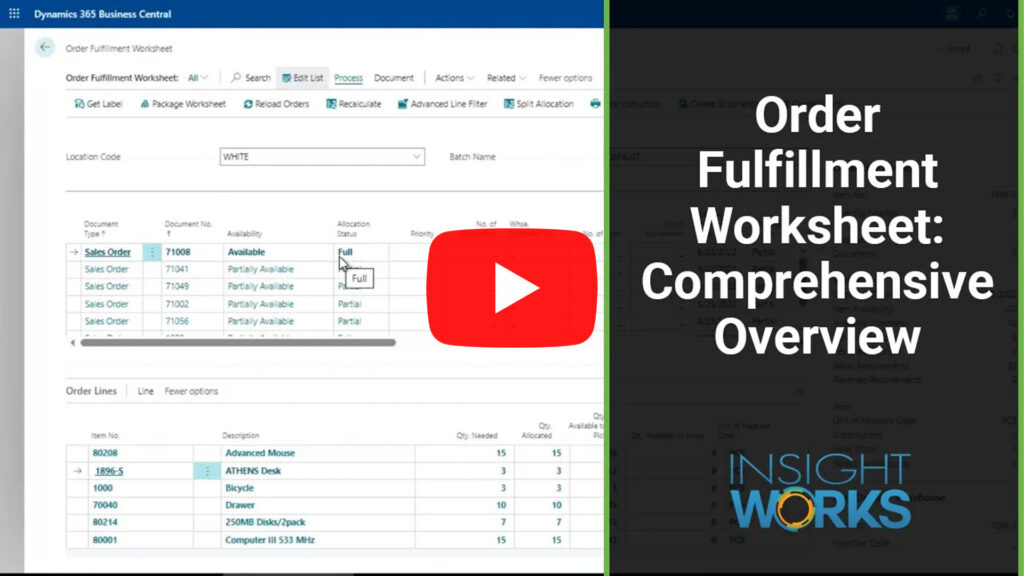
How to Instantly Know What You Can Ship Today in Business Central


Save time, reduce headaches, and prioritize what can actually leave your warehouse.
For many warehouse teams running Microsoft Dynamics 365 Business Central, identifying what orders can ship today isn’t as straightforward as it should be.
Sales orders might be scattered across multiple screens. Inventory levels change by the hour. Reserved stock complicates the picture. And transfer orders? They’re often just as time-sensitive, but rarely get the same visibility.
That’s where the Order Fulfillment Worksheet comes in.
This app plugs directly into Business Central and gives you a single, real-time view into what orders can actually be fulfilled — and what’s standing in the way. It’s built specifically for warehouse and fulfillment teams that need clarity, speed, and control.
Here’s how it works.
The Real Question: What Can I Ship Right Now?
Every order in Business Central has a story: maybe the items are in stock, maybe they need to be moved, maybe they’re tied up in another pick. The Order Fulfillment Worksheet surfaces this information by scanning all open sales and transfer orders and dynamically calculating availability and allocation.
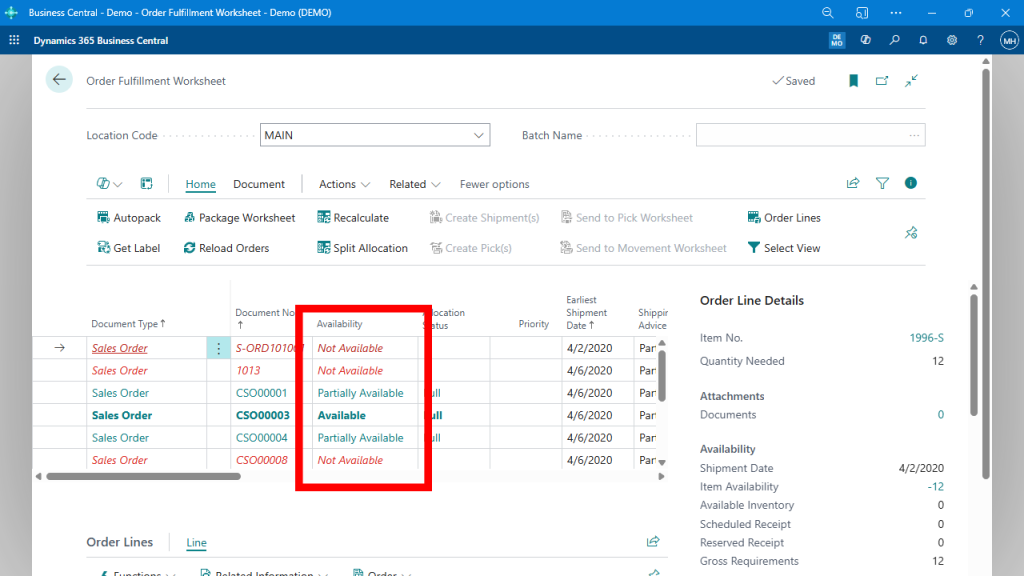
Rather than leave you to interpret inventory data manually, the worksheet categorizes each order into meaningful, actionable statuses:
- Available – Good to go. You can pick and ship immediately.
- Partially Available – Some lines are short; others are ready.
- Not Available – There’s no way to fulfill this order right now.
- Move Required – Stock exists but must be moved from a non-pickable bin.
This eliminates guesswork. Instead of sorting through orders one by one, you get a prioritized, color-coded list that tells you what’s ready and what needs attention.
In this example, only one order is fully available to ship. Stock shortfalls and allocation issues are clear and actionable.
Recalculation That Keeps Up With the Pace of the Warehouse
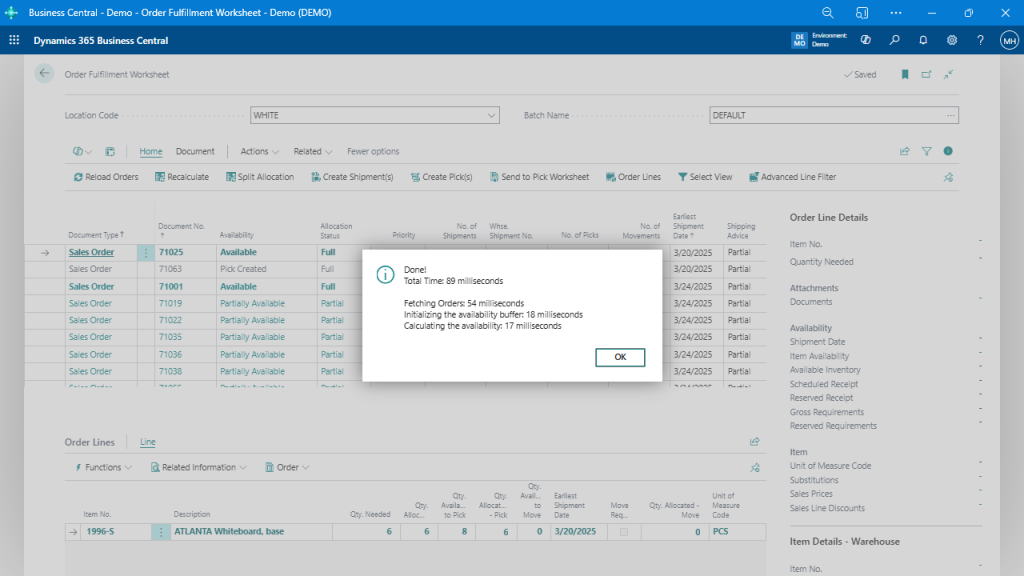
Inventory is always changing—picks get posted, receipts are booked, stock is moved. The worksheet doesn’t rely on stale data. With one click of the Recalculate button, it reevaluates availability across every visible order, using your current filters.
Even better, it does it fast.
Recalculating availability across dozens or hundreds of orders takes under 100 milliseconds.
That means your warehouse supervisor can run availability checks throughout the day without impacting performance — ideal for fast-moving environments.
Prioritize Based on What Matters to You
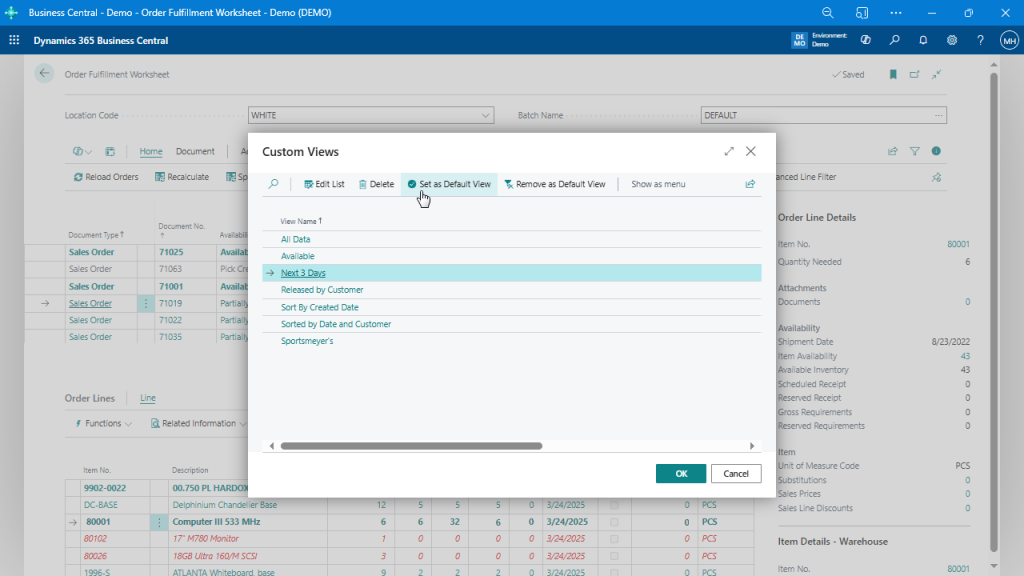
Not every order has equal importance. Maybe you want to prioritize by due date, customer type, region, or even carrier. The Order Fulfillment Worksheet allows for smart filtering and sorting — but more importantly, you can save those filters as Custom Views.
Create views like “Next 3 Days” or “High-Priority Customers” and set them as default for each user.
This allows everyone from your warehouse manager to your order desk to stay focused on the right orders without needing to reapply filters every time.
It Works With (Not Against) Your Warehouse Rules
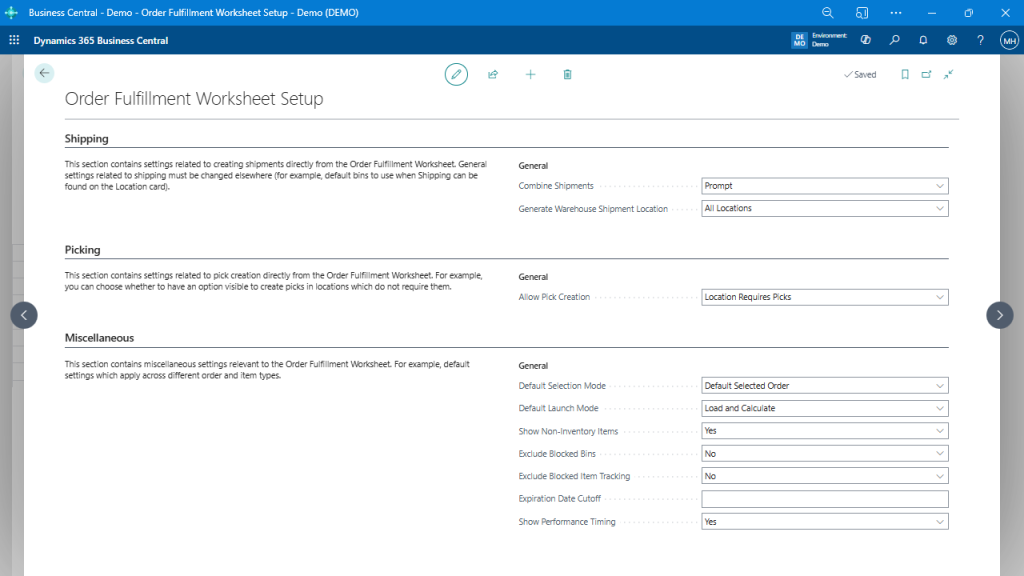
Behind the scenes, the worksheet respects your existing setup in Business Central. You can fine-tune how it handles:
- Shipment combining
- Locations that require directed picks
- How picks are grouped or printed
- Whether to skip zero-quantity lines
- Defaults like expiration date cutoff and performance tracking
Configure once, and let the worksheet do the heavy lifting based on your real-world rules.
This flexibility makes the tool powerful whether you’re running a simple two-bin setup or a multi-location warehouse with directed picks and barcode scanning.
Want to Take It Further? Automate It.
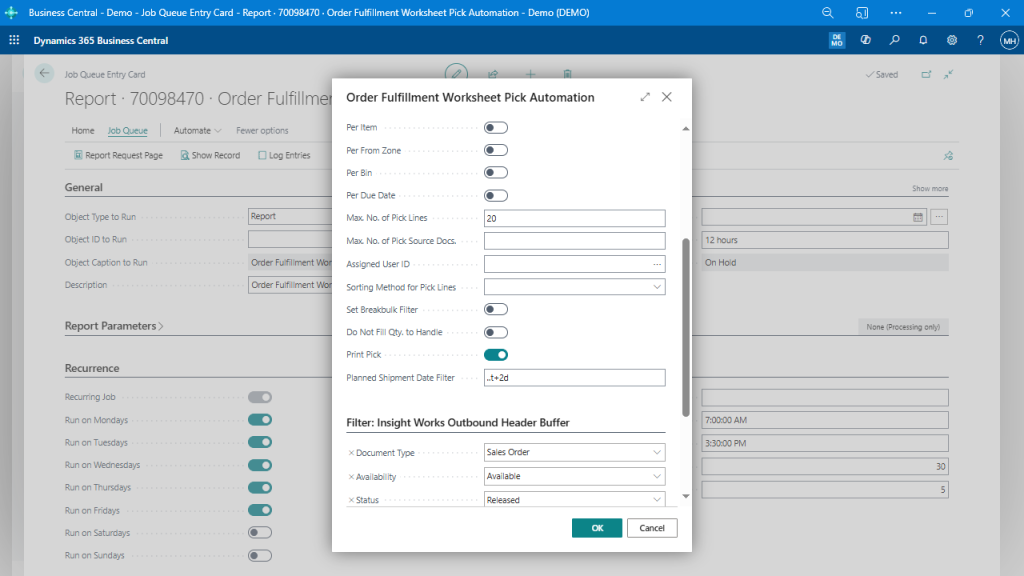
If you’ve already embraced the job queue in Business Central, the Order Fulfillment Worksheet fits right in. You can schedule pick creation using saved filters, define pick parameters, and even auto-print picks — ideal for lights-out fulfillment overnight or first thing in the morning.
Run pick creation on a schedule, filtered by due date, availability, or other criteria.
Final Thought: Smart Fulfillment Starts with Knowing
The hardest part of warehouse fulfillment isn’t printing labels or moving stock — it’s making the right decisions about what to fulfill and when.
The Order Fulfillment Worksheet doesn’t just pull data. It interprets it, prioritizes it, and helps you take action — fast.
So if your current process involves bouncing between orders, inventory levels, and gut instinct, it’s time for a better approach.
With this tool in your Business Central environment, you’ll know what you can ship today — instantly.
Learn more about the Order Fulfillment Worksheet