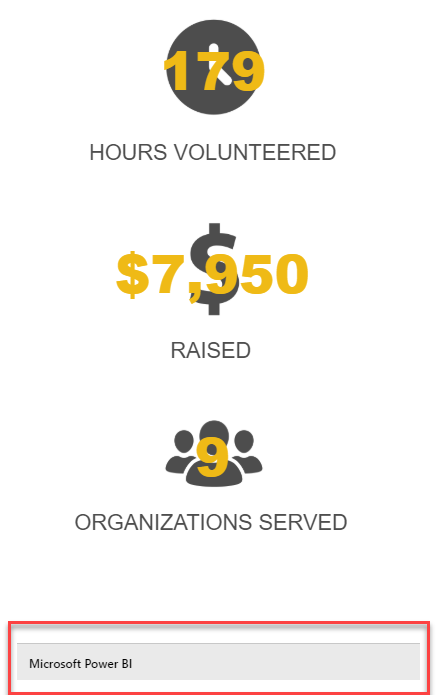
I may have the wrong name for this, but is there any way to remove the banner from the bottom of an embedded report within a website?Ā I don’t see options for that, but maybe there’s a way to edit the iframe code?
It’s possible if you are at all familiar with HTML and CSS. I had to wrap my iframe in an additional div tag and set the div to be shorter than the iframe and hid the excess: <div style=” overflow:hidden; width: 1335px; height: 1900px;”> <iframe width=”1500″ height=”2000″ src=”
—————————— Sam Duval Data Quality Analyst Indianapolis —————————— ——————————————-
—————————— Hasham Bin Niaz Director Data & Analytics Karachi, Pakistan —————————— ——————————————-
Holly Kramer
Member
September 3, 2019 at 10:47 AM
Thank you both for the suggestions.Ā I’ve sent these on to the person working with the website.Ā I’ll let you know if we have any questions on either method – and which one we ended up going with.
I know this was posted a few years ago, but I am curious about how you trimmed the iframe code. I have been trying to figure it out with not much luck. I am a novice at this, so any information is appreciated!Ā
Hi Myriah – I am not positive exactly how we did it.Ā Looks like I gave the iframe code to the person working on the website, and they likely did the trimming.Ā However, when I compare the embed code from the workspace to what shows on the website, it seems the last portion (shown below) was what they removed.
Please note:
This action will also remove this member from your connections and send a report to the site admin.
Please allow a few minutes for this process to complete.
Report
You have already reported this .
Welcome to our new site!
Here you will find a wealth of information created for peopleĀ that are on a mission to redefine business models with cloud techinologies, AI, automation, low code / no code applications, data, security & more to compete in the Acceleration Economy!