How to use Measures effectively

  • How to use Measures effectively

    Posted by DSC Communities on February 28, 2020 at 5:56 pm
    • Yogabalakrishnan Kannan

      Member

      February 28, 2020 at 5:56 PM

      Hi Friends,
      I had an issue when I add a new measure. Trying to understand best ways to have a fixed base and proceed with enhancements without breaking existing functionalities.

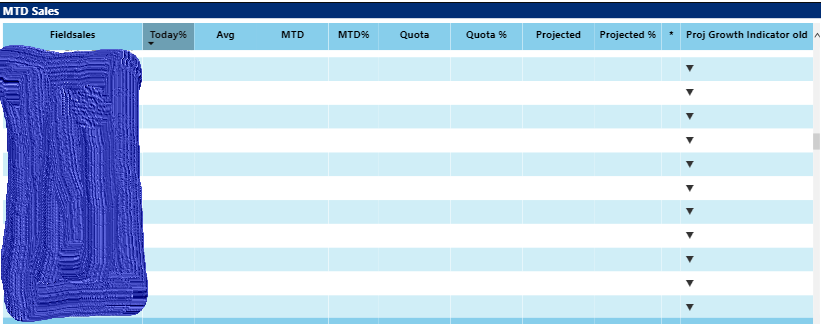
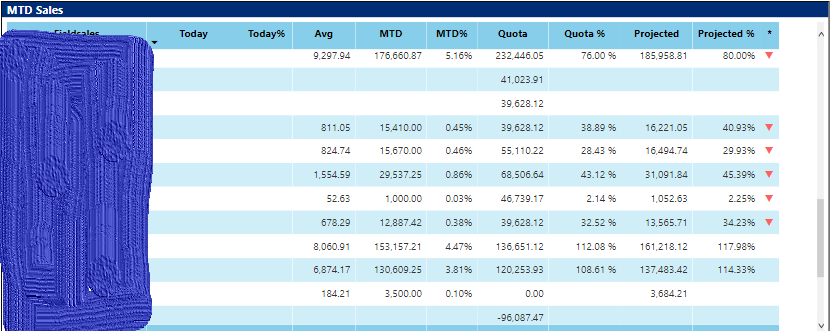
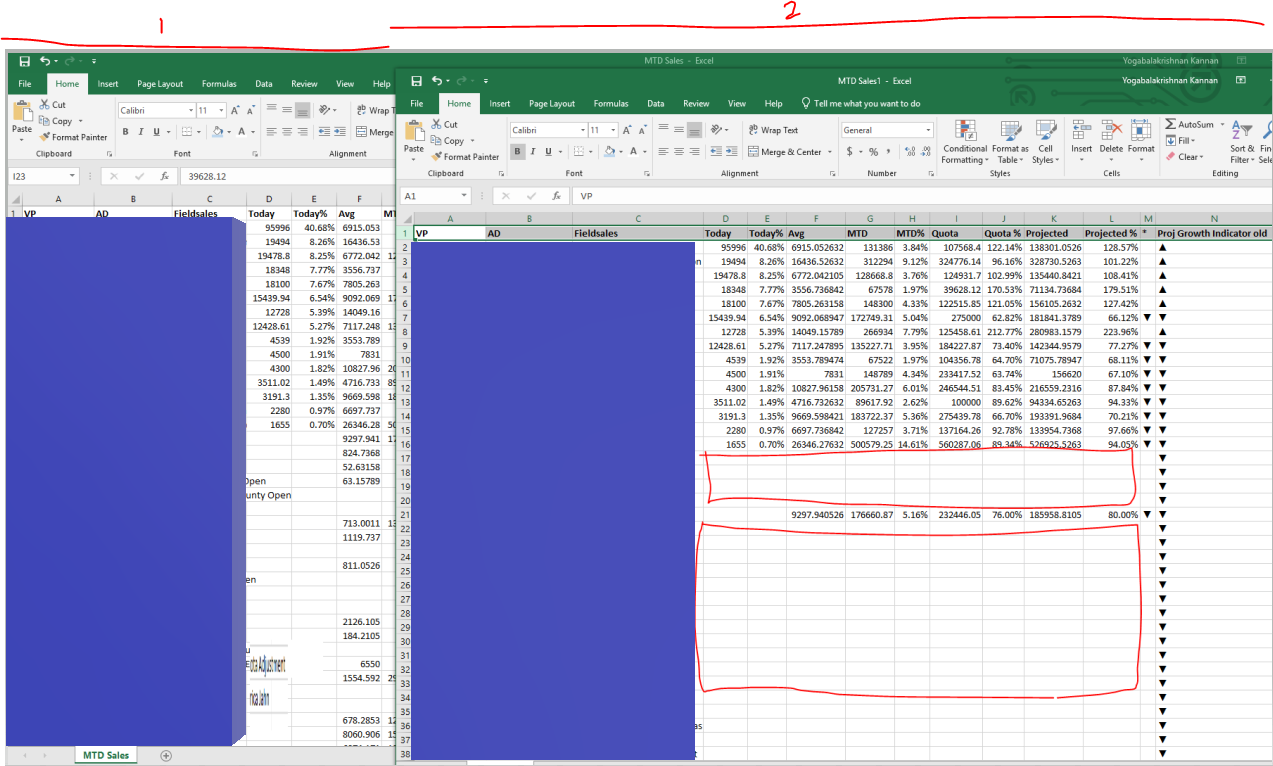
      When I add below measure, It brought more number of rows with all empty values in the matrix.

      Proj Growth Indicator old = switch(true(),[Projected %]<0,UNICHAR(9940),[Projected %]<1,UNICHAR(9660),[Projected %]>1,UNICHAR(9650),BLANK())

      Then I add condition like this, I got correct number of rows. (This need to be better written)

      Proj Growth Indicator = if(not(ISBLANK([Projected %])),if([Projected %]<1,unichar(9660)))

      Just need to have an indicator for existing data.

      My understanding on this, when we do any changes (add/remove), the underlying query generated for the visual changes completely as per current fields/measures.Ā 

      Note:
      We have model file and Report file (that refers the model) separately. We finalize all columns and Measures in model. Yet not allow the user to create new report from Model.and will be done near future.

      Questions:
      1. Without measure, how can I add this indicator in a new column in matrix. (Not just using conditional setting in the Projected % itself, to show the font in red/Green). Want a icon like this on separate column.
      2. Once my model is fixed, if i don’t have access to change the model, as a developer how can I do this? (Other than, create new measure in report)Ā 
      2.1. In case of measure creating in report file is ok or add to model? which will be best to follow and what scenarios?
      3. If end user wants to do this, how can we provide a Model and report in such a way that, this issue will not happen.Ā 

      Thanks,
      Yoga

      ——————————
      Yogabalakrishnan Kannan
      ——————————

    • Neville Howard

      Member

      March 2, 2020 at 2:07 AM

      HiĀ 

      To answer some of your questions in simple terms…Ā 

      PBI Desktop is the only place you can import data, create a data model, and create Measures.Ā  If new measures are needed, add to the original PBI file and re-publish.

      PBI Desktop and PBI Service can be used to create Report Pages.Ā 

      PBI Service is the only place you can share PBI reports.Ā  This sharing is mostly on a read only basis.Ā  If you give them edit rights (via a workspace), they can only add visuals and pages.Ā 

      regards,

      ——————————
      Neville Howard
      Consultant
      Brisbane
      0732228400
      ——————————
      ——————————————-

    DSC Communities replied 6 years ago 1 Member · 0 Replies
  • 0 Replies

Sorry, there were no replies found.

The discussion ‘How to use Measures effectively’ is closed to new replies.

Start of Discussion
0 of 0 replies June 2018
Now

Welcome to our new site!

Here you will find a wealth of information created for peopleĀ  that are on a mission to redefine business models with cloud techinologies, AI, automation, low code / no code applications, data, security & more to compete in the Acceleration Economy!