How to combine and show 2 diffrent Hierarcy in 1 Visual in Power Bi

  • How to combine and show 2 diffrent Hierarcy in 1 Visual in Power Bi

    Posted by DSC Communities on November 17, 2019 at 11:27 pm
    • Faishal Abdillah

      Member

      November 17, 2019 at 11:27 PM

      Hi,

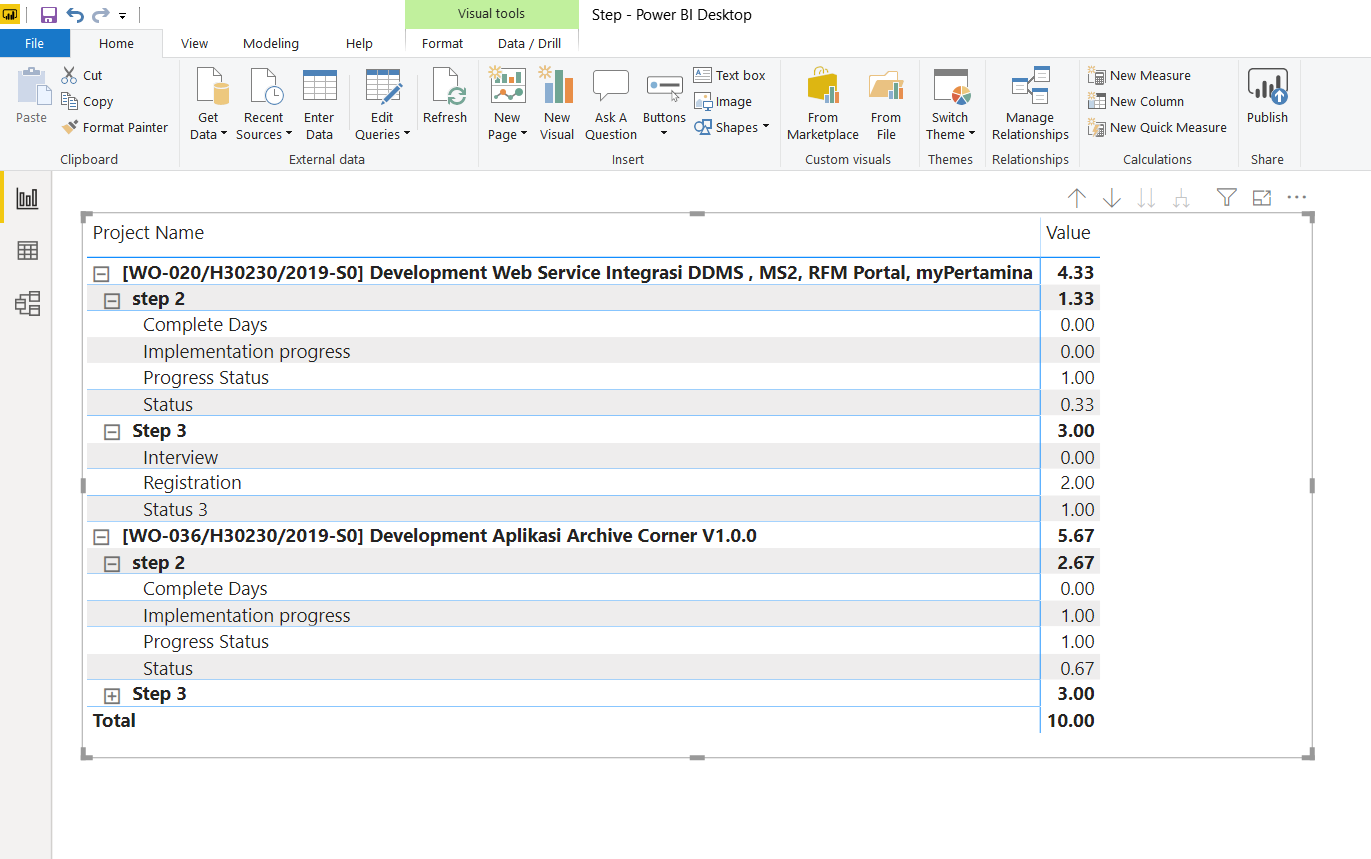
      I have 2 visual in my power bi like this one.
      1.Visual Martix 1

      2.Visual Matrix 2
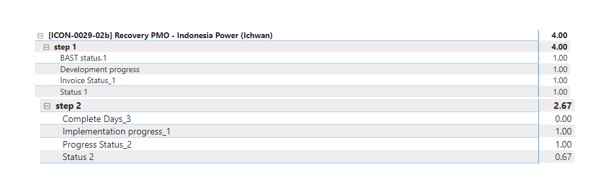
      and i want to make a visual like this (see the picture).
      so when i click [ICON-0029 ………..] it will show 2 step (Step 1 and Step 2) and can show the data of it.
      Is that possible with power bi to make visual like this??
      Visual
      Thank you
      BR,
      Faishal Abdillah

      ——————————
      Faishal Abdillah
      Jakarta
      ——————————

    • Vishesh Jain

      Member

      November 18, 2019 at 2:59 AM

      Hi ,

      In order to achieve this you will need to have your data modeled correctly, something on the lines of the file that I have attached.

      Else kindly upload some sample data and we can try to come up with a visual.

      Just out of curiosity, the picture that you posted looks like a Power BI Matrix Visual, so?? do you already have a PBI file or are you trying to implement the same, some place else?

      Thank you,

      ——————————
      Vishesh Jain
      Owner
      VR Construction
      ——————————
      ——————————————-

    • Faishal Abdillah

      Member

      November 18, 2019 at 5:55 AM

      Hi Vishesh Jain,

      i got the data like this (view attached),btw sorry i dont give all the data because it’s my company data

      after i saw your data and try it
      yes that what i want

      maybe i will re-build the data so it can do what i really want. or use pivot in power bi and add some table in there

      yes i use power bi matrix visual
      i already try with some matrix visual from market place in power bi, and the result is same.

      Br,

      faishal abdillah

      ——————————
      Faishal Abdillah
      System Engineer
      Jakarta
      ——————————
      ——————————————-

    • Vishesh Jain

      Member

      November 18, 2019 at 6:09 AM

      Hi ,

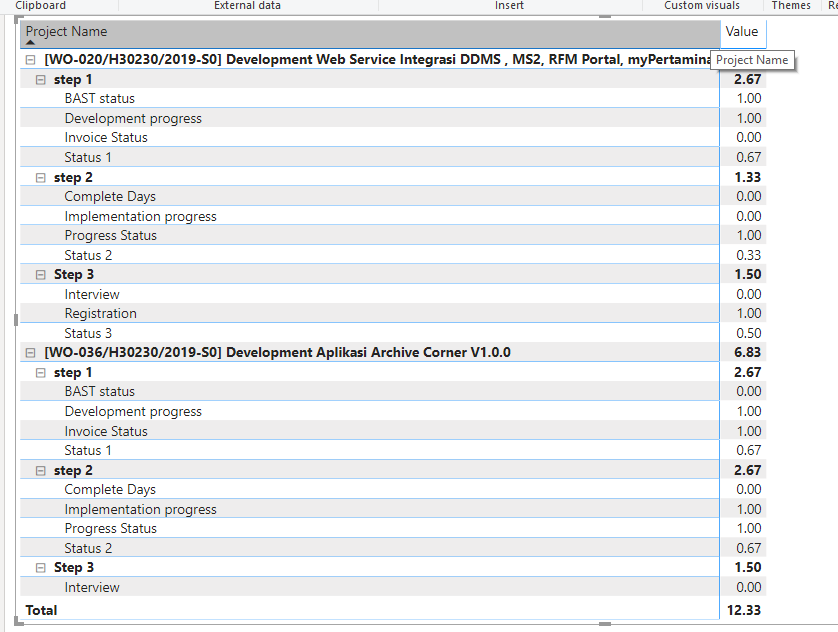
      Please can you check the attached file.

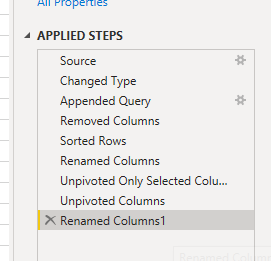
      All you need to do is append all the files into a single query and unpivot the columns.

      Please make sure your columns are named appropriately for you to get the desired result.

      ?

      I have probably renamed the columns wrong but I am sure you will be able to figure it out.

      Hope this helps.

      Thank you,

      ——————————
      Vishesh Jain
      Owner
      VR Construction
      ——————————
      ——————————————-

    • Faishal Abdillah

      Member

      November 18, 2019 at 10:41 PM

      Hi Vishesh Jain,

      I just found out about the Append feature in Power Bi
      and i try with my data and that’s what my bos want

      Thank you so muchĀ  ! GBU šŸ™‚

      ——————————
      Faishal Abdillah
      System Engineer
      Jakarta
      ——————————
      ——————————————-

    • Vishesh Jain

      Member

      November 19, 2019 at 2:34 AM

      Hi ,

      Glad to help out!??

      Hope this resolves your issue.

      Thank you,

      ——————————
      Vishesh Jain
      Owner
      VR Construction
      ——————————
      ——————————————-

    DSC Communities replied 6 years, 2 months ago 1 Member · 0 Replies
  • 0 Replies

Sorry, there were no replies found.

The discussion ‘How to combine and show 2 diffrent Hierarcy in 1 Visual in Power Bi’ is closed to new replies.

Start of Discussion
0 of 0 replies June 2018
Now

Welcome to our new site!

Here you will find a wealth of information created for peopleĀ  that are on a mission to redefine business models with cloud techinologies, AI, automation, low code / no code applications, data, security & more to compete in the Acceleration Economy!