


Power Platform
Public Group
Active 2 hours ago
Power Platform
Organizer:
- JOSE Organized by
-
-

Help! with Power BI to create a End Date column
-
Help! with Power BI to create a End Date column
Posted by DSC Communities on April 5, 2020 at 2:34 pm-

Joanne Osborne
MemberApril 5, 2020 at 2:34 PM
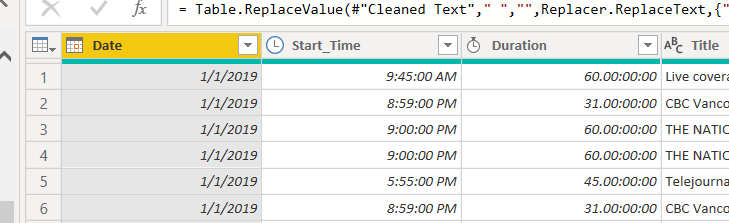
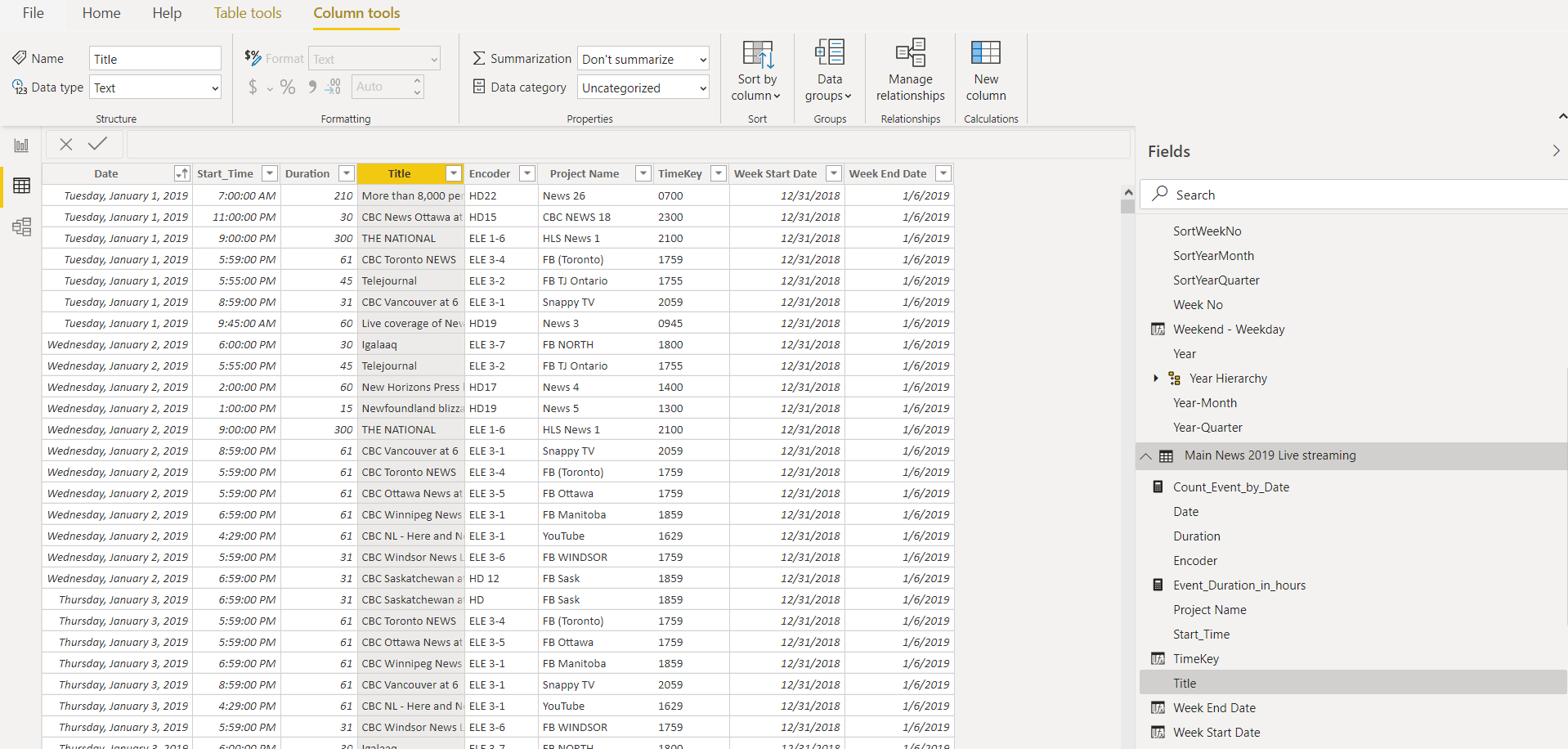
Hello,I don’t have an End Date column and I’m trying to create one. I’m not sure how I can do that.
I hope that someone can please help explain to me the way that I can add my Duration column to my Start Time to create an End date column. Is this possible? There are times that the Duration is 300 minutes and our shows start at 11 PM and the dates is the next day.Is it possible to do this?
——————————
Joanne Osborne
Power BI Newbie
—————————— -
Vincent Lacomme
MemberApril 5, 2020 at 3:12 PM
Hi Joanne,Here is one (simple) way to do it :
EndDate = VAR startdate = 'Time'[Date] + 'Time'[Start_Time]
VAR endtime= startdate+'Time'[Duration]
return endtime?
The endtime will be a day & time.
However, I am not sure your duration column is correctly filled in PowerQuery.
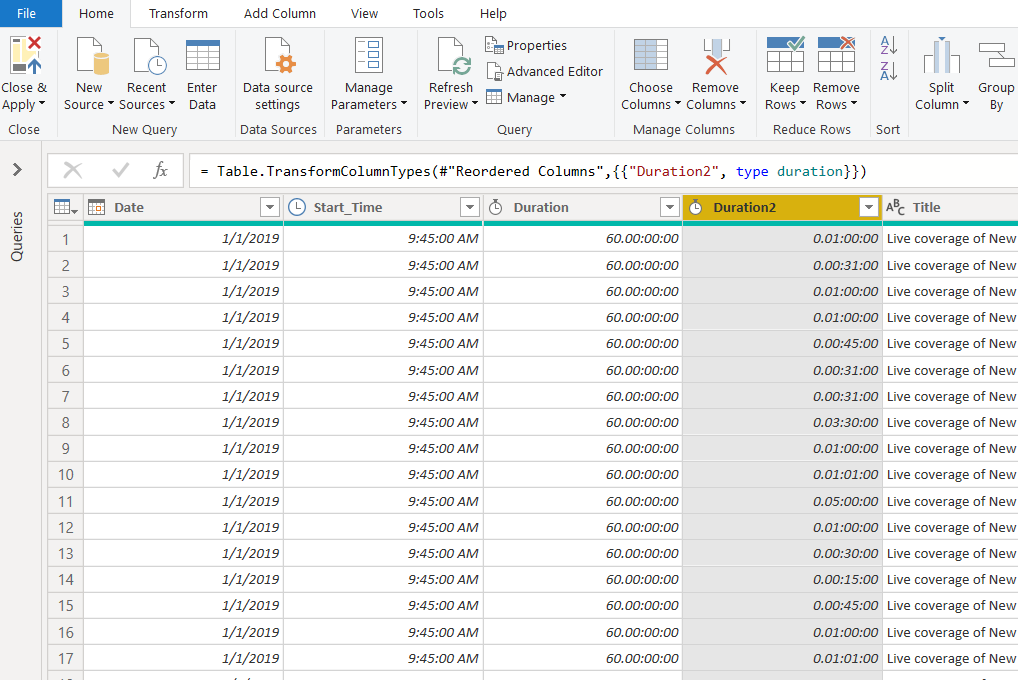
In PowerQuery, 60.00:00:00 means 60 days and not 60 minutes. A duration value is expressed in Days, Hours, Minutes and Seconds.
You would have to make a conversion first.——————————
Vincent L.
Chartered accountant – Expert-comptable
——————————
——————————————- -
Joanne Osborne
MemberApril 5, 2020 at 3:36 PM
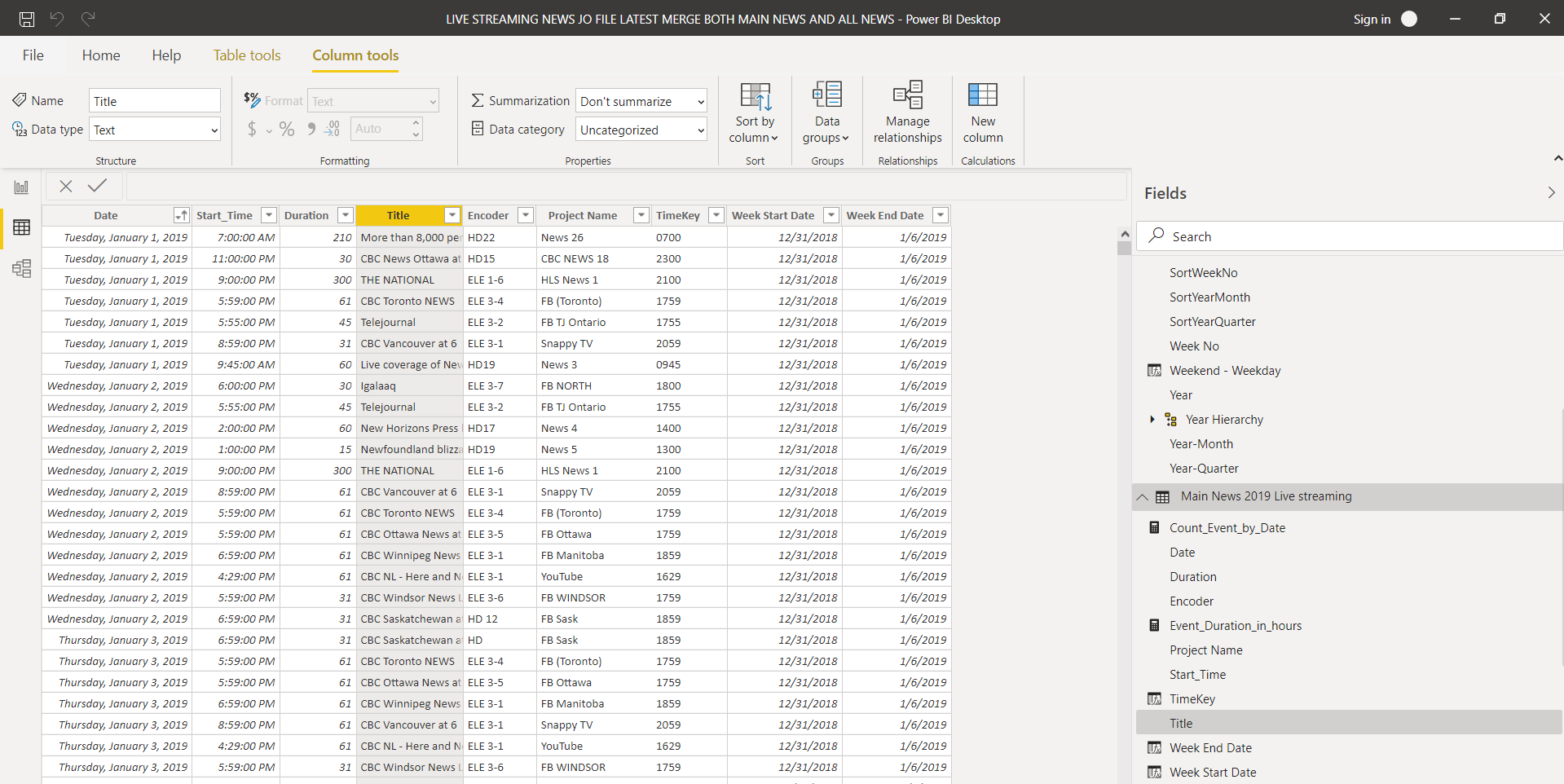
Hi Vince,Thank you, Can you please explain how I can make the conversion for the duration column? Power Bi is so new to me. I thought if I just changed the data type to duration that would be okay? Can I correct something in here? If I try to change it to any other data type I get an error.
I really do appreciate any help you can provide. I’m so confused.
——————————
Joanne Osborne
Data Analyst
——————————
——————————————- -
Joanne Osborne
MemberApril 5, 2020 at 4:27 PM
Hi Vince,If I type this code in the duration column will this resolve the issue?
This is the current text for my Duration Column
= Table.TransformColumns(Table.TransformColumnTypes(#”Sorted Rows”, {{“Duration”, type text}}, “en-US”),{{“Duration”, Text.Trim, type text}})If I replace it with this will it resolve the issue and will my duration column be correct? Permanently?
= Table.TransformColumns(Table.TransformColumnTypes(#”Change Type”, {{“Duration”,each_-#datetime(1899,12,31,0,0,0),type duration}}), “en-US”),{{“Duration”, Text.Trim, type text}})Thanks
Joanne——————————
Joanne Osborne
Data Analyst
——————————
——————————————- -
Vincent Lacomme
MemberApril 6, 2020 at 4:12 PM
Hi Joanne,I used a simple division in PowerQuery in a new column to convert to the Time format (in days & hour):
= Table.AddColumn(#”LAST_STEP_NAME”, “Duration2”, each [Duration]/60/24)
——————————
Vincent L.
Chartered accountant – Expert-comptable
——————————
——————————————- -
Joanne Osborne
MemberApril 7, 2020 at 1:04 PM
Vince,I did it…OMG, I’m so happy and I figured it out. I could never have done this without your help…Thank you, Thank you, Thank you.
 Look at that. It’s correct.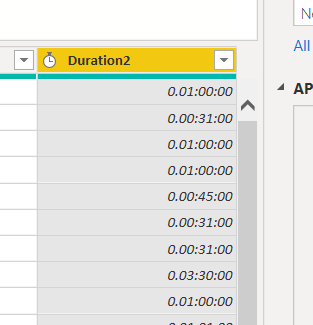
Have a wonderful day and please stay safe.
——————————
Joanne Osborne
Data Analyst
——————————
——————————————- -
Vincent Lacomme
MemberApril 7, 2020 at 1:12 PM
Great news Joanne !Take care.
——————————
Vincent L.
Chartered accountant – Expert-comptable
——————————
——————————————- -
Joanne Osborne
MemberApril 8, 2020 at 7:33 AM
Hi Vince,I need your help again!
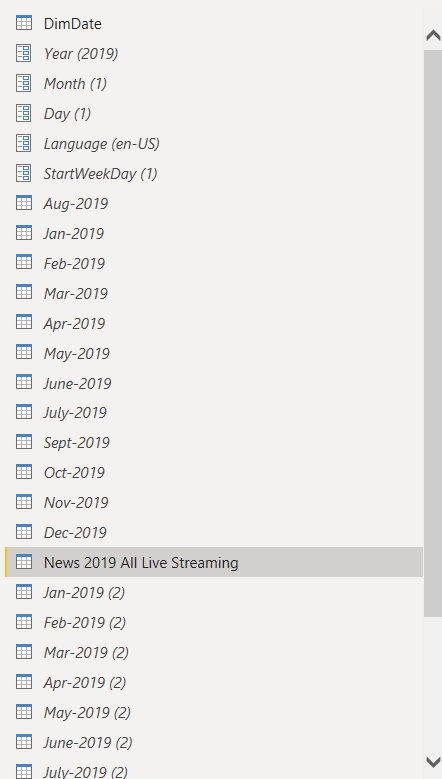
After adding this new durations column to my file and click on Apply, it just keeps running and running the Applied changes forever and the file sizes are huge and it’s not even finished. I don’t know if it’s normal because I have Appended 12 files together with the old duration column and Appended /Merged files together to create one file and then on the new Appended file I did your formula. Should I add the new duration column to each monthly file and then do the Append. Wil that make a difference?
I have unenabled the load on all the monthly files, except the New 2019 Live Stream which is all the monthly report Appended together so they wouldn’t load each time. I guess I’m not sure why adding the Duration2 column would create this issue? Should I remove the first Duration column or will that create a problem too?
Thanks again,
——————————
Joanne Osborne
Data Analyst
——————————
——————————————- -
Vincent Lacomme
MemberApril 8, 2020 at 8:01 AM
Hi Joanne,Such operation shouldn’t take a long time unless you have many millions of lines.
Can you try to use the import folders function ?
More on that there : https://www.myonlinetraininghub.com/power-query-get-files-from-a-folderThis way, you will only have one table with all rows.
——————————
Vincent L.
Chartered accountant – Expert-comptable
——————————
——————————————-
DSC Communities replied 5 years, 8 months ago 1 Member · 0 Replies -
-
0 Replies
Sorry, there were no replies found.
The discussion ‘Help! with Power BI to create a End Date column’ is closed to new replies.
