Does anyone have experience on preventing create a purchase order with a supplier that is not approved in GP 2016? I was hoping in Item set up or Vendor Card has something that can flag this awareness we can utilize.
Thank you!
—————————— Jiawei Guo Monteris Medical Corporation Plymouth MN ——————————
Martha Machado
Member
January 16, 2017 at 12:32 AM
Depending on which GP version you’re running, I’d recommend Vendor Approval Workflow.
If workflows are too complicated, you may also want to look into credit limit restrictions. To my knowledge, one can’t create any further orders against a vendor which has exceeded its credit limit, so if you set the limit to $1 (0 is unlimited credit) you should be able to stop any invoice in its tracks.
—————————— Blair Christensen Database Administrator Oppenheimer Companies, Inc. Boise ID —————————— ——————————————-
Bill Schulz
Member
January 16, 2017 at 10:25 AM
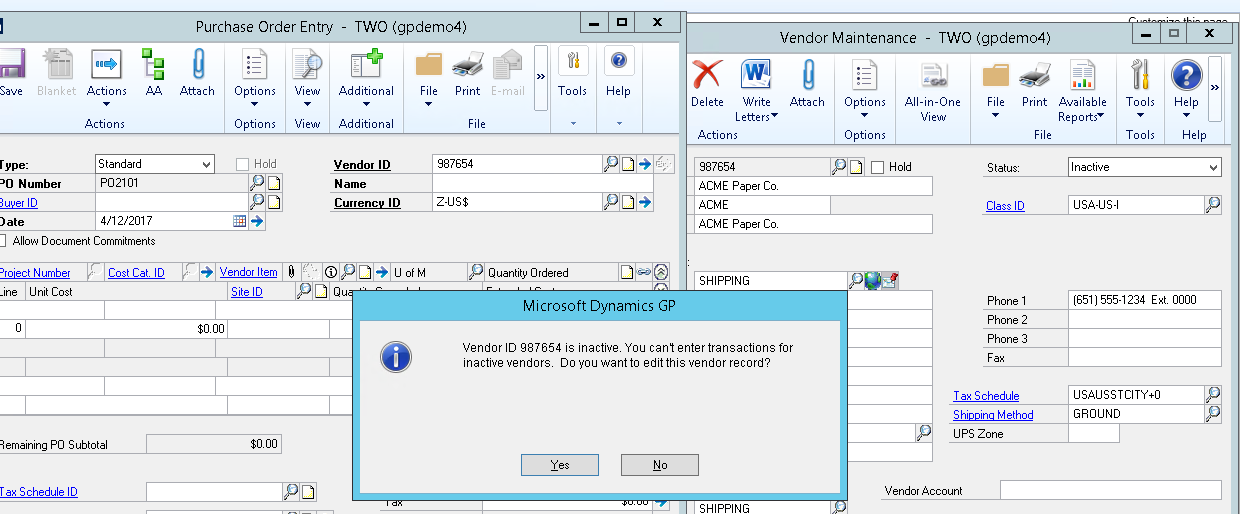
You could also just inactivate the vendor. You cannot create a Purchase Order for an Inactive Vendor.
—————————— Bill Schulz Turnkey Technologies, Inc. St. Louis MO —————————— ——————————————-
Windi Epperson
Member
January 17, 2017 at 10:58 AM
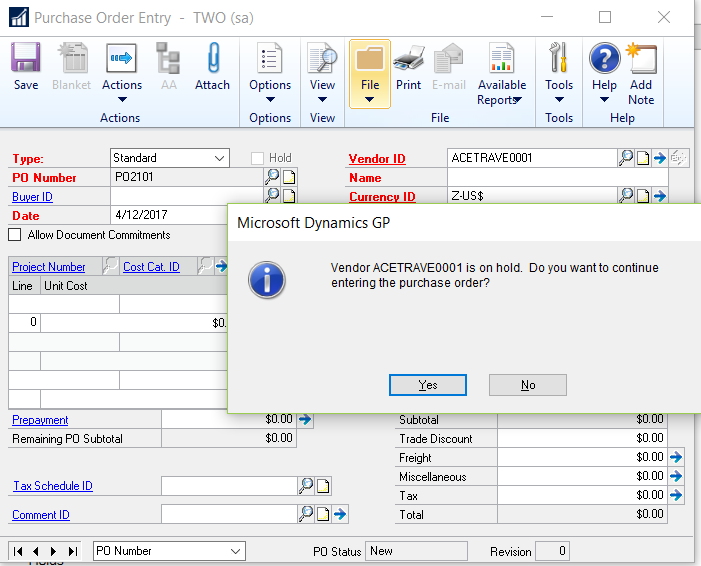
Another option is to place the vendor on hold. Then when you enter a PO, you’ll get the following message. The only downfall is that the user could say yes and continue to enter the PO. Thanks Windi
—————————— Windi Epperson President/GP Senior Consultant Advanced Integrators, Inc. Norman OK 405-946-1774 Ext 102 —————————— ——————————————-
Please note:
This action will also remove this member from your connections and send a report to the site admin.
Please allow a few minutes for this process to complete.

Report
You have already reported this .
Welcome to our new site!
Here you will find a wealth of information created for peopleĀ that are on a mission to redefine business models with cloud techinologies, AI, automation, low code / no code applications, data, security & more to compete in the Acceleration Economy!