Oddity in GP Email Setting setup

  • Oddity in GP Email Setting setup

    Posted by Howard Blitstein on September 30, 2022 at 11:54 am
    • Howard Blitstein

      Member

      September 30, 2022 at 11:54 AM

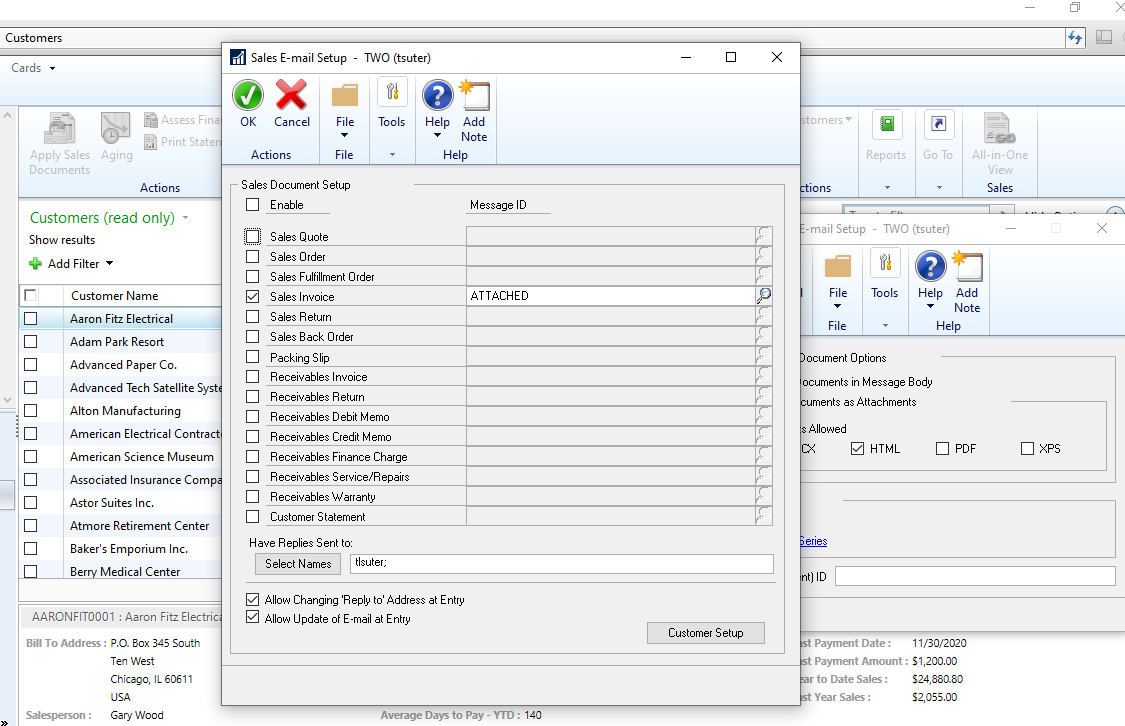
      We are setting up emailing using Exchange. Doing this in a test environment which was enough of a challenge regarding how our rdp servers are configured. Enough of that. So when I navigate Tools=>Setup>Company=>Email Settings then click the Ā Sales Series link it opens fine and allows me to select Invoice and the Message ID. When I click on the Customer Setup button, it flashes that it’s loading but then gives a message saying, “The remote name could not be resolved: ‘ xxxxxx’. The xxxxx is our production server. I click five times through the error and it finally opens my Customer List. I did verify that it is opening Customer List from my test environment and not production. But when I click the customers I want to use this Invoice, it does not reflect that selection in their Customer Card. Not the end of the world, if we need to manually setup each customer. It was just weird the name resolving error.

      ——————————
      Howard Blitstein
      Najaxa Software
      Sterling Heights
      ——————————

    • Thaddeus Suter

      Member

      September 30, 2022 at 12:00 PM

      Try naming with the IP.

      ——————————
      Thaddeus Suter
      Retus, Inc
      HELOTES TX
      ——————————
      ——————————————-

    • Howard Blitstein

      Member

      September 30, 2022 at 1:29 PM

      Thanks for the reply, Thad. But what am I naming with the IP address?

      ——————————
      Howard Blitstein
      Najaxa Software
      Sterling Heights
      ——————————
      ——————————————-

    • Thaddeus Suter

      Member

      September 30, 2022 at 3:09 PM

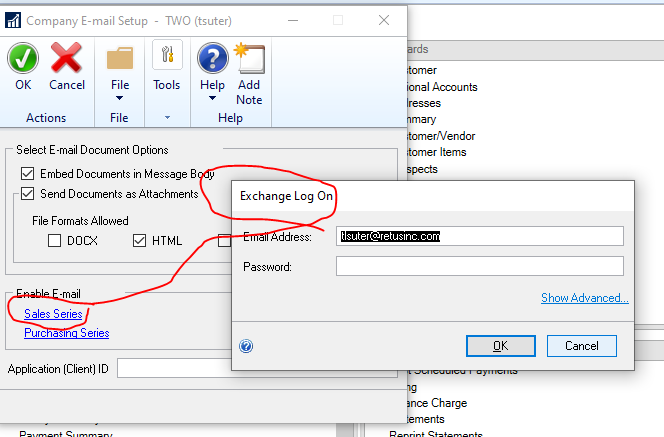
      I was thinking when connecting via RDWeb to try using the IP instead of the server name. If your GP System Preferences are set to Exchange and you are using Microsoft Office 365 Exchange Server then when clicking the Sales Series in the Company E-mail Setup window you will first get prompted to log in to the Exchange Server using your Email credentials. This should be happening before the Sales E-Mail Setup opens and then Customer Setup click to open.Ā 
      After which it will open for credentialed Power Users as follows:

      ——————————
      Thaddeus Suter
      Retus, Inc
      HELOTES TX
      ——————————
      ——————————————-

    • John Arnold

      Member

      October 3, 2022 at 8:18 AM

      Howard,

      What version of GP are you using?Ā  Does you problem have anything to do with Basic Authentication being discontinued Oct 1st?

      https://learn.microsoft.com/en-us/dynamics-gp/installation/email-troubleshooting-guide

      Good Luck!

      ——————————
      John Arnold
      Senior Software Engineer
      US Digital
      Vancouver WA
      ——————————
      ——————————————-

    Howard Blitstein replied 3 years, 10 months ago 1 Member · 0 Replies
  • 0 Replies

Sorry, there were no replies found.

The discussion ‘Oddity in GP Email Setting setup’ is closed to new replies.

Start of Discussion
0 of 0 replies June 2018
Now

Welcome to our new site!

Here you will find a wealth of information created for peopleĀ  that are on a mission to redefine business models with cloud techinologies, AI, automation, low code / no code applications, data, security & more to compete in the Acceleration Economy!