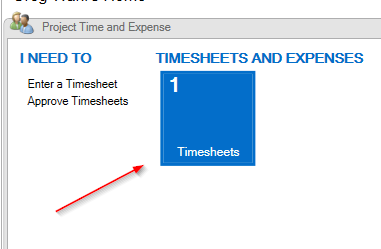
We are currently testing GP 2016 R2.Ā On the Project Time and Expense panel on the homepage, there is a button you can press that opens up the PTE Timesheets Window
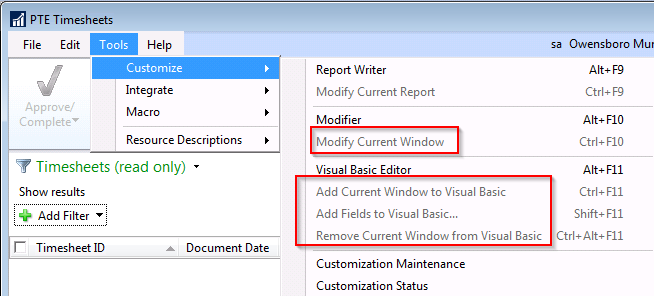
I was wanting to modify this window but it is grayed out.Ā I am able to modify other windows.Ā I was wondering if other users are able to modify this window.
—————————— Greg Wahl Systems Analyst/Programmer Owensboro Municipal Utilities Owensboro KY ——————————
At the bottom of the window, it showed the total cost for the timesheet.Ā If someone proxied for another user, they would be able to figure out the hourly rate for the employees they enter time for which we try to hide.Ā I was going to try to edit that window to remove that field.
—————————— Greg Wahl Systems Analyst/Programmer Owensboro Municipal Utilities Owensboro KY —————————— ——————————————-
Thaddeus Suter
Member
April 14, 2017 at 8:35 AM
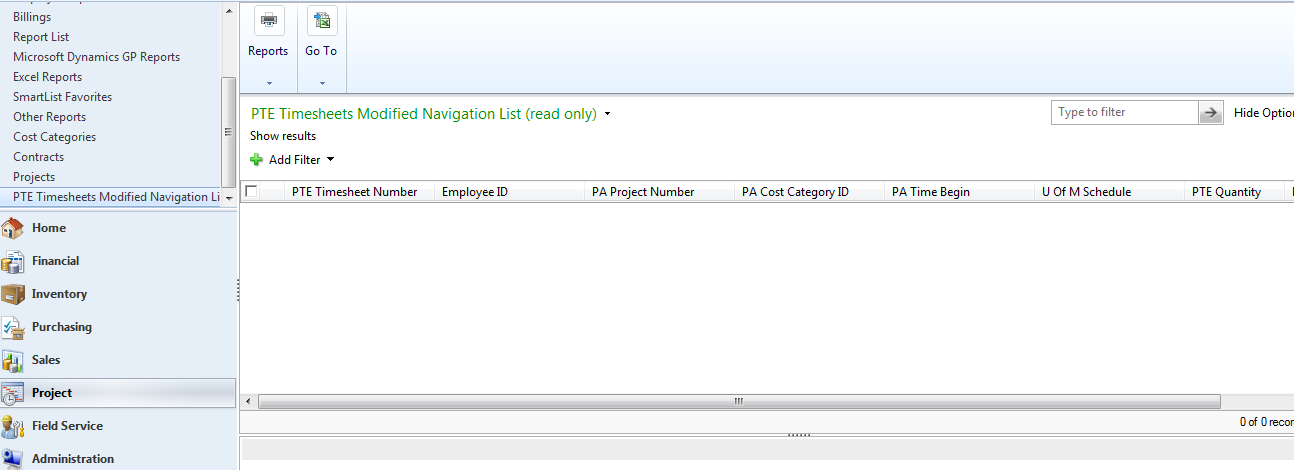
We had to do this in the old PDK as well because it showed the Total Cost on all the timesheets including Inquiries so it was easy to back into the pay rate even if that was hidden. The approach is to make your own PTE Timesheets Modified Navigation List using Navigation List Builder and add just what you want people to use.
Make sure you also deal with Smartlist as it can also be used to back into the pay structures if you are presenting PTE through Smartlist
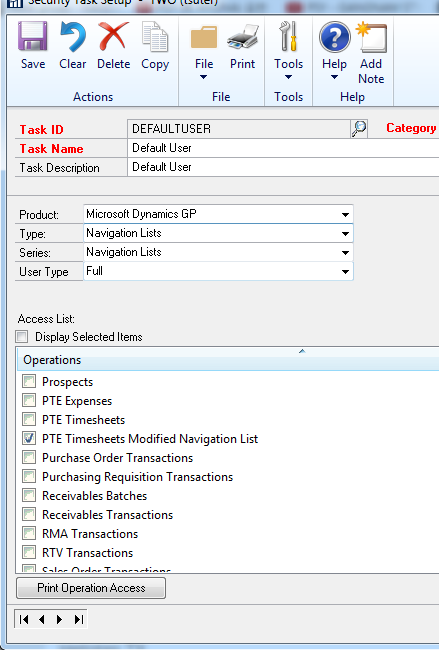
Activate the new Navigation List in security and unmark the generic one. See screenshots: Here is the security setting:
Please note:
This action will also remove this member from your connections and send a report to the site admin.
Please allow a few minutes for this process to complete.

Report
You have already reported this .
Welcome to our new site!
Here you will find a wealth of information created for peopleĀ that are on a mission to redefine business models with cloud techinologies, AI, automation, low code / no code applications, data, security & more to compete in the Acceleration Economy!