Mailbox Setup for EFT Remittance

  • Mailbox Setup for EFT Remittance

    Posted by Vicki Hillary on June 28, 2022 at 11:49 am
    • Vicki Hillary

      Member

      June 28, 2022 at 11:49 AM

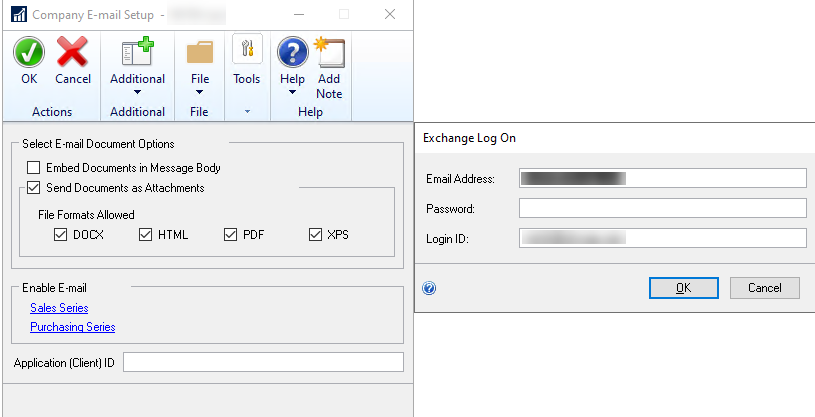
      We are planning to send our vendors payment remittances via email.Ā  I would like to use a shared mailbox to use for sending those emails to vendors, something like accounting@XXXX.com , but I am not sure where to add that mailbox.Ā  We get the prompt below in the Company Email Setup window, but this requires credentials.Ā  Are we not able to just use a shared mailbox without credentials to send the vendor emails?Ā  Finally, we have multiple companies in GP and would like to use a different mailbox for each company to send the remittances.Ā  The window below seems to indicate this is a company setting, but yet I don’t see where this value is stored in any of the tables to verify that it is in fact stored at the company level rather than for the system.


      ?

      ——————————
      Vicki Hillary
      RDV Corporation
      Grand Rapids MI
      ——————————

    • Jim Harris

      Member

      June 29, 2022 at 1:57 PM

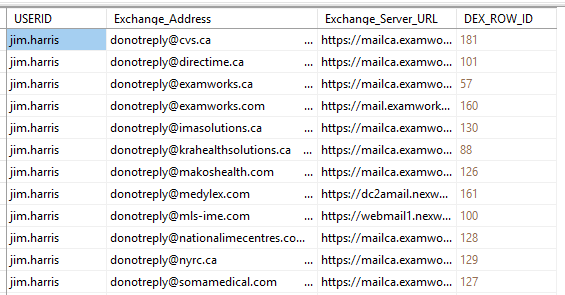
      We do this as well.Ā  To get it to work we have to add entries directly to the SY04920 table in the Dynamics database to associate each GP user id that would be sending EFT remittances with the shared mailbox or mailboxes.Ā  Below are what the entries look like in this table for my user id.


      When sending remittances the same Exchange log-on prompt comes up and you’d then enter the info for the shared mailbox.
      Hopefully someone out there knows a better way to get this to work.

      ——————————
      Jim Harris
      Director of Information Systems
      ExamWorks, Inc.
      Atlanta GA
      ——————————
      ——————————————-

    • Thaddeus Suter

      Member

      June 30, 2022 at 3:24 PM

      There are some strategies for this.

      The approach I Ā use is to have a single “shared” exchange email account for all companies and depts that is password shared. This is for authentication and activating the email engine only. Not what customers or vendors see.

      Example :Ā  GPShared@ATT.com

      Ā Then each GP Email Message gets assigned a unique email which is per company and often per department.

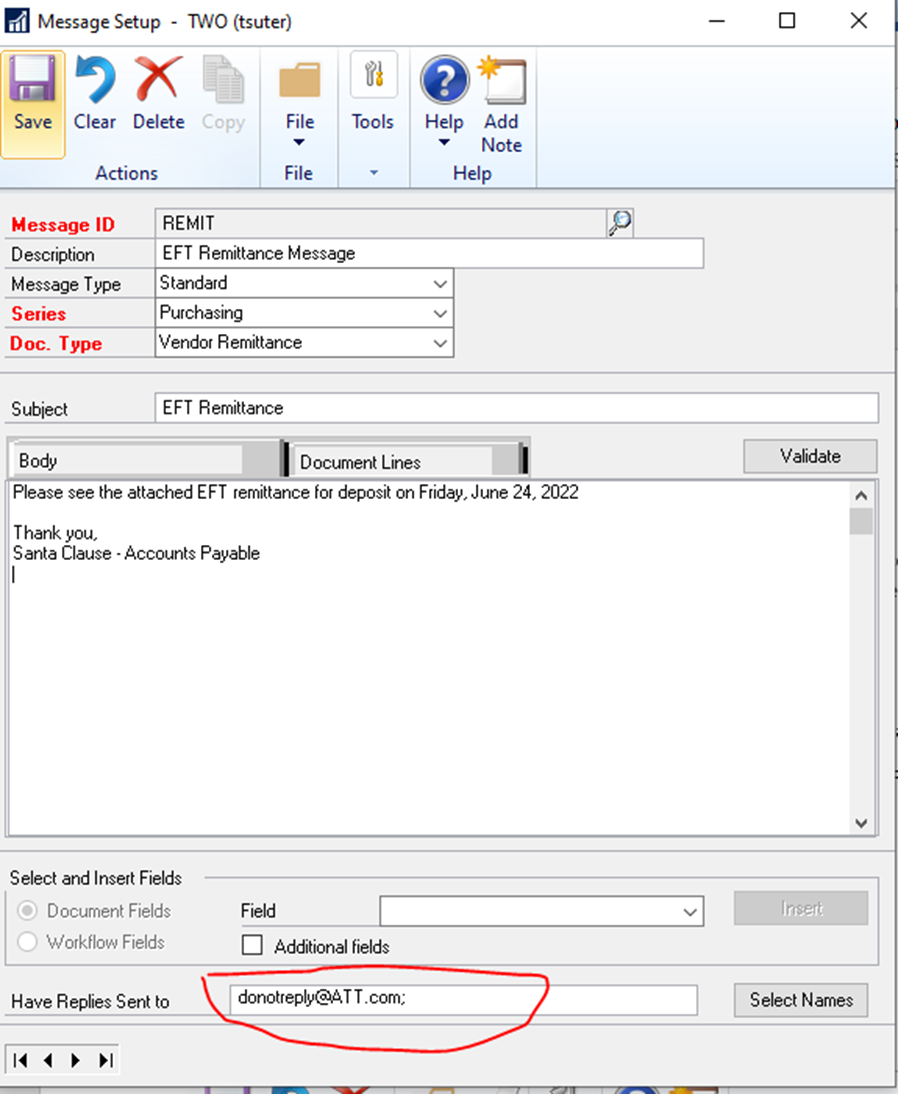
      See the REMIT message follows. This is the email the Vendor will see in the Remittance email. It can be a donotreply or a dept email if you want replies encouraged.

      The example I show is a donotreply account:

      Ā 

      Ā 

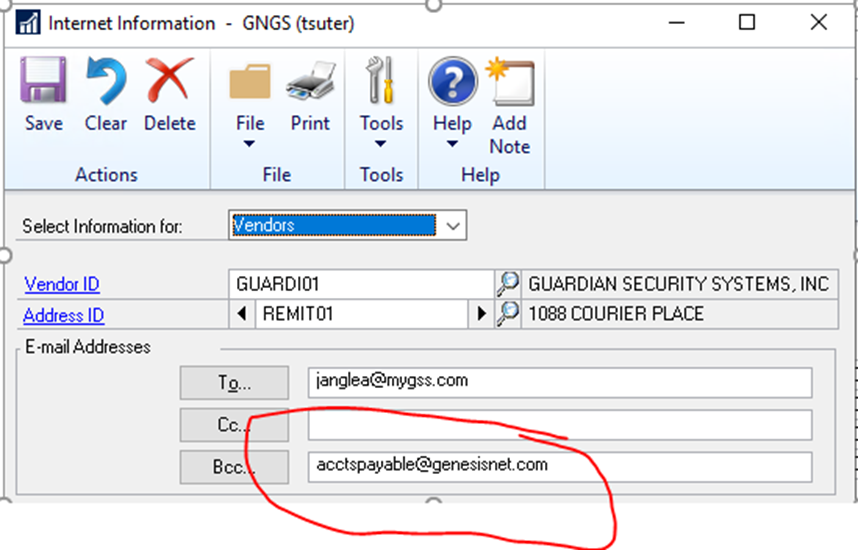
      Then on every EFT Vendor REMIT Address where you set up the Email that the REMIT message will go to, we always add a BCC: here that comes back to the department. See screenshot follows:

      Ā 

      Ā 

      Ā 

      Now with this approach you are using a single email account for everyone in all companies to share but each Company is using their own E Mail Messages Reply To fields which controls what their vendors, customers etc. will see. Then by using a BCC on all addresses we can also easily find “sent” emails if in fact the vendor says they didn’t get it and we can resend it from the company or dept email account rather than GP.

      Ā 

      Hope this helps.

      ——————————
      Thaddeus Suter
      Retus, Inc
      HELOTES TX
      ——————————
      ——————————————-

    Vicki Hillary replied 4 years, 1 month ago 1 Member · 0 Replies
  • 0 Replies

Sorry, there were no replies found.

The discussion ‘Mailbox Setup for EFT Remittance’ is closed to new replies.

Start of Discussion
0 of 0 replies June 2018
Now

Welcome to our new site!

Here you will find a wealth of information created for peopleĀ  that are on a mission to redefine business models with cloud techinologies, AI, automation, low code / no code applications, data, security & more to compete in the Acceleration Economy!