


Dynamics GP
Public Group
Active 3 weeks ago
Dynamics GP
Organizer:
- JOSE Organized by
-
-

Large Environment Upgrade – Multiple GP Utilities Running Upgrades
-
Large Environment Upgrade – Multiple GP Utilities Running Upgrades
Posted by Kyle Malone on April 16, 2020 at 4:26 pm-
We just upgraded to the latest version of GP & have dozens of large GP company databases.
It took forever.
Looking after the fact at some ancient posts, I saw people have upgraded GP by running utilities on multiple servers at once.
As I understand it, a company database goes into ‘Lock’ mode when the upgrade begins on that database.
If you have multiple utilities running, it see that company in ‘Lock’ mode & then just proceeds to the next company in sequence.Has anyone ever tried upgrading large environments like this? Hoping to hear some success stories so that we can try it out during the next go-around.
Thanks!
– Kyle——————————
Kyle Malone, CPA, CPA
GP Admin – CGB Enterprises, Inc.
Lead Consultant/Blogger – https://alacarteGP.com
Chapter Leader – Louisiana (New Orleans)
Solugence | Find the software that FITS your business + integrates with GP. Find Software Smarter. https://solugence.com
—————————— -

Corey Clay
MemberApril 16, 2020 at 8:37 PM
Hello Kyle,I have upgraded some large environments like that in the past. I can certainly make things go more quickly, though there really isn’t anything automatic about it. Let’s say you have 10 companies and 5 GP client installs (separate computers). On each GP client install you would have to launch GP Utilities (assuming the system database was already updated on one of them) and manually select the companies you want that client install to upgrade – 2 at a time in my example. I don’t use this method very often, even with large numbers of companies and large databases, because the performance and timing really comes down to your SQL Server setup (hardware config) and having properly sized database log files.
Personally, I don’t see a major return on my effort to segregate the upgrade out to different installs of GP on multiple computers.
I hope this helps! Happy upgrading!!
——————————
Corey Clay
Senior Technical Consultant
NexTec Group
——————————
——————————————- -
Thaddeus Suter
MemberApril 17, 2020 at 8:51 AM
The technique we have used since GP2013 is to segregate the company databases between multiple DYNAMICSXX databases. For example: Multicurrency Companies use DYNAMICSMC. Non MC can be default DYNAMICS. You can create as many DYNAMICSXX as you desire to manage your Company databases.
By segregating the company databases by dynamics database, you control when you upgrade each group (separately or concurrently) as well as other maintenance activities. If you are a big web client user say with over 1000’s of users doing timesheets there are advantages to web client deployments in this approach as well.
This technique is for advanced GP users only and should probably be discussed with your VAR if they have experience.
See Chap Six of Dynamics Installation Instructions addresses the technique.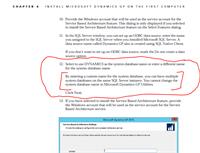
——————————
Thaddeus Suter
Retus, Inc
HELOTES TX
——————————
——————————————- -
?Kyle, I can confirm the process works very well, I have a customer with 354 GP companies and the only way to get them all updated over a weekend is to get GP updating from multiple GP clients at the same time ( I used 10 so 35 companies per PC). Now just because you run from two clients doesn’t make it twice as fast but it is much faster and the resources on your SQL server will make a difference in the overall performance as you add more clients to the update process. Once you have selected a group of companies to install from one client GP puts records in the Dulck table which has the id of the client and company list that will be processed from that client. Pretty easy process to follow, for me it’s more of an accounting exercise keeping track of which companies are running from the different clients incase one fails etc.
This process is certainly a great option when you have lots of companies to update but third parties they are a different animal in this process.
Thanks——————————
Larry Ressler
Director of Consulting Services
Keel & Company, LLC
Fargo ND
——————————
——————————————- -
I have done it successfully on two occasions in the past where I had multiple servers running GP Utilities and upgrading companies simultaneously. I had no issues with doing it that way.
——————————
Donny Kensmoe
Senior Consultant
Wipfli
Green Bay WI
——————————
——————————————- -
Beat Bucher
MemberApril 22, 2020 at 7:45 PM
HI ,The trick with multiple workstations / clients definitely works.. but you have to be careful to plan for this and take note of which client is upgrading which company, because in case your upgrade fails on any of the clients and you need to go back to eventually clear out the duLck table, then you better know which one you need to remove.. otherwise it can quickly turn into a nightmare 🙂
I’ve upgraded a few times as many as 50 companies in parallel using 4 GP clients at the same time and the savings are worth the setup time it takes. Instead of running for 8-10 hours, it would be done within 4-5 hours.. so it’s no quite a division by the number of clients, but anywhere between 40-60% time saved. ?As mentioned, it’s much about the resources on your SQL server.?——————————
Beat Bucher
Business Analyst, Dynamics GP SME
Montreal QC/Canada
@GP_Beat http://www.gp-geek.com
Montreal QC GPUG Chapter Leader
MBS MVP (2015-2018)
——————————
——————————————-
Kyle Malone replied 6 years, 6 months ago 1 Member · 0 Replies -
-
0 Replies
Sorry, there were no replies found.
The discussion ‘Large Environment Upgrade – Multiple GP Utilities Running Upgrades’ is closed to new replies.
