


Dynamics GP
Public Group
Active 13 hours ago
Dynamics GP
Organizer:
- JOSE Organized by
-
-

GP 2018 Distribution Account Changes
-
GP 2018 Distribution Account Changes
Posted by brian.lambertz@connexusenergy.com on September 24, 2018 at 12:49 pm-
Hello GPUG Collaborators!
We are getting into the final days before our Go-Live of GP 2018 and we just are finding a notable difference between GP 2015 R2 and GP 2018. We are wondering if anyone knows of a way to override the Account on the Purchasing Distribution Entry window of GP 2018?
We have done a comparison between the two systems GP 2015 R2 and GP 2018 and have screenshots below.
GP2015:
We entered the standard invoice information:
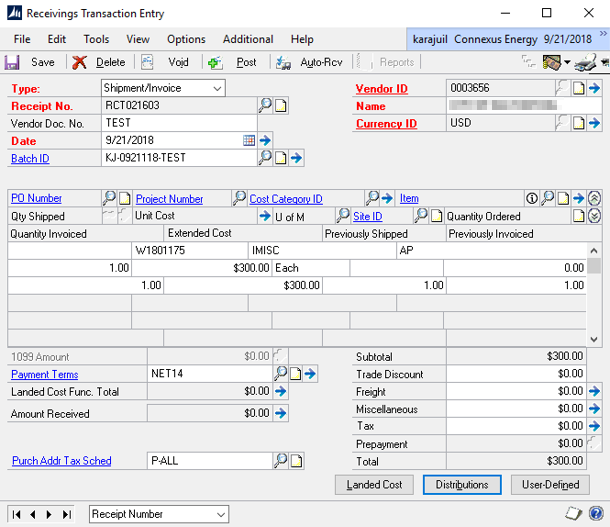
Distribution accounts defaulted note that the WIP account is 10-920-6080-107-55W:
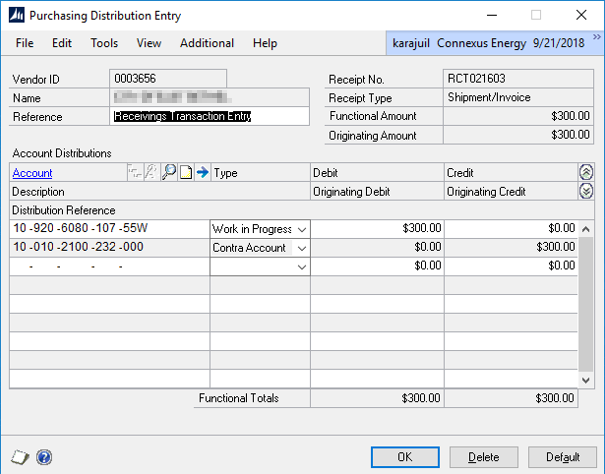
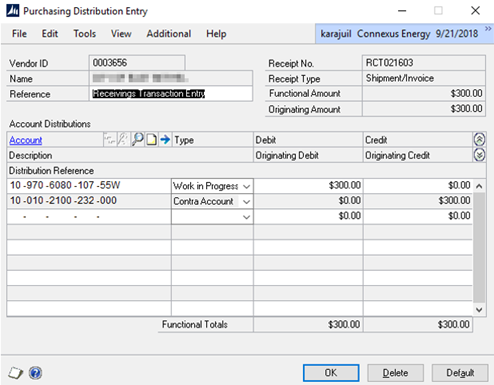
We are allowed to change department which is the second string of our GL from ‘920’ to ‘970’ on the Purchasing Distribution Entry screen for the WIP account. Note the WIP account is now 10-970-6080-107-55W. We receive no error and the system makes this change.
GP2018:
Keyed standard invoice information:
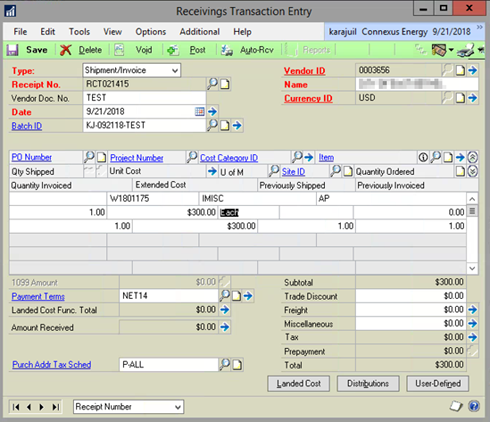
Distribution accounts defaulted:
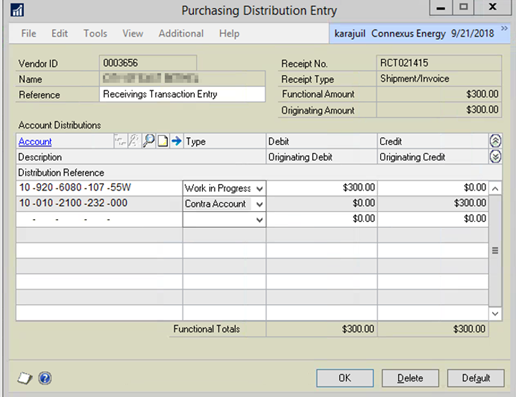
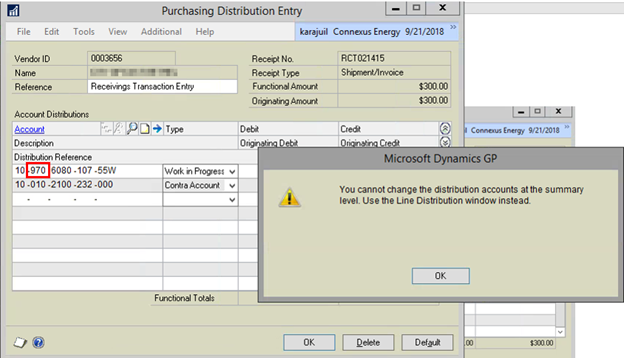
We tried to change distribution line on the WIP account to department 970 and receive the following message “You cannot change the distribution accounts at the summary level. Use the Line Distribution window instead.” The system prevents the change.
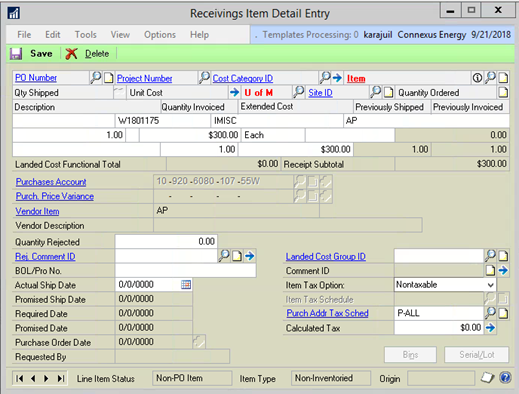
Finally we try a work around by going to the Item Detail window to see if we can change it here. We tried to change the account number on the line item, unfortunately the purchases account is grayed out and we cannot change it there either:
Is there a workaround that anyone knows of to allow us to change the distributions? Is there a setting that we can invoke that will allow this to function just like in GP 2015 R2 to allow us to edit the account?Thank you in advance for any help!
——————————
Brian Lambertz
Business Analyst
Connexus Energy
Ramsey MN
—————————— -

Thaddeus Suter
MemberSeptember 24, 2018 at 2:56 PM
Change Account distributions….. sure….
Because your PO is a for Project w Cost Category (Not Inventory) you must open the PA Account Distributions window on that screen to edit. It has more than one distribution depending on your setups.
If the PO was inventory/noninven without a Project and Cost Category then you could edit in the window you show. Just a single account though.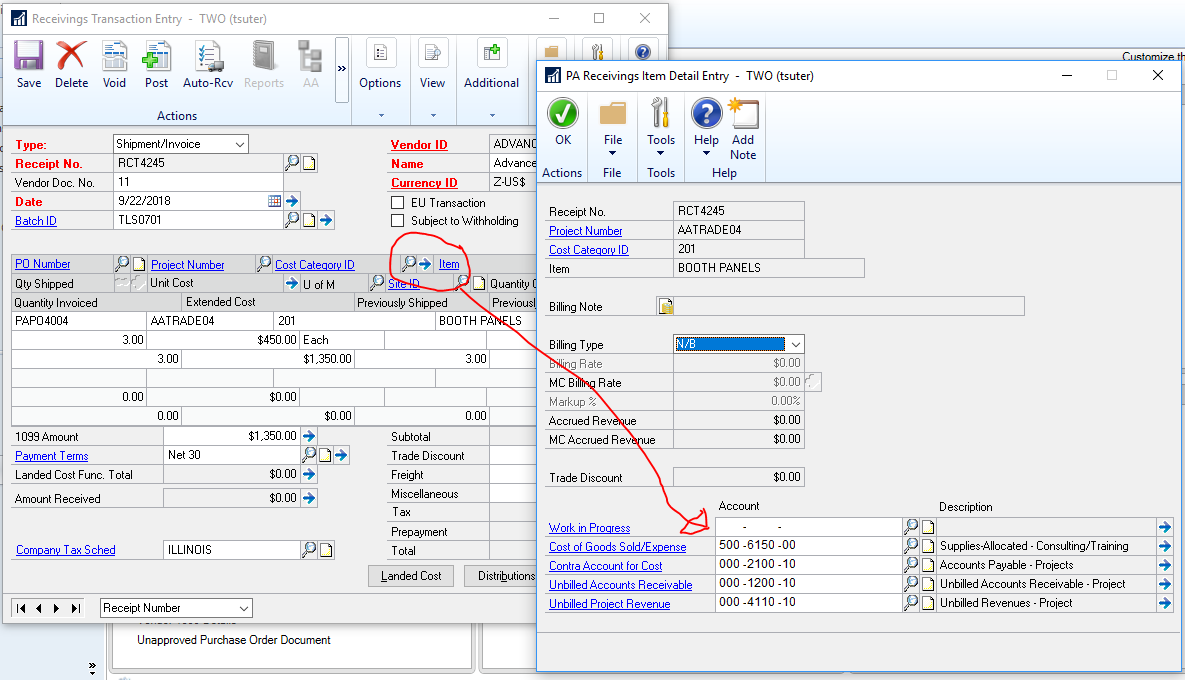
——————————
Thaddeus Suter
Retus, Inc
HELOTES TX
——————————
——————————————- -
Hello Thaddeus, That solution looks like it will work. From my understanding this may have been from a change that was introduced in GP 2016 R2 and so it rolled up into GP 2018. To test this, I created a new Receiving Transaction and used the same vendor as before.
Next we opened the expansion for the Purchasing Distribution Entry window and edited the account:
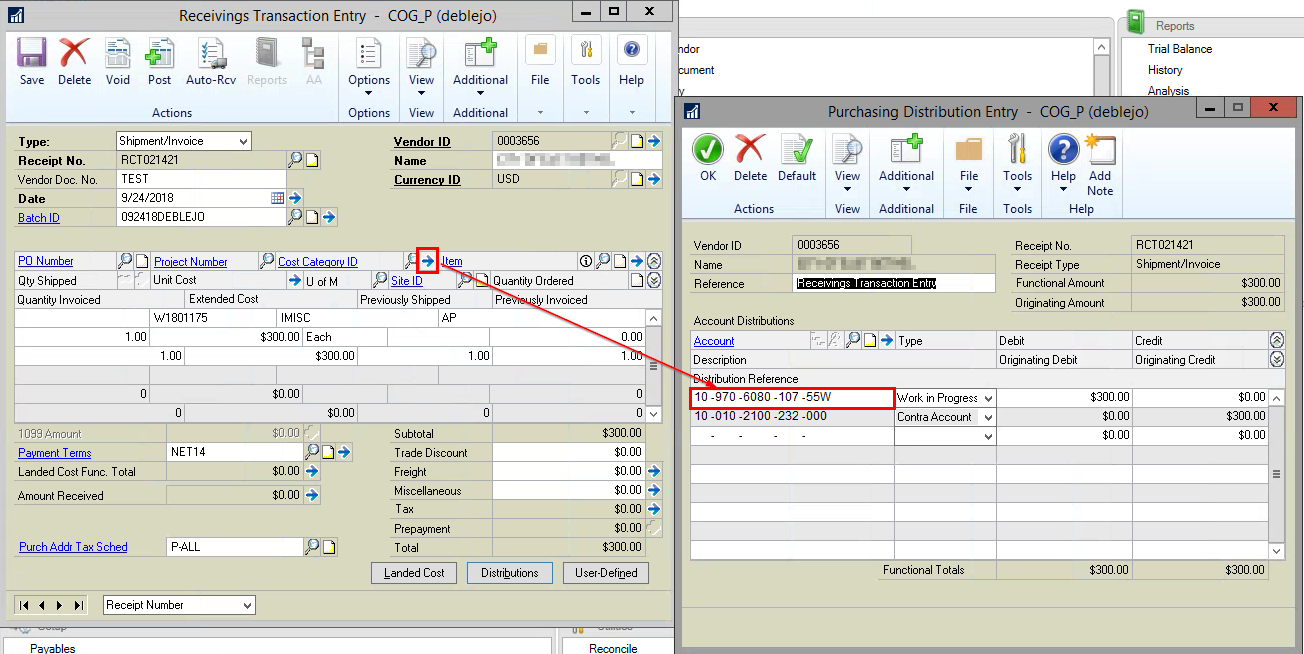
You do receive a message alerting you to the fact that “Changing the distribution will recalculate the summary distribution.”: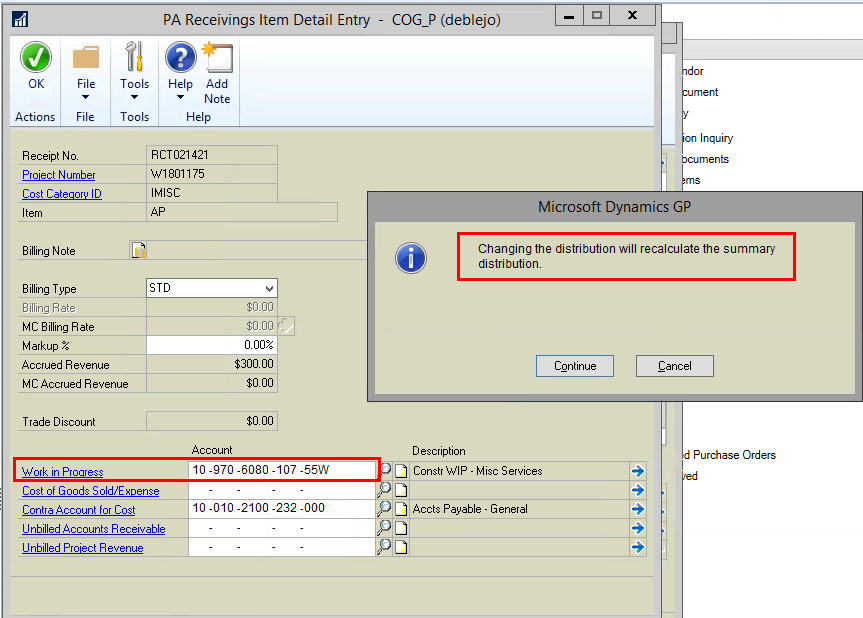
After clicking ‘Continue’ I re-opened the Purchasing Distribution Entry Window and just as the warning message stated it had in fact updated the account: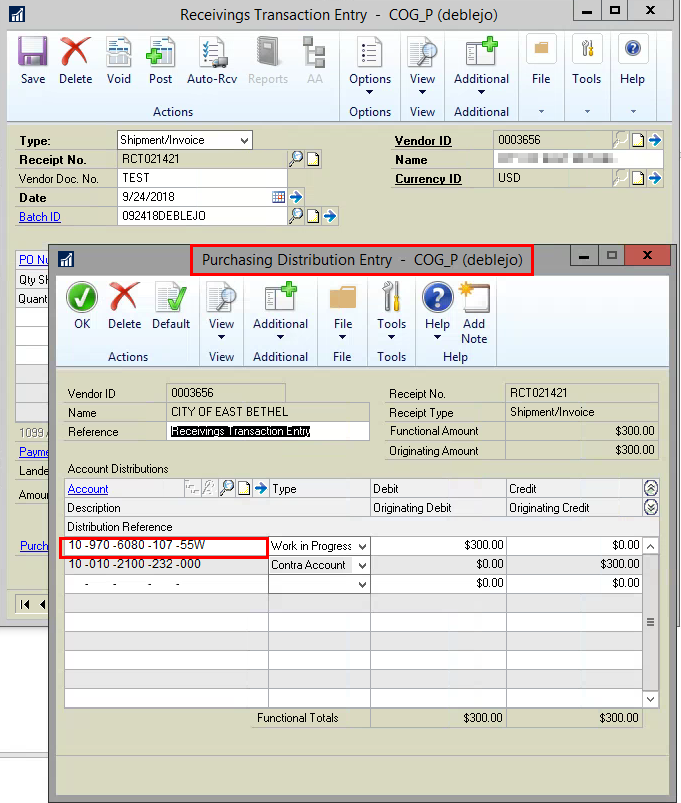
This is an interesting way around to solve this problem and thank you very much for sharing your knowledge Thaddeus!Sincerely,
——————————
Brian Lambertz
Business Analyst
Connexus Energy
Ramsey MN
——————————
——————————————- -
Hi
Since you are using Project Accounting, the setting will be in the Project Module. There are so ?it will be a setting either at the Project Level or Cost Category Level or Company Level… you know Project!! However, I would think that since you must have setup the Project that you would want the accounts to default for what is correct in the Project Module.
I can’t be more specific unless I can see how that Project Module is setup.
The made some ‘enhancements’ to the Project Module in GP 2016, which may be your culprit.
——————————
Kindest Regards,Jo deRuiter , MCP, DCP
“That GP Red Head”
Advanced Credentialed Professional-Dynamics GP
GPUG Academy Instructor
GPUG GP Credentialing Exam Committee
Chairman, GPUG Partner Advisory Board
Dexpro Dynamics LLC
Senior Consultant
Milwaukee, WI
770-906-4504 (Cell)
——————————
——————————————- -
?Just to clarify – this only pertains to Project Accounting??? Thank you
——————————
Lana McCollough
Applications Supervisor
BayCare Clinic
Green Bay WI
——————————
——————————————- -
Hi
Yes, it only pertains to Project Accounting since the Project-Cost Category control the posting when Project is used.?
——————————
Kindest Regards,Jo deRuiter , MCP, DCP
“That GP Red Head”
Advanced Credentialed Professional-Dynamics GP
GPUG Academy Instructor
GPUG GP Credentialing Exam Committee
Chairman, GPUG Partner Advisory Board
Dexpro Dynamics LLC
Senior Consultant
Milwaukee, WI
770-906-4504 (Cell)
——————————
——————————————-
brian.lambertz@connexusenergy.com replied 7 years, 5 months ago 1 Member · 0 Replies -
-
0 Replies
Sorry, there were no replies found.
The discussion ‘GP 2018 Distribution Account Changes’ is closed to new replies.
