STOP ERROR: Number sequence is manual when creating a quality order

  • STOP ERROR: Number sequence is manual when creating a quality order
    Posted by Mark Yankovich on November 2, 2020 at 10:34 pm
    • Mark Yankovich

      Member

      November 2, 2020 at 10:34 PM

      (Screen shots make this lengthy but provides info that is pertinent.)

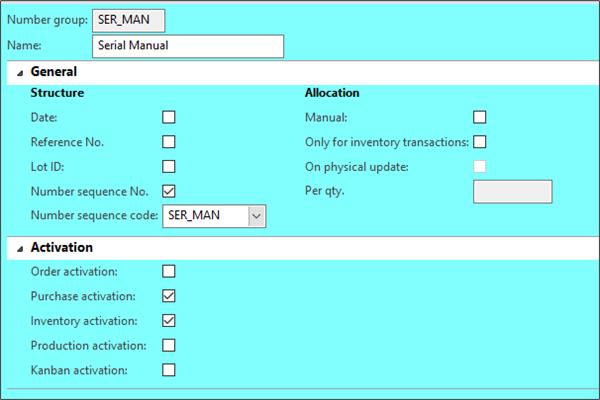
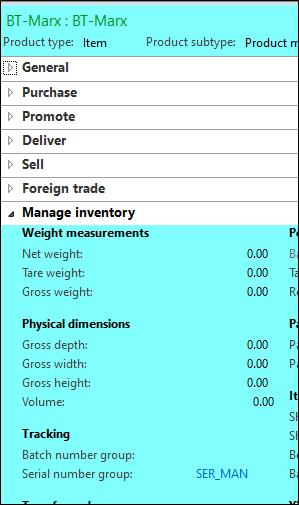
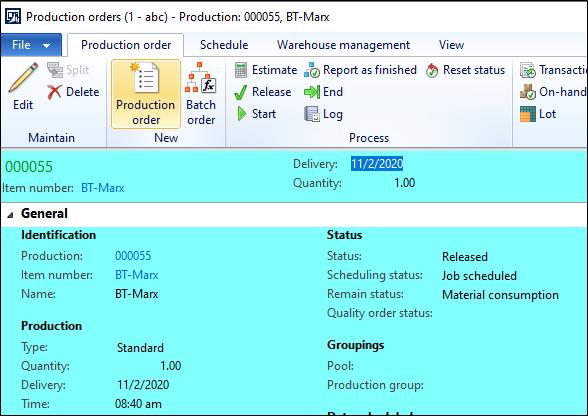
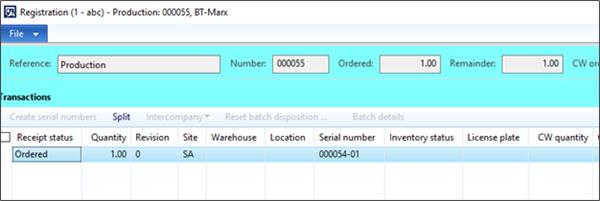
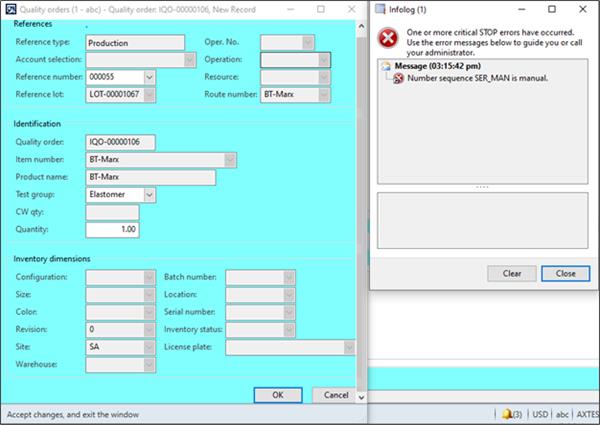
      When trying to create a quality order for a production order (000055 in this example), we receive a STOP message that states the ‘Number sequence SER_MAN is manual’Ā (screen shot directly below).Ā  While this is true, we do not understand why a stop message is returned.Ā  The particulars about the setup follow the screen shot below.Ā  The last screen shot shows a number sequence that is auto-generated – this does not return a stop message.Ā  Why does the manual generation return a STOP message – is this a bug?Ā  If not, we need to understand the reasoning.Ā  Manual is what we need at this time.Ā  We are on AX 2012 R3 CU13.

      #AX2012
      #Functional
      #Intermediate
      #Quality
      #Number Sequence

      STOP Error Message

      Number Sequence SER_Man Setup – Generates the STOP message when creating a quality order

      Ā 

      Part Numnber BT_Marx – Serial Number Group Assignment

      Ā Ā 

      Production Order 000055 for BT-Marx

      Ā Ā 

      Serial Number Registration for Production Order 000055

      Ā Ā 

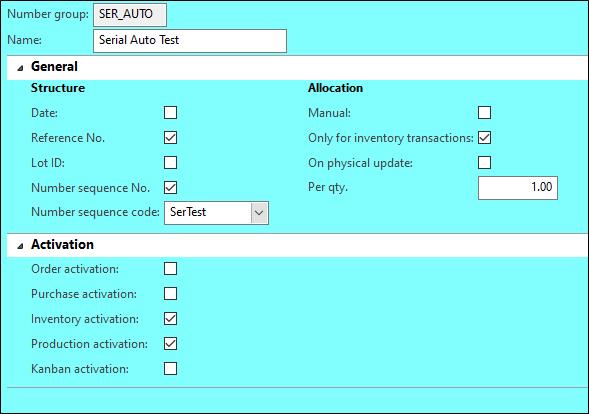
      Number Sequence SER_AUTO Setup – DOES NOT generate the STOP message when creating a quality order

      Ā 

      Ā Thank you!

      ?

      ——————————
      Mark Yankovich
      Allegheny Bradford Corporation
      PA
      ——————————

    • Colby Gallagher

      Member

      November 3, 2020 at 8:29 AM

      Have you tried on your SER_MAN number sequence setup to untick the “inventory activation” checkbox?

      ——————————
      Colby Gallagher
      Managed Application Services Supervisor
      RSM
      OH
      ——————————
      ——————————————-

    • Mark Yankovich

      Member

      November 3, 2020 at 1:09 PM

      Colby,

      Thank you – that worked.Ā  It prompted some reading and testing.Ā  A couple of questions come to mind for more understanding:

      First – When reading about the ‘Activation’ items for the number group, it appears these are for ‘automation’ and not ‘manual’.Ā  If this is correct, is it also correct that none of the ‘activations’ should be ‘ticked’ when the number sequence is set to ‘manual’?

      Second – Although this now works, why would creating a quality order cause this error to occur?Ā  Why would the number group have anything to do with creating a quality order?

      Thanks,

      ——————————
      Mark Yankovich
      Allegheny Bradford Corporation
      PA
      ——————————
      ——————————————-

    Mark Yankovich replied 5 years, 4 months ago 1 Member · 0 Replies
  • 0 Replies

Sorry, there were no replies found.

The discussion ‘STOP ERROR: Number sequence is manual when creating a quality order’ is closed to new replies.

Start of Discussion
0 of 0 replies June 2018
Now

Welcome to our new site!

Here you will find a wealth of information created for peopleĀ  that are on a mission to redefine business models with cloud techinologies, AI, automation, low code / no code applications, data, security & more to compete in the Acceleration Economy!