


Dynamics F/SCM
Public Group
Active 3 days ago
Dynamics F/SCM
Organizer:
- JOSE Organized by
-
-

Planning Route Operation Type
-
Planning Route Operation Type
Posted by Mark Yankovich on September 17, 2019 at 1:57 pm-
What does ‘Type’ field mean in screen below. This is from a planned order route.
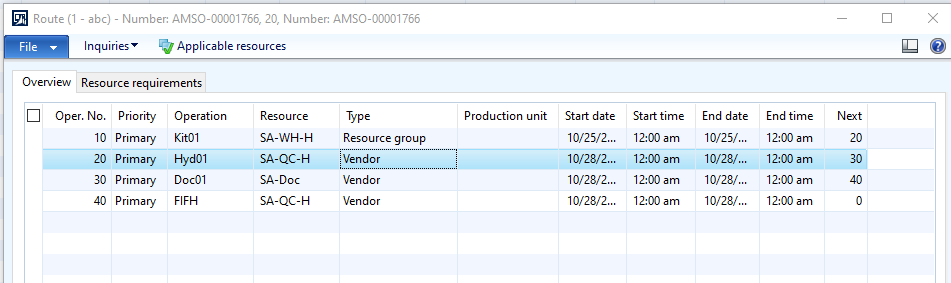
In the routing detail for this part number, the ‘Type’ for each line is ‘Standard’. When we run planning, the above ‘Type’ does not match what is in the part’s routing detail.
Having difficulty trying to research this. Can someone help us understand what this field is and how it differs from the ‘Type’ in the part’s routing? And, what purpose each serves – from the planning run (screen shot above) and the part routing detail.
Thank you!
#AX2012
#Beginner
#Functional
#MRP
#Routing?????
——————————
Mark Yankovich
Allegheny Bradford Corporation
—————————— -
Hi Mark,
The data in the ‘type’ field your referring to comes from Resource Requirements > Requirements Type form on the Router. There are several predefined possible records that can be selected from when entering this data. When you select “resource type” in this field, a different list of predefined choices becomes available in the Requirements field. Neither is the ‘type’ your asking about.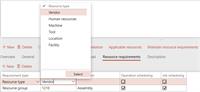
The ‘type’ your referring to comes from Route Group > Route Type on the General tab of the router details.Use of the word ‘type’ in multiple places in a Router referring to different things can be confusing…
——————————
Jack Moran
Solutions Architect
Columbus Global
Greenfield NH
——————————
——————————————- -
Jack,
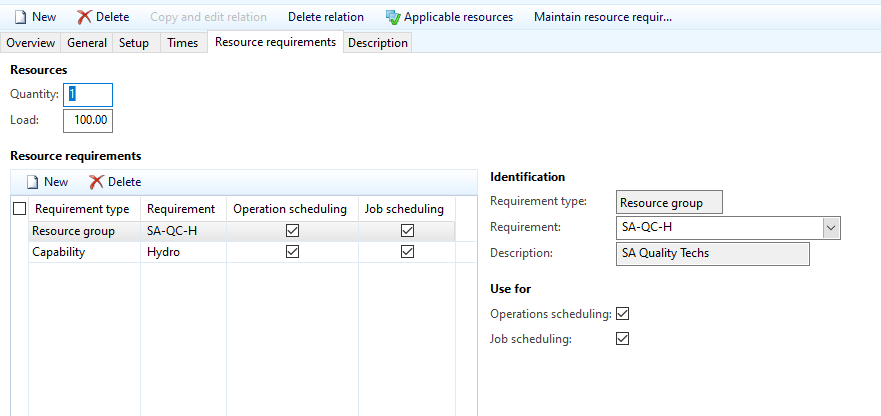
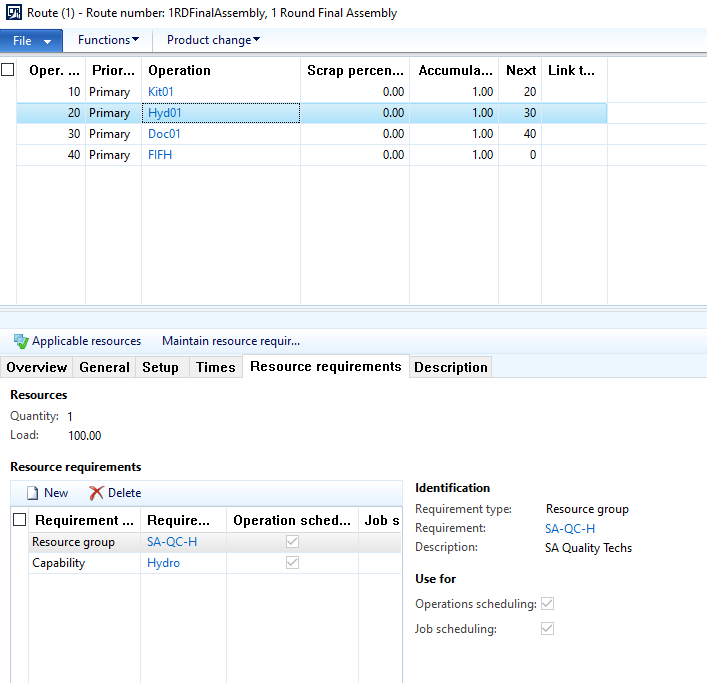
Thanks for your response. I’m still not clear on this though. When I look at the ‘Requirement Type’ of the ‘Resource Requirements’ in the routing for this part, none of them show ‘Vendor’. I dove into first line of the original message above and focused on the first line indicating where the ‘Type’ is ‘Vendor’. Below is what the ‘Routing’ for this part and that operation show for ‘Resource Requirement’ and the ‘Requirement Types’ and ‘Vendor’ is not one of them. Still unable to get my arms around this and am sure it is just a matter of learning.
——————————
Mark Yankovich
Allegheny Bradford Corporation
——————————
——————————————- -
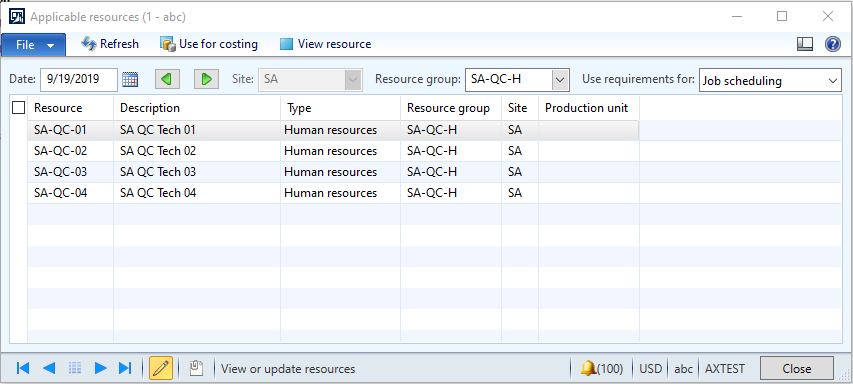
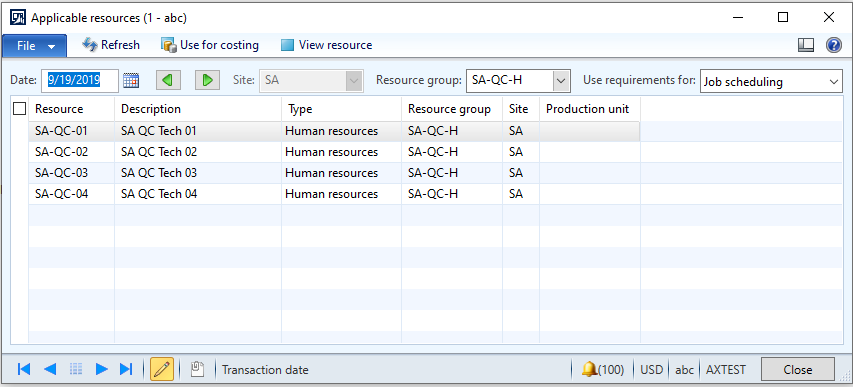
Given the router operation that you have drilled into appears to be an internal QC activity, a resource of type Vendor seems an unlikely resource to have been added to your Resource Group SA-QC-H, but lets check that Mark and make sure its not the case. When you click on the “applicable resources” button in the screenshot above, what does it show?
——————————
Jack Moran
Solutions Architect
Columbus Global
Greenfield NH
——————————
——————————————- -
Here is what the ‘Applicable Resources’ show for this operation in the part’s route and the planned order:
——————————
Mark Yankovich
Allegheny Bradford Corporation
——————————
——————————————- -
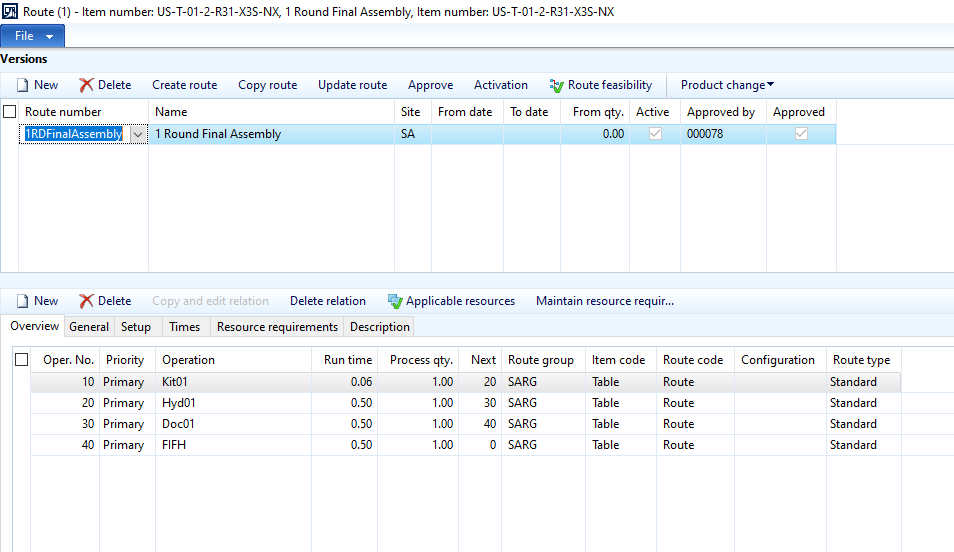
OK, that looks like it should. So lets try something else. Could you please back out to the main item master record for item AMSO-0000176 in your screen shots above and screen shoot the router versions for this item that have been entered in your system? Related question, do you have routers built for this same item in sites other than SA?
——————————
Jack Moran
Solutions Architect
Columbus Global
Greenfield NH
——————————
——————————————- -
The screen shot is below. There is only 1 version at this time and it only exists for site ‘SA’. We are not ‘live’ in AX yet. This is in our ‘test’ environment as we learn to understand AX.
——————————
Mark Yankovich
Allegheny Bradford Corporation
——————————
——————————————- -
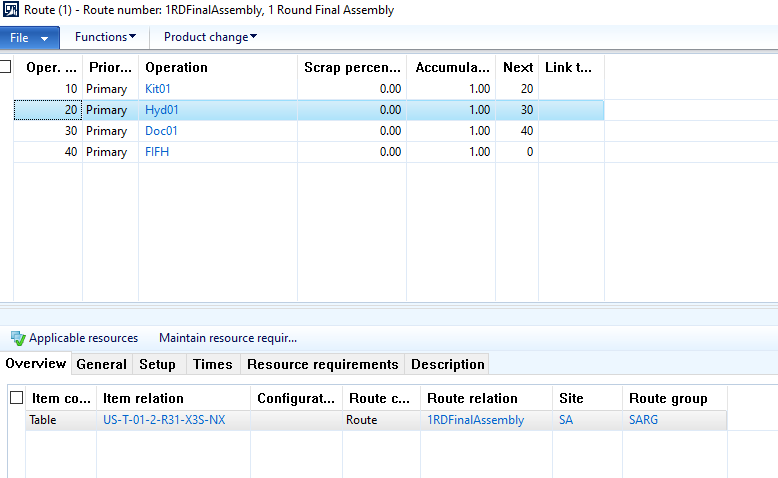
Thanks Mark. You do realize your showing the active route for item US-T-01-2-R31-X3S-NX in the above screen shot and not the route info for item AMSO-0000176 as was the case in your original screen shot? If the route data for these two items is identical, and so the different item numbers being shown is inconsequential regarding the issue, then this is likely as far as I can go in helping you troubleshoot remotely. If your working with a partner in your deployment, you might want to work with them to further investigate setups and ensure there is no corruption in the tables that underlie your production routes.
——————————
Jack Moran
Solutions Architect
Columbus Global
Greenfield NH
——————————
——————————————- -
My apologizes for sending the wrong screen shot. Here are screen shots from the route version perspective and the ‘Applicable Resources’ for the line in focus. Are these the screen shots you were looking for?
——————————
Mark Yankovich
Allegheny Bradford Corporation
——————————
——————————————-
Mark Yankovich replied 7 years, 1 month ago 1 Member · 0 Replies -
-
0 Replies

Sorry, there were no replies found.
The discussion ‘Planning Route Operation Type’ is closed to new replies.
