Expense report error: “Dimension value XXX is not active.” (AX 2012)

  • Expense report error: “Dimension value XXX is not active.” (AX 2012)
    Posted by paul-ceely on February 2, 2021 at 5:31 pm
    • Paul Ceely

      Member

      February 2, 2021 at 5:31 PM

      Hi everyone!
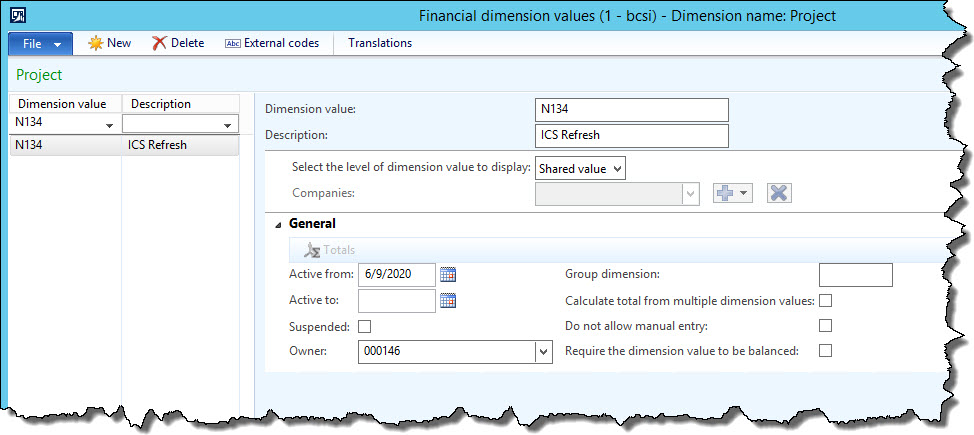
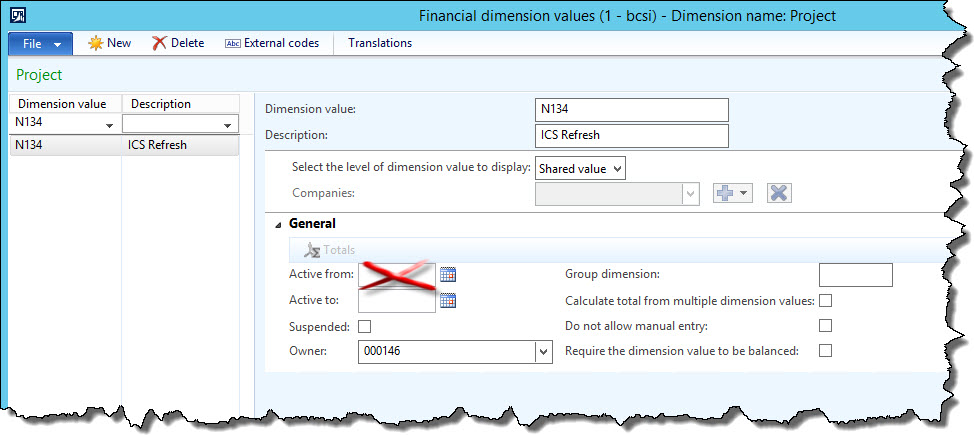
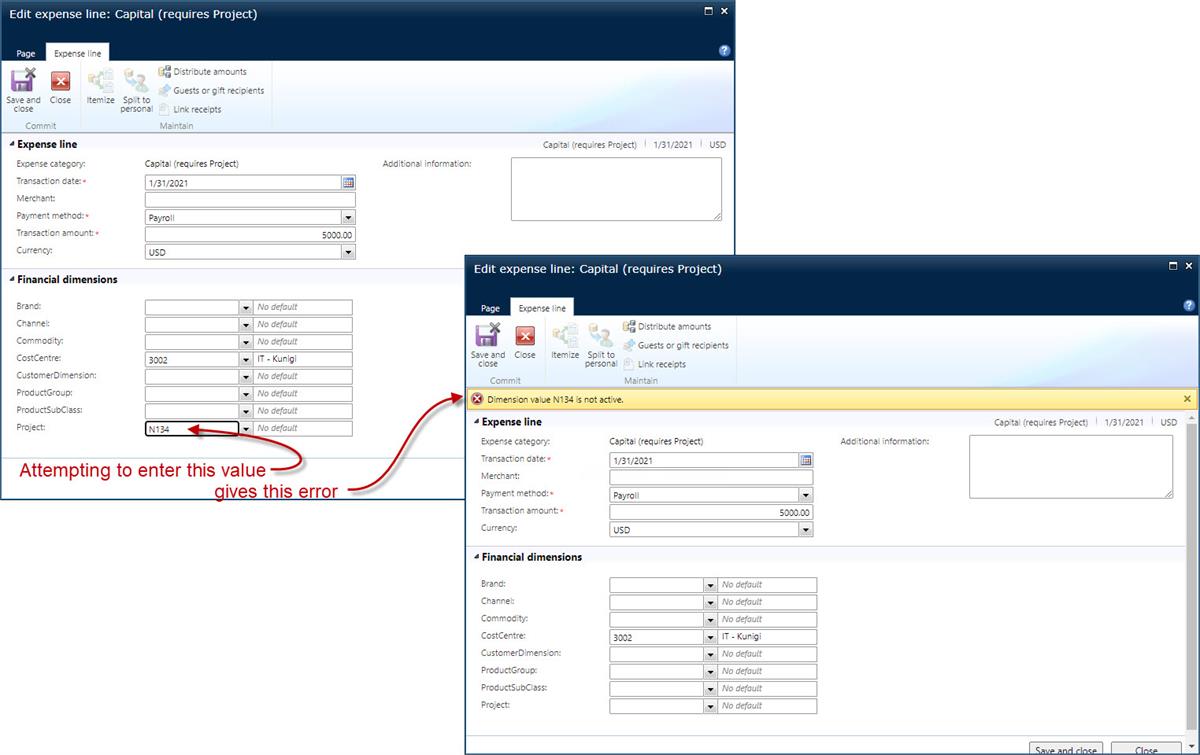
      I have encountered a problem where, if a financial dimension value has an “Active from” date defined, users receive an error message that the value is “not active” when they try to enter/select the value on an expense report line (details below).Ā  Has anyone else experienced this? And is there a solution?
      Thanks in advance!

      ———————————————————————————————————————————
      When entering an expense report line, users receive an error message that a financial dimension value is “not active”:

      However, the financial dimension value is active:What I discovered from testing is that removing the Active from date allows the value to be used on the expense report line.

      ———————————————————————————————————————————
      #AX2012?? #Finance?

      ——————————
      Paul Ceely
      Group ERP Functional Support Specialist
      Britax
      SC, United States
      ——————————

    paul-ceely replied 5 years, 2 months ago 1 Member · 0 Replies
  • 0 Replies

Sorry, there were no replies found.

The discussion ‘Expense report error: “Dimension value XXX is not active.” (AX 2012)’ is closed to new replies.

Start of Discussion
0 of 0 replies June 2018
Now

Welcome to our new site!

Here you will find a wealth of information created for peopleĀ  that are on a mission to redefine business models with cloud techinologies, AI, automation, low code / no code applications, data, security & more to compete in the Acceleration Economy!