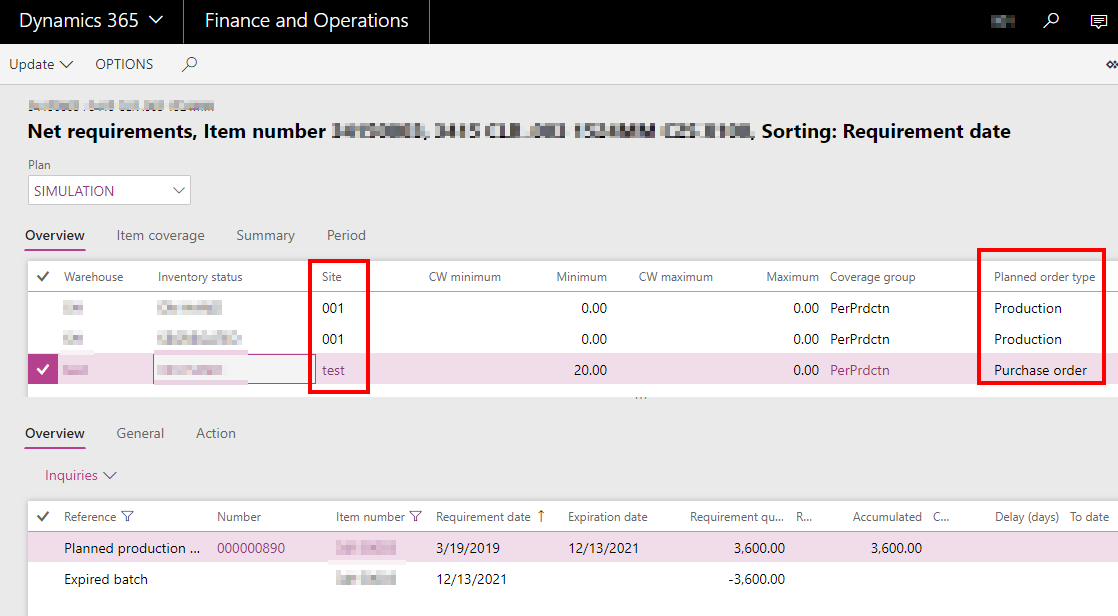
Have a scenario where I am looking for help , it revolves around default order type in D365. We have an item that is made in ne facility (site) and then is purchased in a different site. so in one site I need the default order type to be Purchase Order and in the other I need it to be Production. This way based on site it will calculate the cost correctly. What I am seeing is that the default order type is set at the rank 0 level and can’t be changed at the different site specific levels. If I change the 0 ranking or master record to purchase it makes Purchase be the default order type on all my sites. Has anyone else encountered this and does anyone know if there is a way to set it different by site.Ā Thanks
—————————— Paul Martin Production Program Manager Elite Comfort Solutions, LLC Rutherfordton NC ——————————
Hi Paul, I hope I am wrong but believe you cannot change default order type per site in default order settings, it will always inherit from the 0 rank. I believe at this time you must do those overrides in Item coverage.
Thanks Drew
—————————— Andrew Lencsak Solution Architect DXC Technology Atlanta GA —————————— ——————————————-
MICHAEL MILLS
Member
March 15, 2019 at 8:49 AM
I agree with Paul, it will need to be done at the Coverage group
—————————— MICHAEL MILLS Blue Horseshoe Carmel IN —————————— ——————————————-
Please note:
This action will also remove this member from your connections and send a report to the site admin.
Please allow a few minutes for this process to complete.

Report
You have already reported this .
Welcome to our new site!
Here you will find a wealth of information created for peopleĀ that are on a mission to redefine business models with cloud techinologies, AI, automation, low code / no code applications, data, security & more to compete in the Acceleration Economy!